


Sometimes it's faster to fix a vendor's profile or their application to your
market yourself, instead of walking them through it. Before you can, the
vendor has to agree — you send the request, and they approve or deny it from
their side.
Request access to edit a vendor's profile
-
Open Vendors and click the vendor.
-
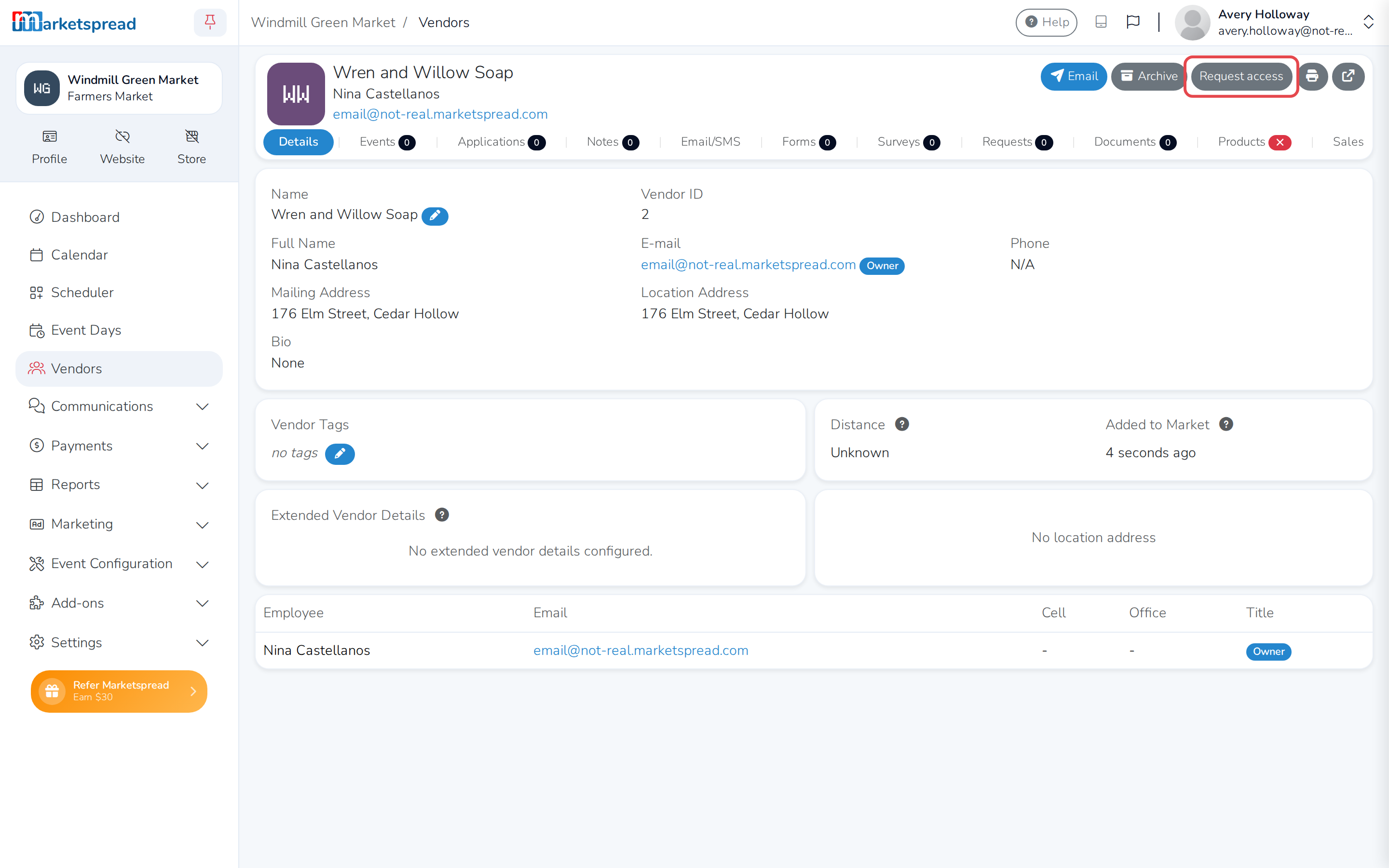
Click Request access, in the top right of their page.
-
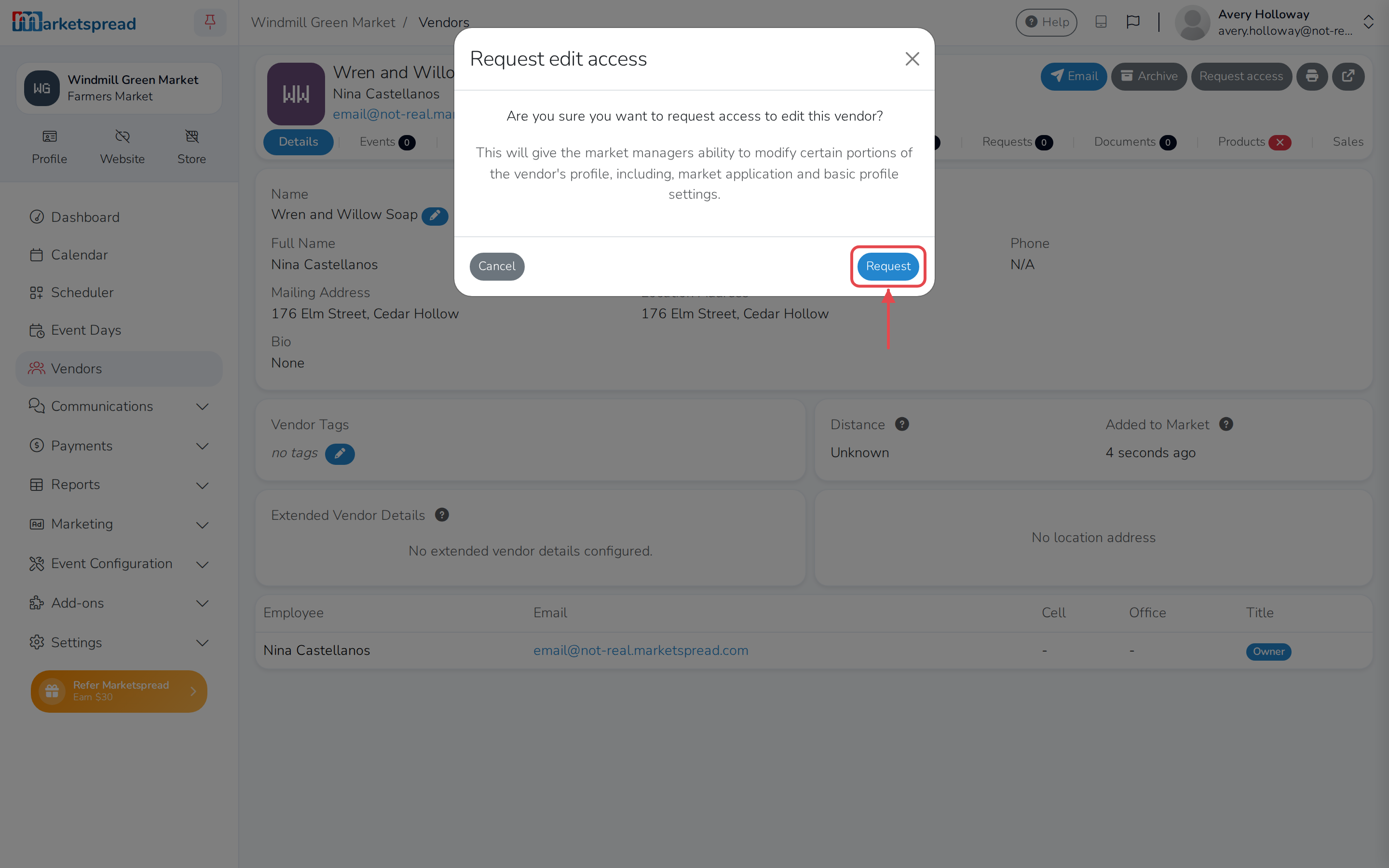
Click Request to confirm.
Note
The vendor gets a notification asking them to approve or deny the
request — nothing changes for you until they do. See
Granting or revoking market access to your account
for what they see.
Edit a vendor's profile once they approve
Once a vendor approves your request, the button on their page changes to
Modify vendor.
-
Open Vendors and click the vendor.
-
Click Modify vendor.
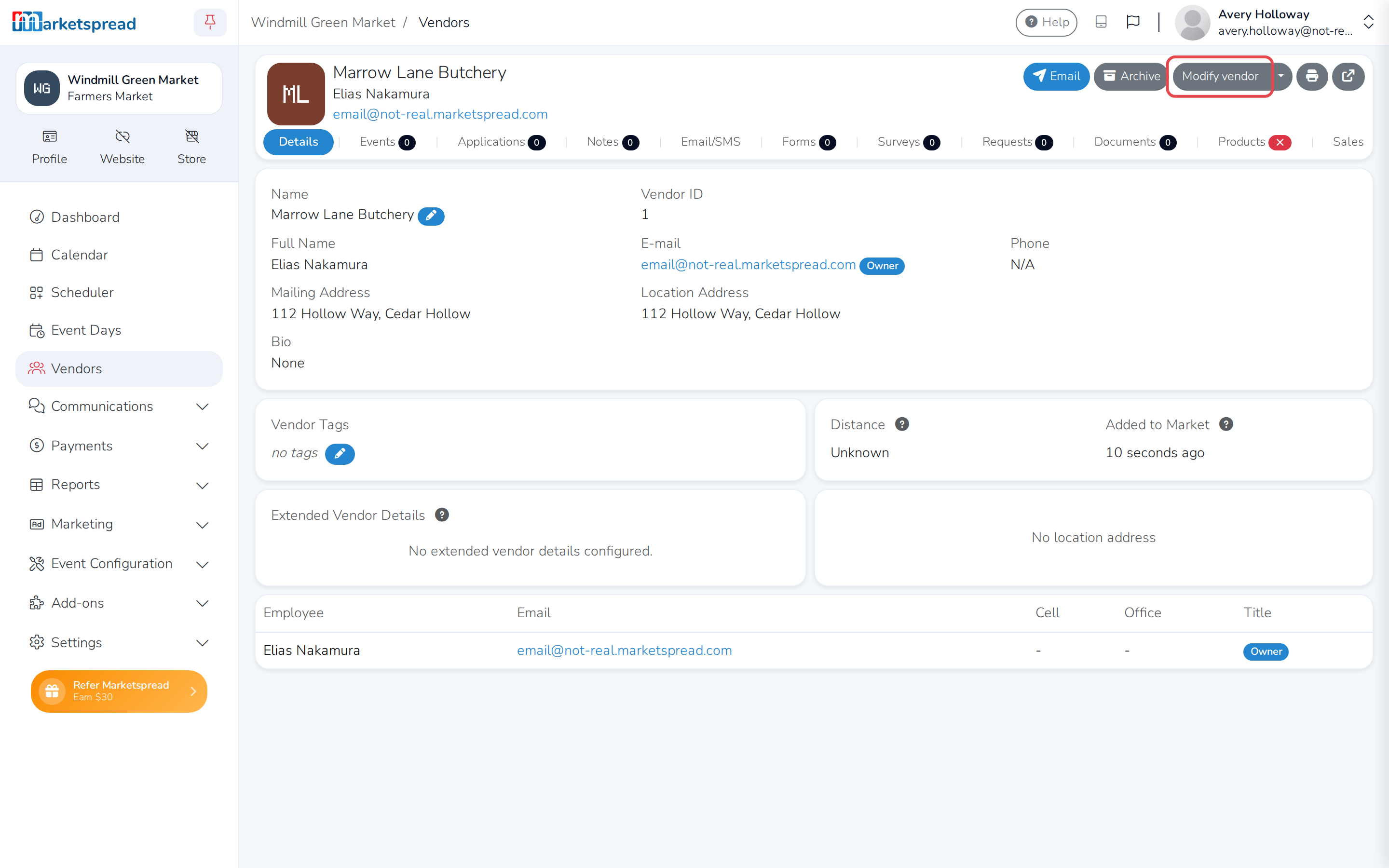
This takes you into the vendor's own dashboard, where you can edit their
profile and their application to your market. Click Back to market, at
the top of the page, to return to your market dashboard.
Cancel a request you haven't heard back on
-
Open Vendors and click the vendor.
-
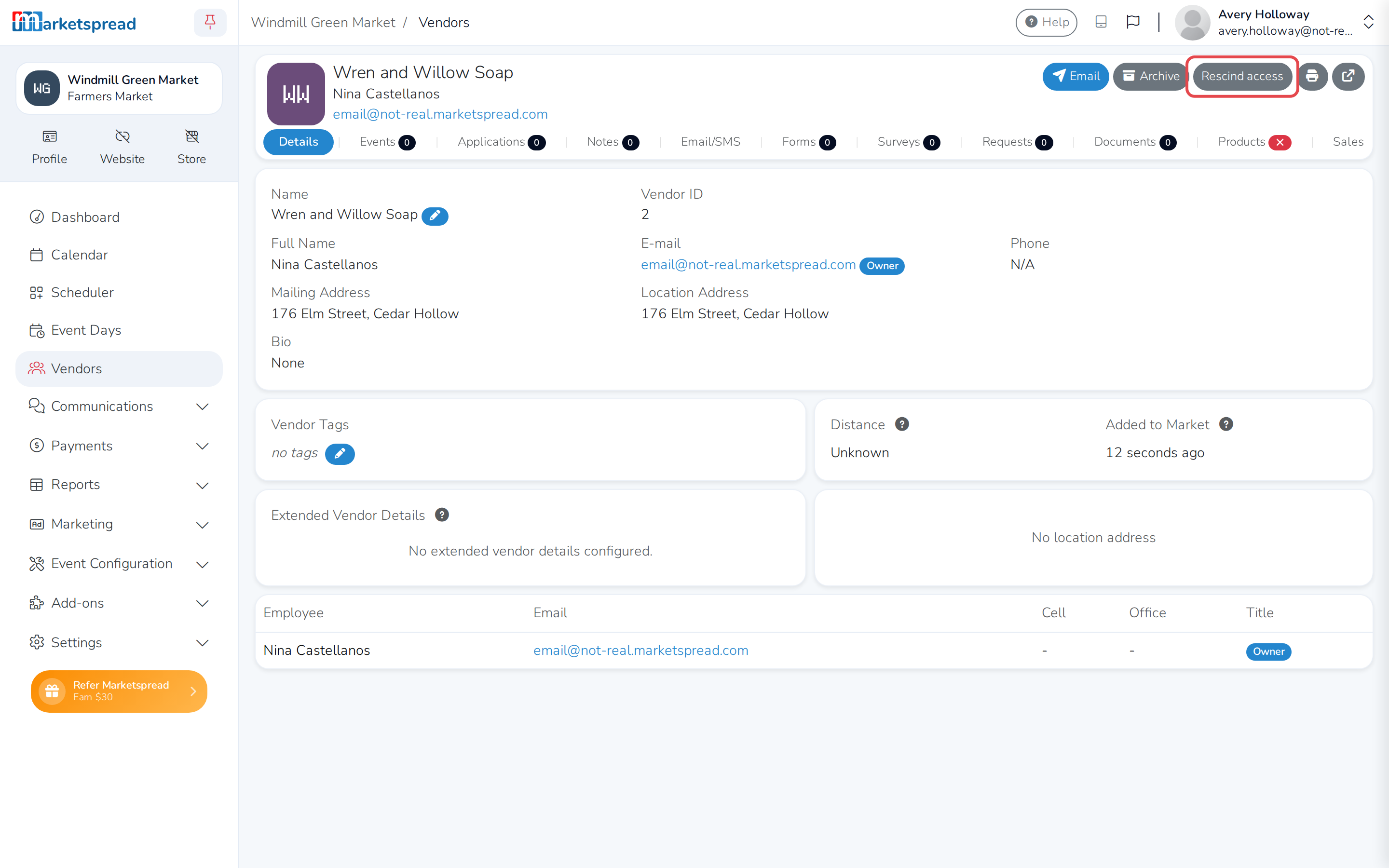
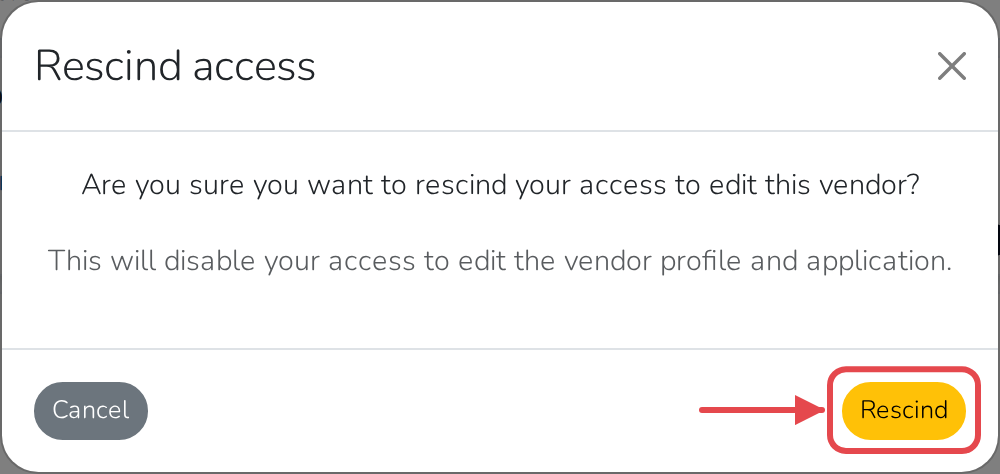
Click Rescind access.
-
Click Rescind to confirm.
Give up access you no longer need
-
Open Vendors and click the vendor.
-
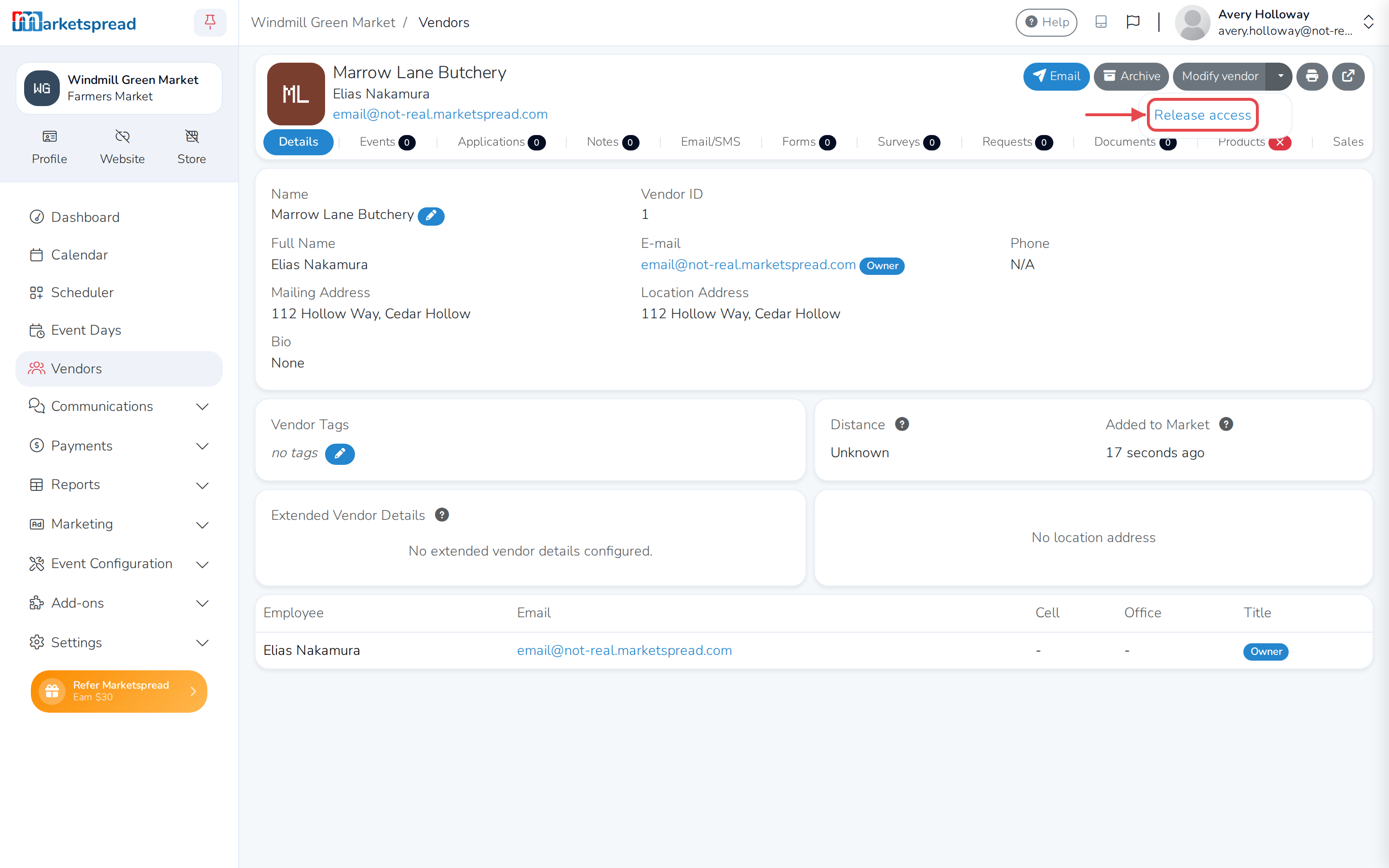
Click the arrow beside Modify vendor, then click Release access.
-
Click Release to confirm.
Note
A vendor can also take back your access at any time from their side,
without waiting for you to release it.