If you have a coupon code, use it to lower your event's activation fee before
you pay. See Activate your first event
if you haven't started activating your event yet.
Apply a coupon code
-
Open Event Configuration, then click Events.
-
Under Pending Events, click Activate next to the event — or open
the event and click its Activate tab.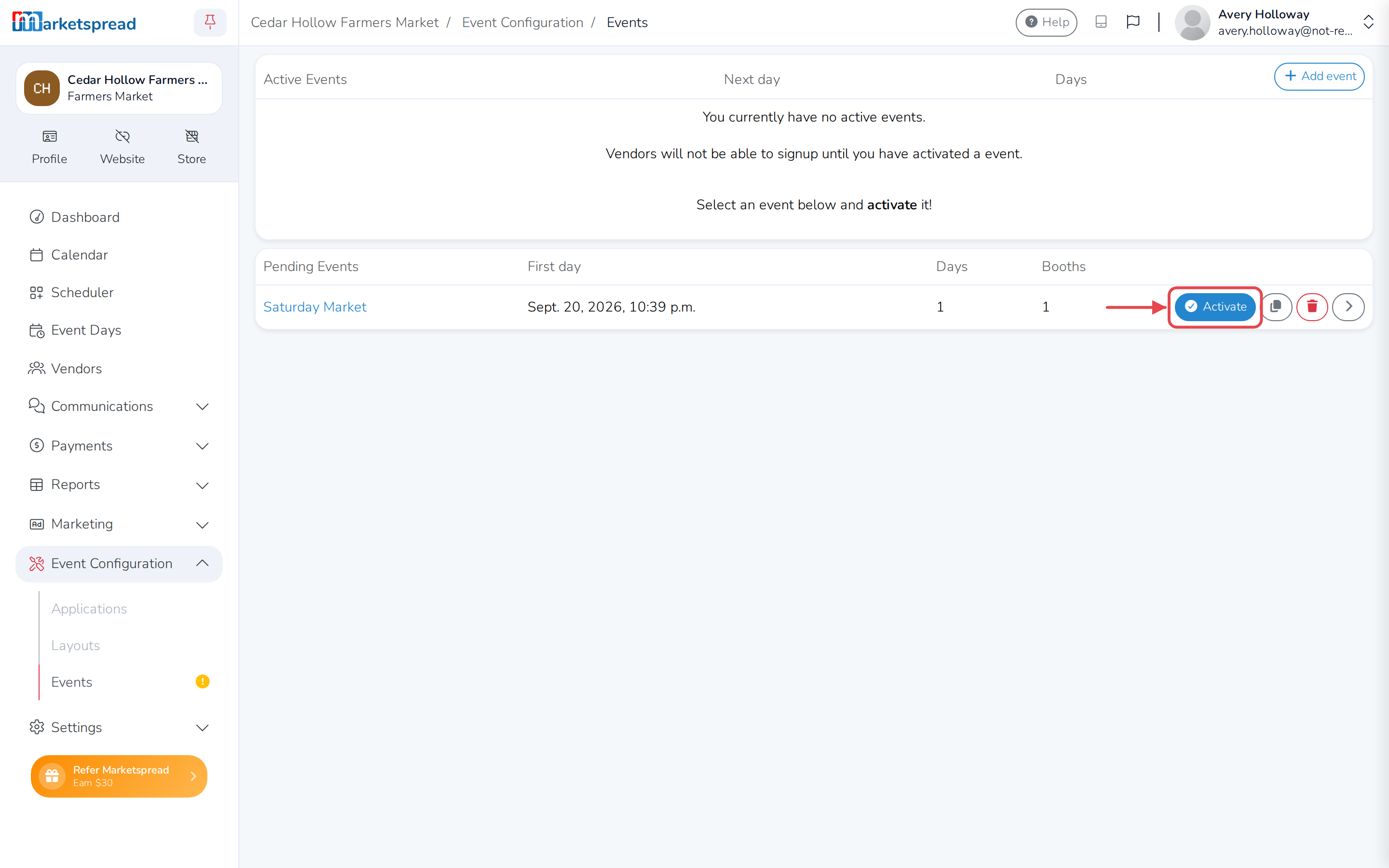
-
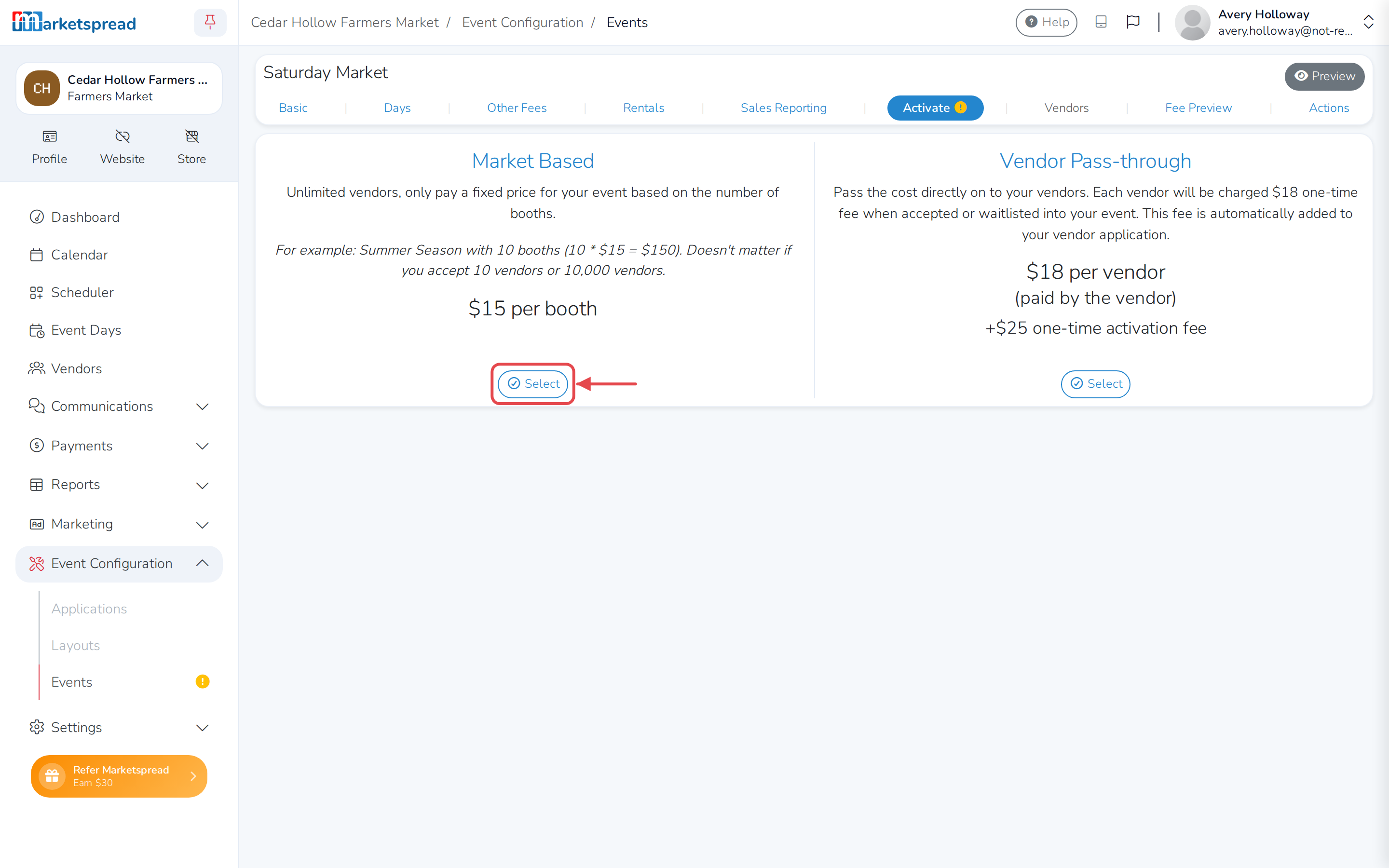
Under Market Based, click Select.
-
If you're asked to choose a payment plan, pick one.
-
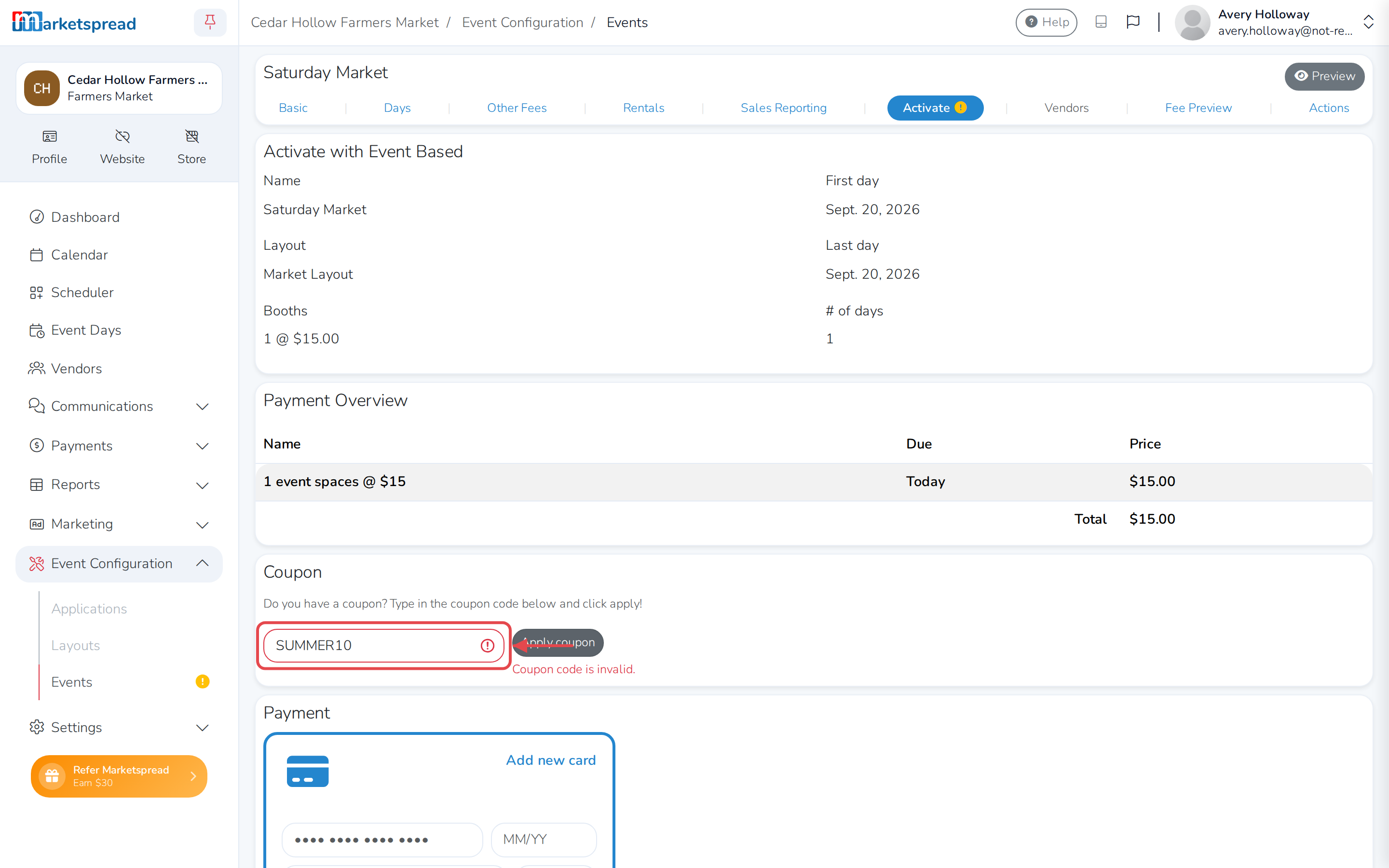
Scroll to Coupon.
-
Enter your code in Coupon code.
-
Click Apply coupon.
-
Finish entering your card under Payment, then click Pay.
Important
Coupons only work with Market Based activation. Vendor
Pass-through doesn't have a coupon field.
Note
A working code shows your discount underneath it, and updates the total
above. A code that doesn't work turns the field red and tells you why —
invalid, already used, or expired.