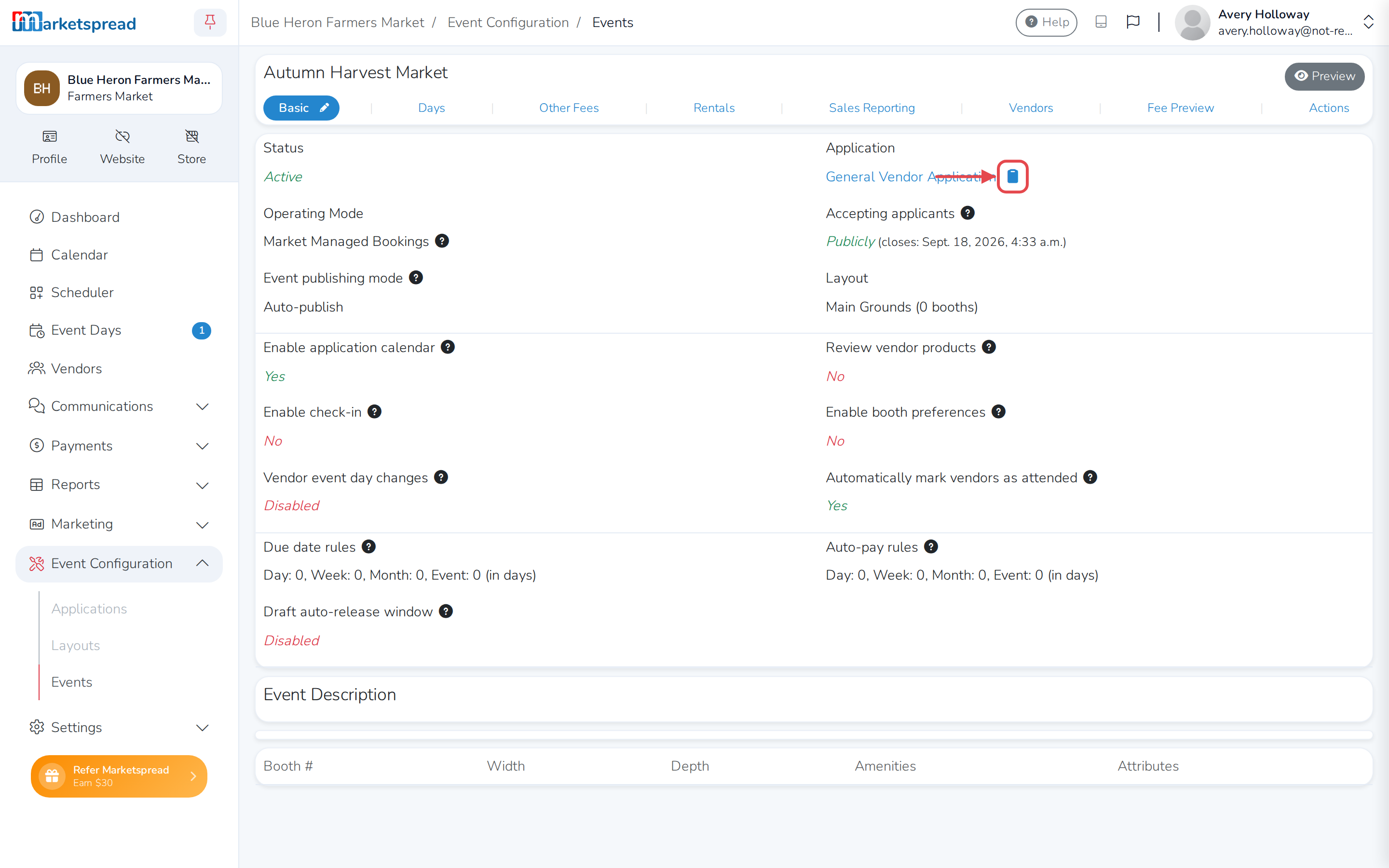
Every event has its own direct link to its application. Share it by email, text, or message to invite a vendor to apply — even if you haven't made the application public.
Find your application link
-
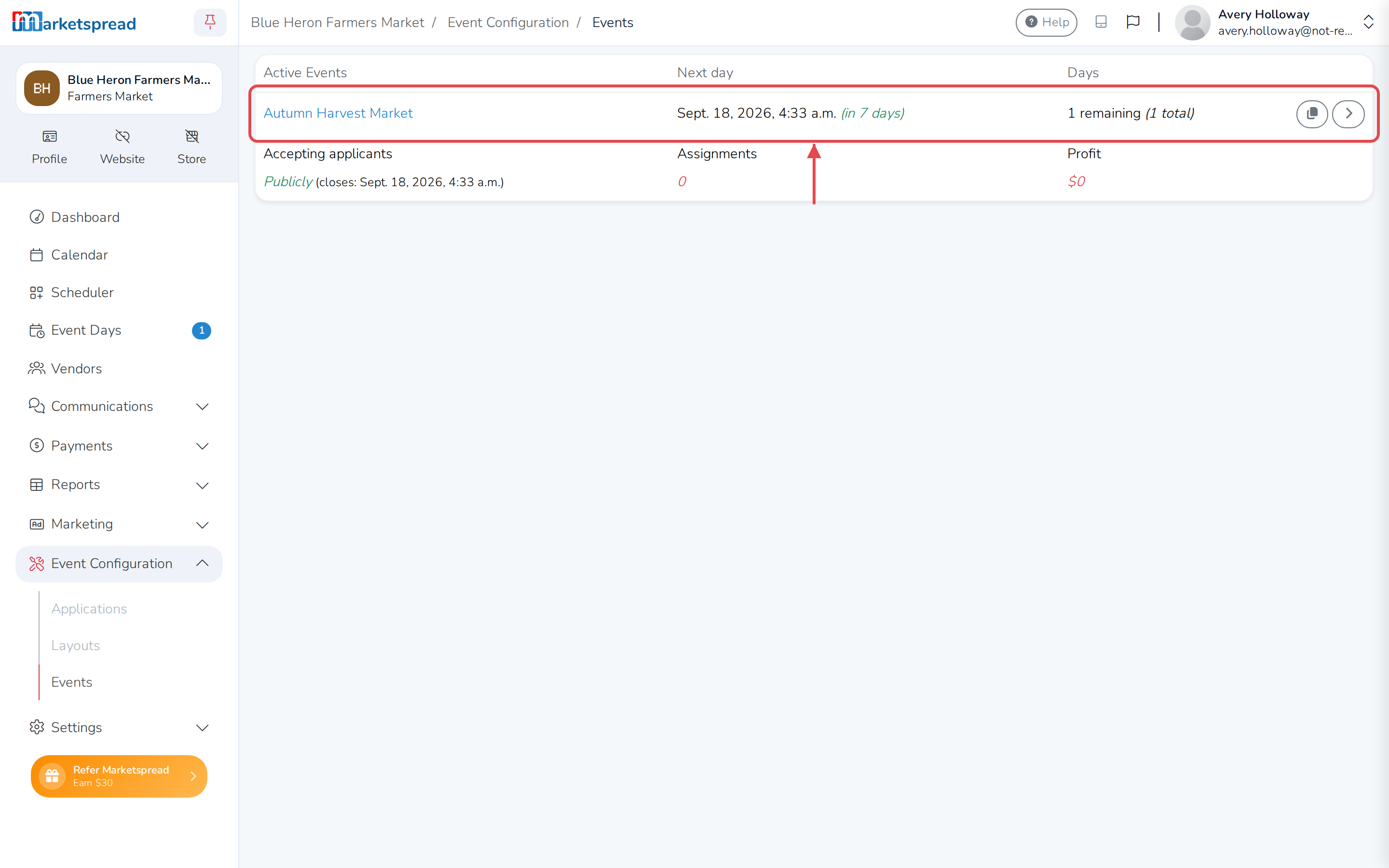
From your Market Dashboard, open Event Configuration → Events.
-
Click the event's name, or the arrow on the right, to open it.
-
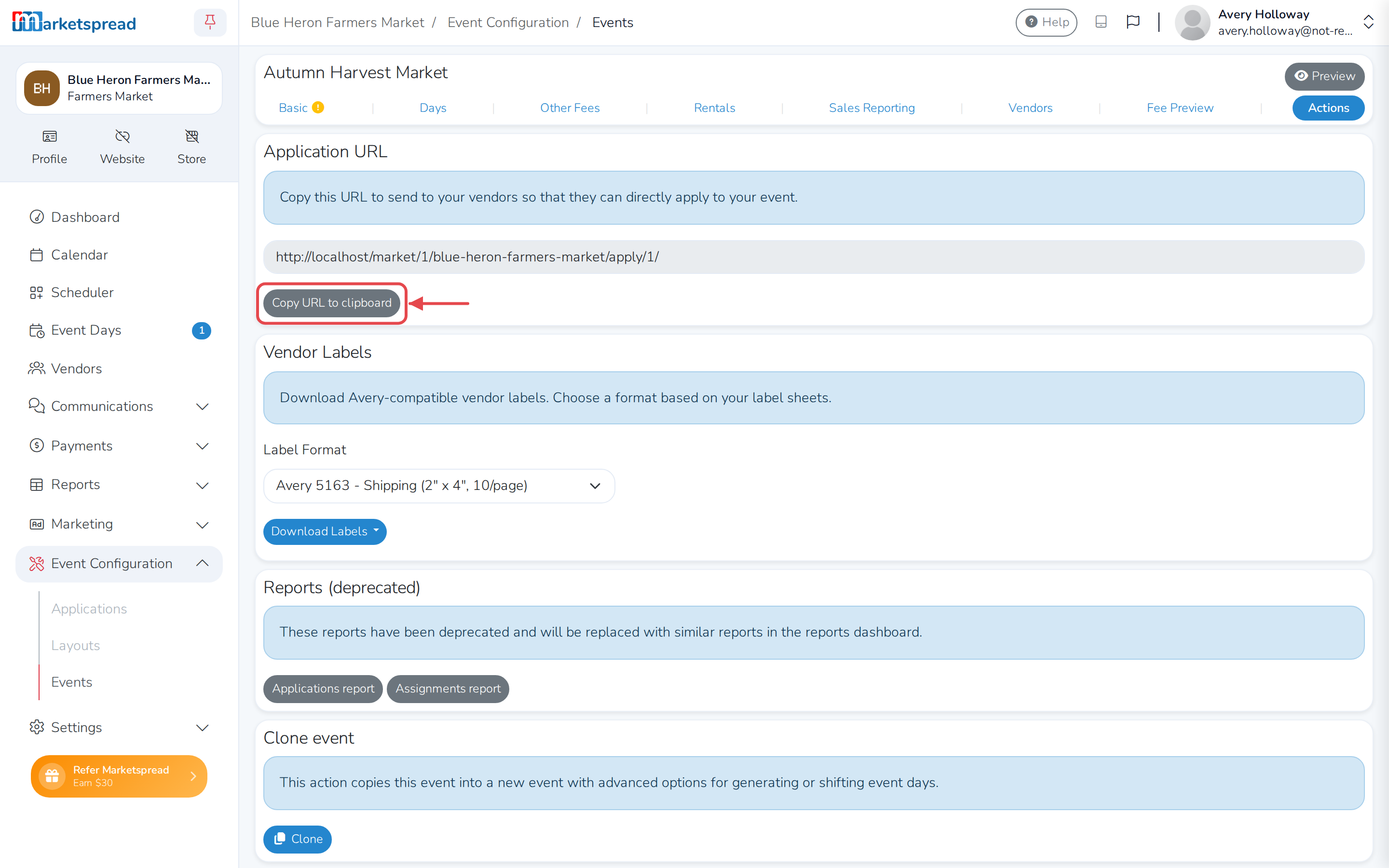
Click the Actions tab.
-
Under Application URL, click Copy URL to clipboard.
Only shows up once the event is activated
The Application URL card only appears on the Actions tab after you've activated the event.
Paste the link wherever you want to send it.
Tip
You can also copy it from the clipboard icon next to the application name on the event's Basic tab.