


If your market runs more than one day a week and charges vendors differently
depending on the day, set that up on the Other Fees tab of the event.
Vendor Type, Vendor Tag and Category fees can all be limited to the days you
pick. Marketspread uses the matching fee automatically when it invoices a
vendor for that day.
Set a fee for specific days
-
Open Event Configuration, then Events.
-
Click the event you want to configure.
-
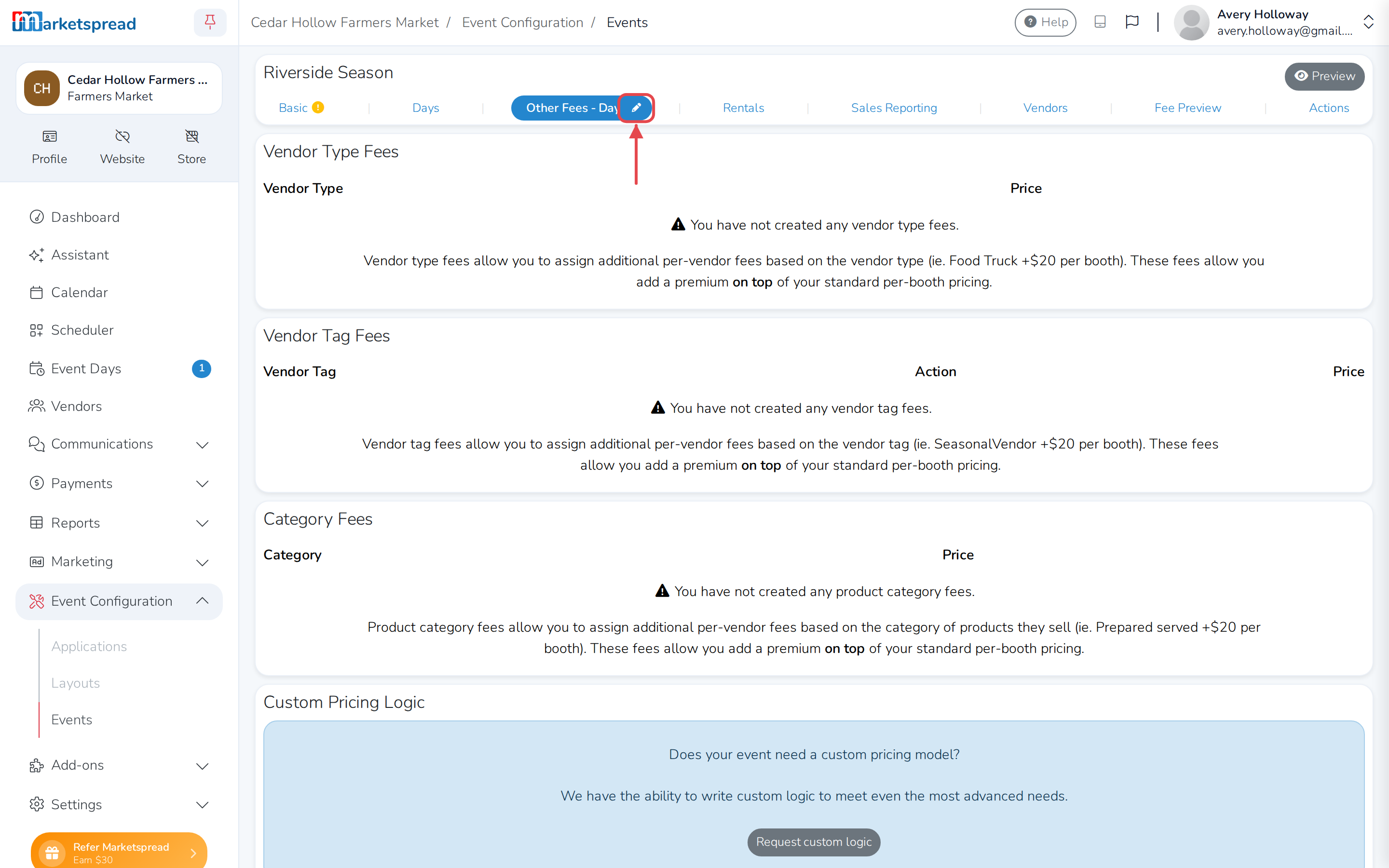
Open the Other Fees tab. If it shows more than one term, choose
Day from its dropdown — day-of-week pricing only applies to the Day
term. -
Click the pencil icon to edit it.
-
Under Vendor Type Fees, Vendor Tag Fees or Category Fees,
click Add vendor type fee (or Add vendor tag fee / Add category
fee).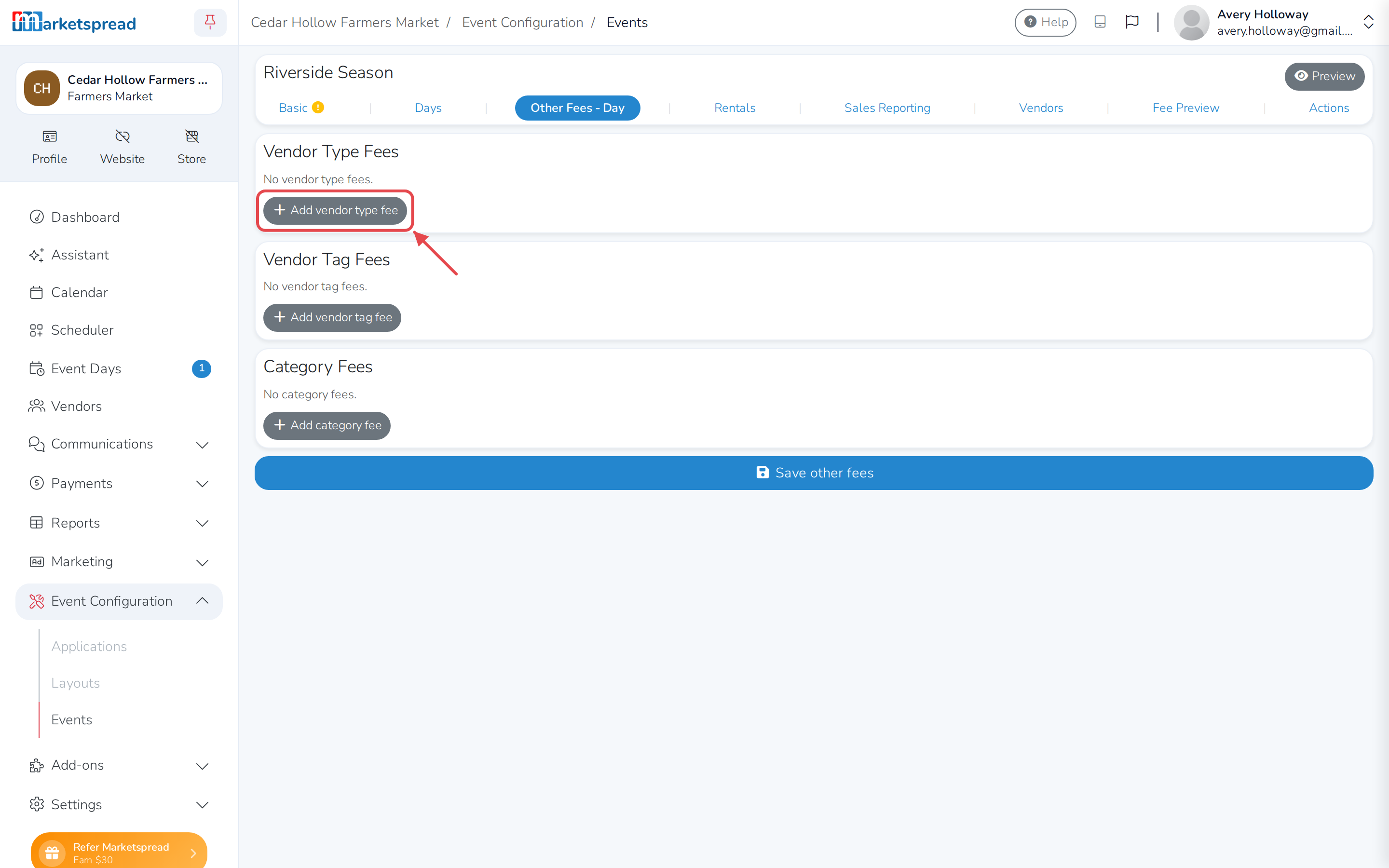
-
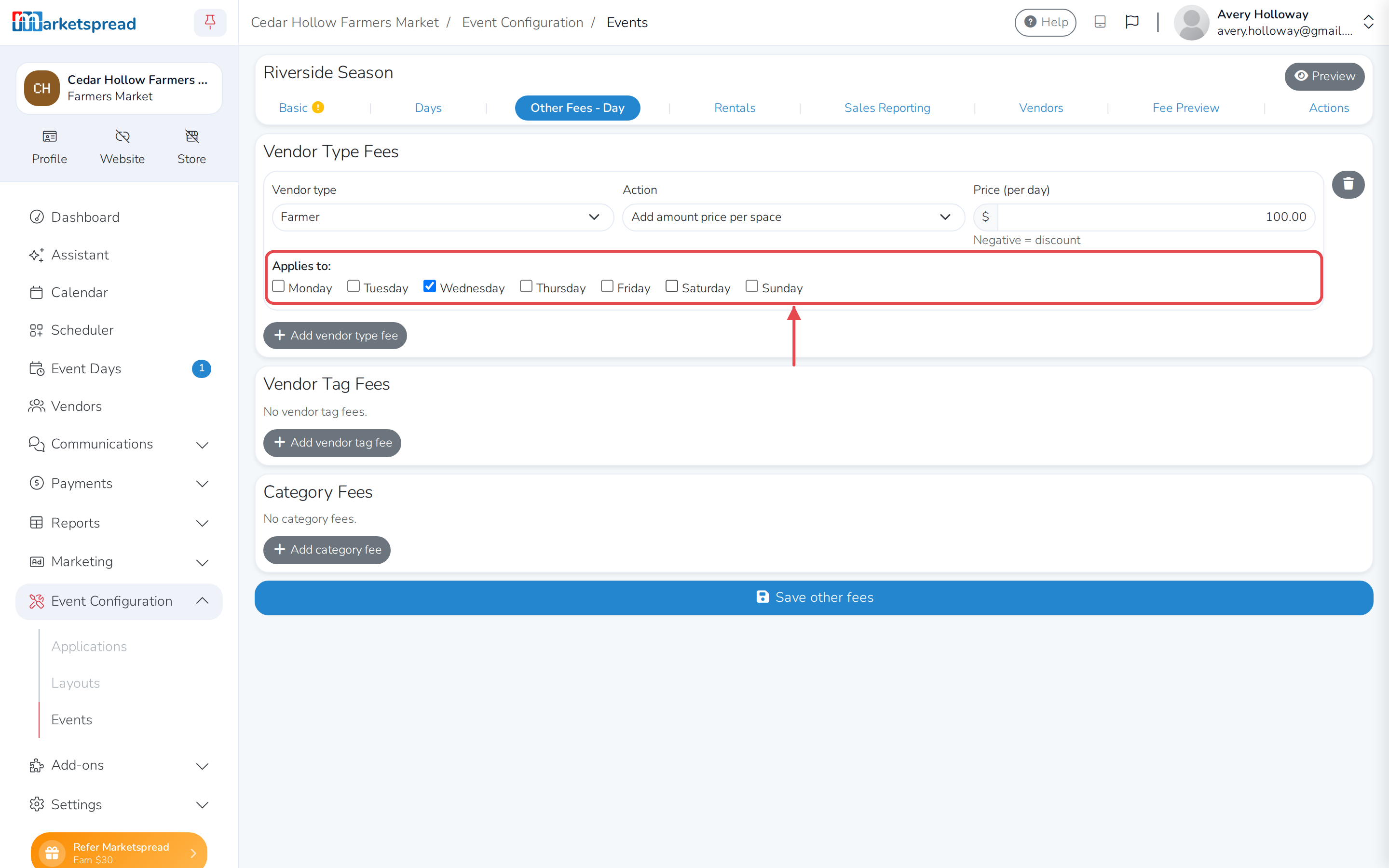
Choose the vendor type or category it applies to. For a vendor tag fee,
type the tag name instead. -
Choose an Action — Add amount price per space adds this fee on
top of a vendor's other booth fees, Override amount per space
replaces those fees with this one, and Override overall total
replaces the vendor's whole invoice for the day with a single flat
amount. -
Fill in the Price (per day).
-
Under Applies to, untick any day this fee should not charge.
-
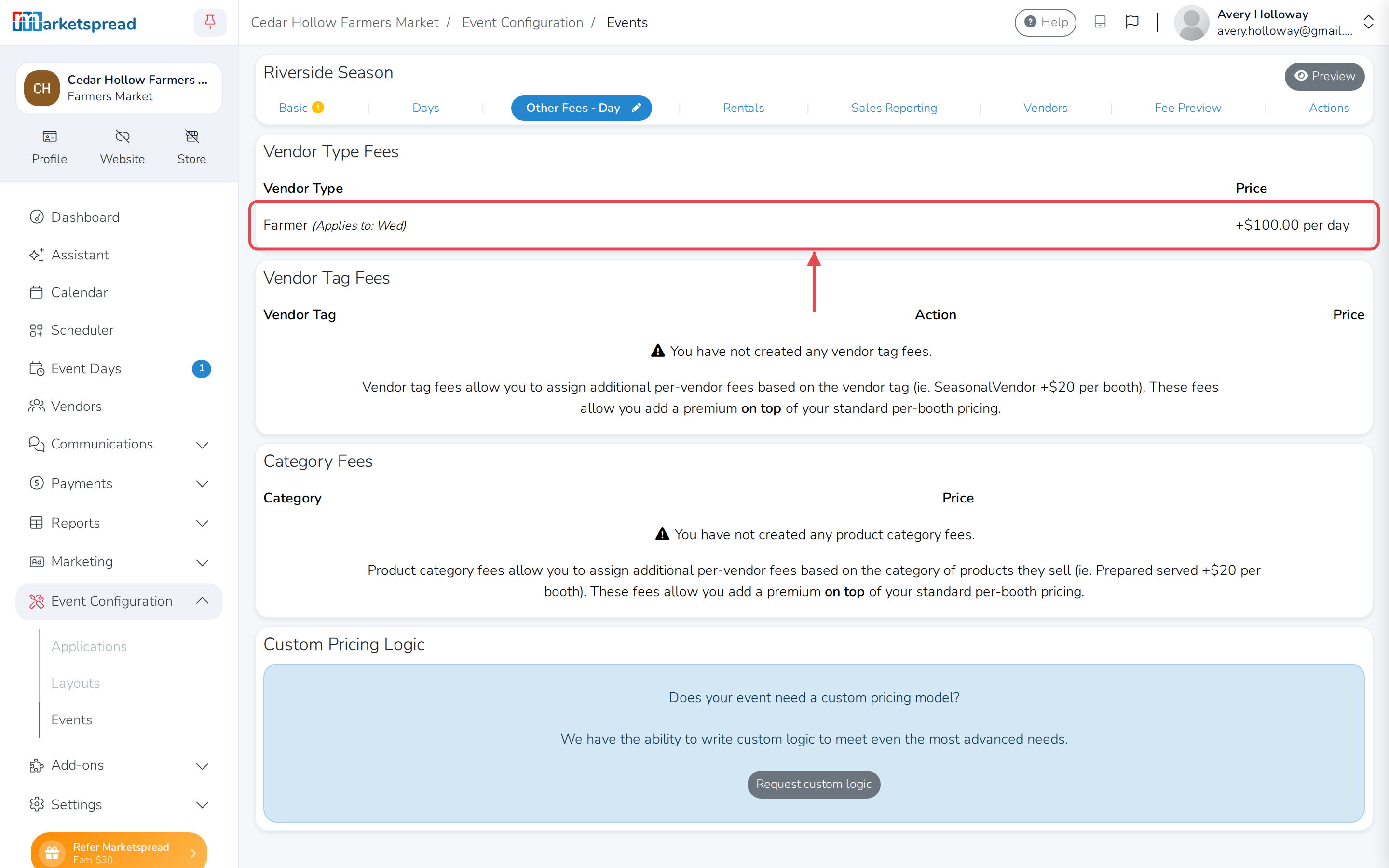
Click Save other fees.
Every day is checked by default
A new fee applies to all seven days until you untick some of them.
The saved fee shows which days it applies to next to its name.
Charge a different amount on other days
To charge the same vendor type, tag or category more on some days than
others, add it a second time. Click Add vendor type fee again and choose
the same vendor type. Set its own price, and tick only the days that price
applies to. For example, a Farmer Vendor Type fee could charge $100 on
Wednesdays and $150 on Sundays.
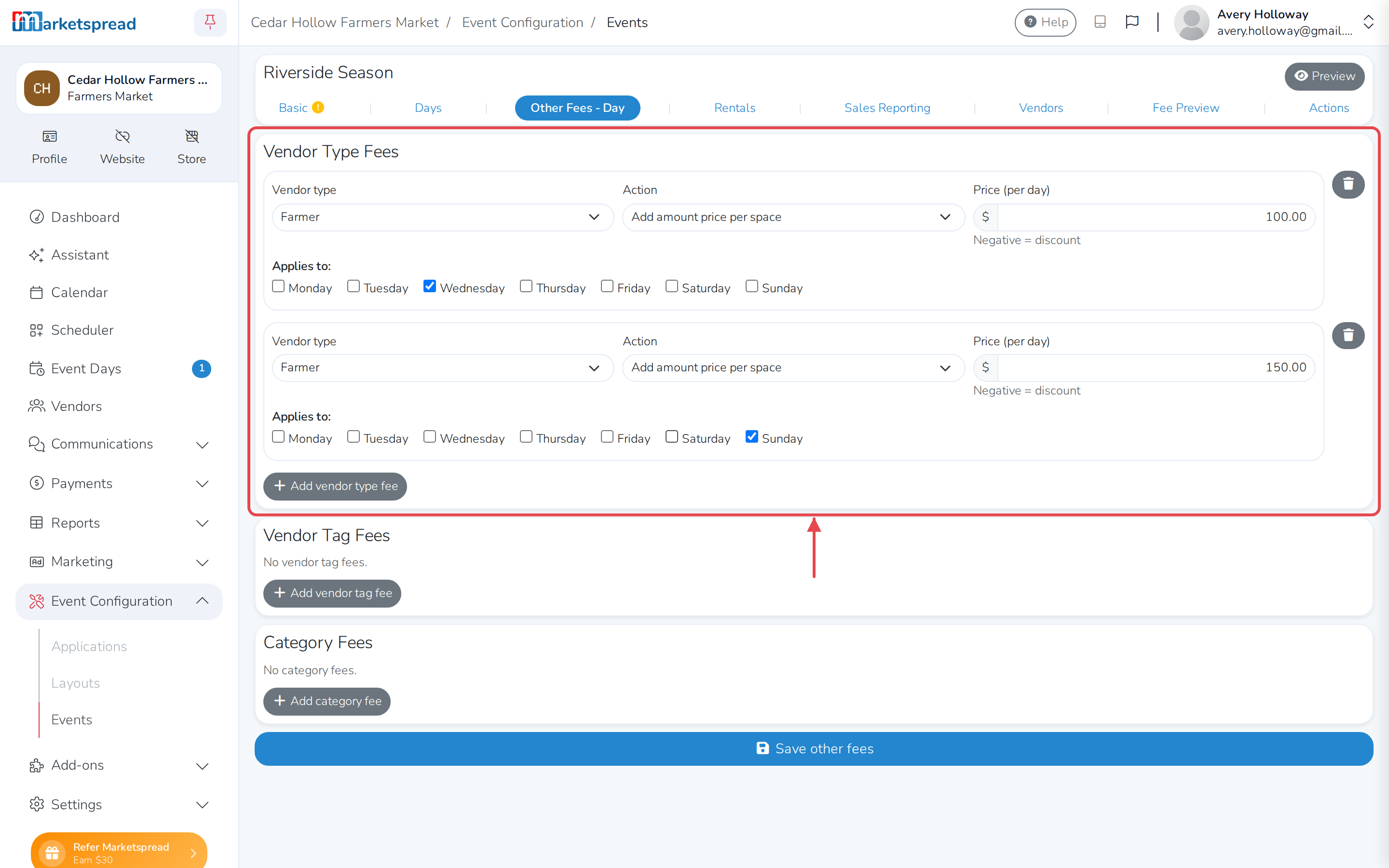
Vendor Tag and Category fees work the same way.