


A vendor who has sold at your market before will not always get around to
applying for the next one. You can put them into an event yourself and manage
them exactly as if they had applied and been accepted.
Add them
-
Open Vendors in the left-hand menu.
-
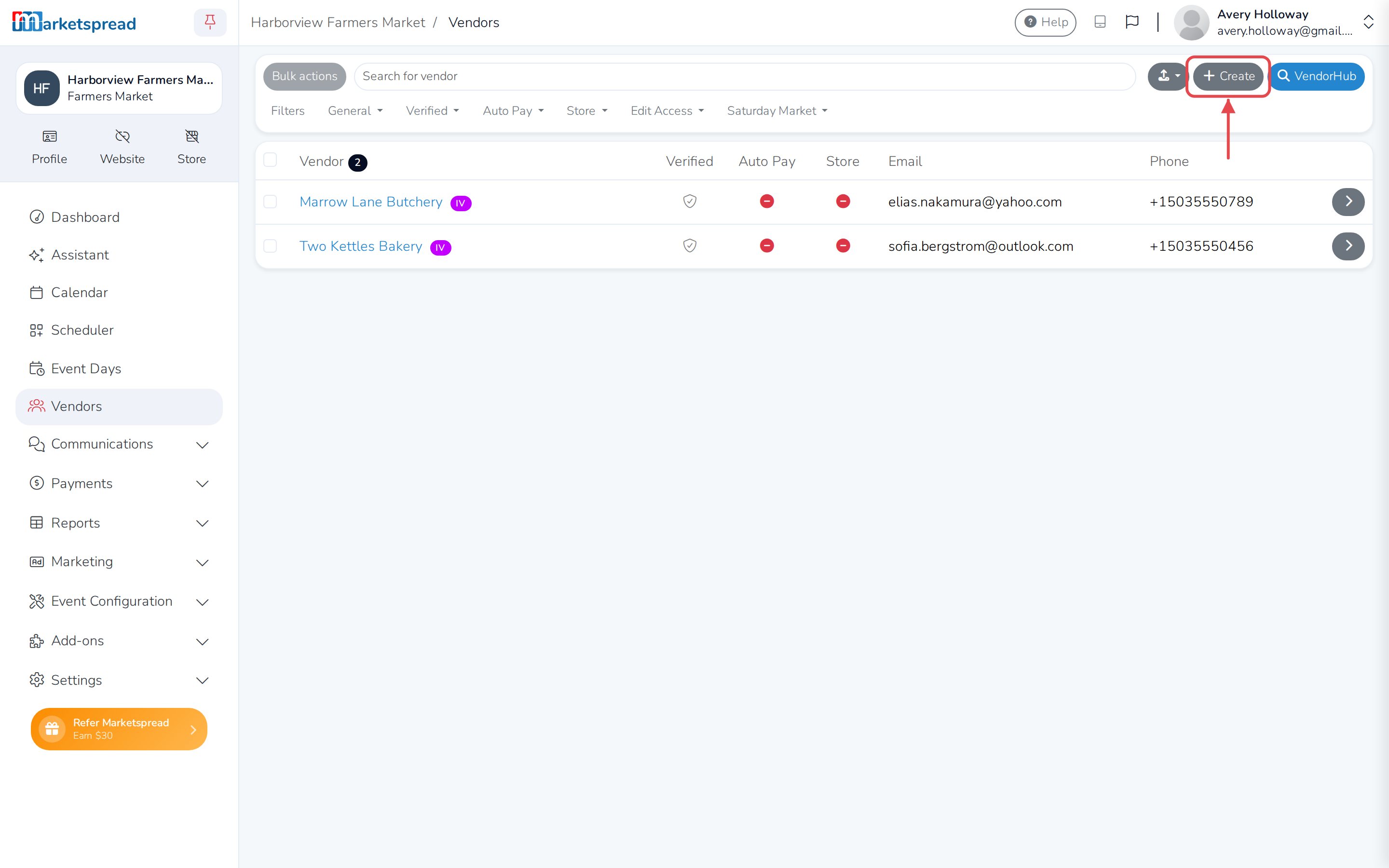
Click Create in the top right.
-
Type the email address the vendor is already on file with, and click
Next.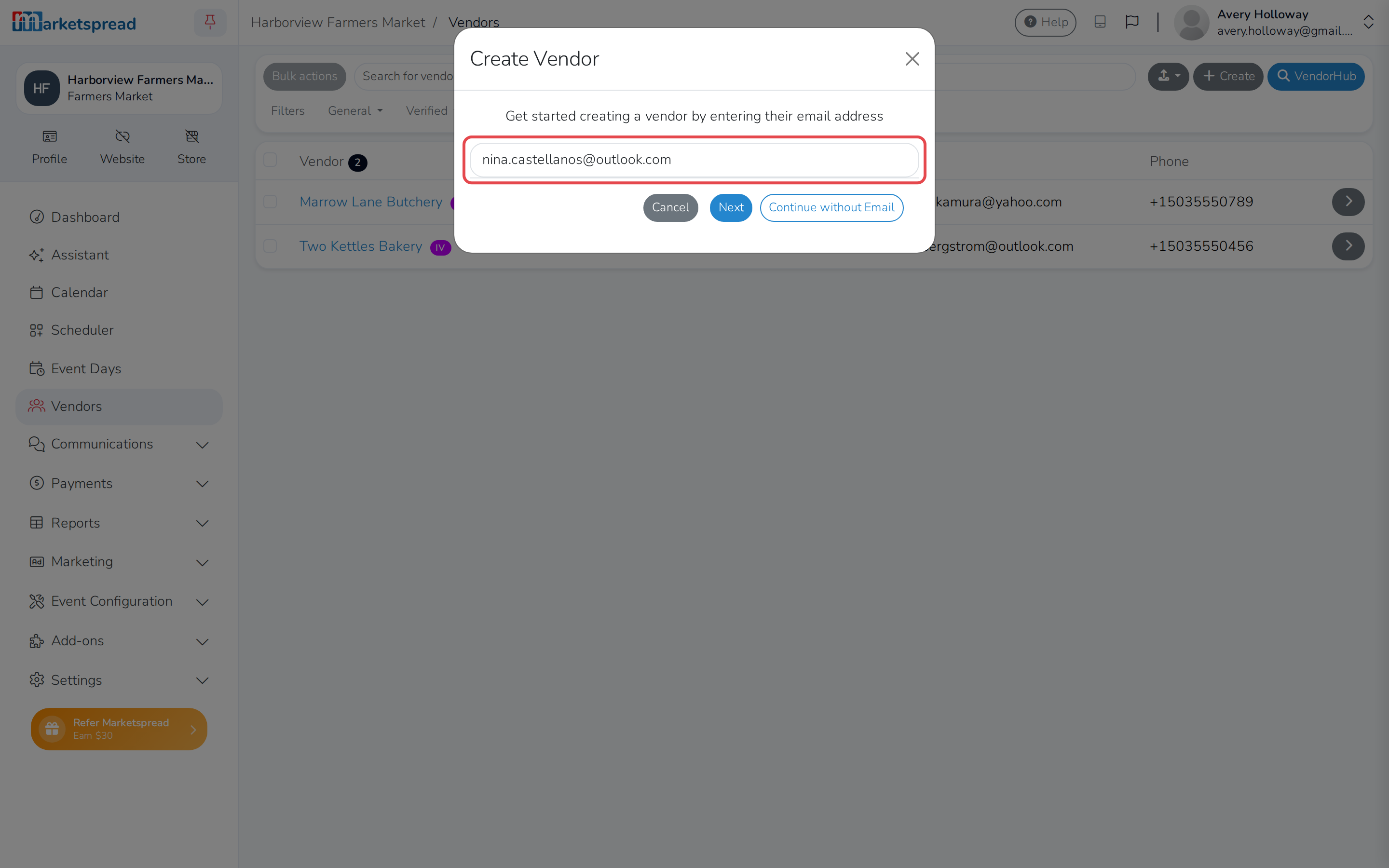
-
They appear in a list of matching vendors. Click Action next to their
name.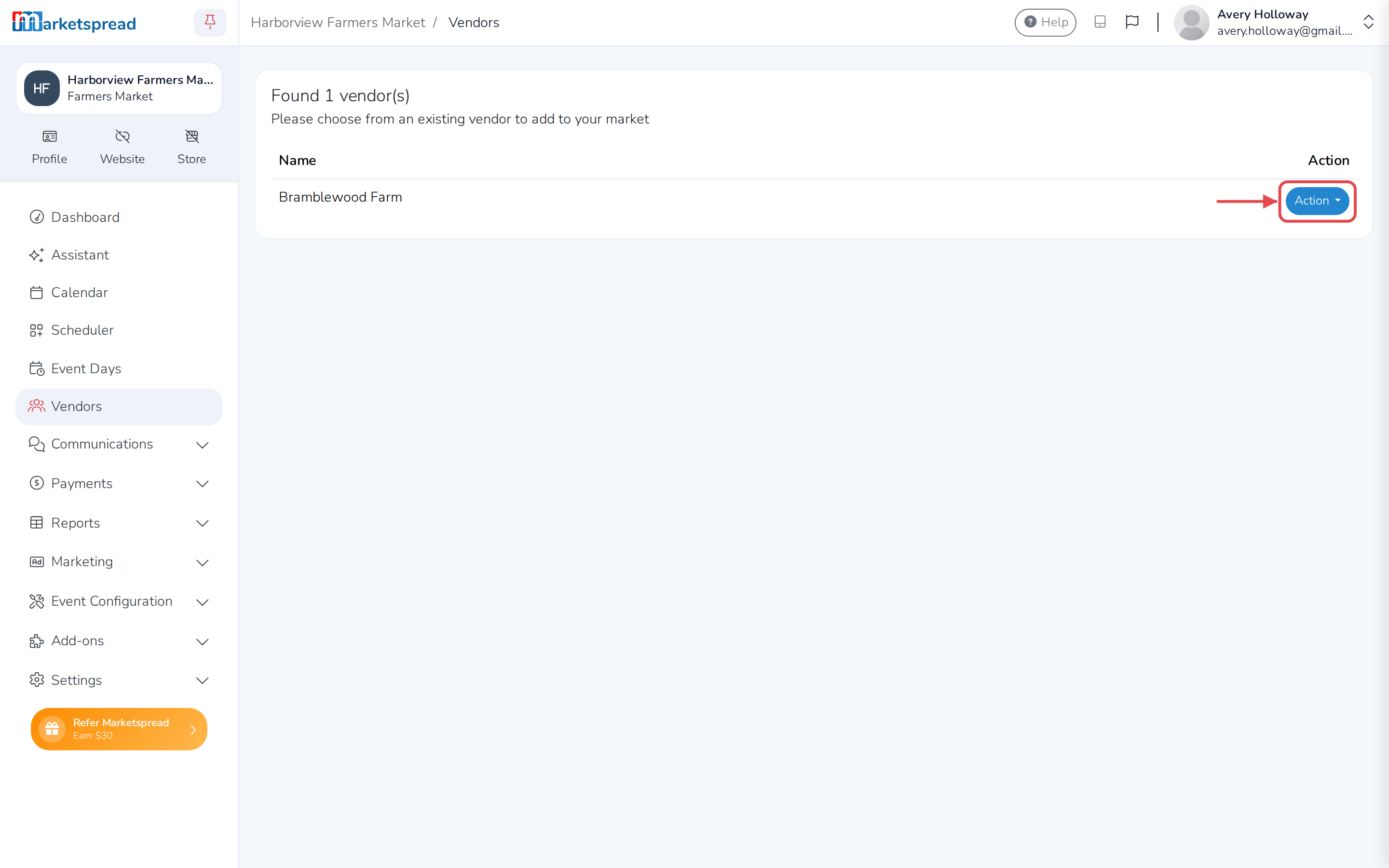
-
Click Add into the event you want — or Add & Schedule into it to
go straight to Scheduler and give them a booth. The item named for
your market instead of an event just adds them to the market, with no
event yet.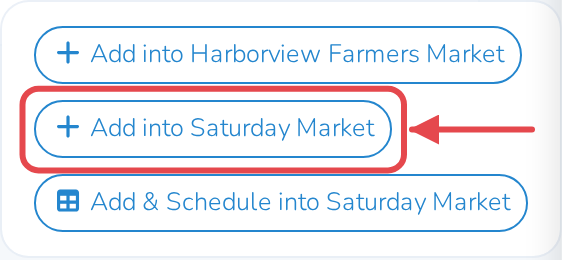
No account on file with that email
If nobody has a vendor account with that email yet, Marketspread opens the
same form as creating a new vendor. No event is ticked yet. See
Add a vendor yourself.
Check it worked
-
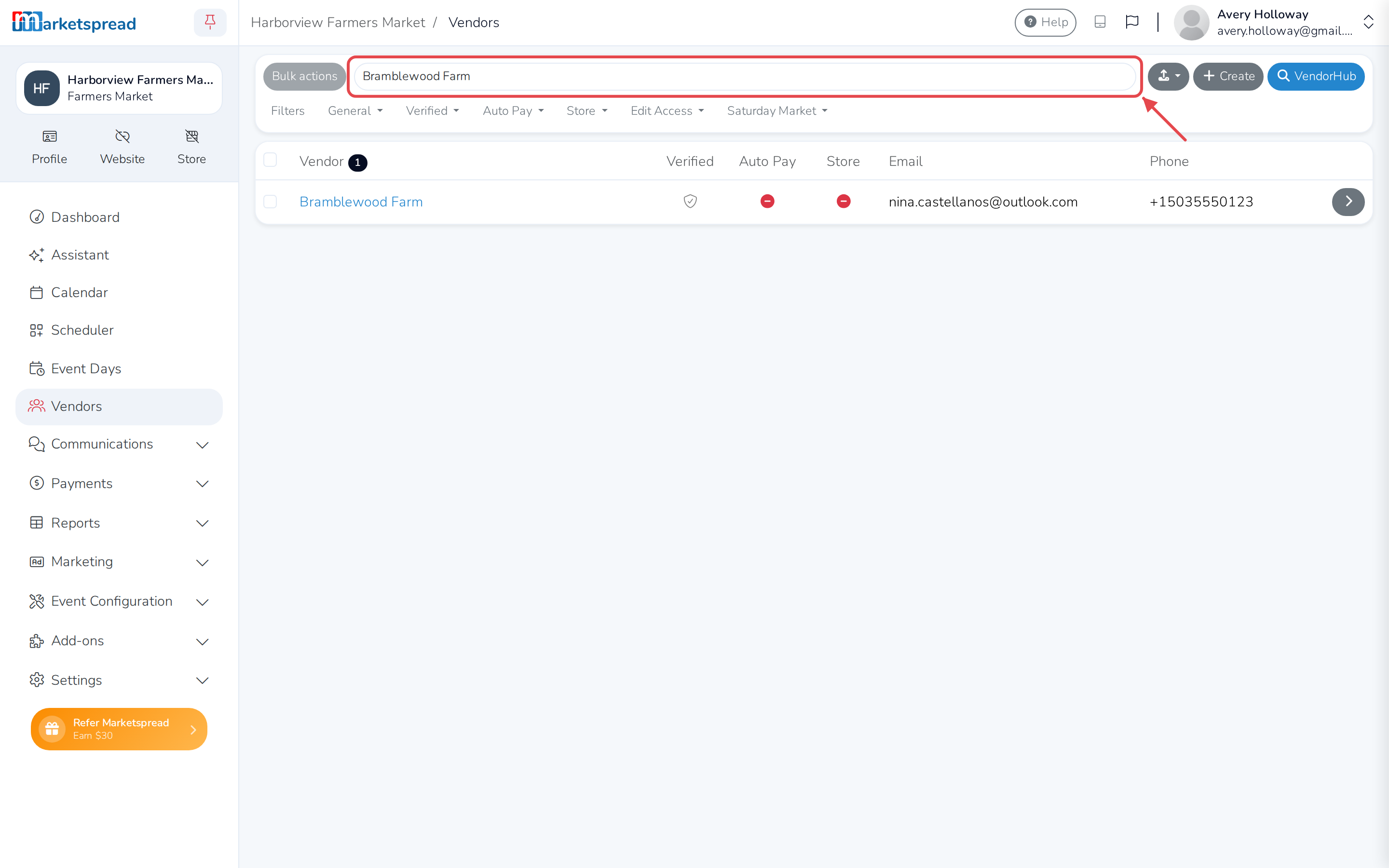
Back in Vendors, search for the vendor by name.
-
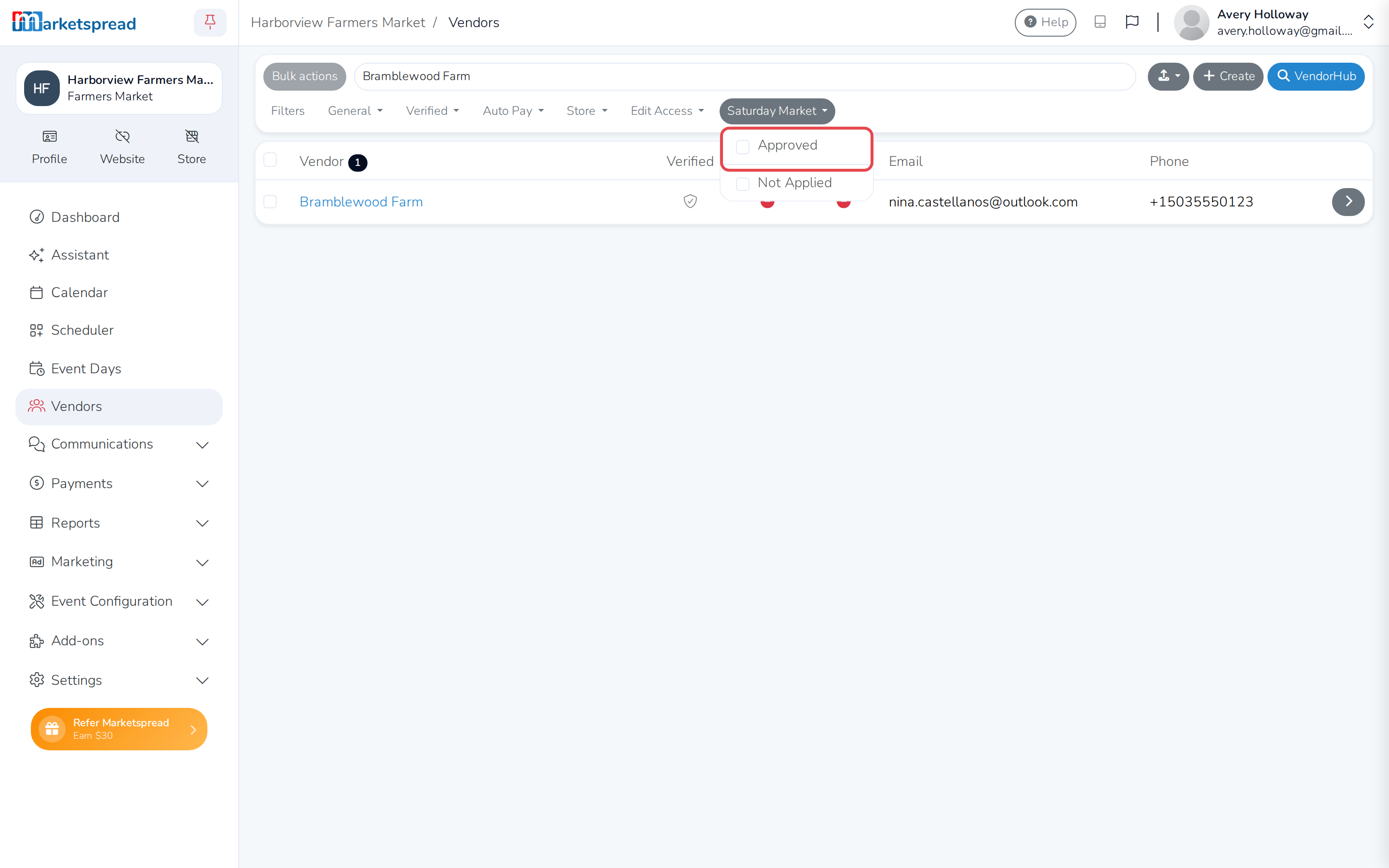
Open the dropdown named for the event and check Approved.
-
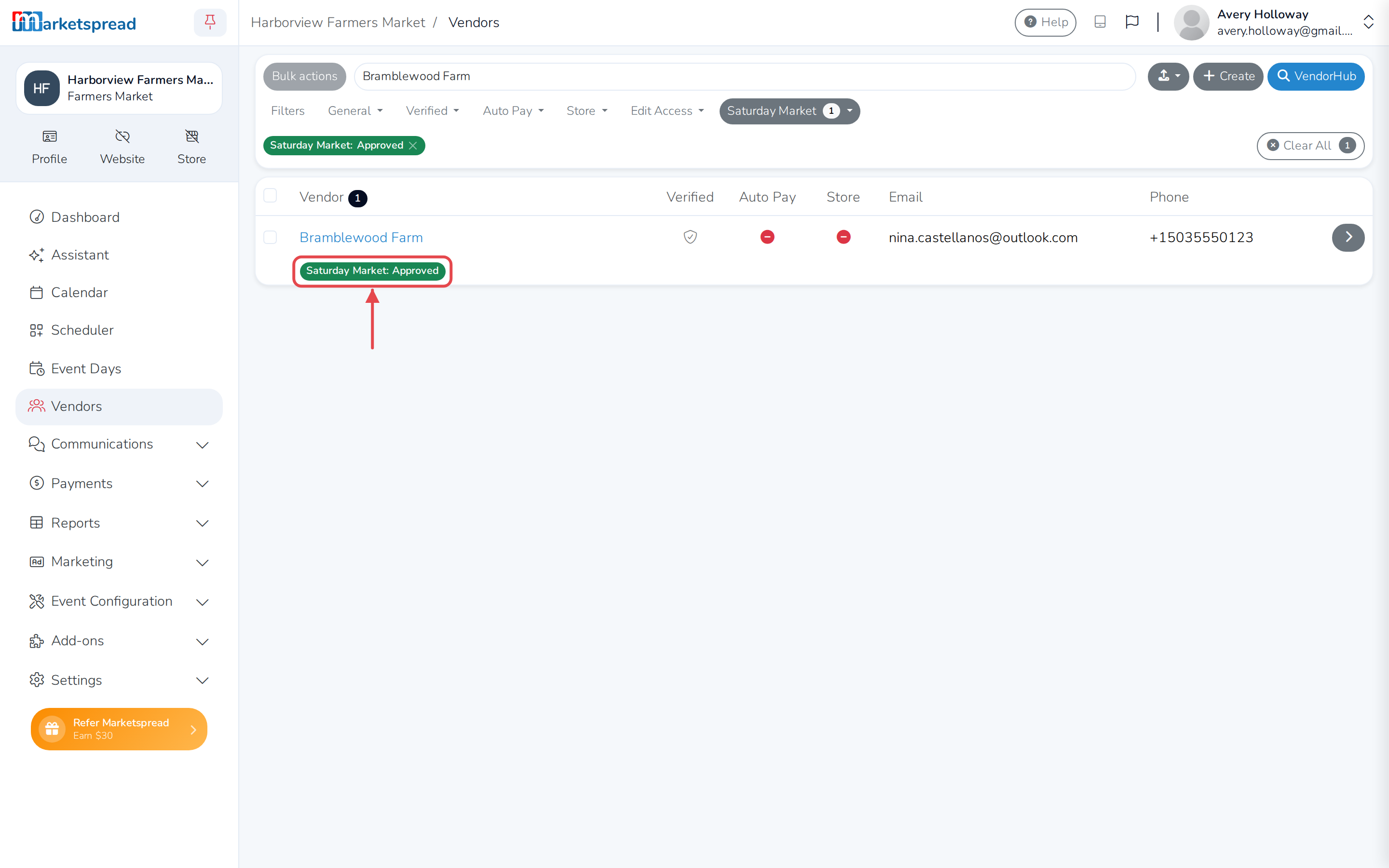
They show up, tagged Approved for that event.
No application comes with them
A vendor added this way has no application for that event, because they
never filled one in. If you need their answers to your application
questions, ask them to apply instead.