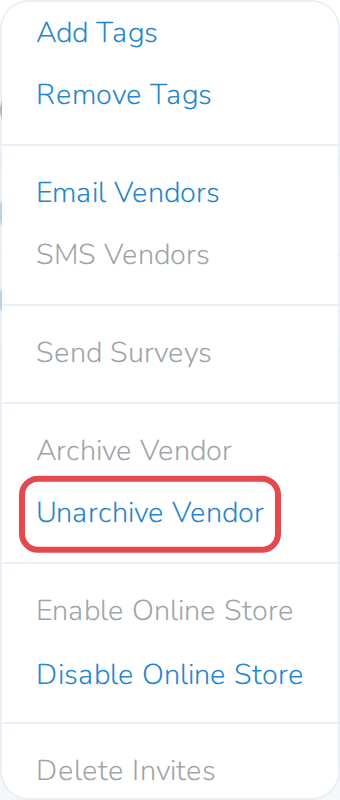
Archiving a vendor takes them off your main Vendors list, but nothing about them is deleted. Their applications, invoices and sales history all stay, and you can bring them back whenever you need to. Archive one vendor at a time, or several at once.
Archive a vendor
-
Open Vendors in the left-hand navigation menu.
-
Click the vendor's name to open their record.
-
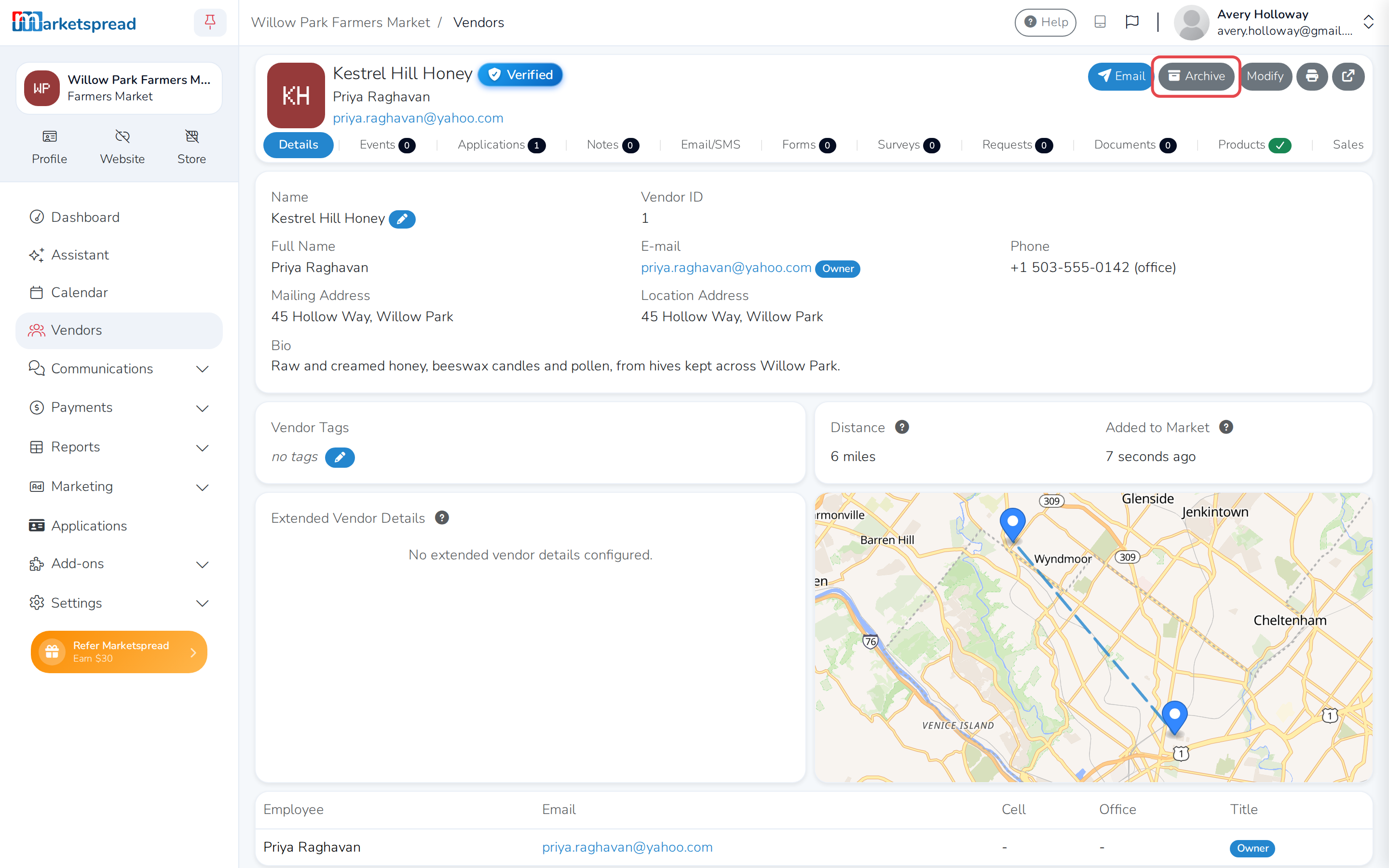
Click Archive at the top right.
-
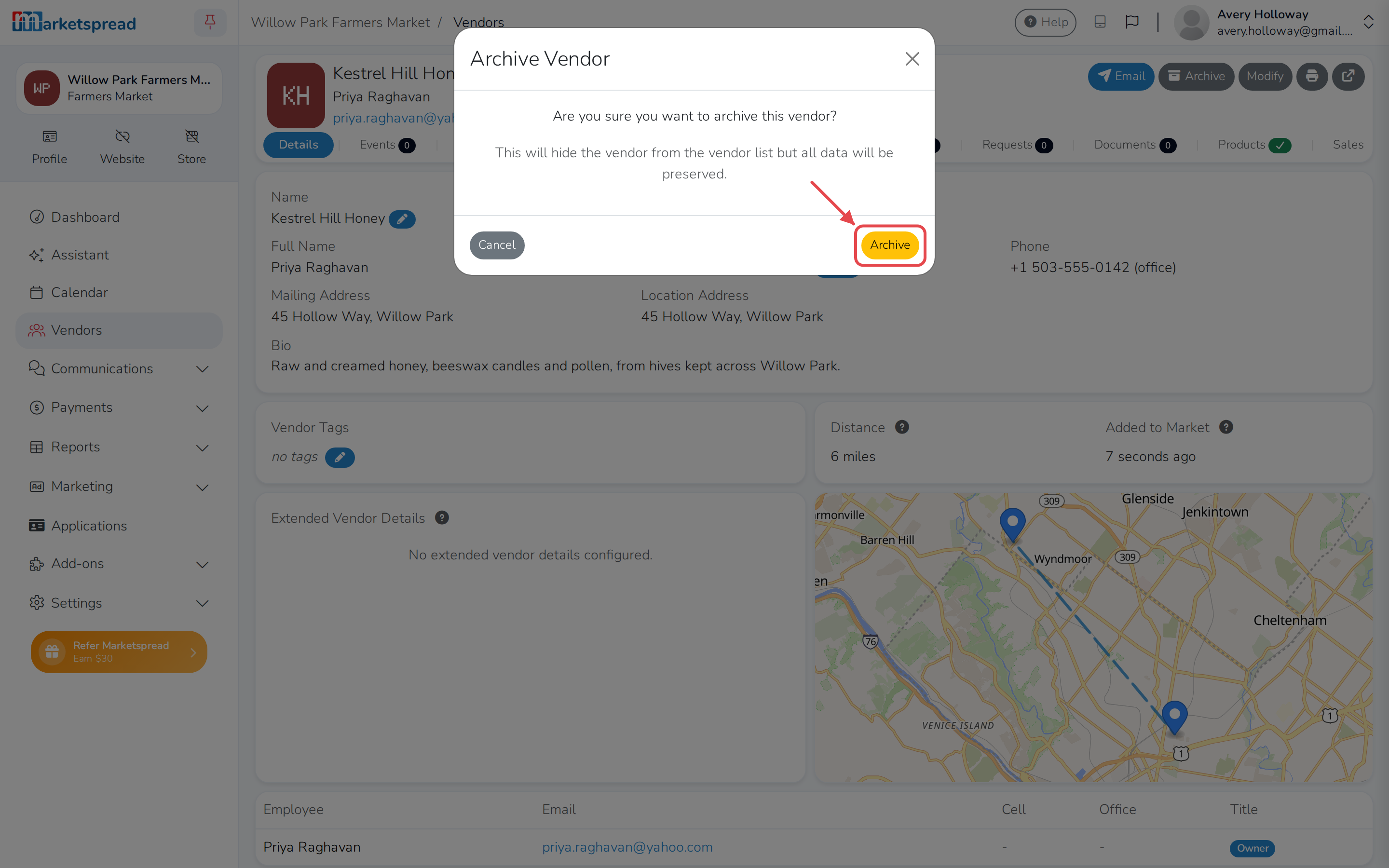
In the confirmation window, click Archive.
Archive several vendors at once
-
Open Vendors in the left-hand navigation menu.
-
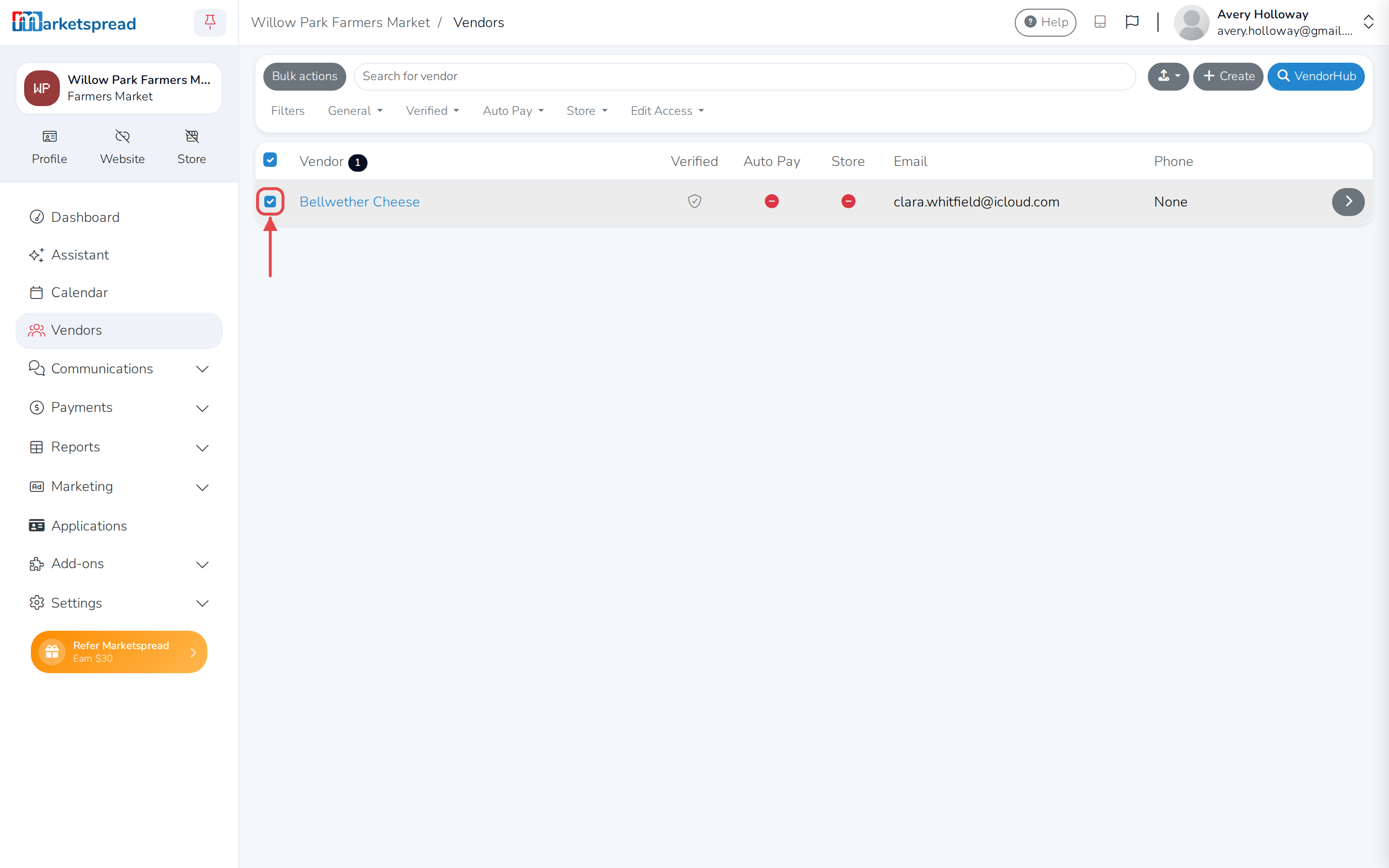
Select the checkbox next to each vendor you want to archive.
-
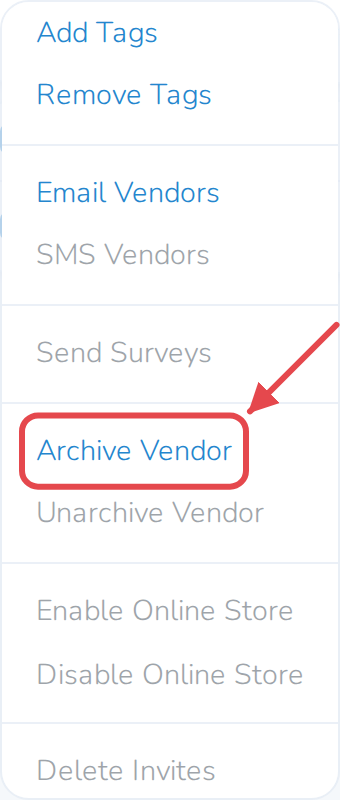
Click Bulk actions.
-
Click Archive Vendor.
Find archived vendors
-
Open Vendors in the left-hand navigation menu.
-
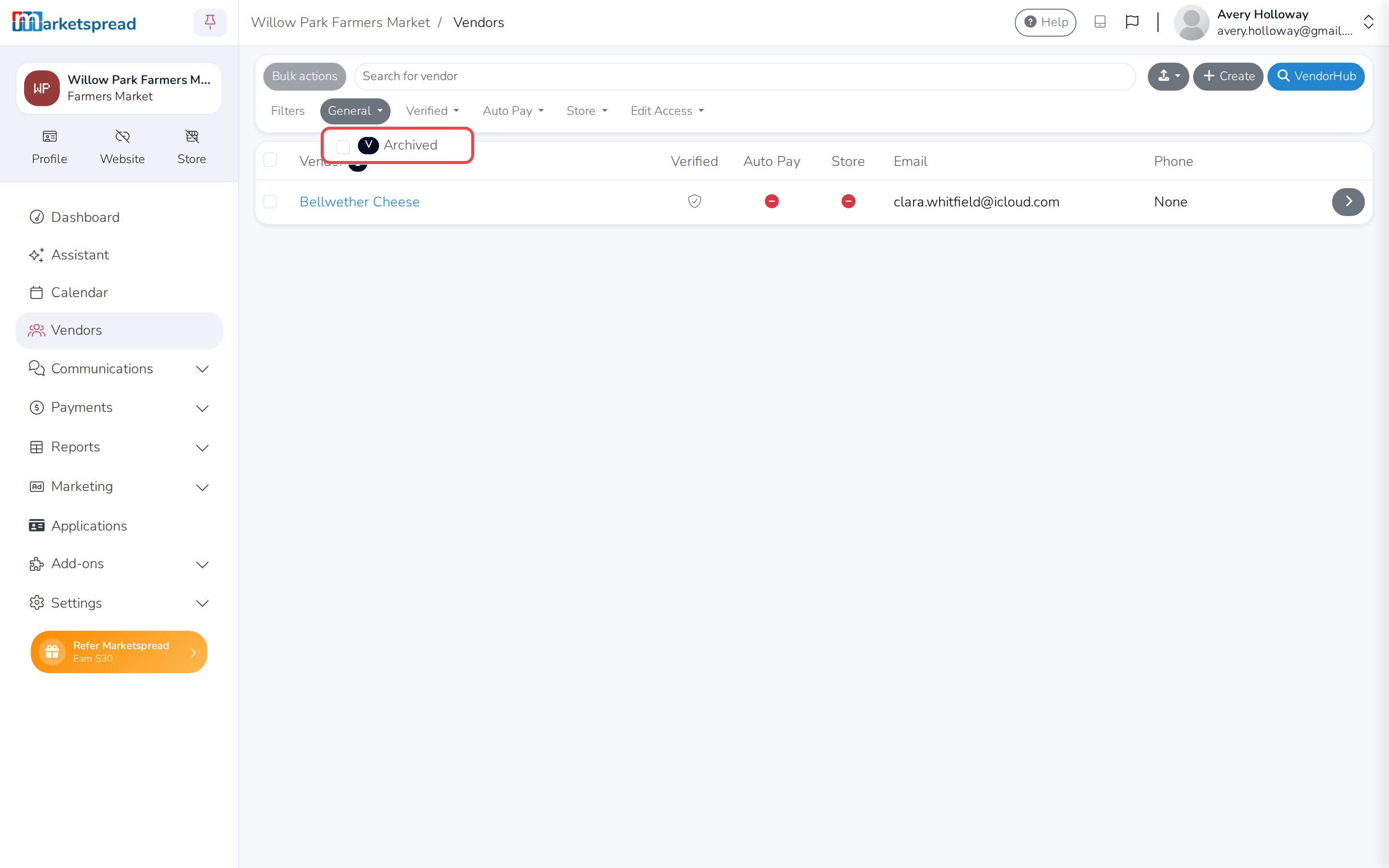
Click the General filter.
-
Check Archived.
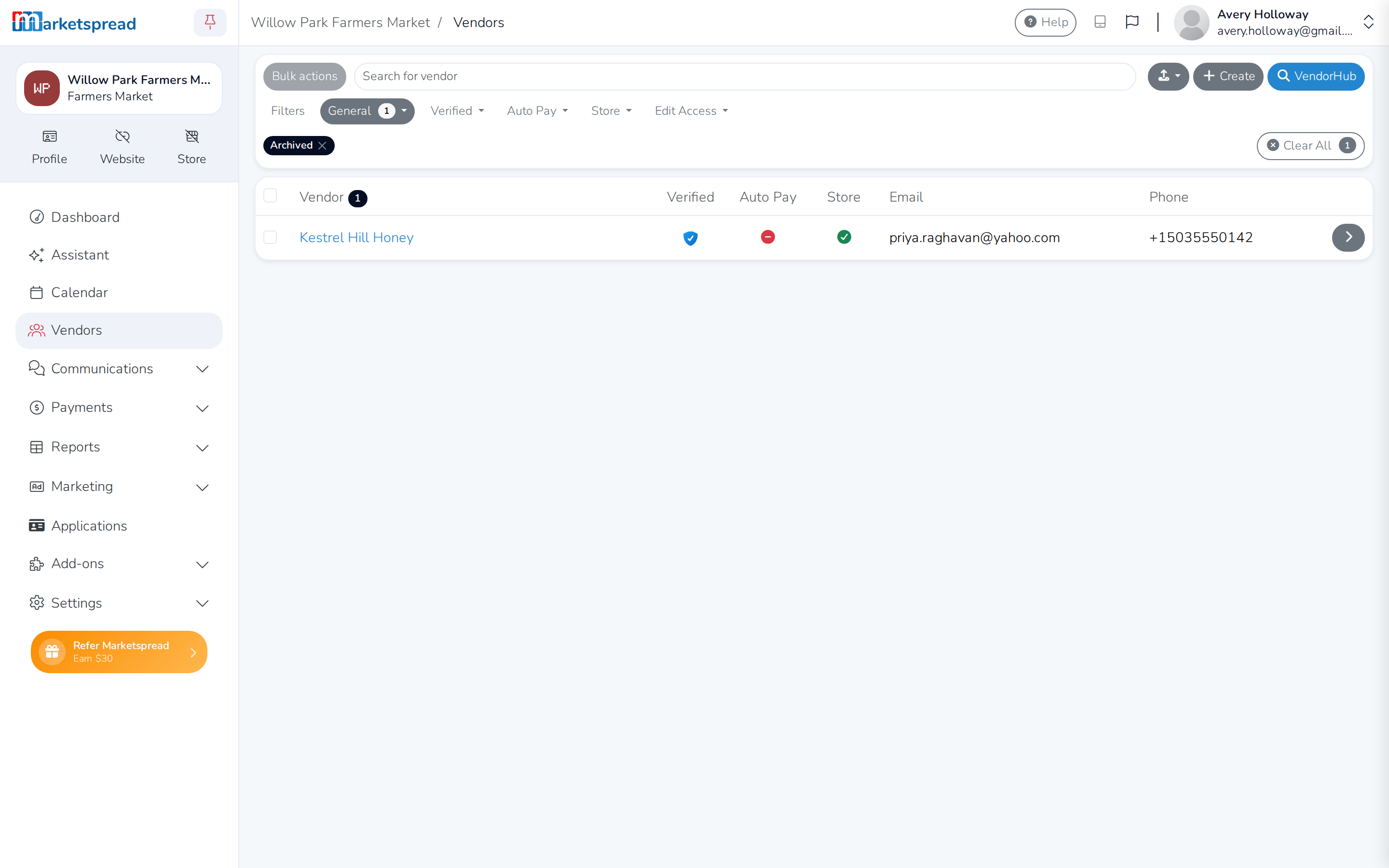
This shows every vendor you have archived.
Note
Archived only shows up as a filter option once you have at least one archived vendor.
Unarchive a vendor
-
Open Vendors in the left-hand navigation menu.
-
Click the archived vendor's name to open their record.
-
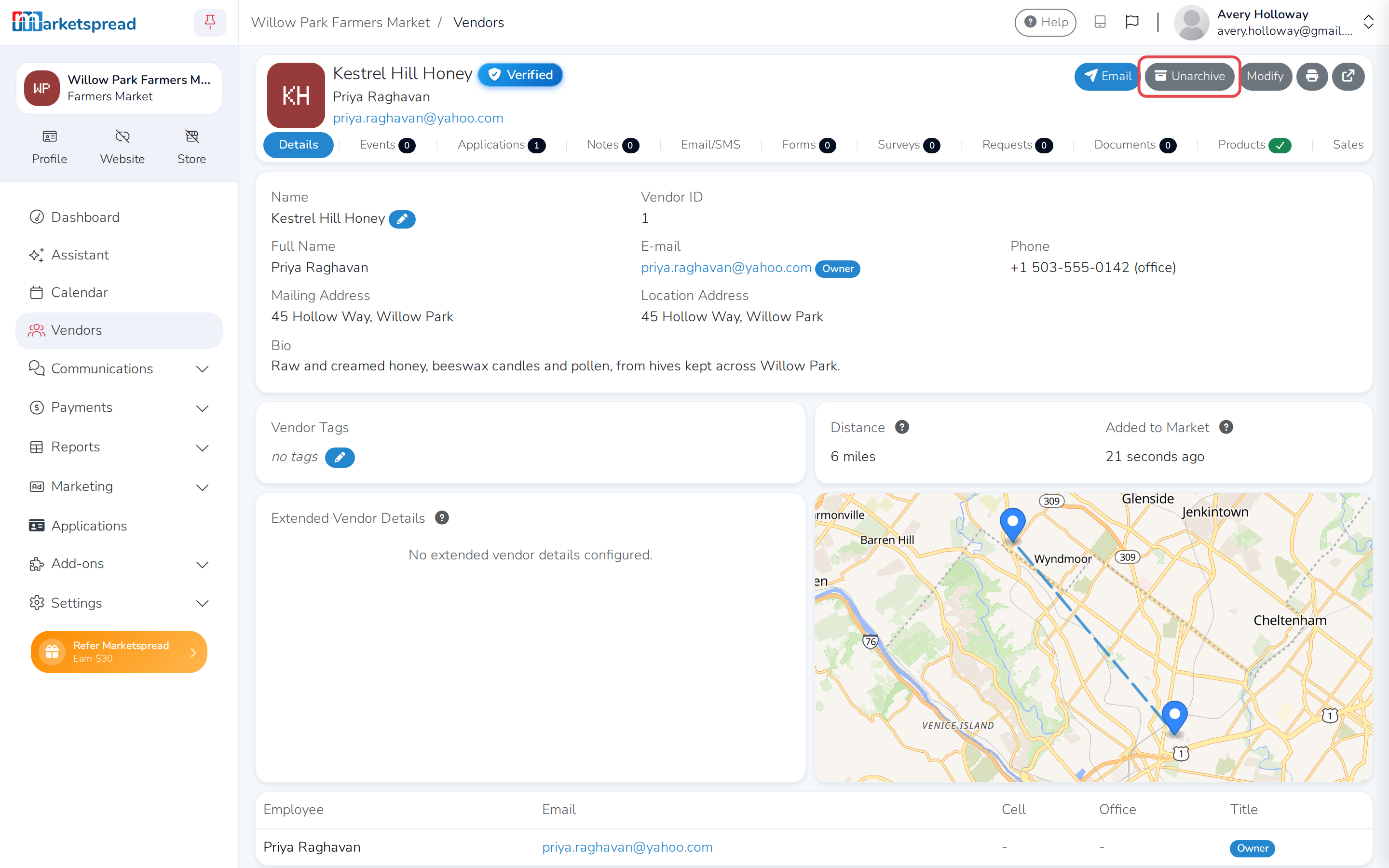
Click Unarchive at the top right.
-
In the confirmation window, click Unarchive.
Unarchive several vendors at once
-
Open Vendors in the left-hand navigation menu.
-
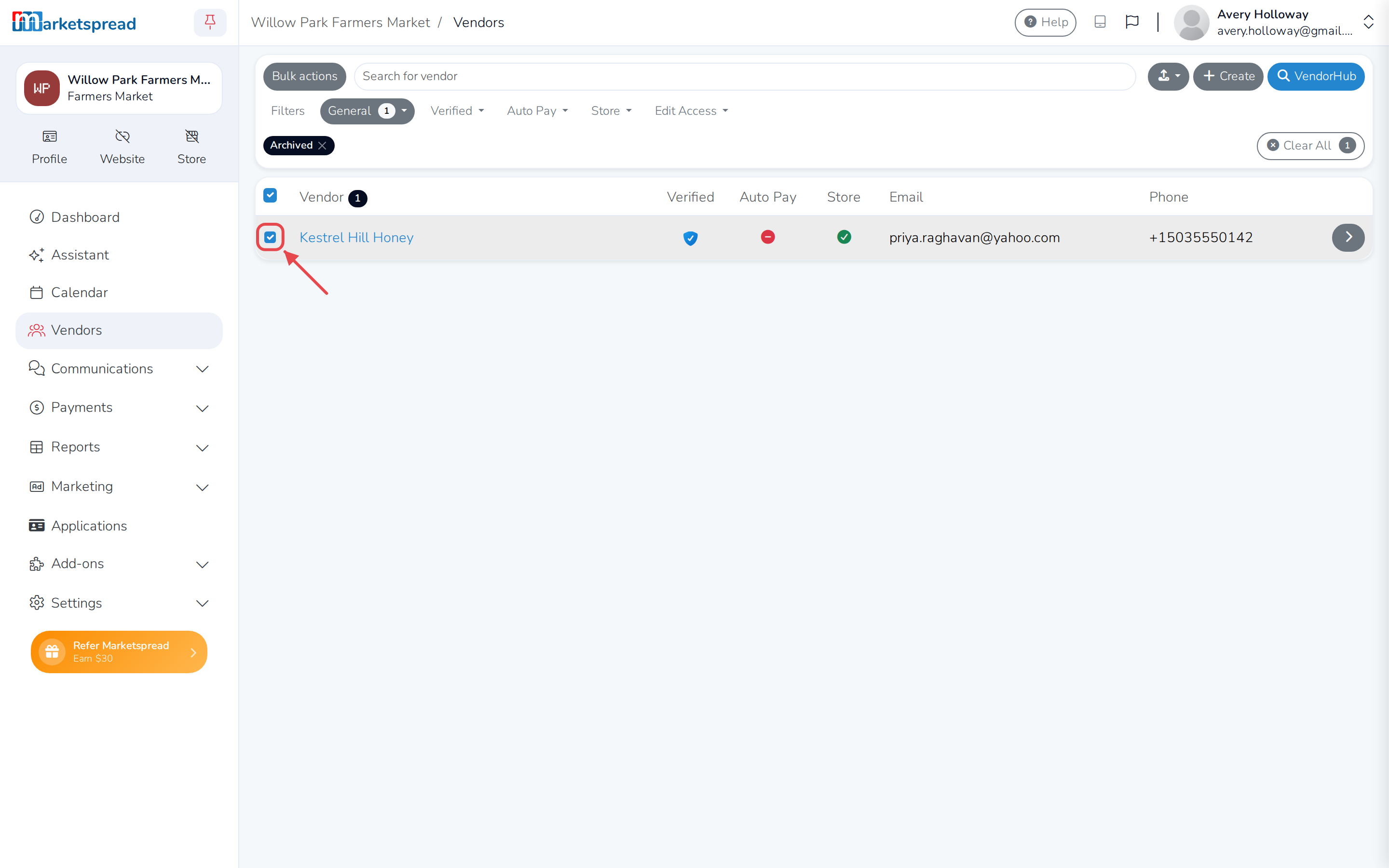
Select the checkbox next to each archived vendor you want to bring back.
-
Click Bulk actions.
-
Click Unarchive Vendor.