Marketspread has several ways to charge your vendors — fees on their
application, fees per booth, fees based on their sales, and more. Find the
situation closest to yours below to see how to set it up.
I have application fees.
-
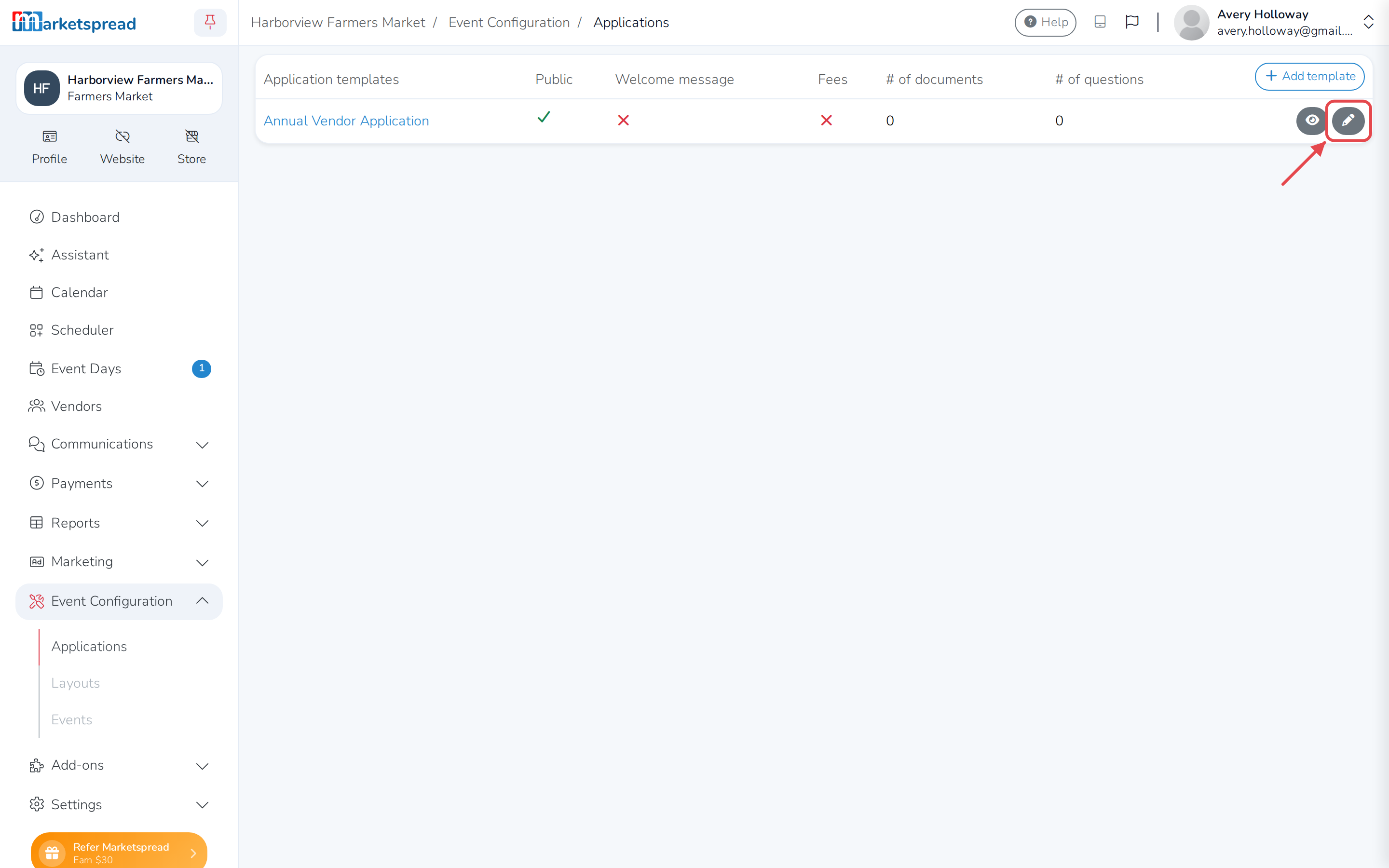
Open Event Configuration, then Applications, and edit the application you want.
-
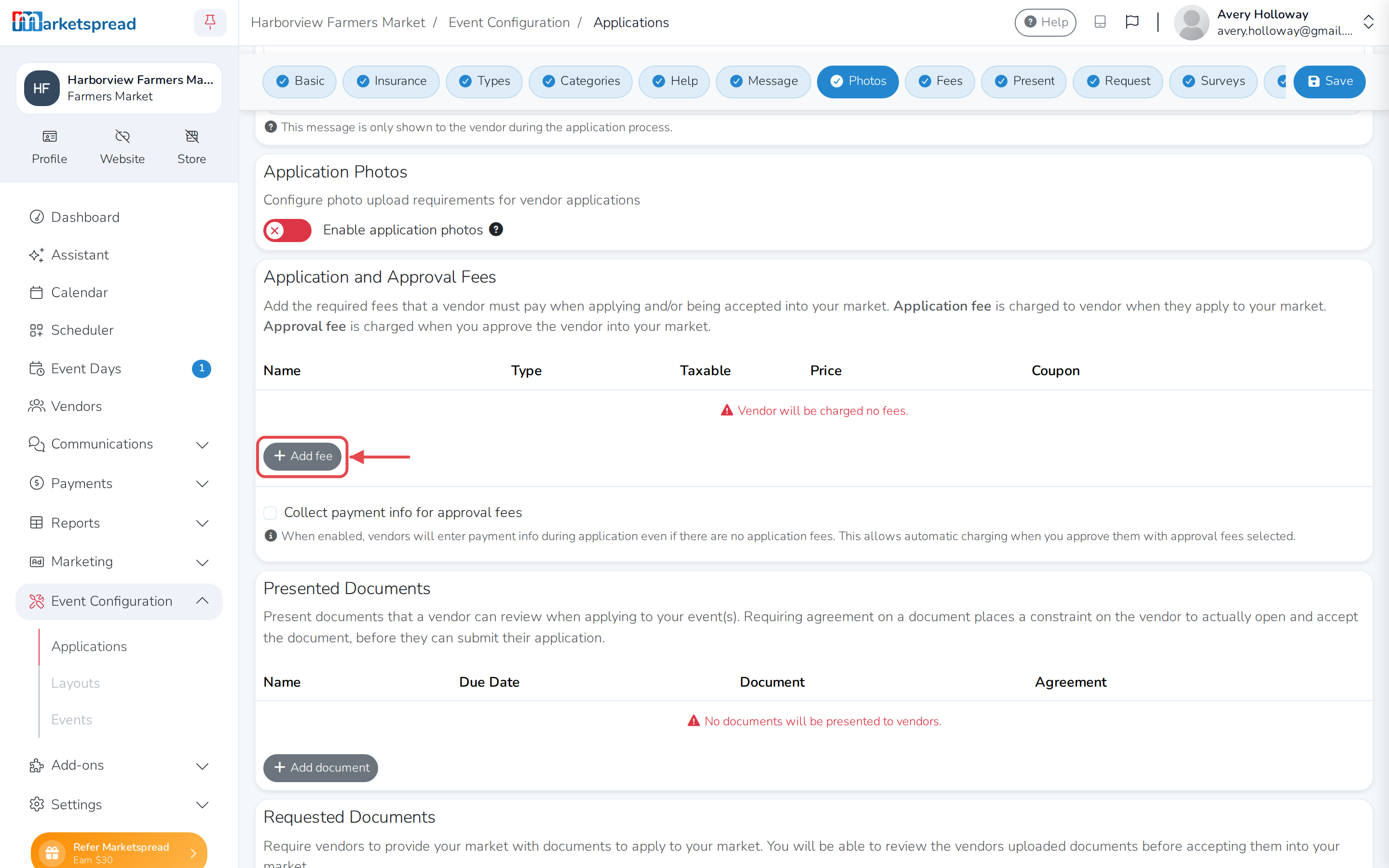
Scroll down to Application and Approval Fees and click Add fee.
-
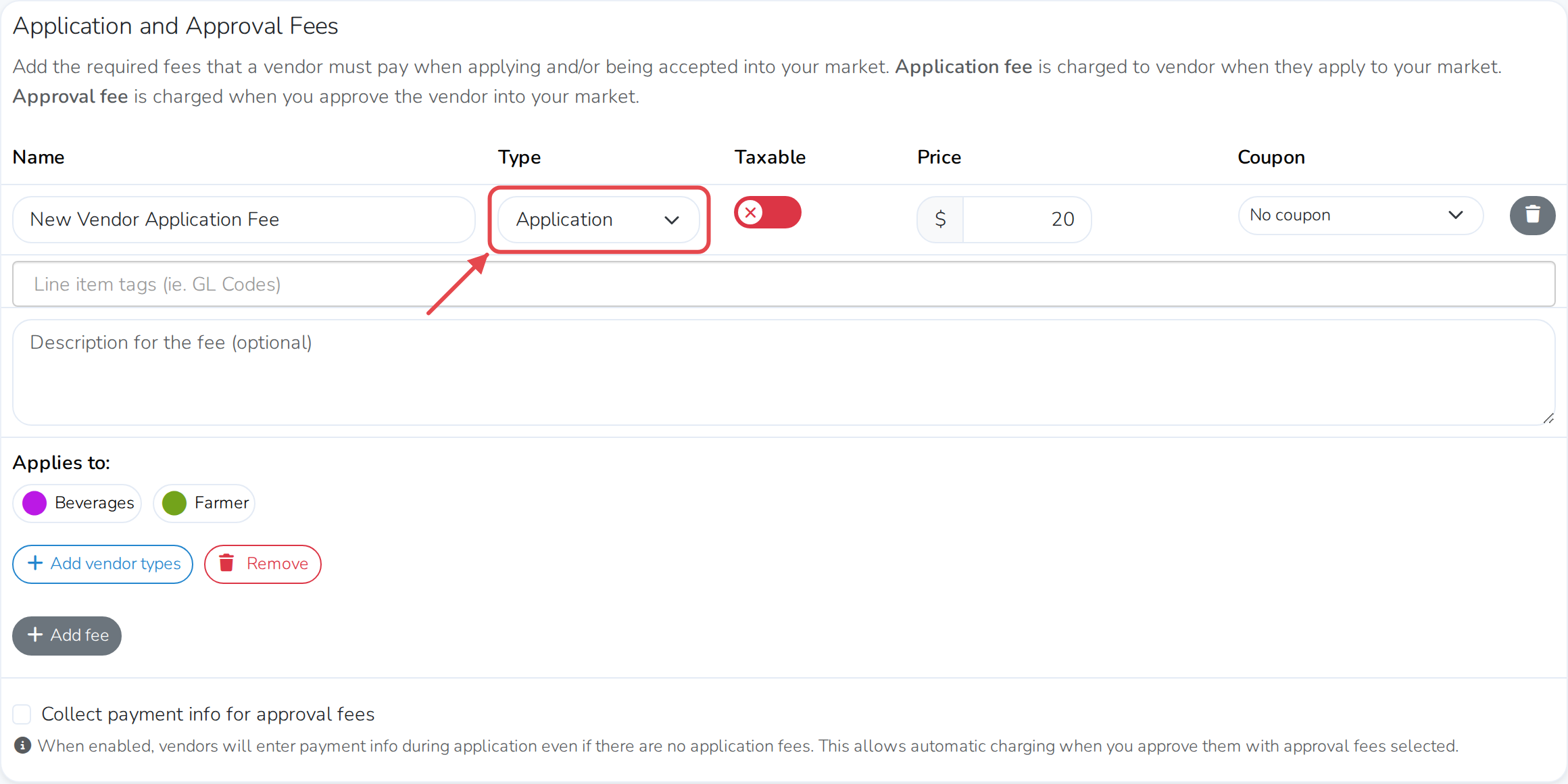
Choose Application as the type. You can add a different fee for each vendor type.
I have fees for vendors when they are approved into a market.
-
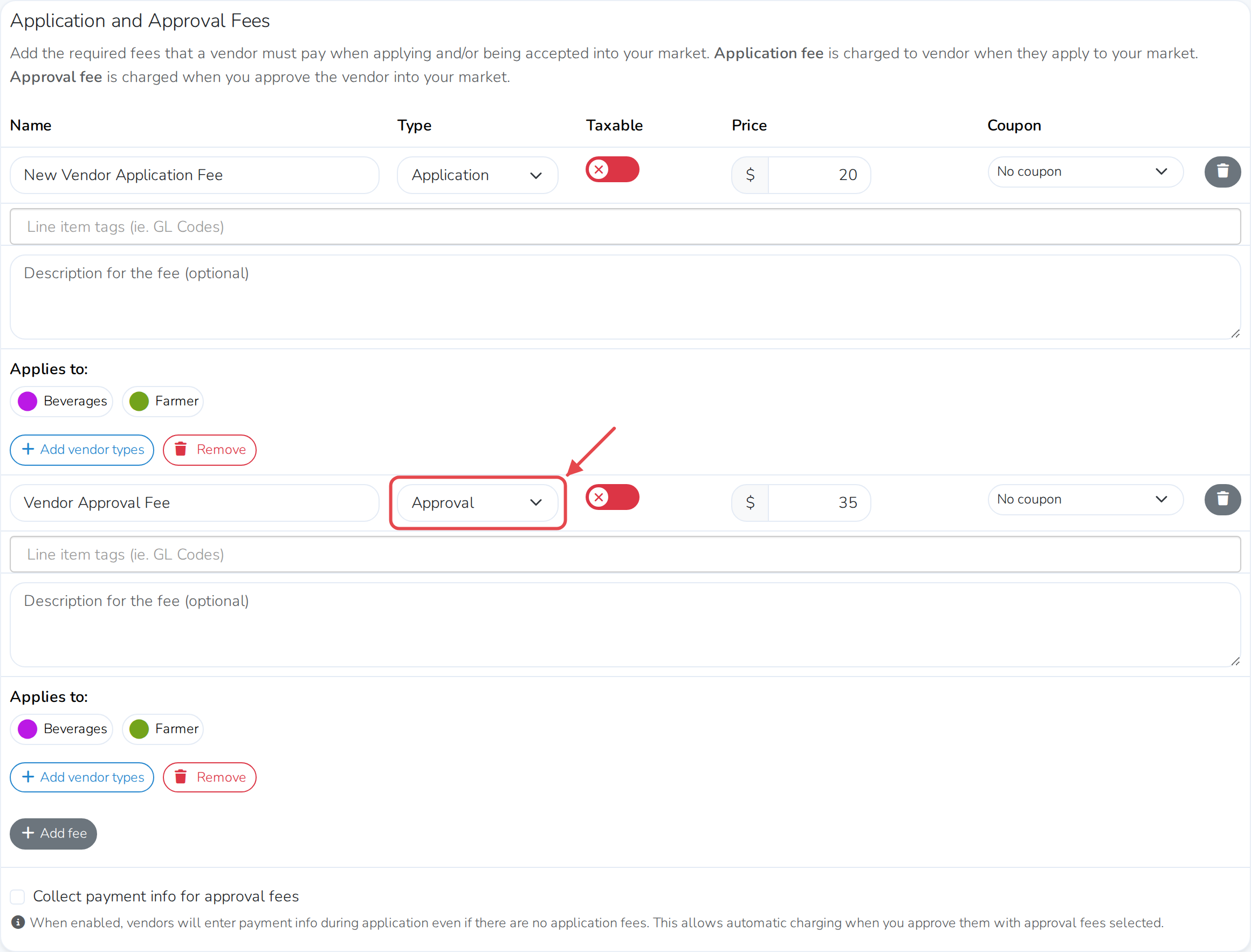
Click Add fee under Application and Approval Fees on your application, and choose Approval as the type instead. Add as many as you need.
-
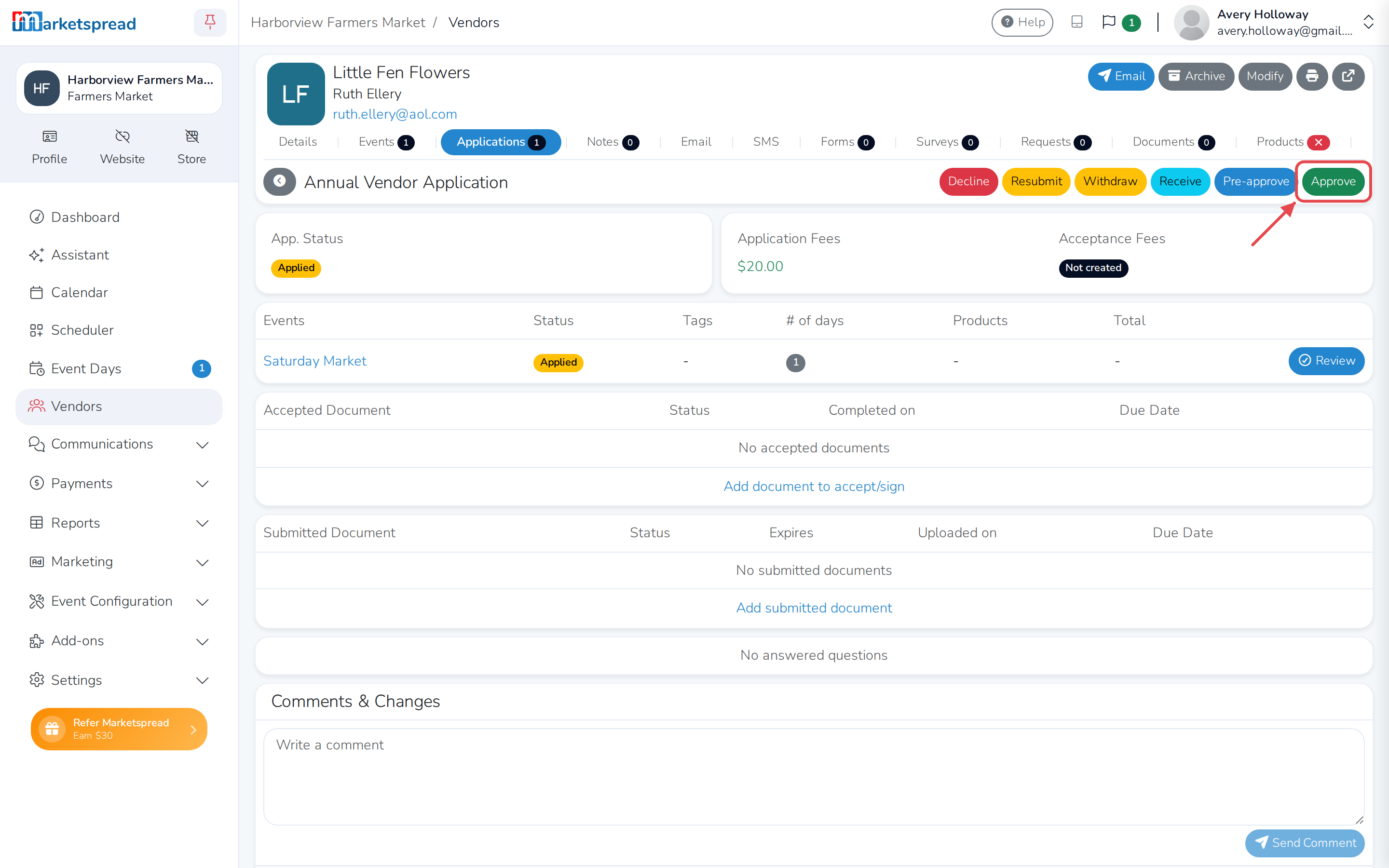
Click Approve on the vendor's application.
-
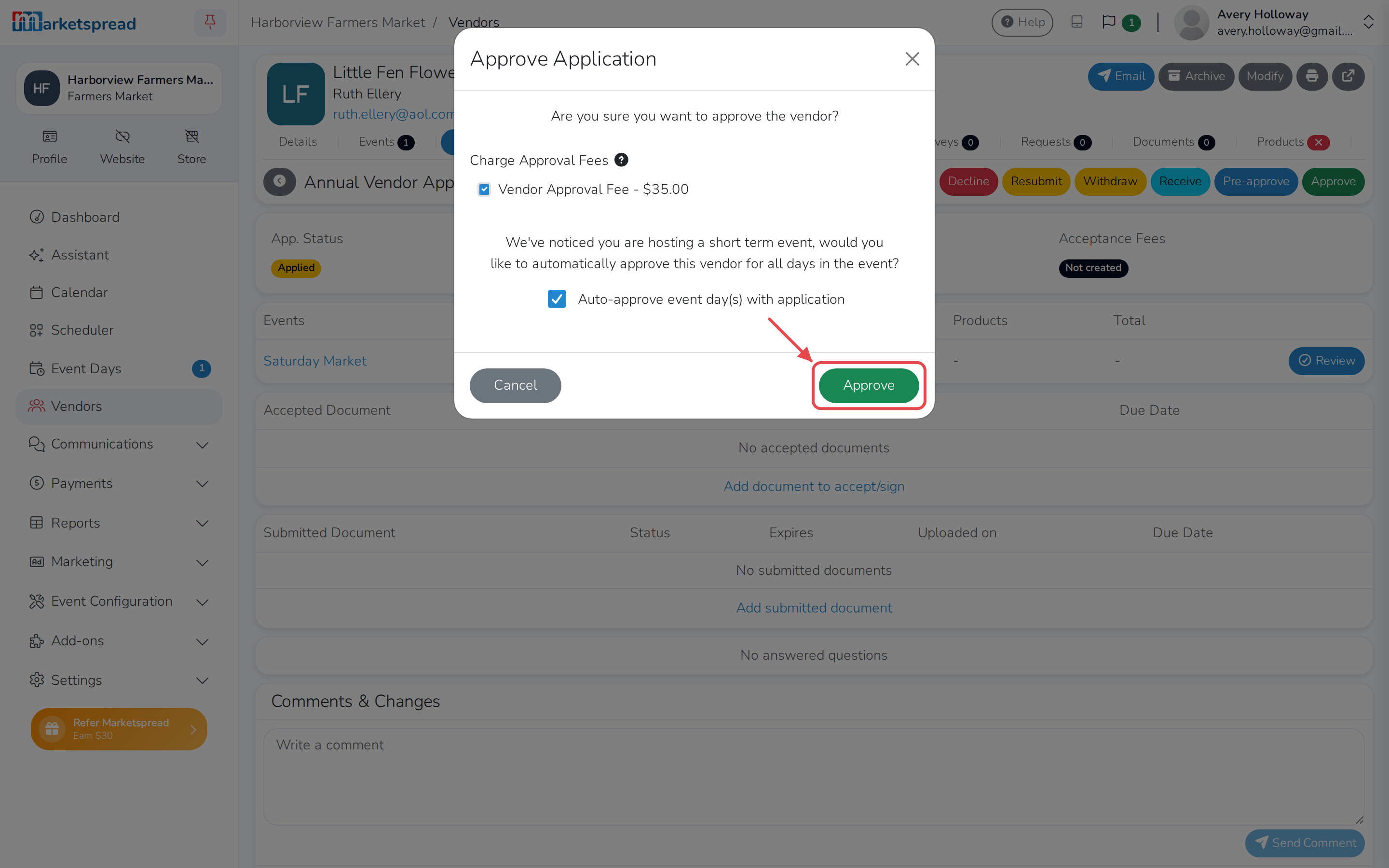
In the Approve Application window, uncheck any approval fees you don't want to charge this vendor, then click Approve again — the vendor gets an invoice for the ones left checked.
My vendors all pay the same price per booth per event day.
You can set up per booth prices in your layout, to be applied when they are scheduled:
My vendors all pay basically the same price per booth per event day, but there are some exceptions.
You can create booth fees
and then use vendor tag fees to modify the price for some of your vendors:
My vendors pay per booth booking, but everyone pays a different price based on their categorization.
You can use only vendor tag fees or vendor type fees to create invoices based on bookings.
My market runs multiple days of the week — can each day have a different price?
Yes, this can be set up:
Charge a different vendor fee by day of the week
My fees are based on vendor sales — where do I set that up?
This support article can help: Manage vendor sales reporting with currencies
My market has both booth fees and sales-based fees — can I do both?
Yes! Set up your booth-based booking fees,
and add sales reporting
Manage vendor sales reporting with currencies
I have other items I need to invoice vendors for, how can I do that?
Yes, you can create any custom invoice:
Invoice guide: manual and via Scheduler
Can invoices go out on a set schedule without me sending them?
Yes, you can set release schedules:
Can my vendors be on an automatic payment plan?
Yes, they can turn on Auto Pay themselves, letting you charge their card when a fee falls due:
Charge vendors who have Auto Pay
Can I give market credit to vendors to pay for future invoices?
Yes, here is how you set that up:
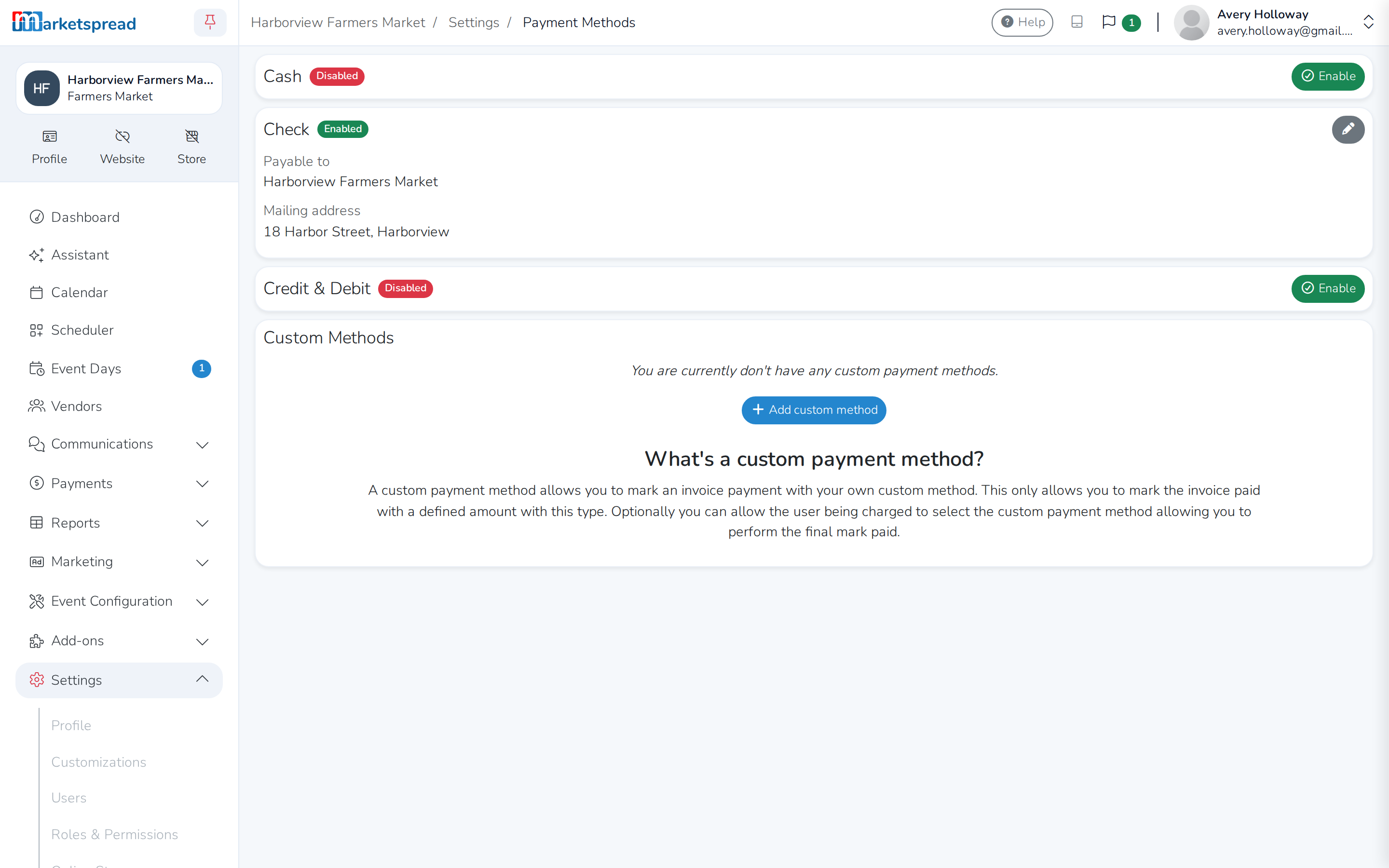
What ways can vendors pay me?
You can set up your market to accept any type of payment method you want. Open Settings, then Payment Methods, to turn on cash, check or credit and debit, or add a custom method. Cash, check and custom methods have to be reconciled by you — mark the invoice paid once the vendor has actually paid. Credit and debit invoices are marked paid automatically once the card is charged.