


A vendor booked onto three days gets three invoices. If you would rather send
them one, you can merge the drafts into a single invoice before any of them go
out.
Only drafts can be merged. Once an invoice has been released to the vendor it
stands on its own.
Check what is still a draft
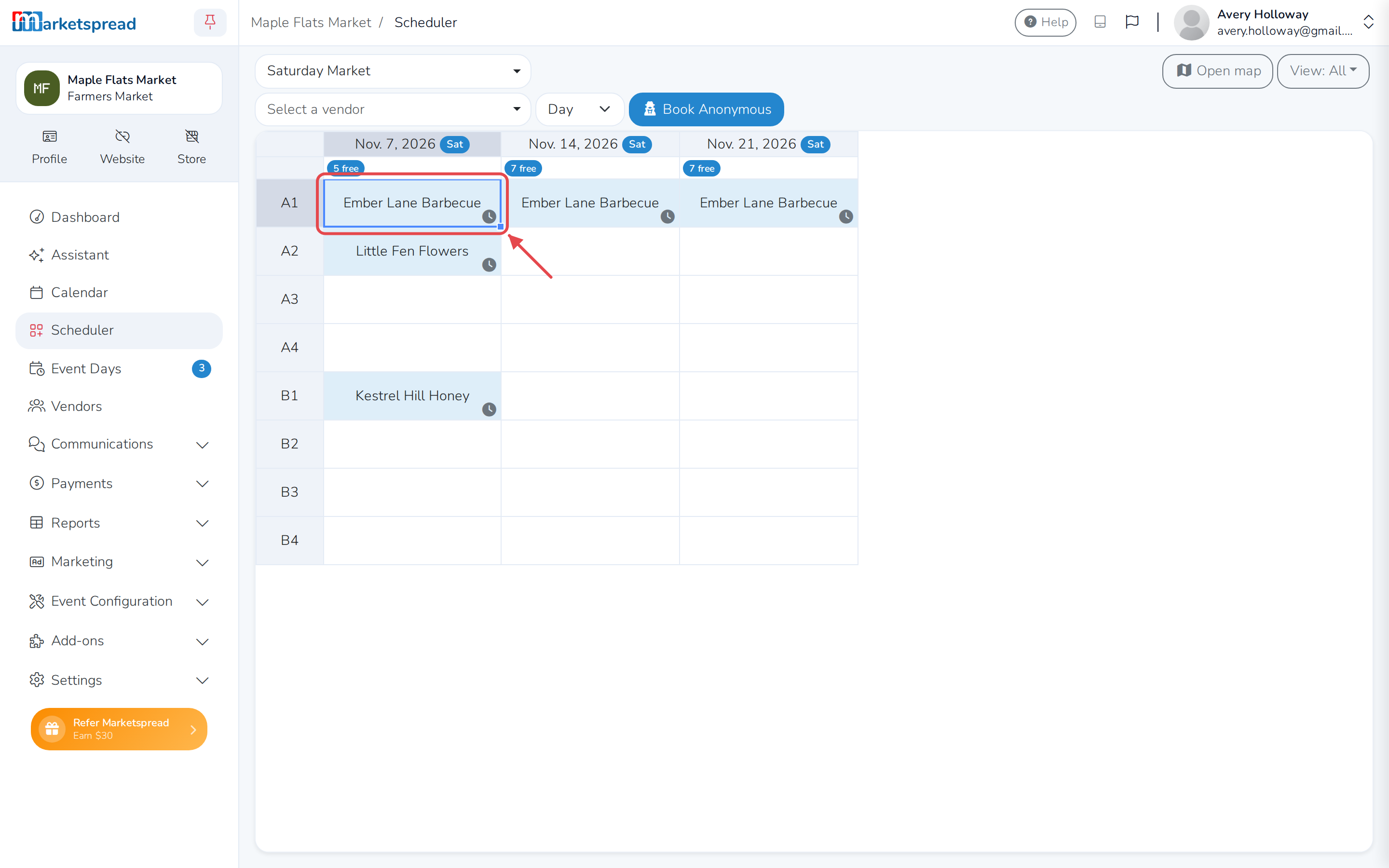
In Scheduler, a booking with an invoice waiting to go out shows a clock in
the corner of its cell.
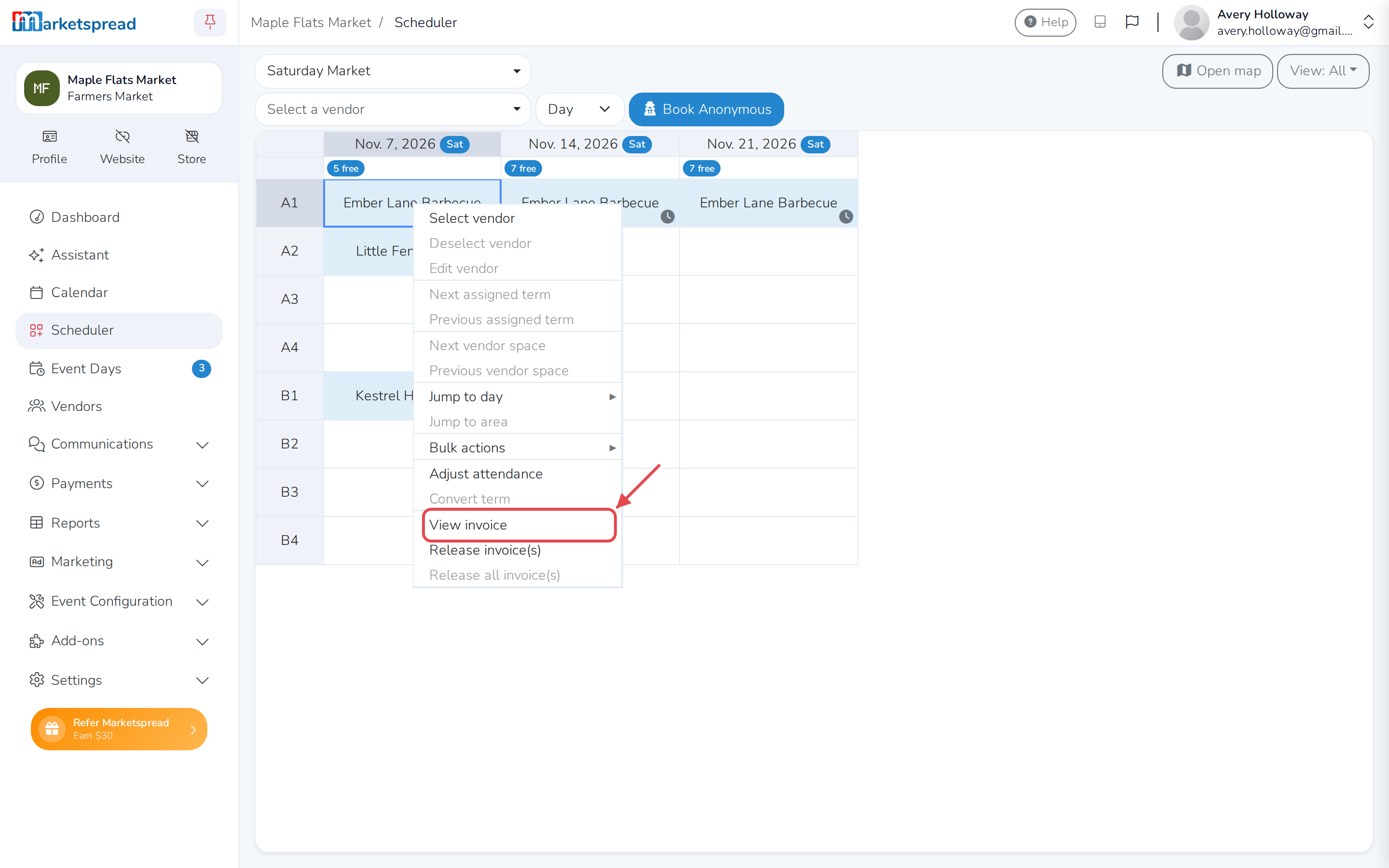
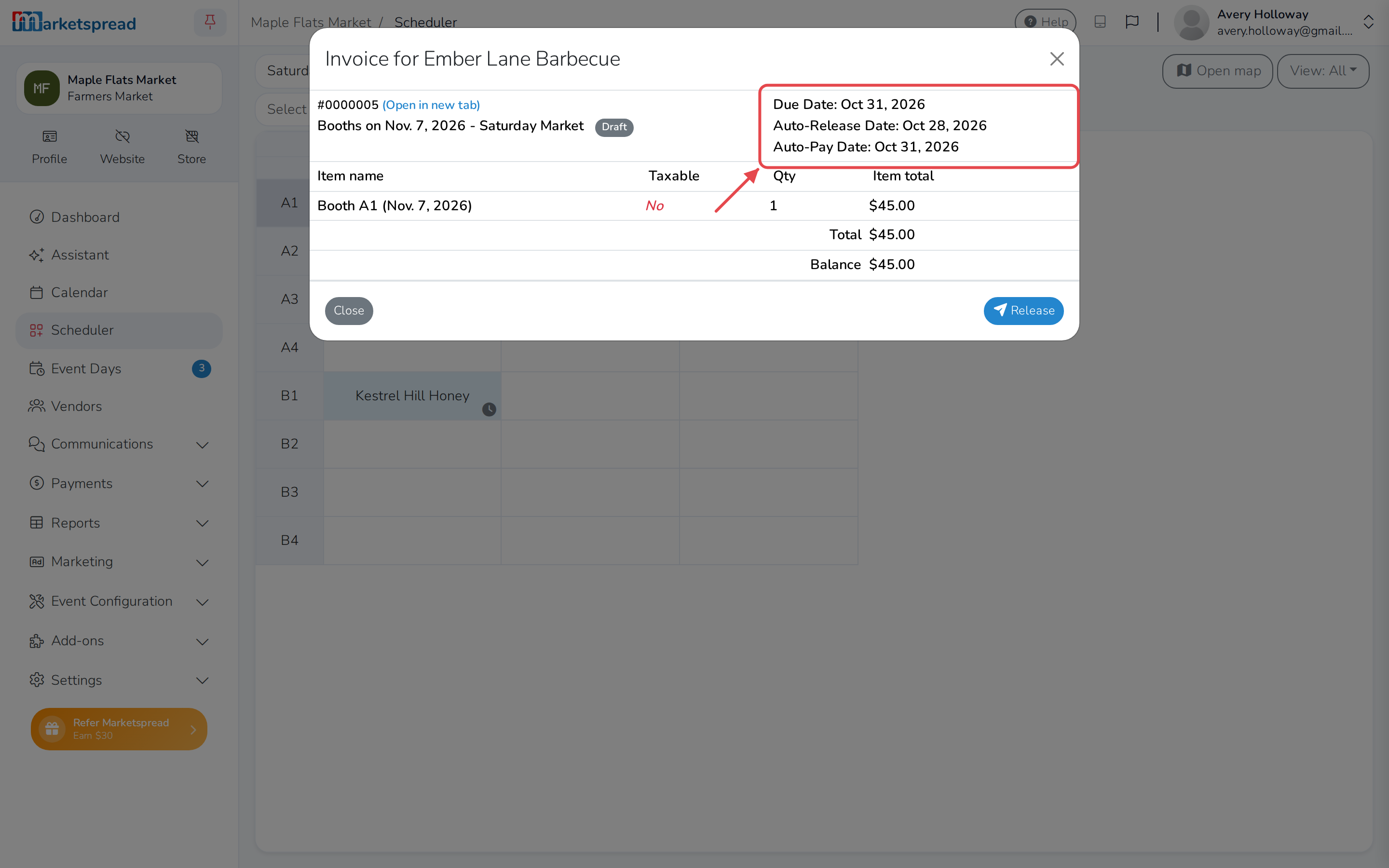
Right-click the cell and choose View invoice to see the draft, including
the date it is due to be released.
Merge the drafts
-
In Scheduler, choose the vendor from Select a vendor.
-
Click Release in the top right. This opens the invoice release window
for that vendor.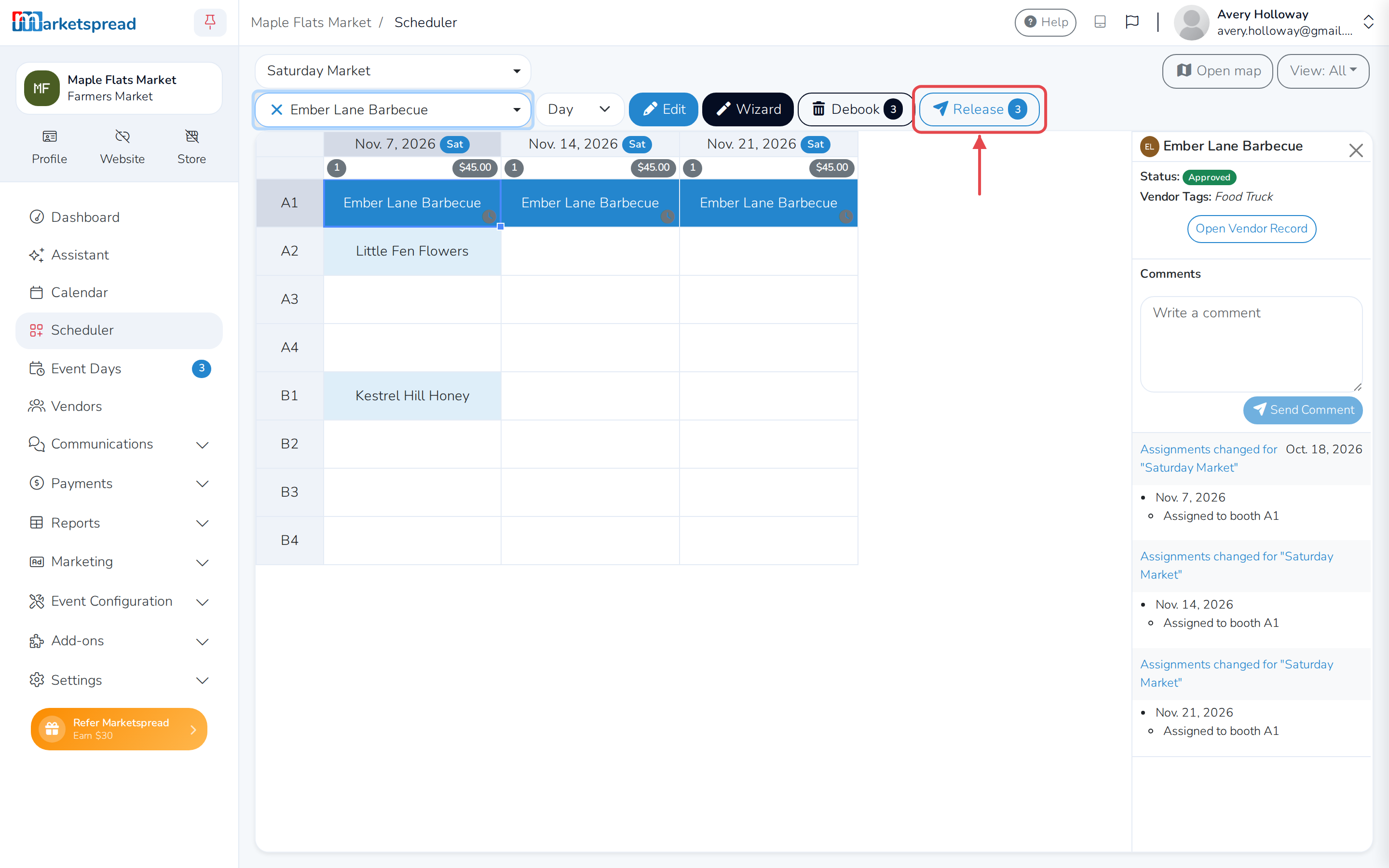
-
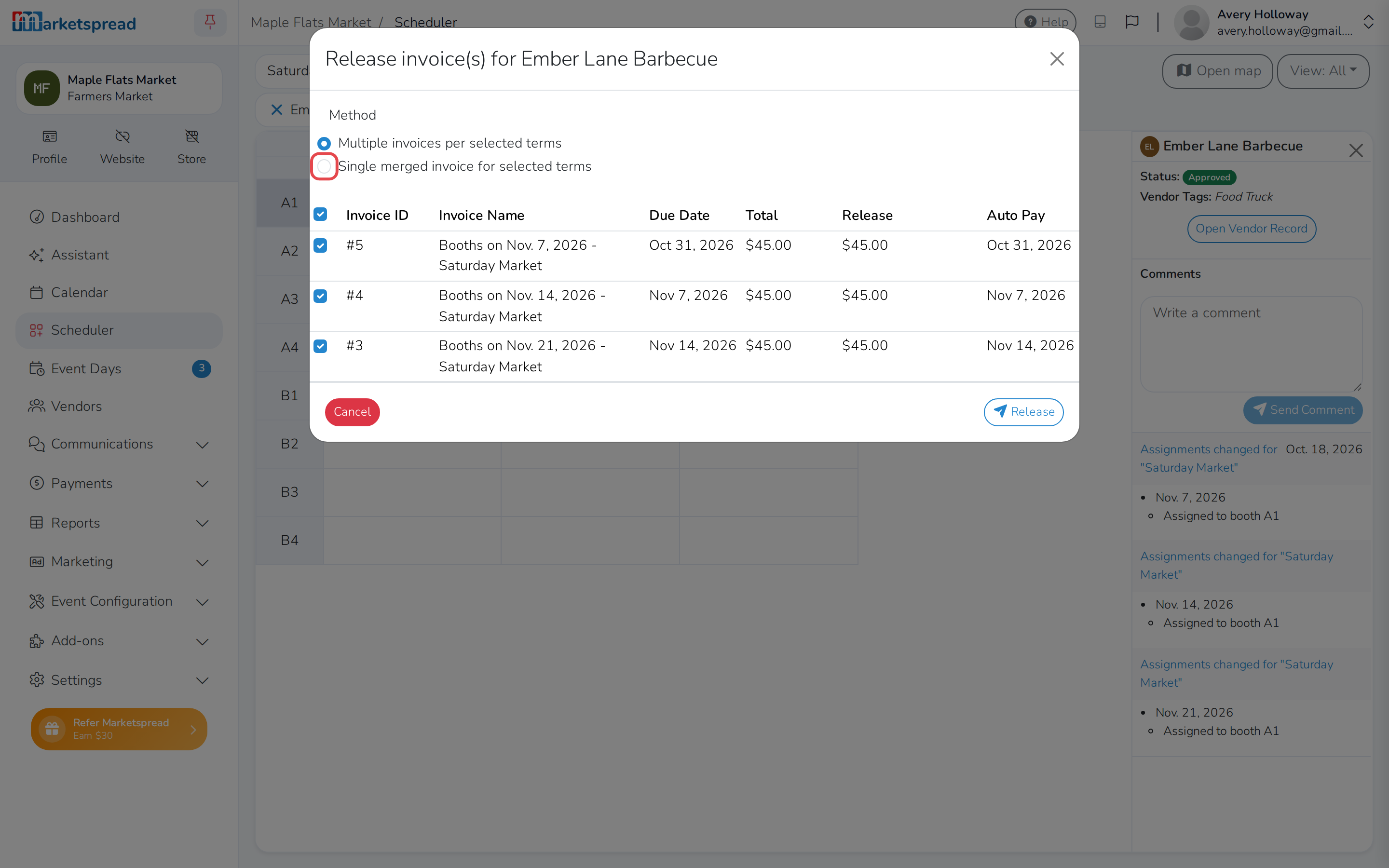
Under Method, choose Single merged invoice for selected terms.
-
Below the merged invoice's own Name, Due date and Auto pay
date, the window lists the bookings being combined — already ticked.
Untick anything you do not want included.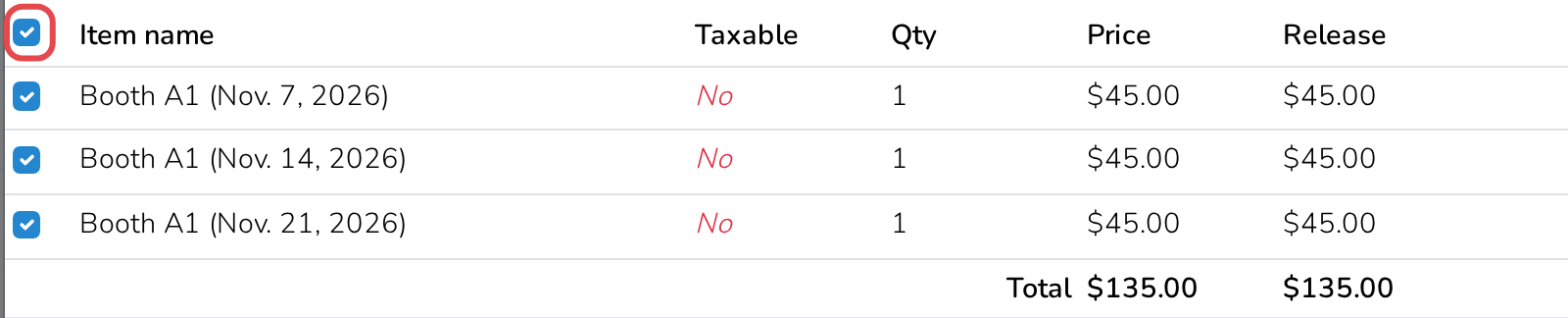
-
Click Release, or Release + Payment to collect the money now. If
the vendor has Auto Pay turned on, that button reads Release + Auto
Pay instead, and charges their card on file.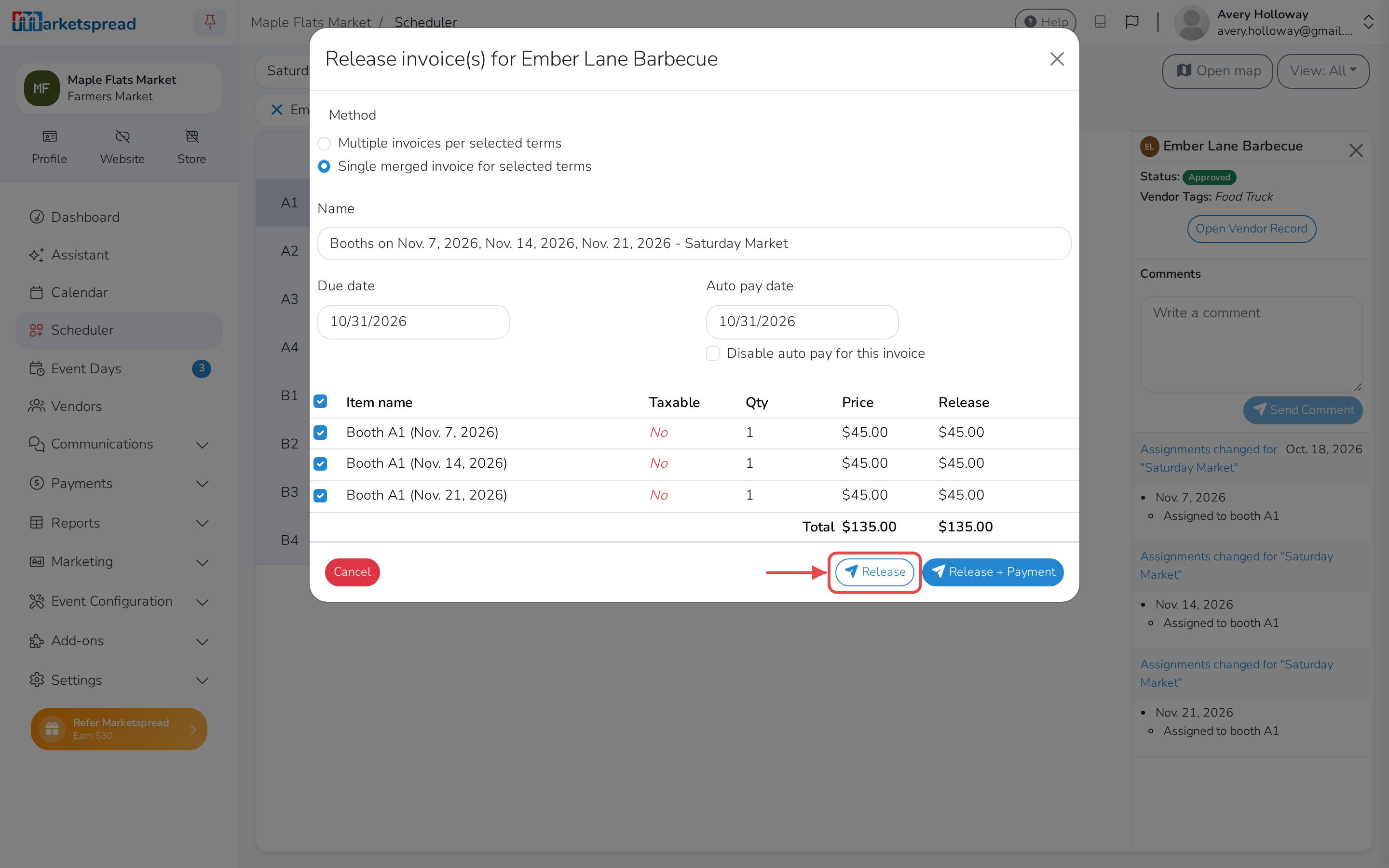
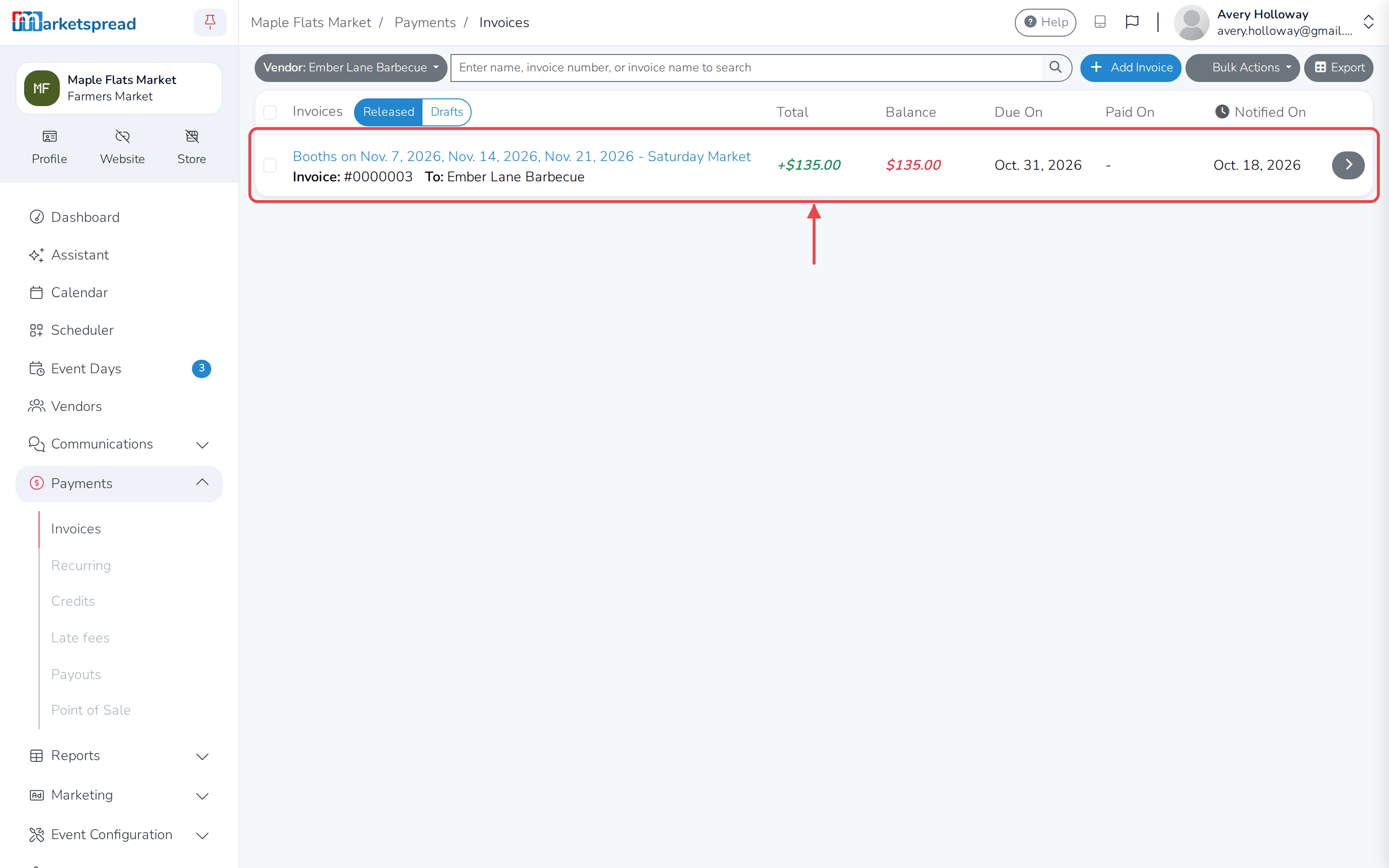
Each of those bookings now points at the same invoice, so the vendor sees one
bill instead of several. You can see it under Payments, then
Invoices.
Merging releases the invoice
The drafts were waiting for their release dates. Merging sends the combined
invoice now, so only merge when you are ready for the vendor to get it.