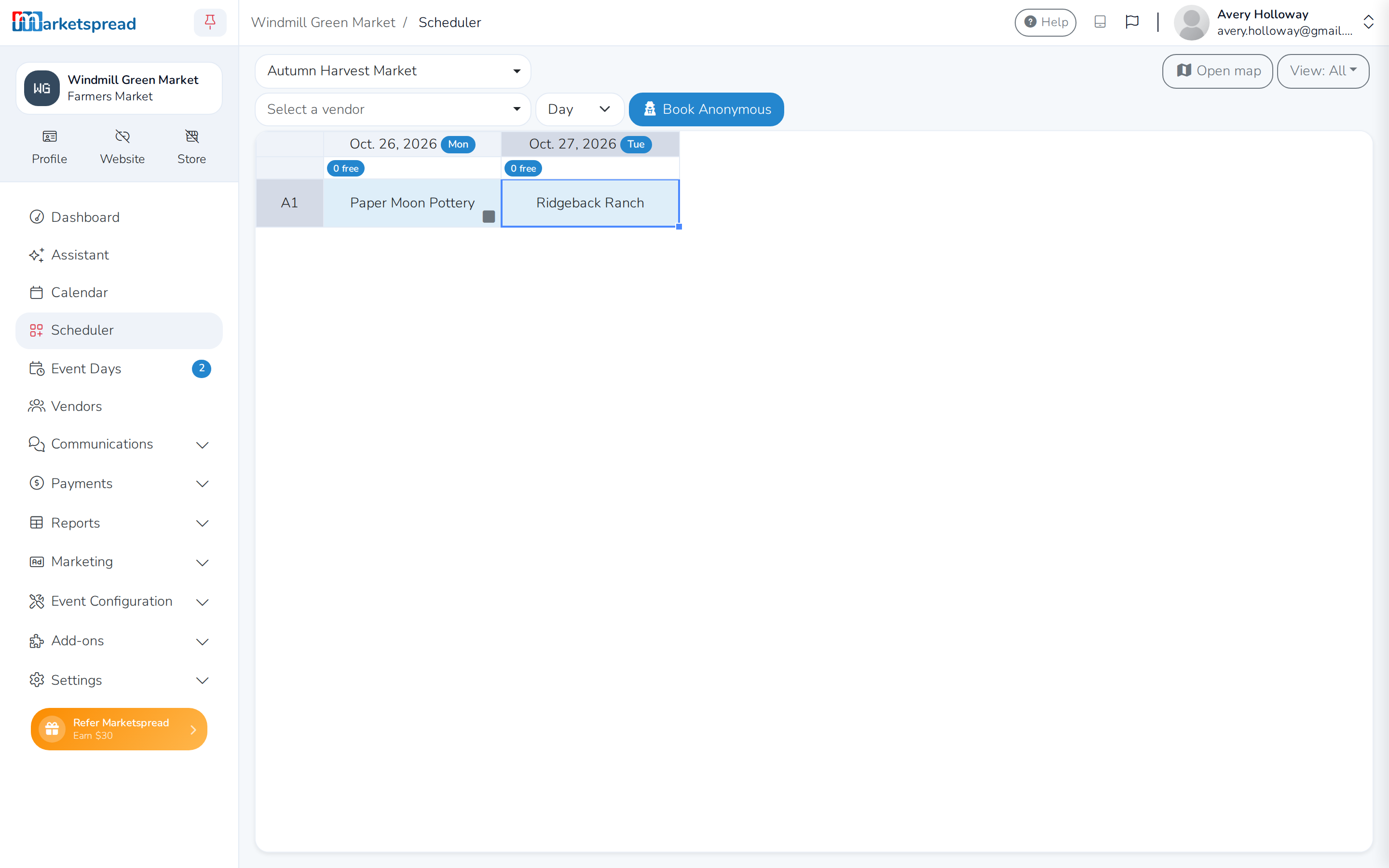
If your event charges an automatic per-booth fee,
some vendors may need to skip it. For example, a group who already paid for the whole event series
up front. Give those vendors a tag, then set that tag's fee to override the
booth fee with $0.00. Any vendor with the tag stops getting the automatic
fee; everyone else keeps paying it.
Tag the vendors to exempt
-
Open Vendors in the side toolbar.
-
Click a vendor's name, or the grey button next to it, to open their
record.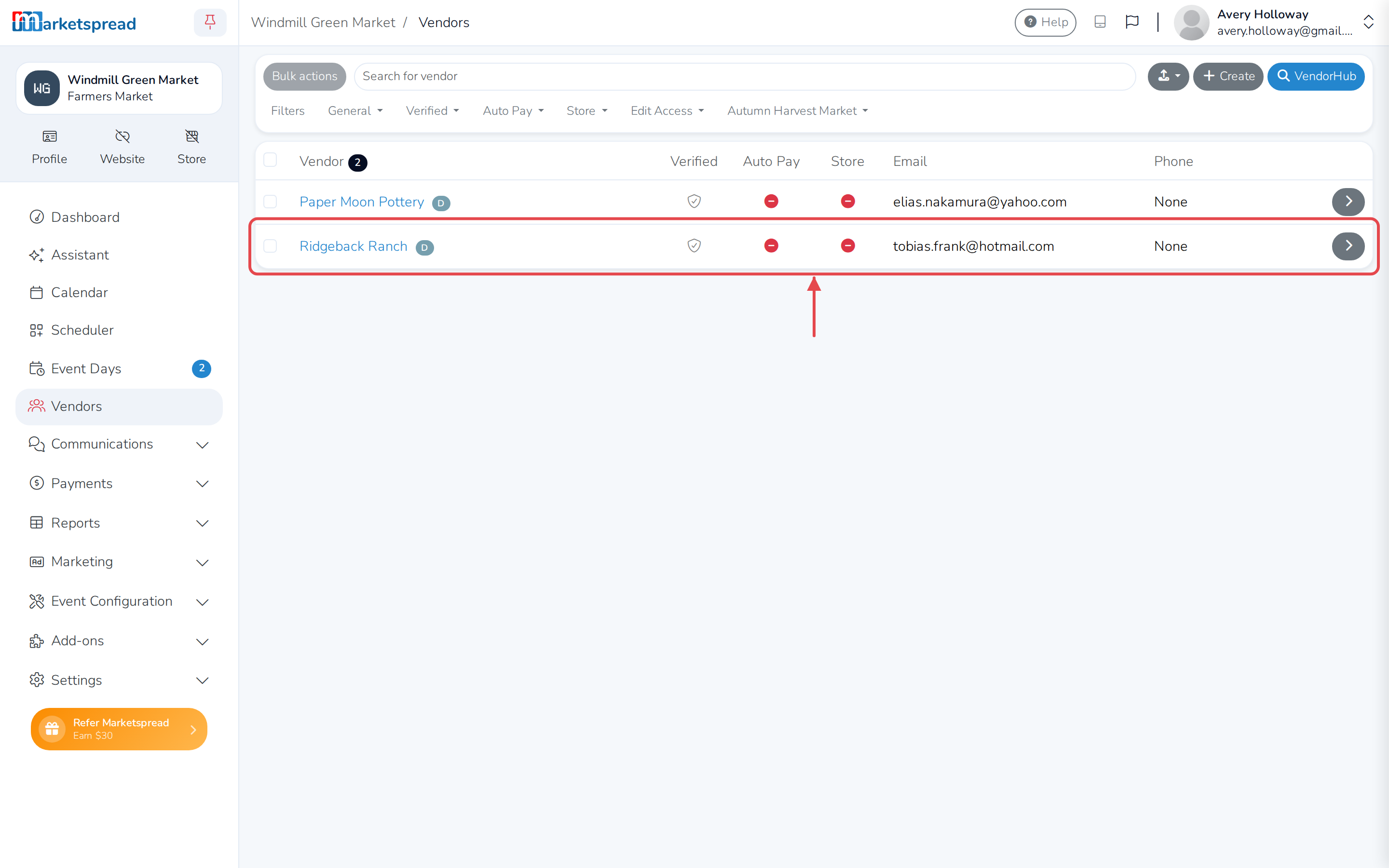
-
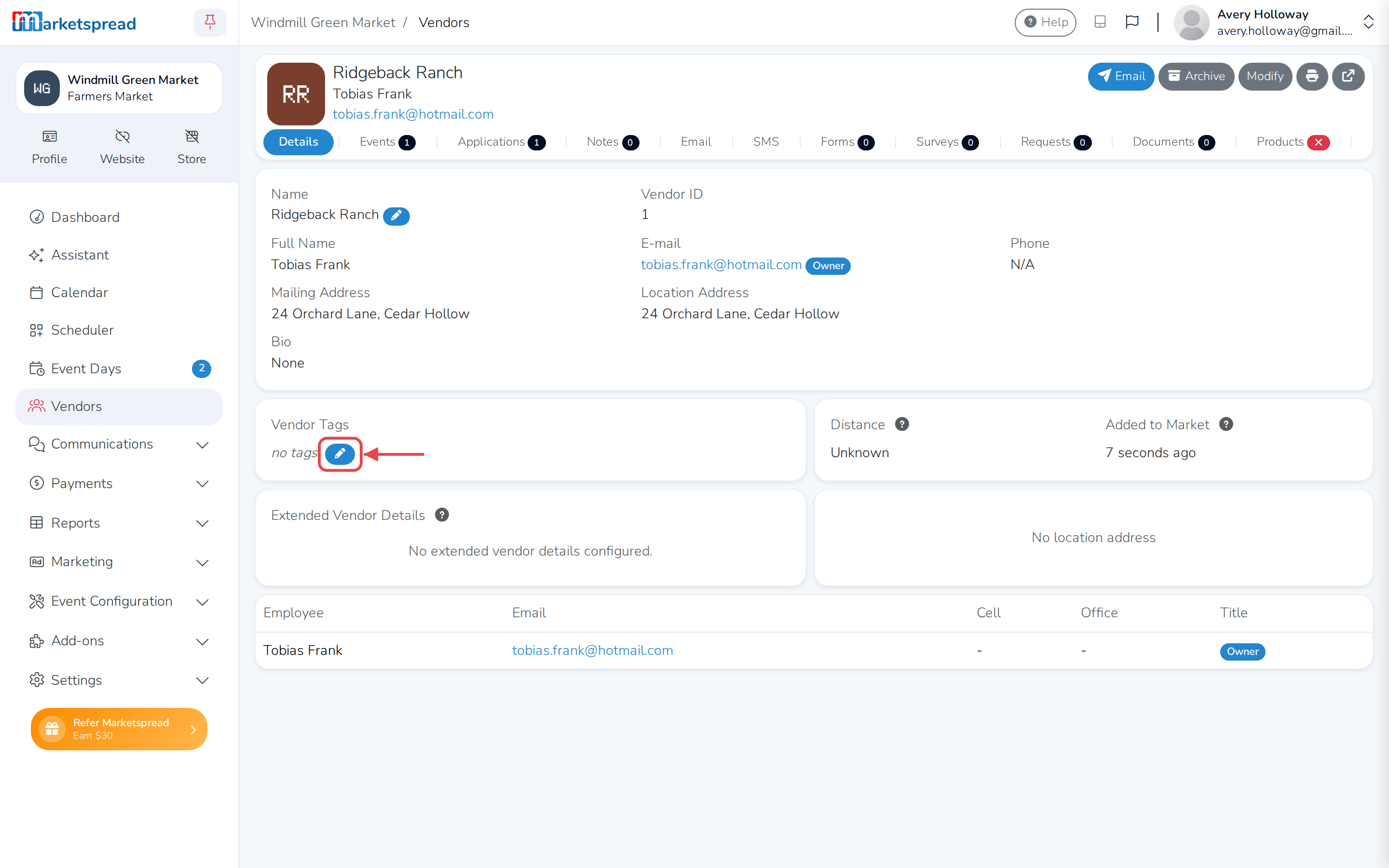
In the Vendor Tags panel, click the pencil button.
-
Type a tag name — for example, free — and click Save.
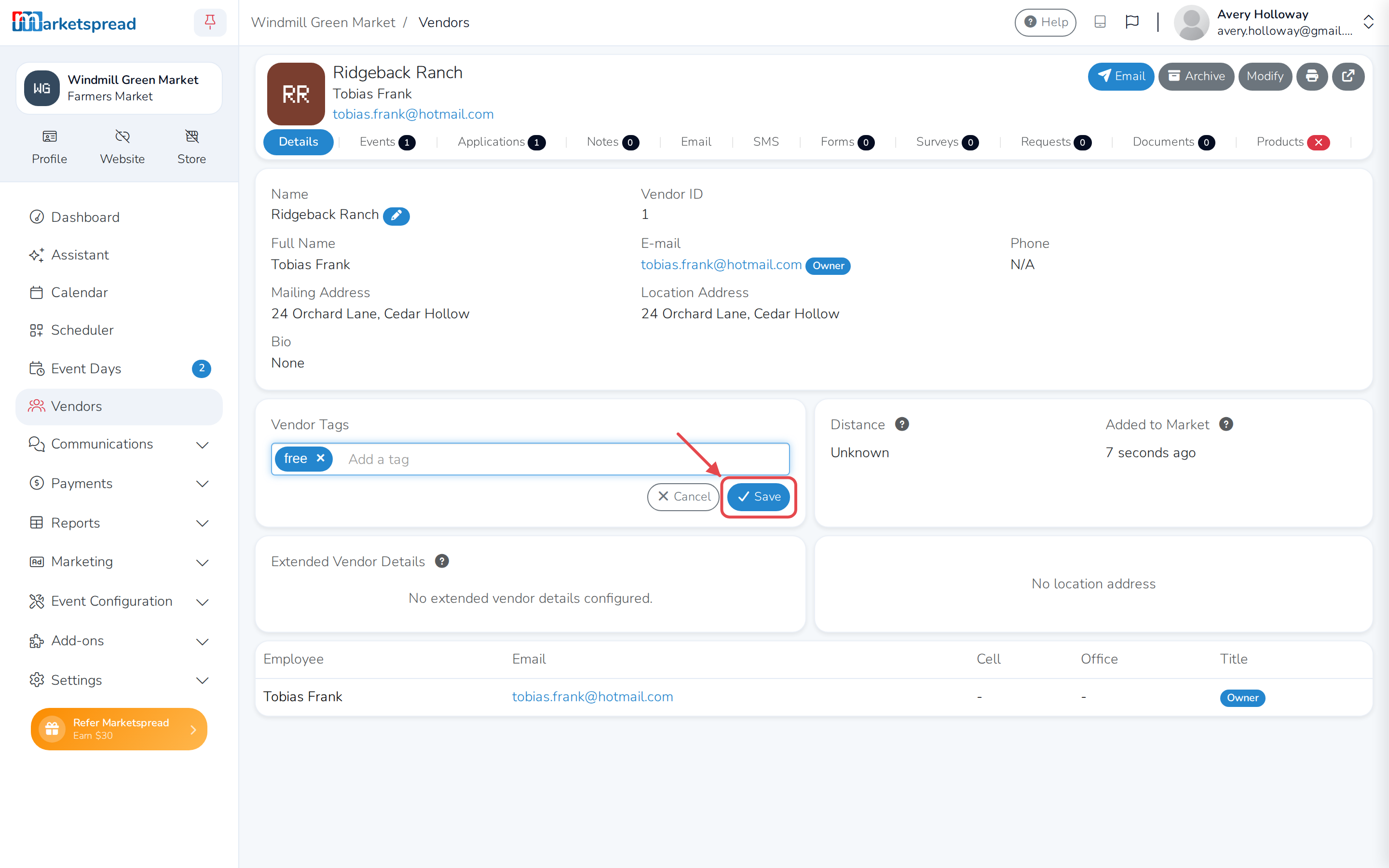
The tag now shows on the vendor's record.
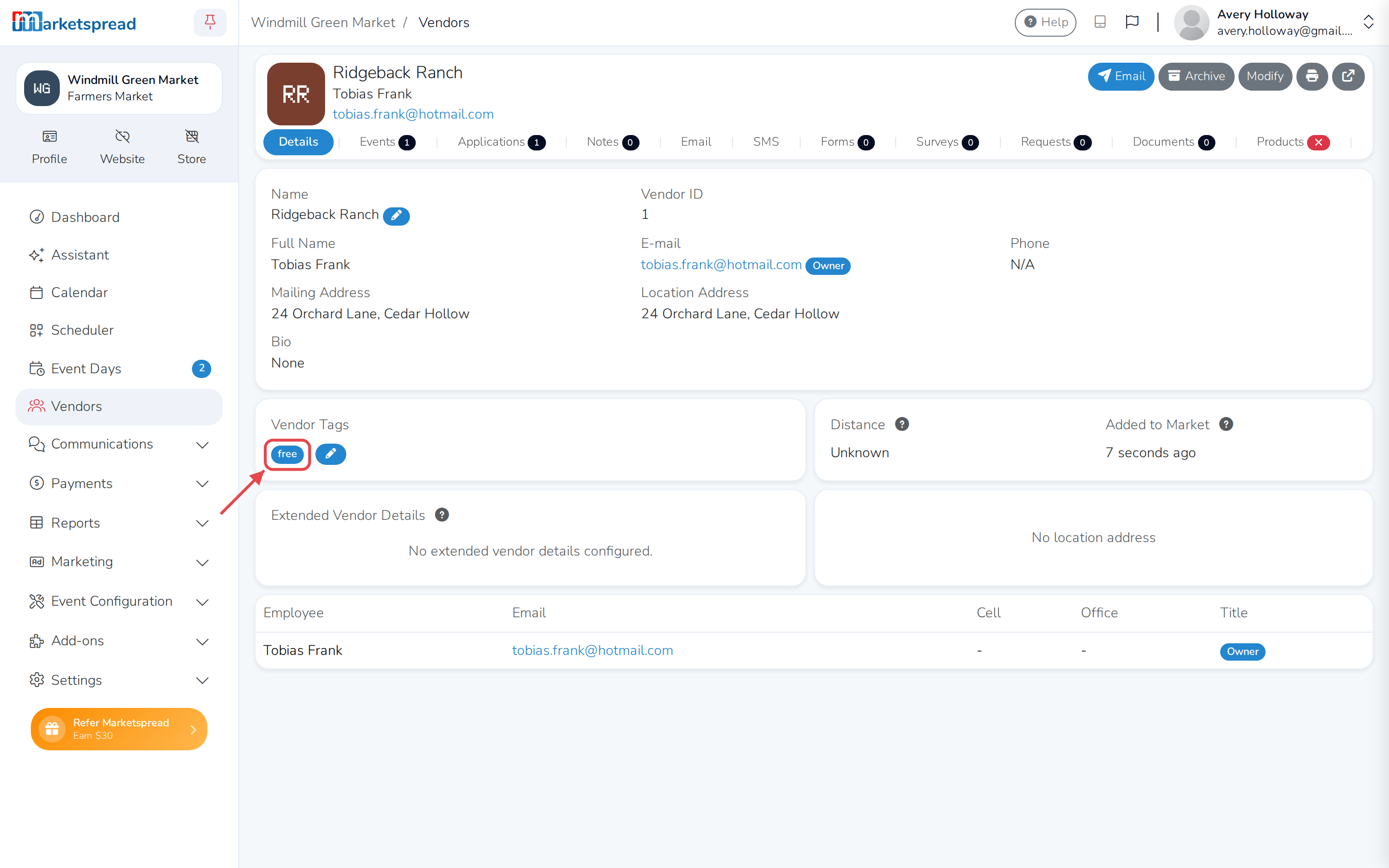
Repeat this for every vendor you want to exempt. They all need the same tag.
Note
If your market has a list of approved tags, only a tag from that list can
be added here. See Vendor Tag Management.
Set the tag's fee to zero
-
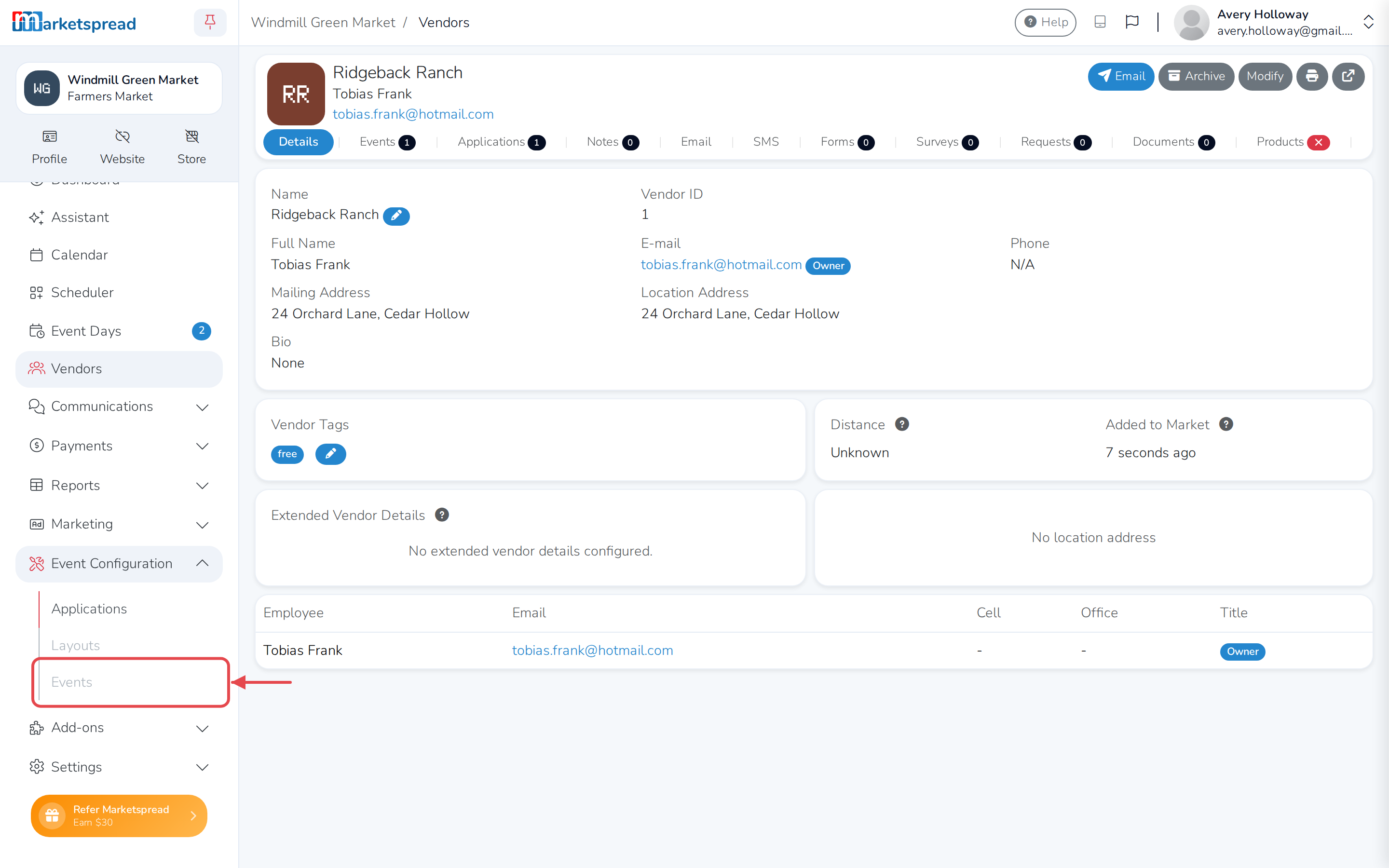
Open Event Configuration in the side toolbar, then click Events.
-
Select the event or event series by clicking the grey overview button
next to it.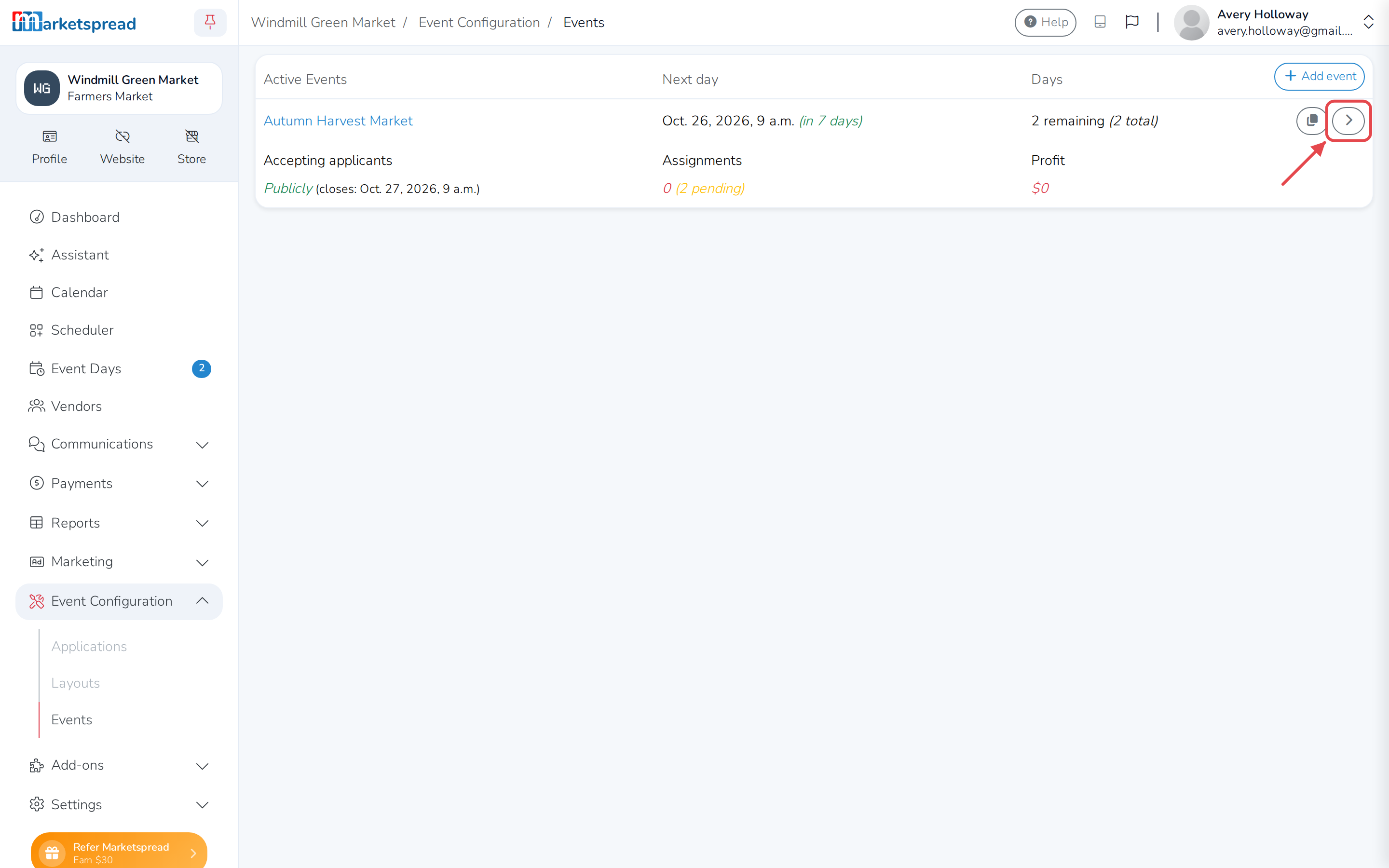
-
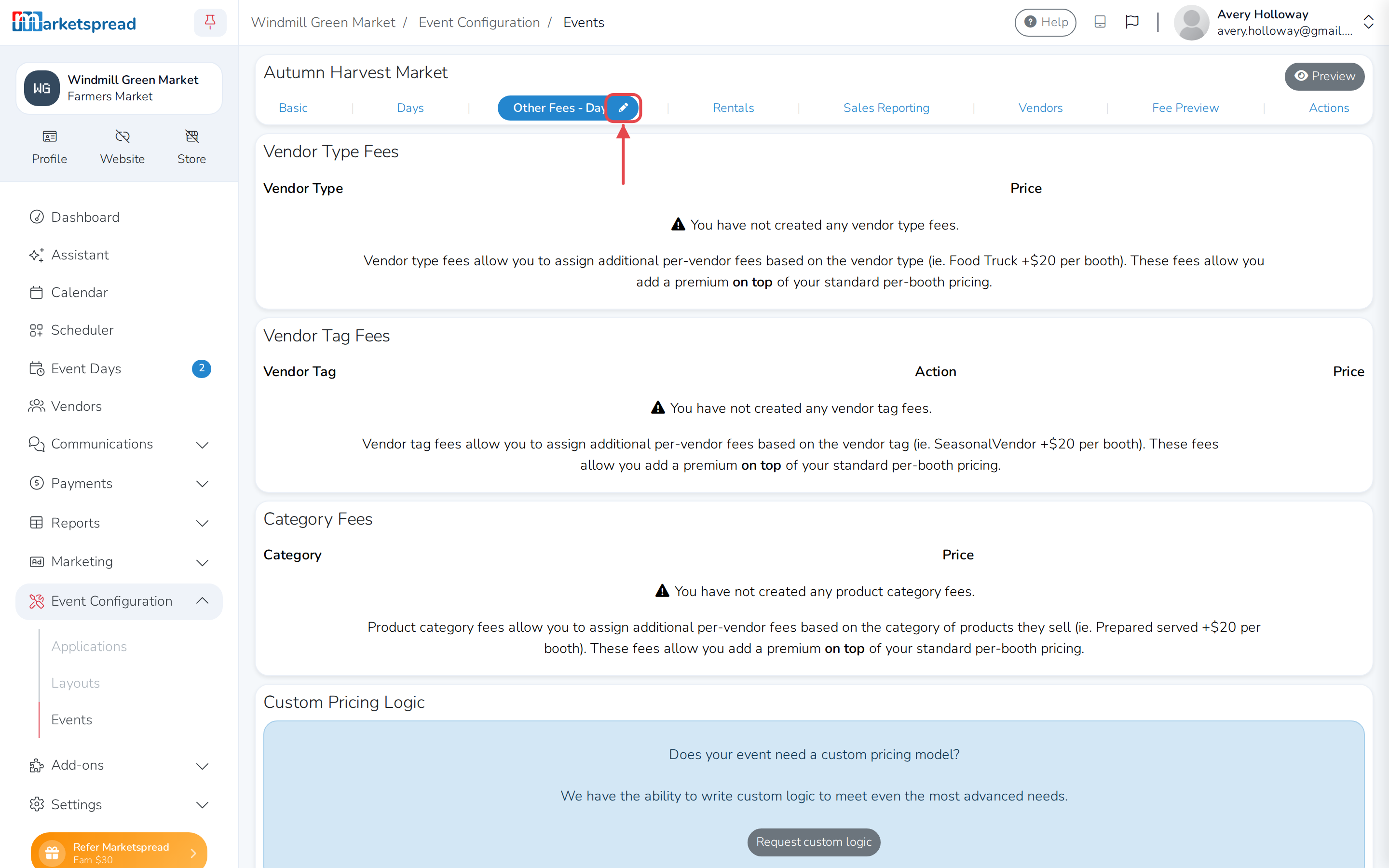
Click Other Fees, then click the pencil button next to it.
-
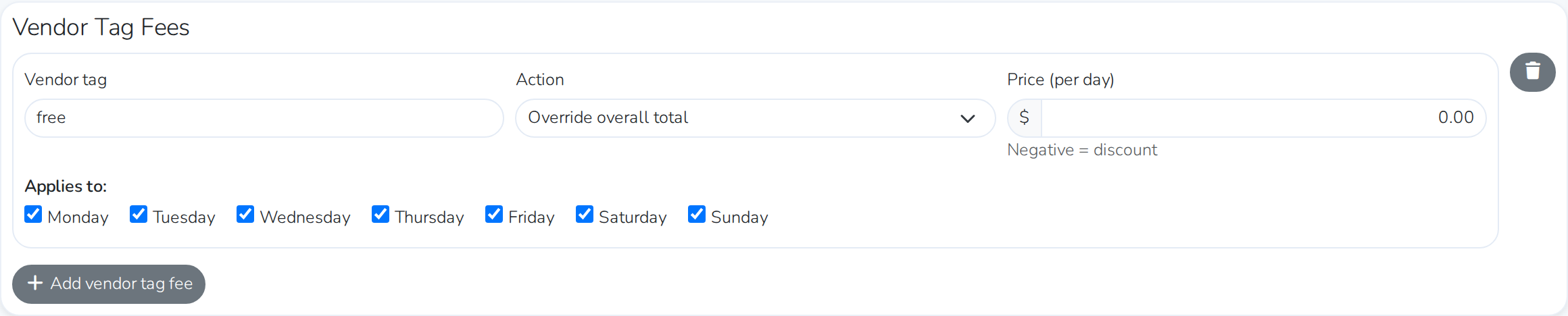
Under Vendor Tag Fees, click Add vendor tag fee.
-
In Vendor tag, type the same tag name you used above — for example,
free. -
Set Action to Override overall total.
-
Set the price to $0.00.
-
Click Save other fees.
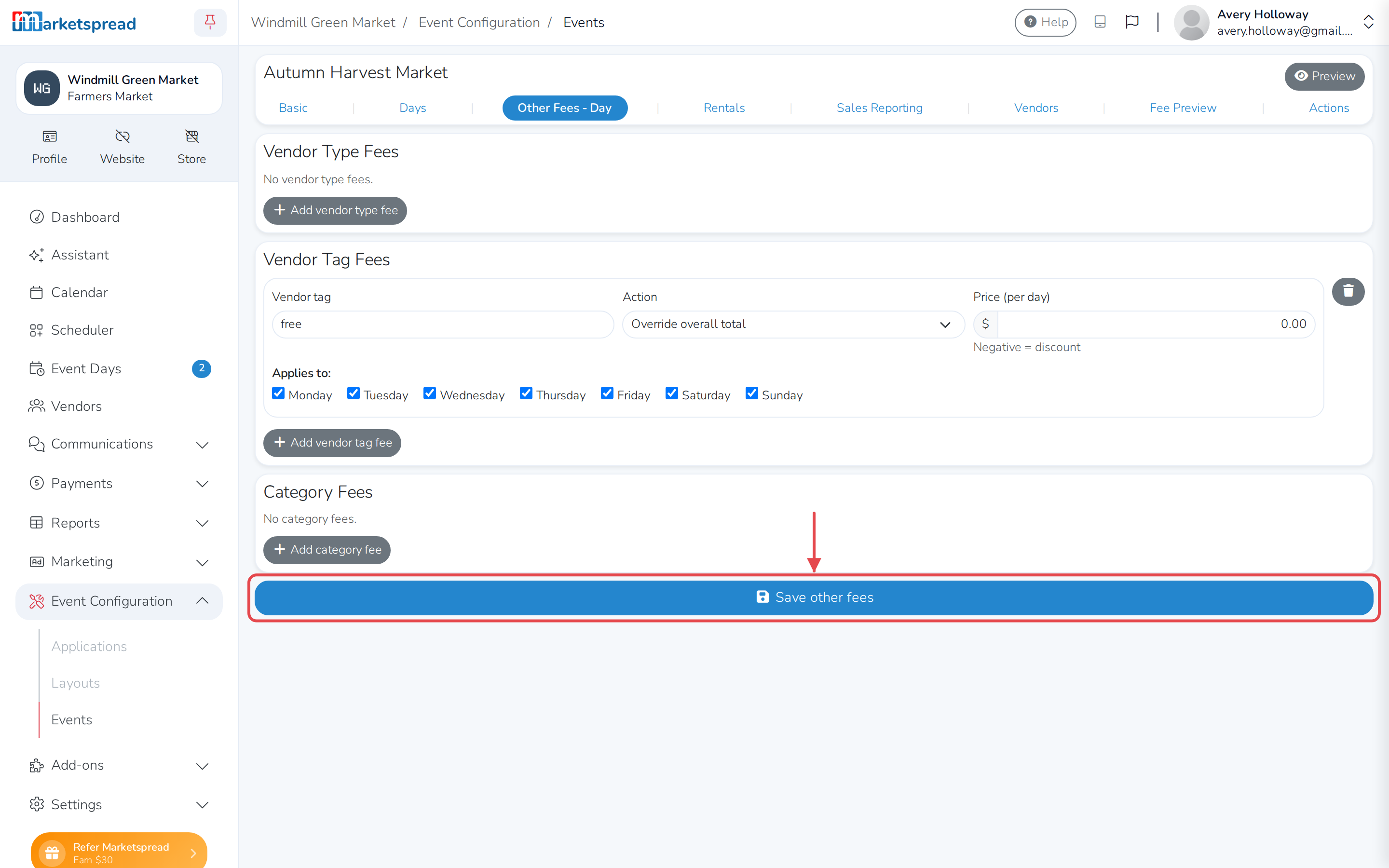
Vendors with the tag now get no automatic fee for a booth. Vendors without
it are unaffected.
Important
This only changes pricing going forward. If a vendor already has a
booking priced under the old fee, it stays that way until you resync.
Open Other Fees or Scheduler and look for the banner saying fees
have changed since the last sync, then click Resync now to bring
their invoice up to date.
See it in Scheduler
Scheduling a vendor without the tag still creates the automatic booth fee.
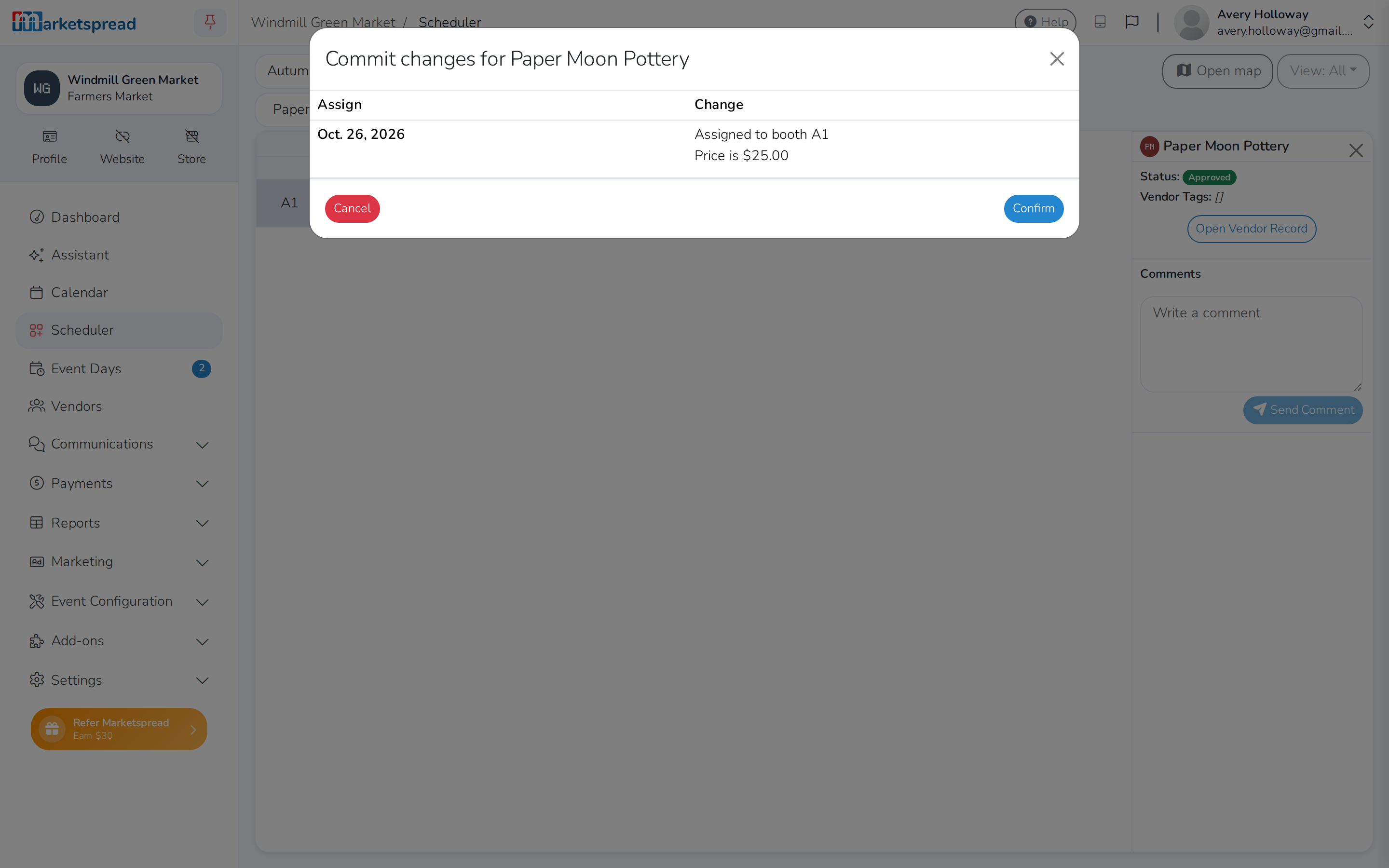
Scheduling a vendor with the tag does not — the price is overridden to
$0.00.
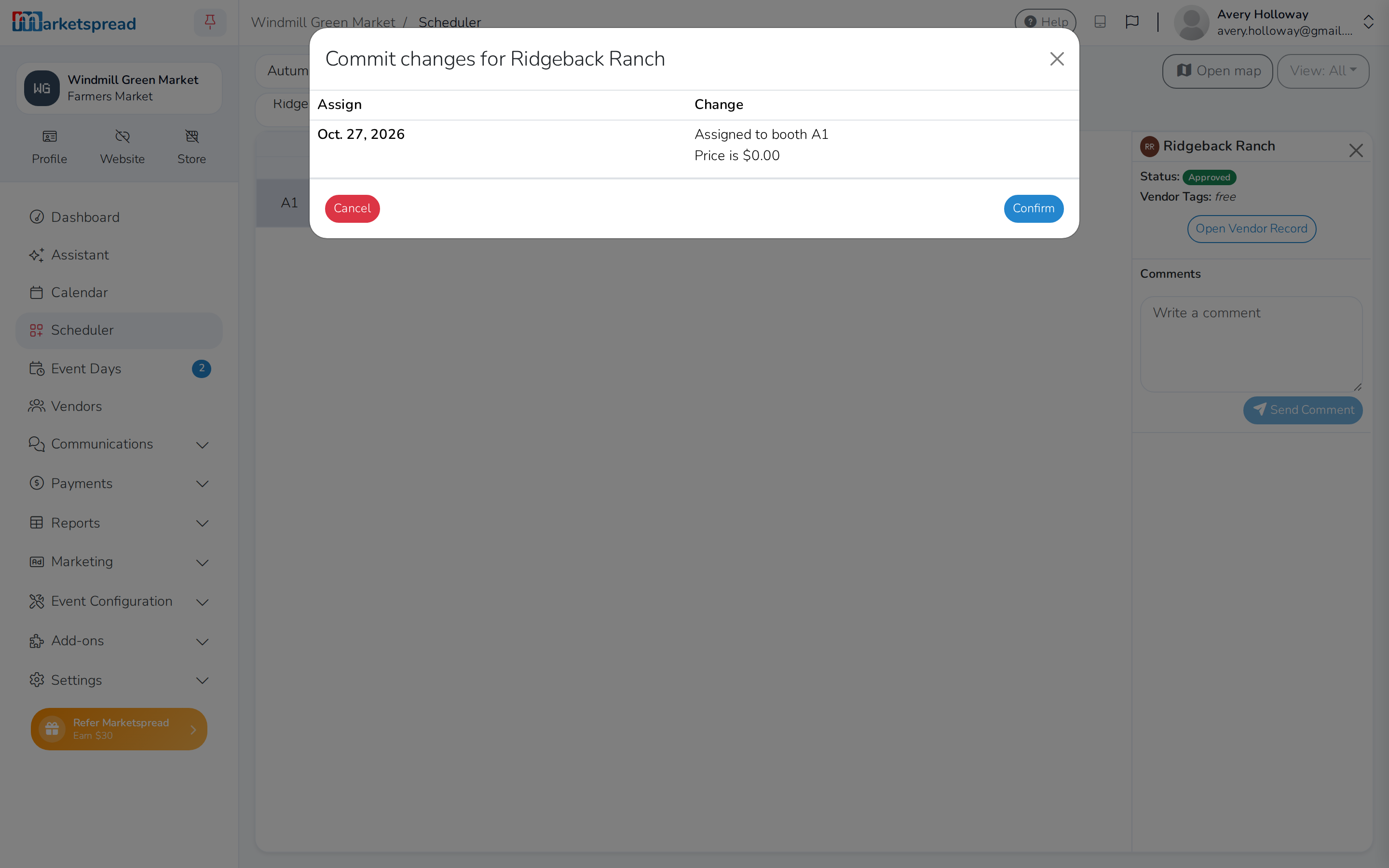
With nobody selected, the scheduling grid shows the difference: the booked
day with a fee has a draft invoice icon, the booked day without one has
none.