


By default, an event day's map and vendor list are public right away. Any change you make to booth assignments shows up immediately, too. Turn on manual publishing when you'd rather keep moving vendors around, or wait until a day is full, before customers see it.
Turn on manual publishing
-
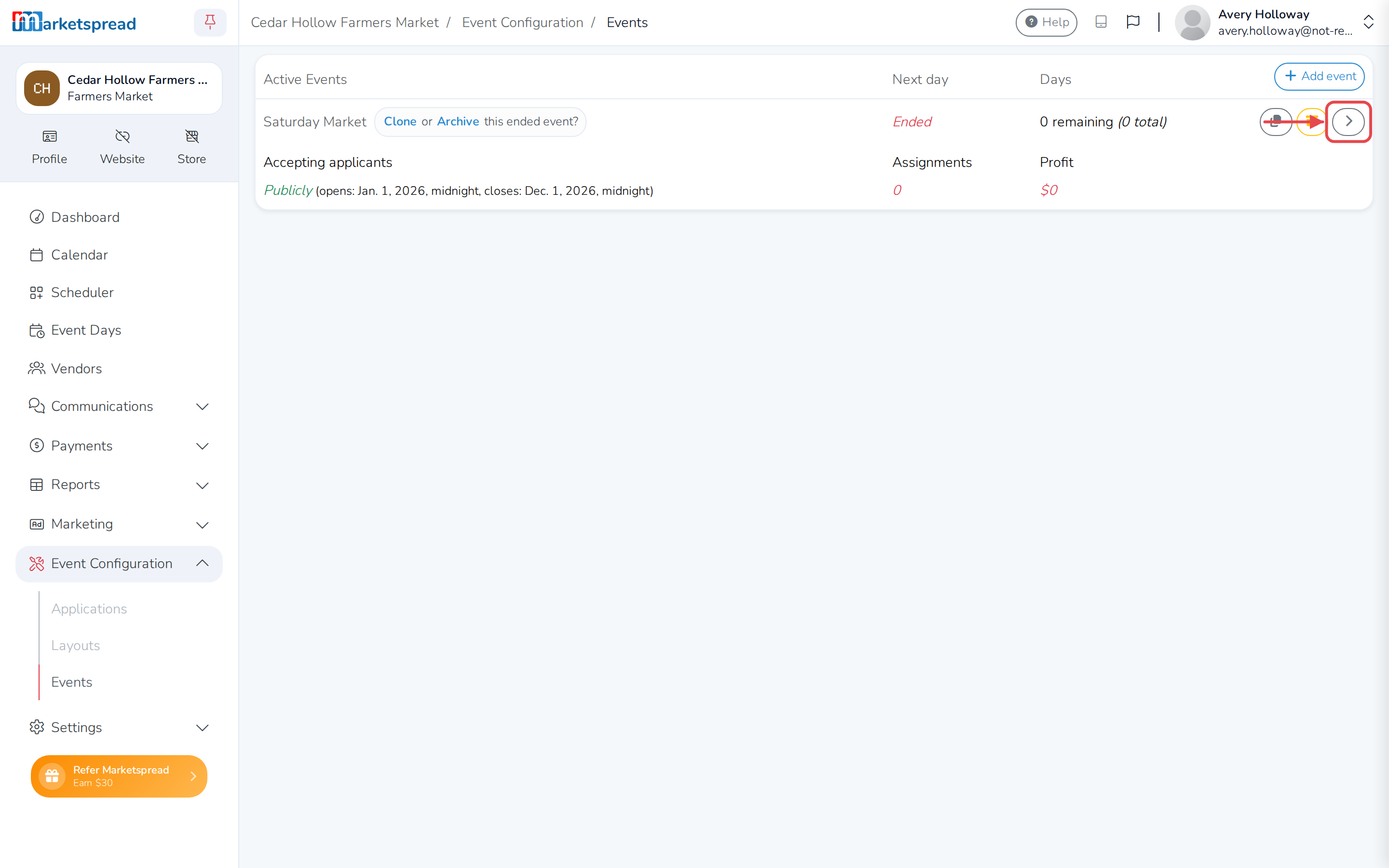
Open Event Configuration, then click Events.
-
Click the arrow on the right of the event you want to change.
-
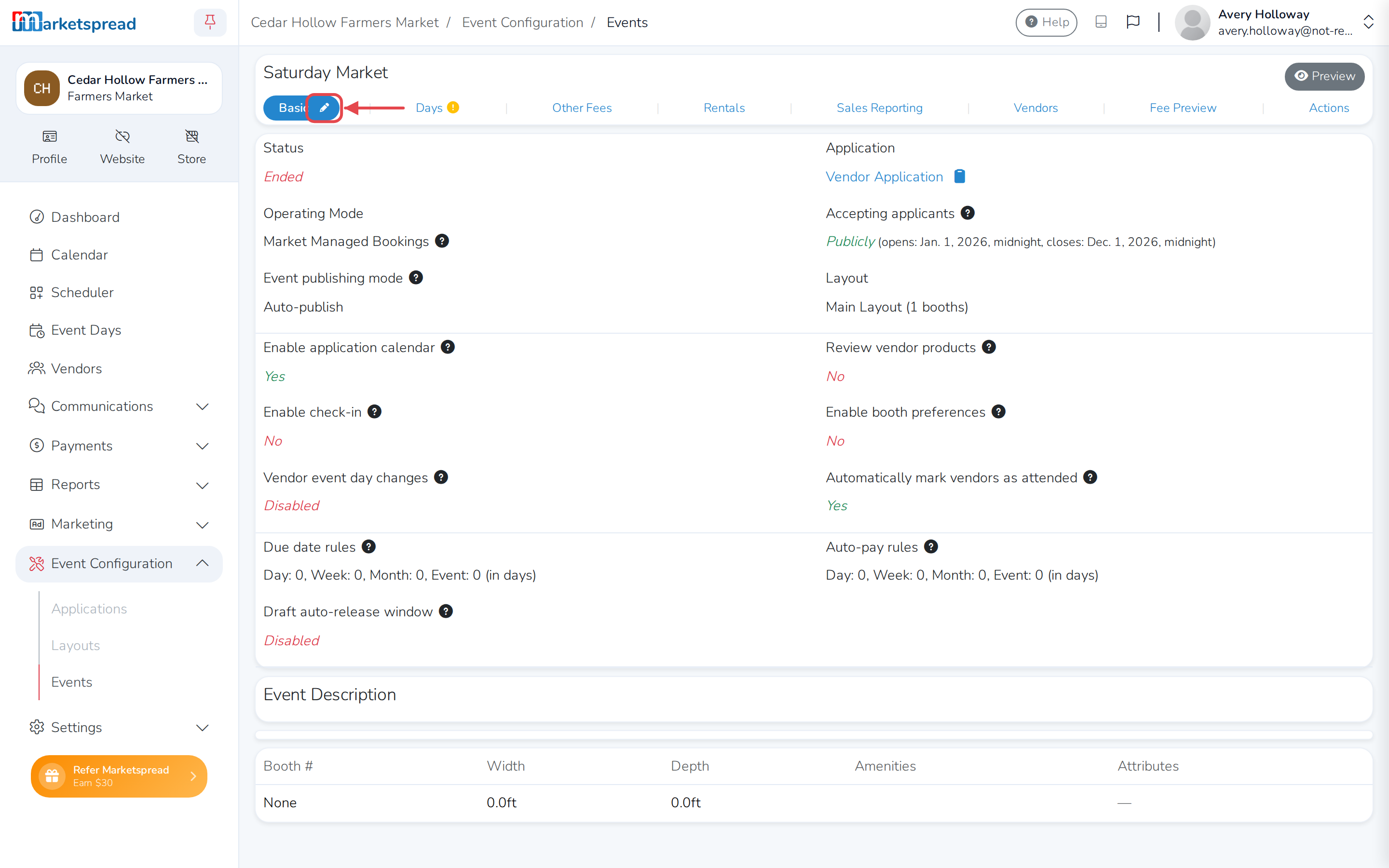
On the Basic tab, click the pencil.
-
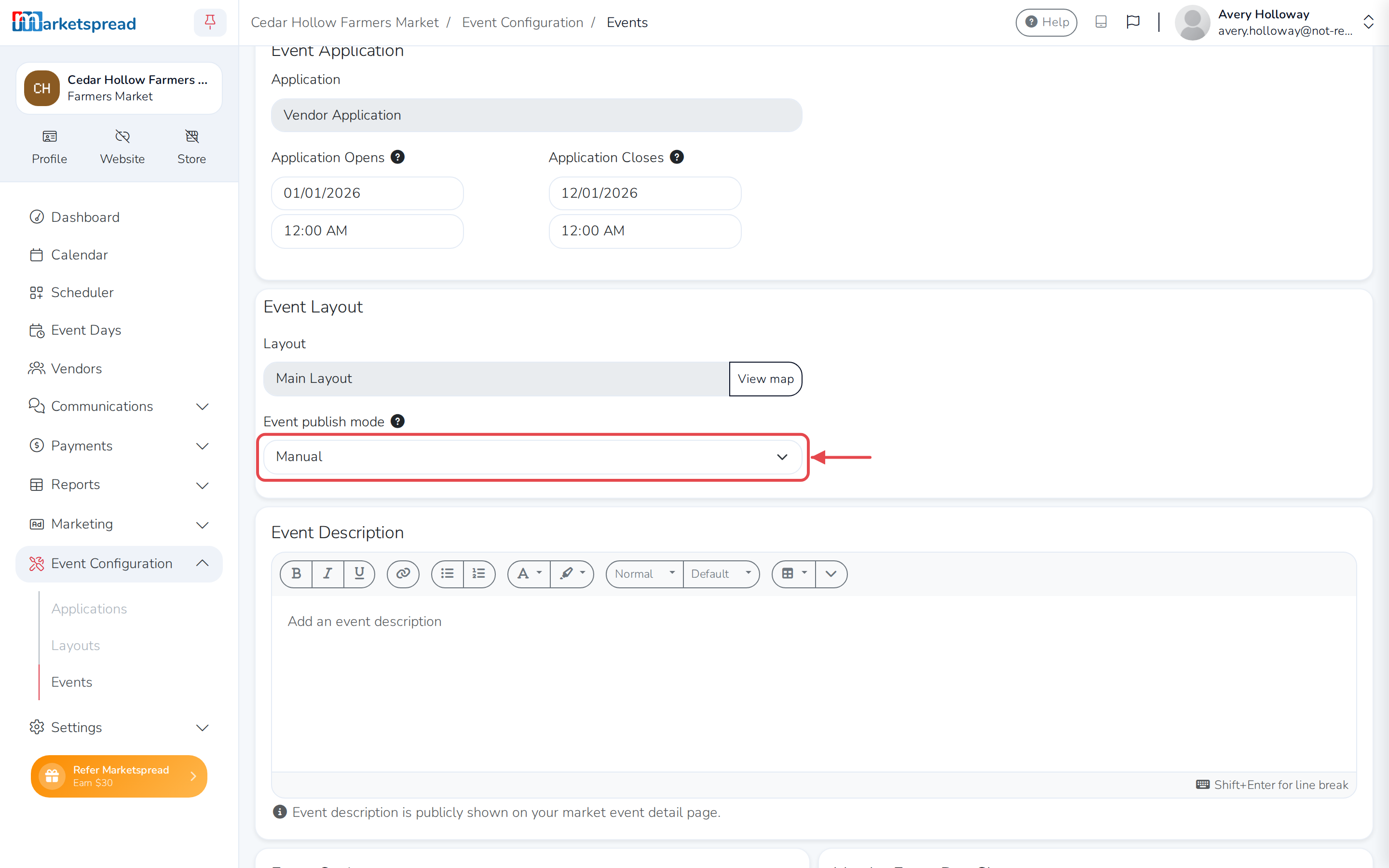
Under Event Layout, open Event publish mode and choose Manual.
-
Click Save basic.
Note
Auto-publish all keeps every event day public automatically. Auto-publish next only publishes the next upcoming day. Manual never publishes a day on its own — you publish and unpublish each one yourself.
Publish or unpublish a day
Once manual publishing is on, every event day stays hidden from your public profile until you publish it. See Publish or unpublish a map manually for the steps.