


The Application Credit Card Paywall stops vendors from paying application and approval fees by cash or check. Credit card is the only option left. Turn it on from your market's Advanced settings.
Turn on the paywall
Note
This only appears once your market accepts credit card payments. Turn that on first, under Settings → Payment Methods → Credit & Debit. If your market belongs to a multi-market organization, look for this setting on the organization's Advanced settings instead.
-
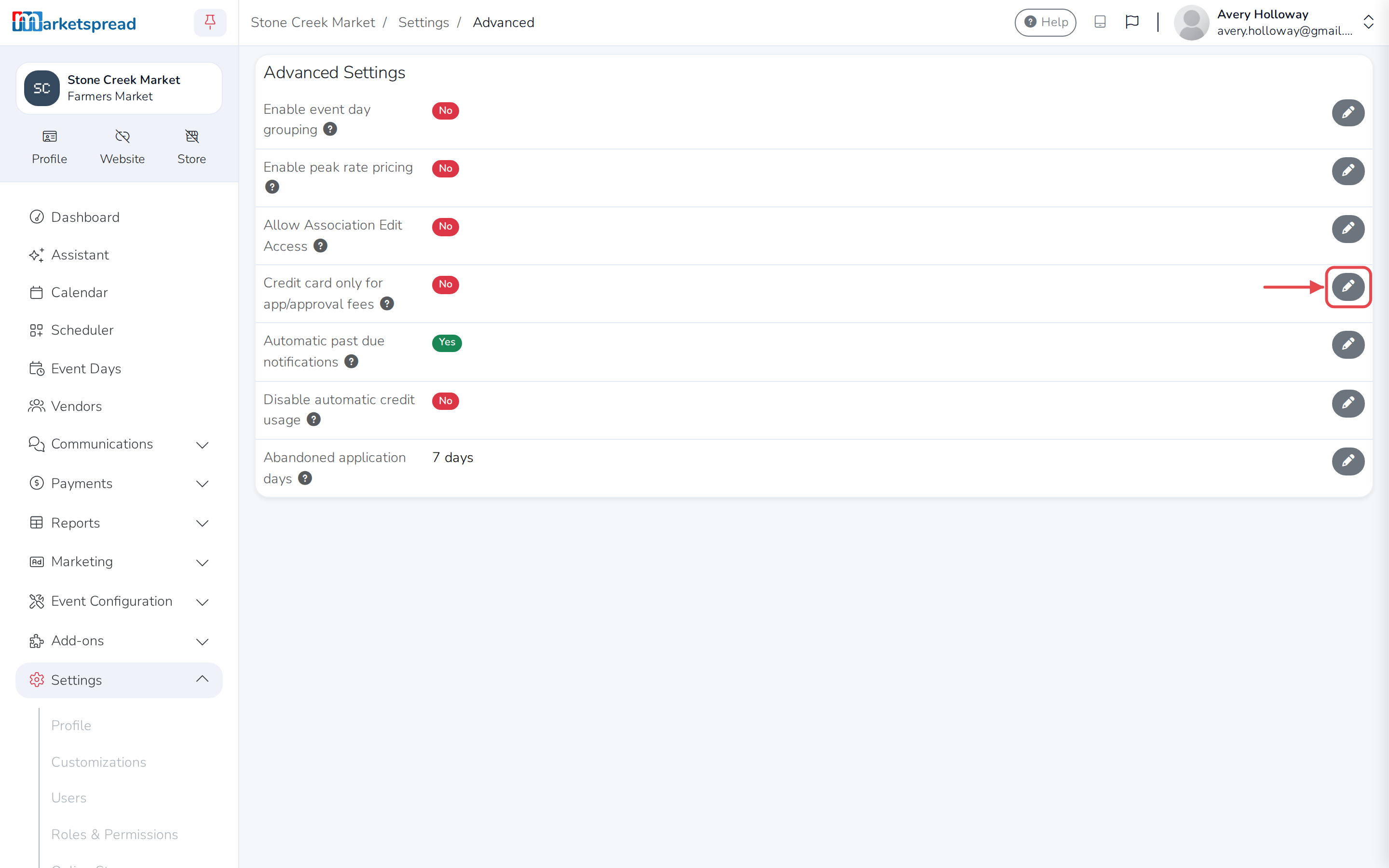
Go to Settings → Advanced.
-
Next to Credit card only for app/approval fees, click the pencil icon.
-
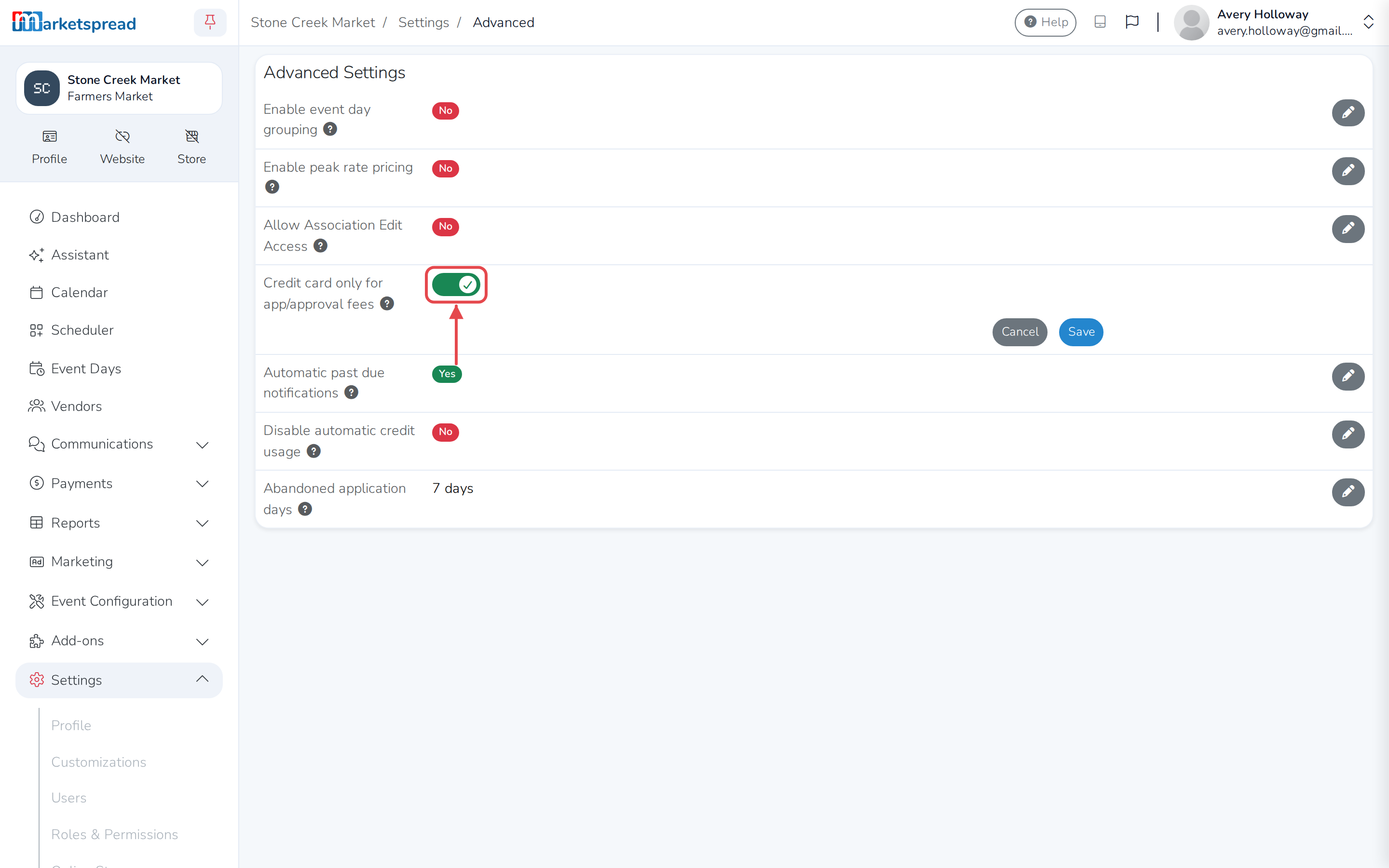
Turn the switch on.
-
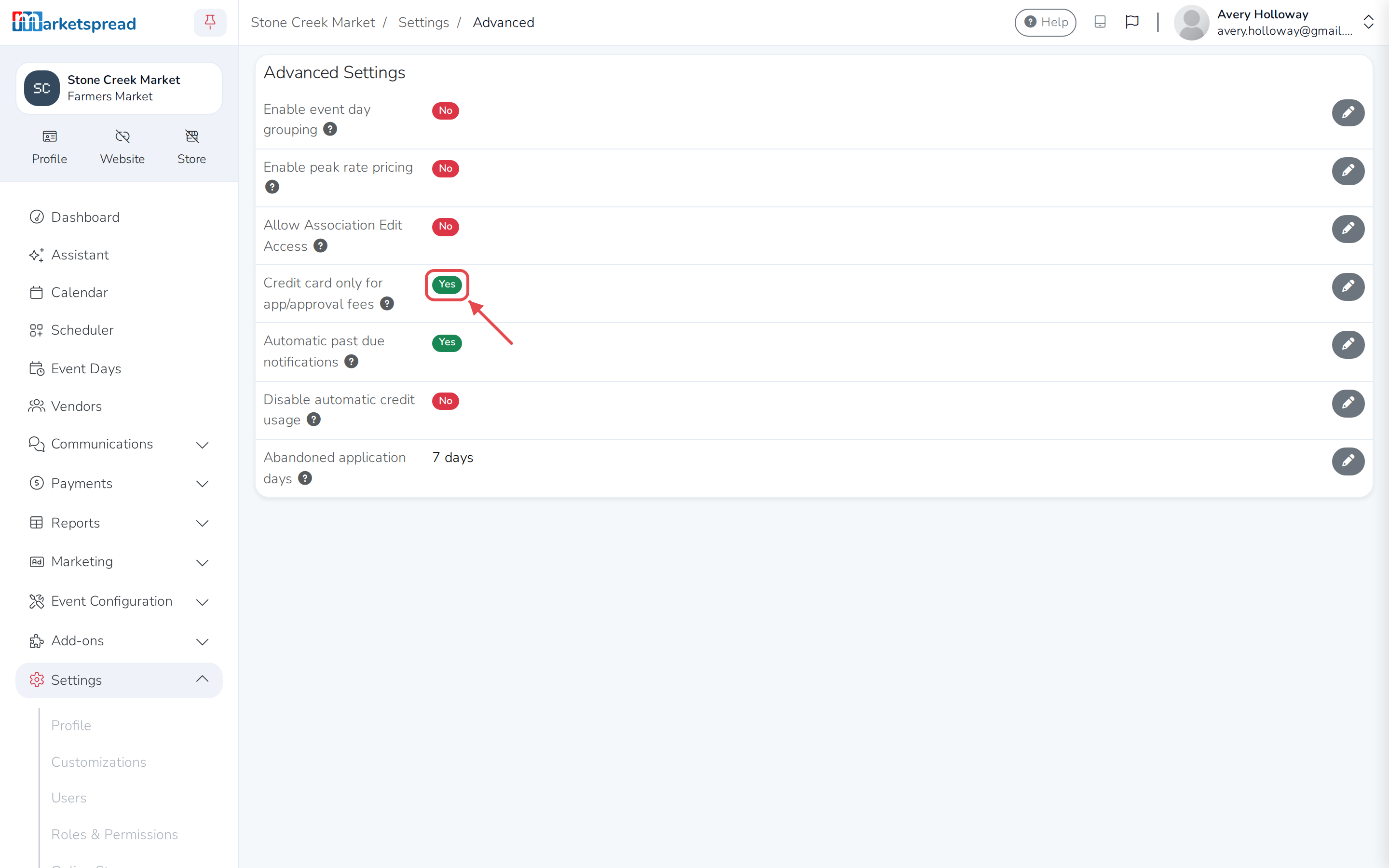
Click Save.
Note
To let vendors pay by cash or check again, come back here and turn the switch off.