


If your market charges a sales-reporting percentage, you can charge one vendor a different rate, minimum or maximum. For example, put a new vendor on a promotional rate. Change it from the vendor's Checkout screen, or from their own Sales tab. Either way, the change applies to that vendor at your market from then on, until you change it again.
Change it from Checkout
-
Open Event Days.
-
Find the event day and click the arrow on its row.
-
Click the Checkout tab.
-
Find the vendor in the list and click the arrow on their row.
-
Find the box showing Overall Threshold, Overall Min and Overall Max, and click the pencil icon in it.
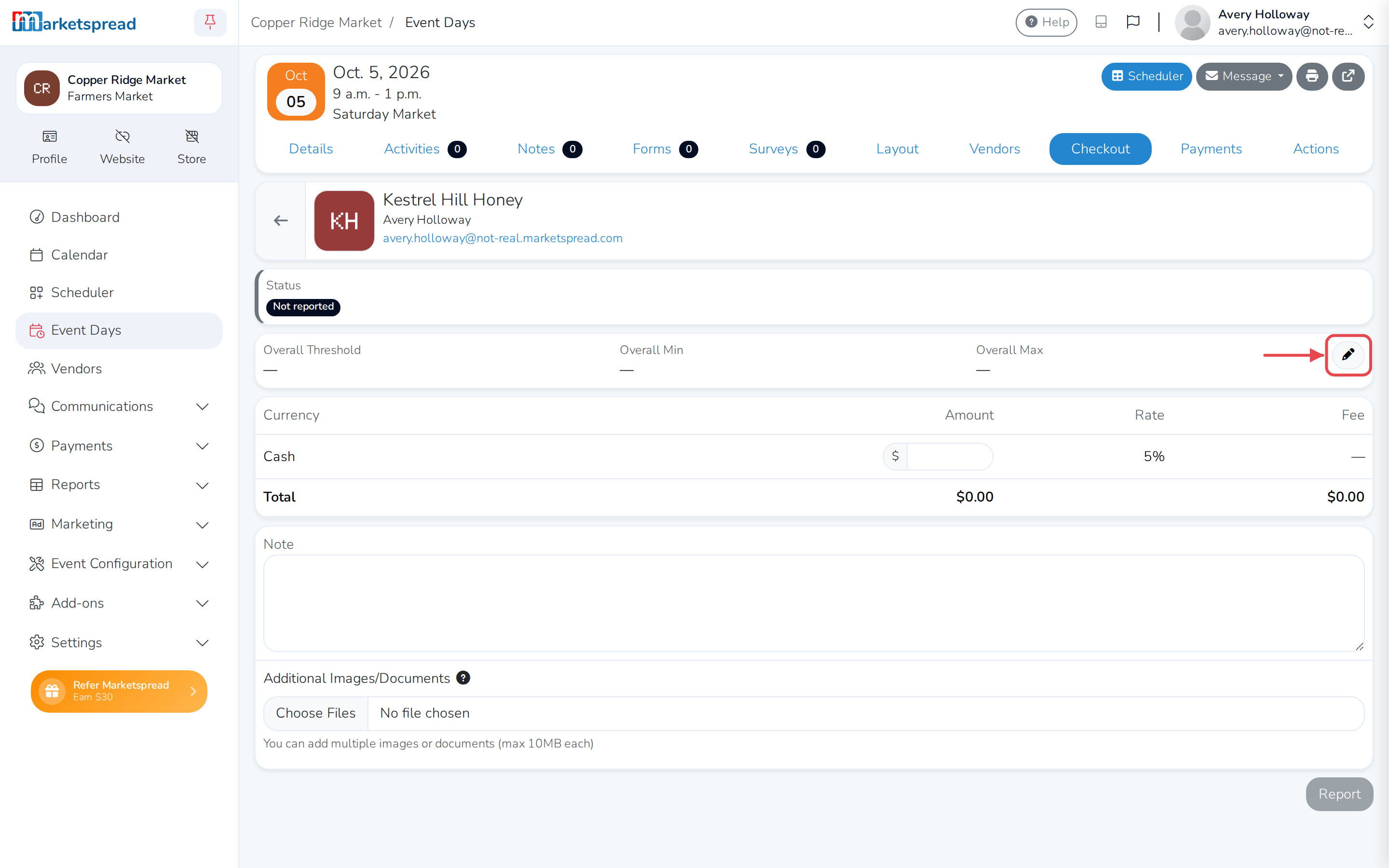
-
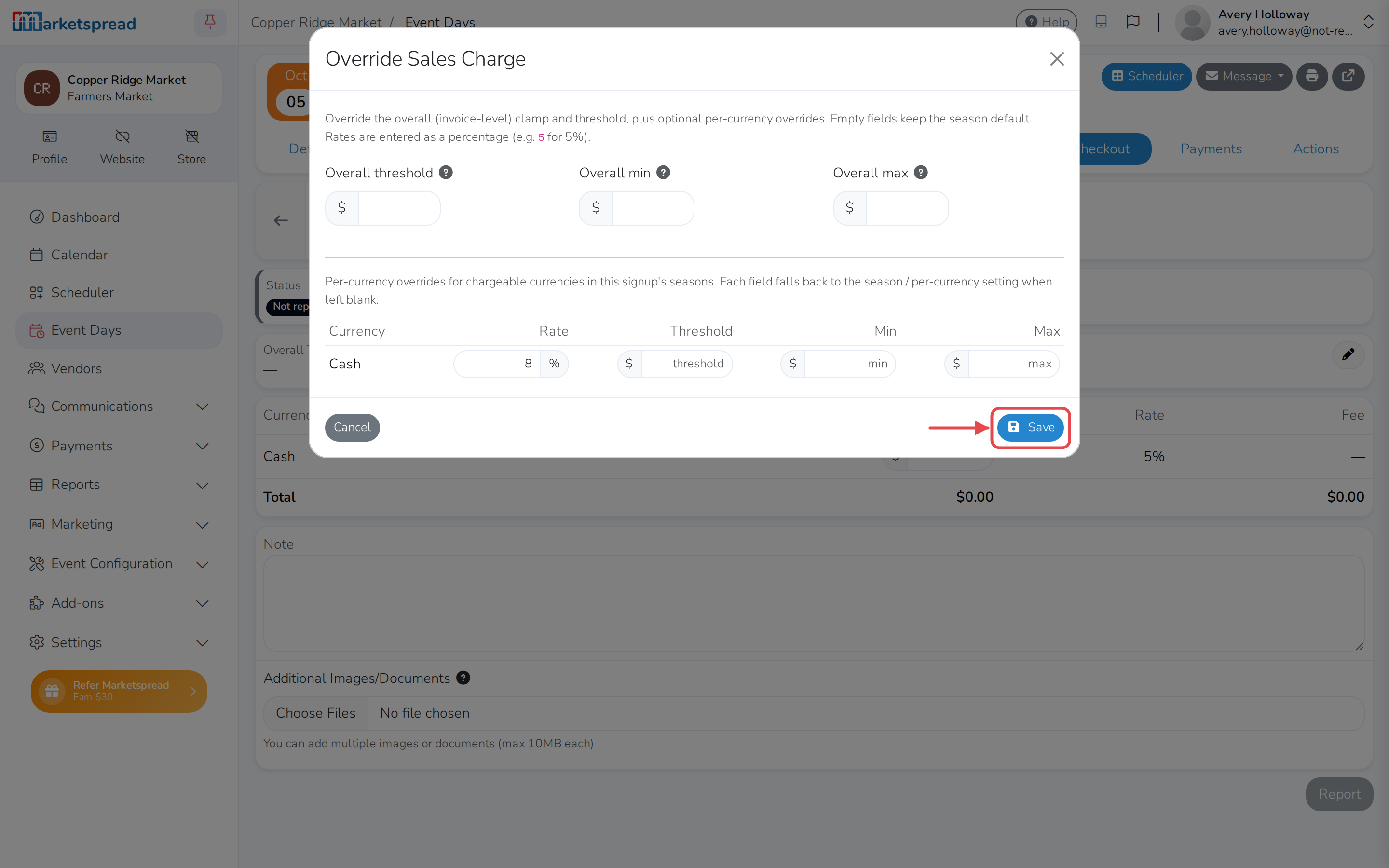
Under Rate, enter the new percentage.
-
If you also want a different minimum, maximum or threshold for that currency, fill those in too. Leave a field blank to keep the market's normal setting.
-
Click Save.
Change it from the vendor's profile
-
Open Vendors.
-
Find the vendor and click the arrow on their row.
-
Click the Sales tab.
-
Next to Overall, click the pencil icon.
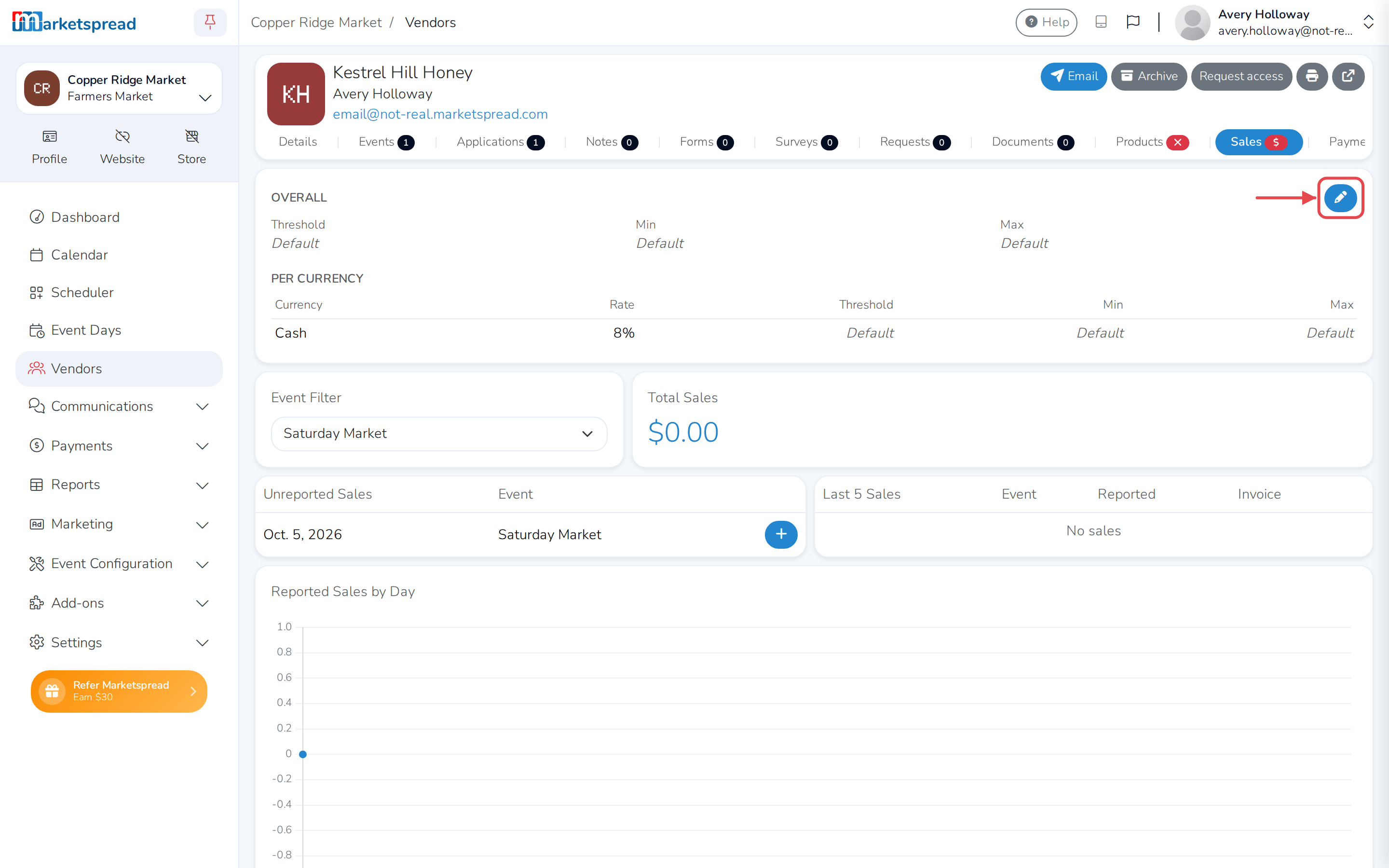
-
Under Rate, enter the new percentage.
-
If you also want a different minimum, maximum or threshold for that currency, fill those in too. Leave a field blank to keep the market's normal setting.
-
Click Save.
Overall settings apply across every currency
Overall threshold, min and max, above the currency table, work on the vendor's whole invoice, not one currency. Below the overall threshold, no fee applies at all. Most markets only need to change Rate.