


Your storefront is your own shop, separate from the main marketplace. When you
turn it on you choose its web address — your business name, plus a short ending
that suits what you sell.
Add some products before you start. A storefront with nothing in it has nothing
to show.
Important
You need Vendor Premium, and approval to take card payments, before you
can turn on a storefront. See What you need before you can sell.
Turn on your storefront and pick the address
-
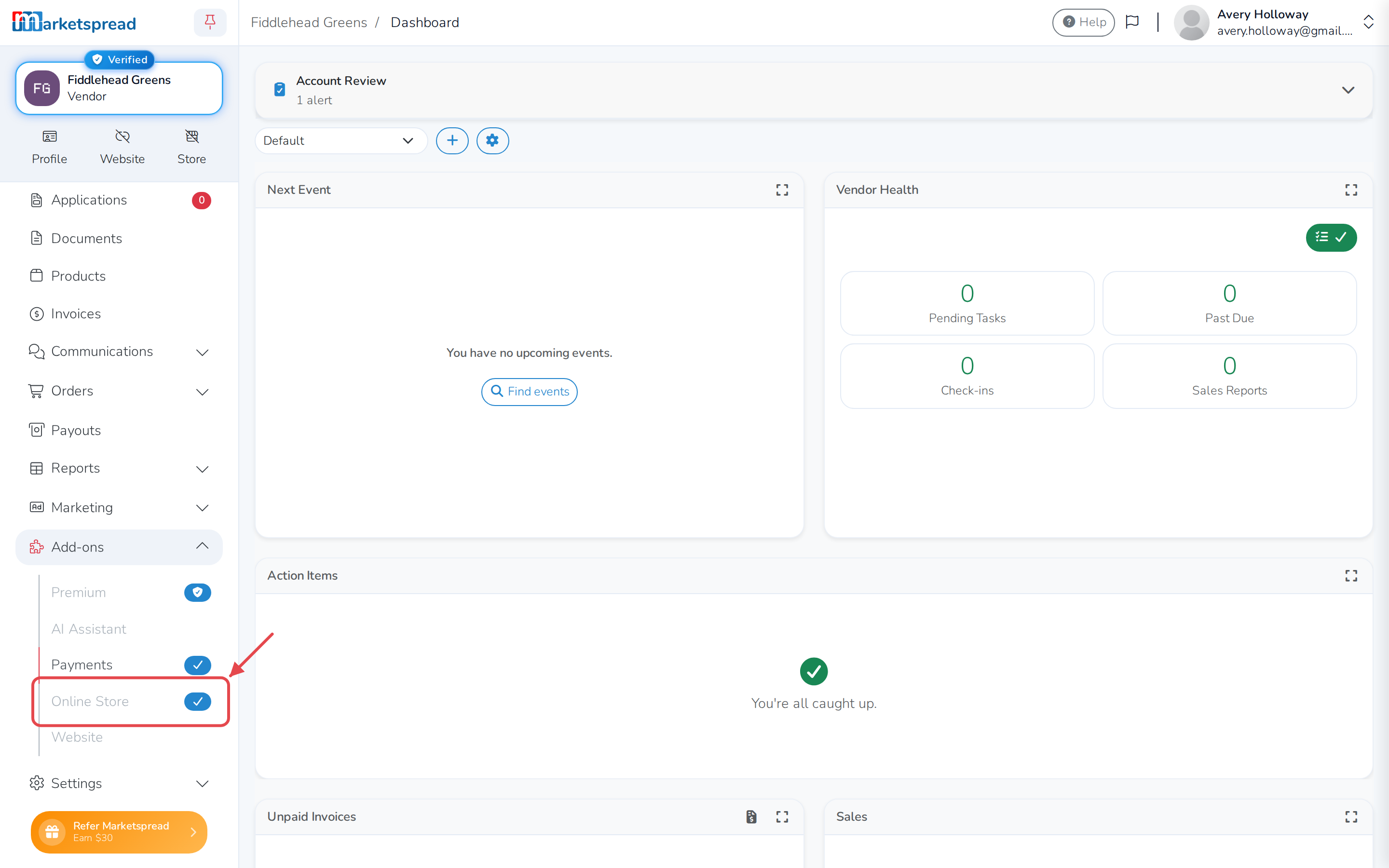
Open Add-ons, then Online Store.
-
Find the Storefront section and click Enable storefront. A
Select Domain box opens.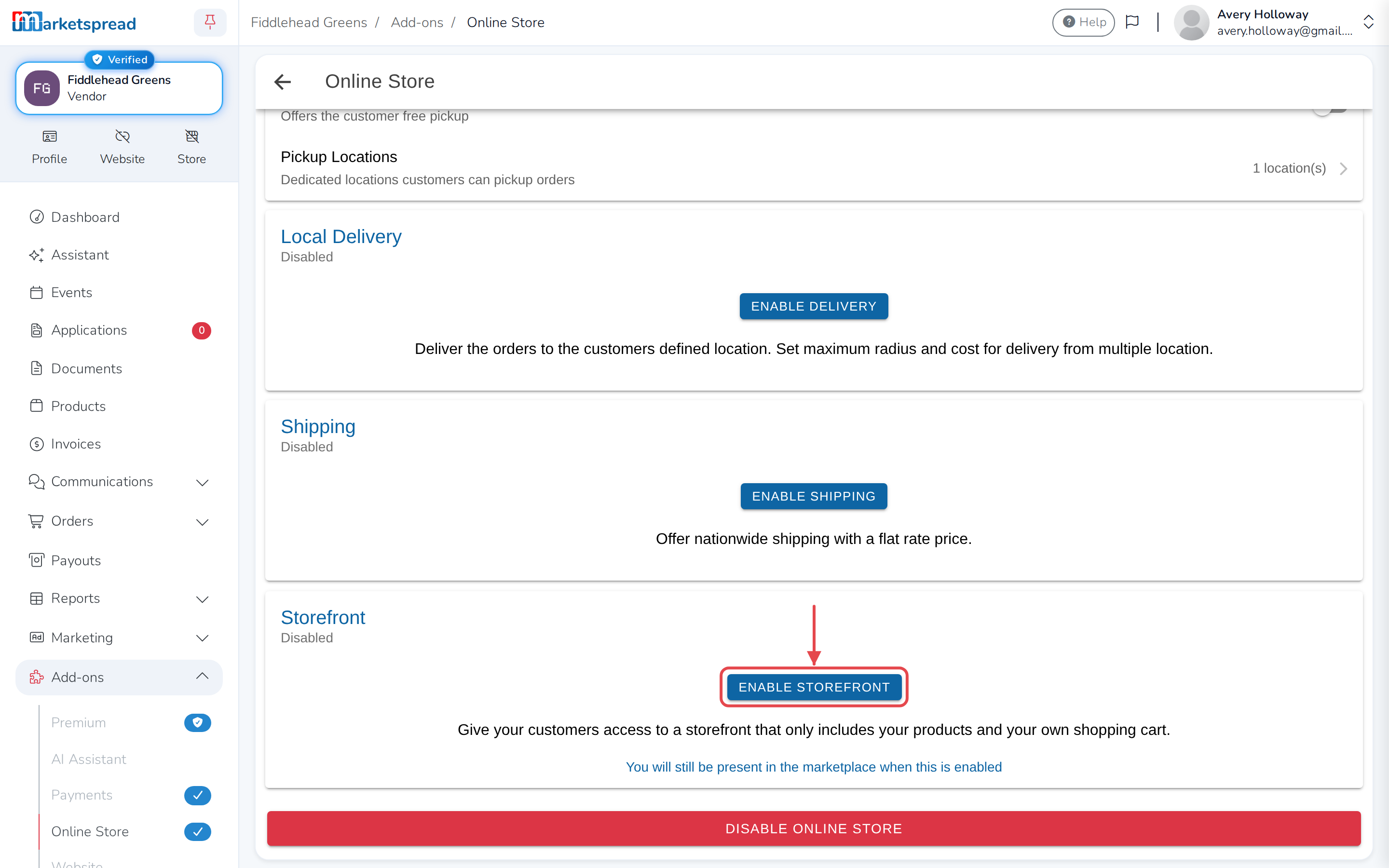
-
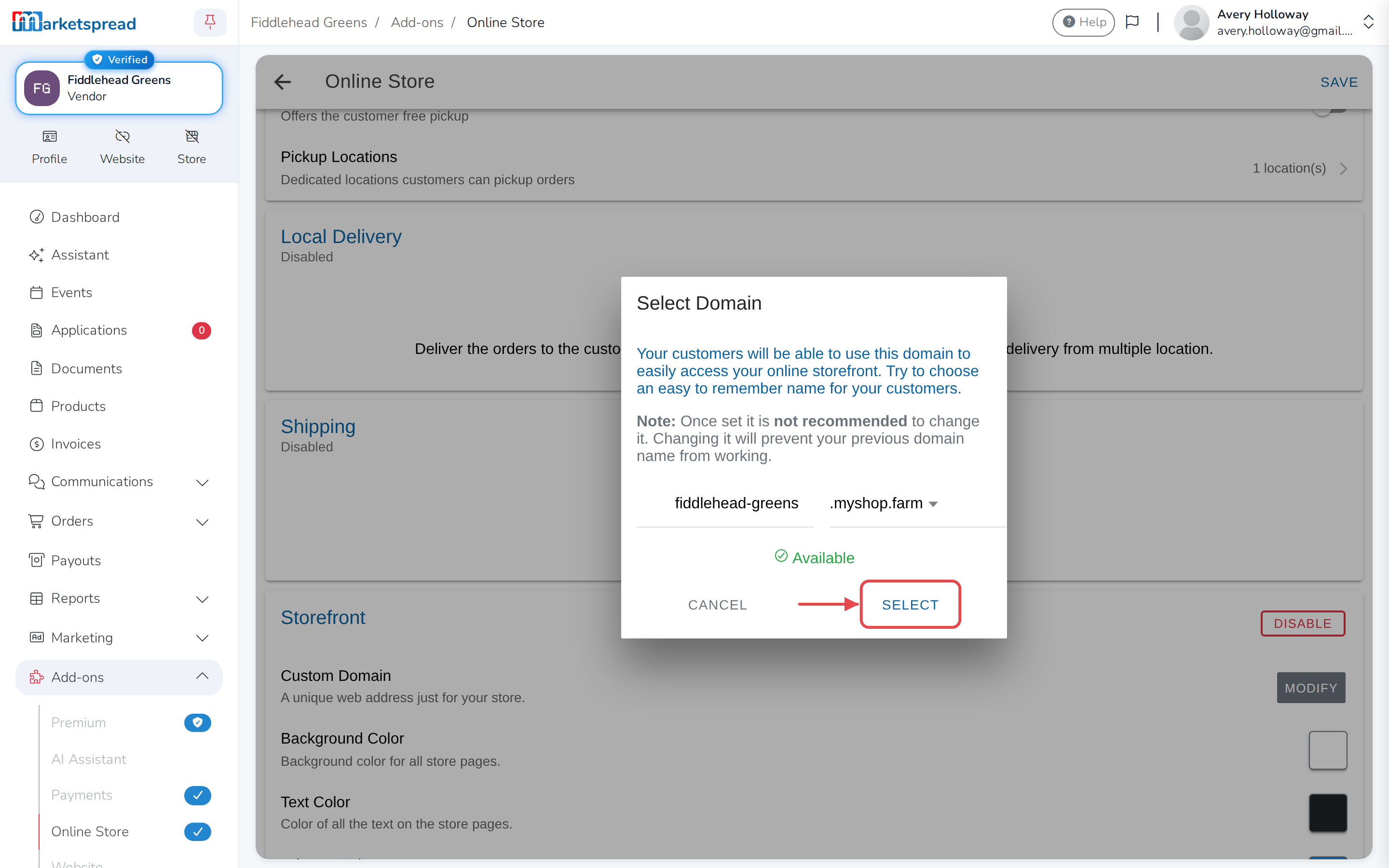
Type the name you want in the address.
-
Choose an ending from the list, such as myshop.farm.
-
Click Select.
-
Click Save.
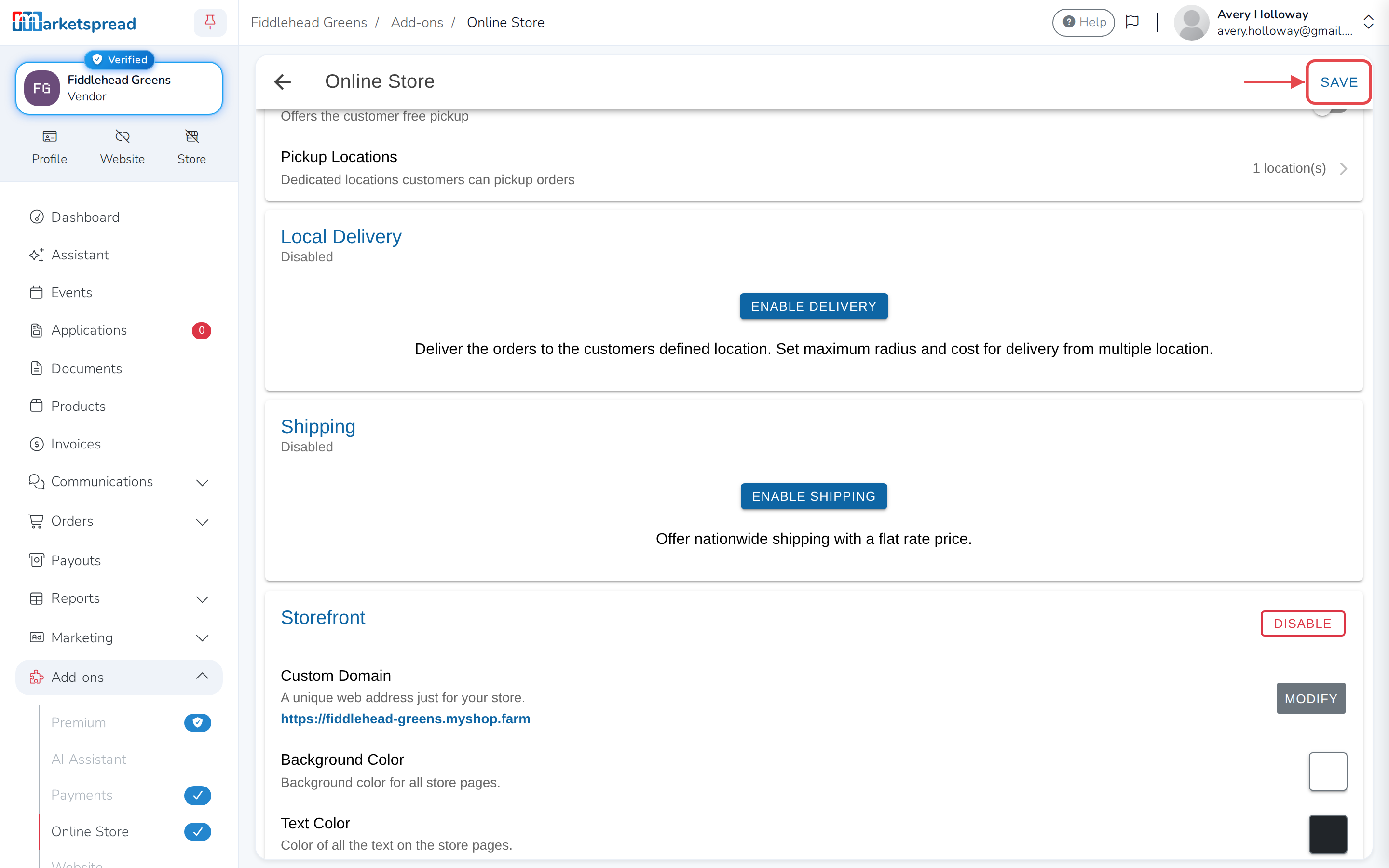
Your address appears under Custom Domain.
The name is yours to choose
Your business name is filled in for you, with a hyphen. You can delete the
hyphen, or replace the whole thing with anything not already taken.
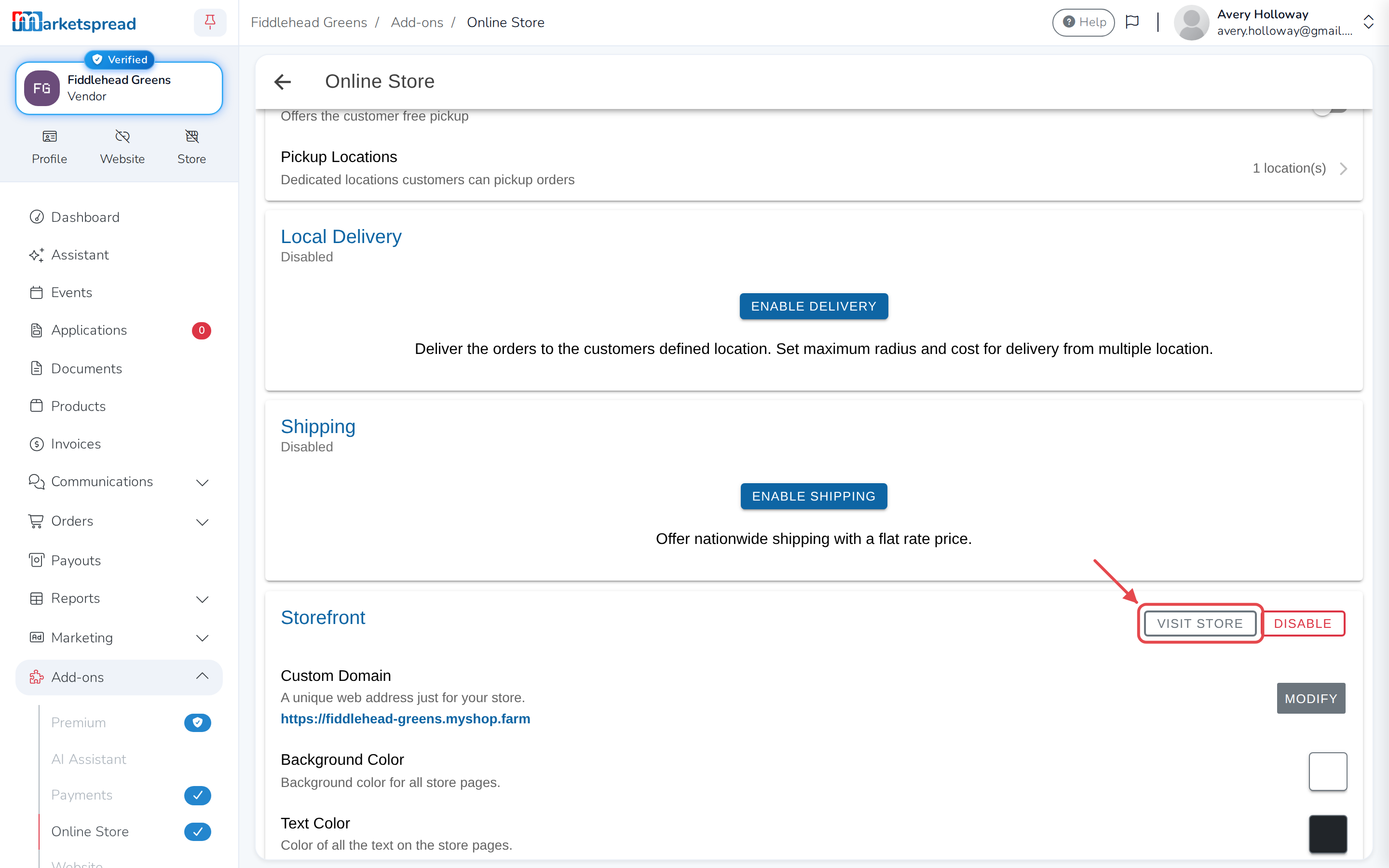
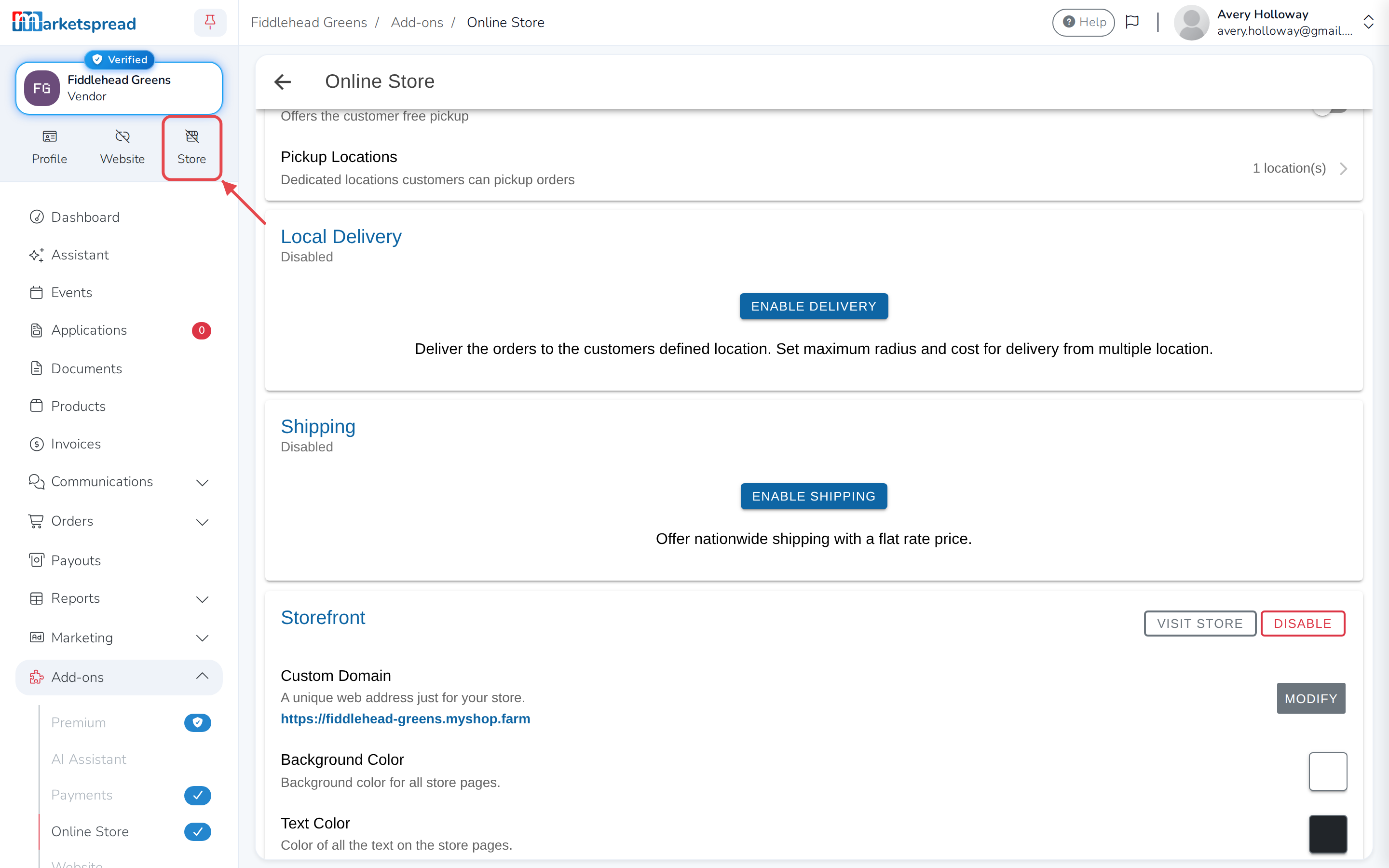
Visit your store
Click Visit Store in the Storefront section, or use the Store
shortcut near the top of your dashboard.
Change the address later
-
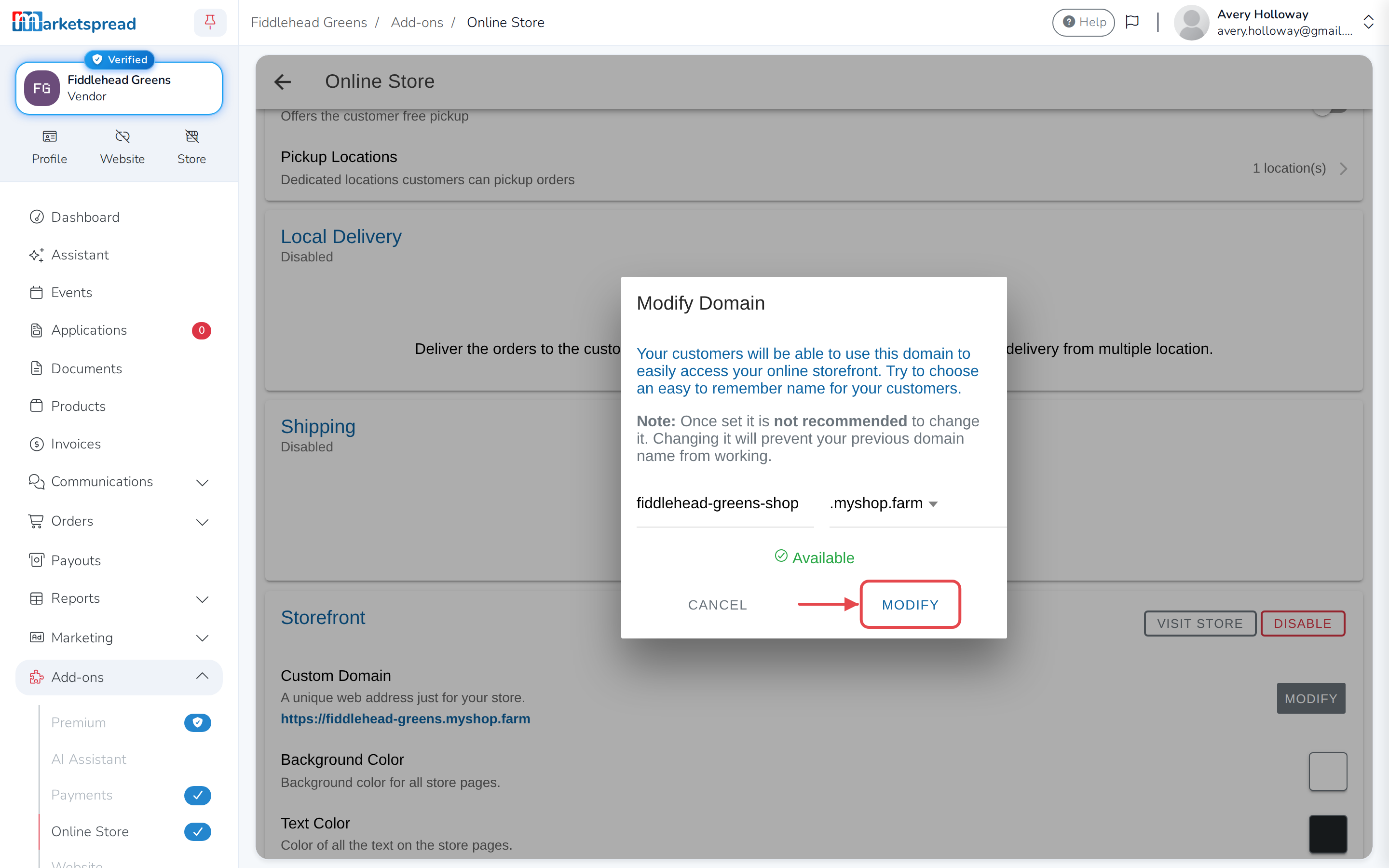
Click Modify in the Custom Domain section. A Modify Domain box
opens. -
Type a new name, or choose a different ending.
-
Click Modify to confirm.
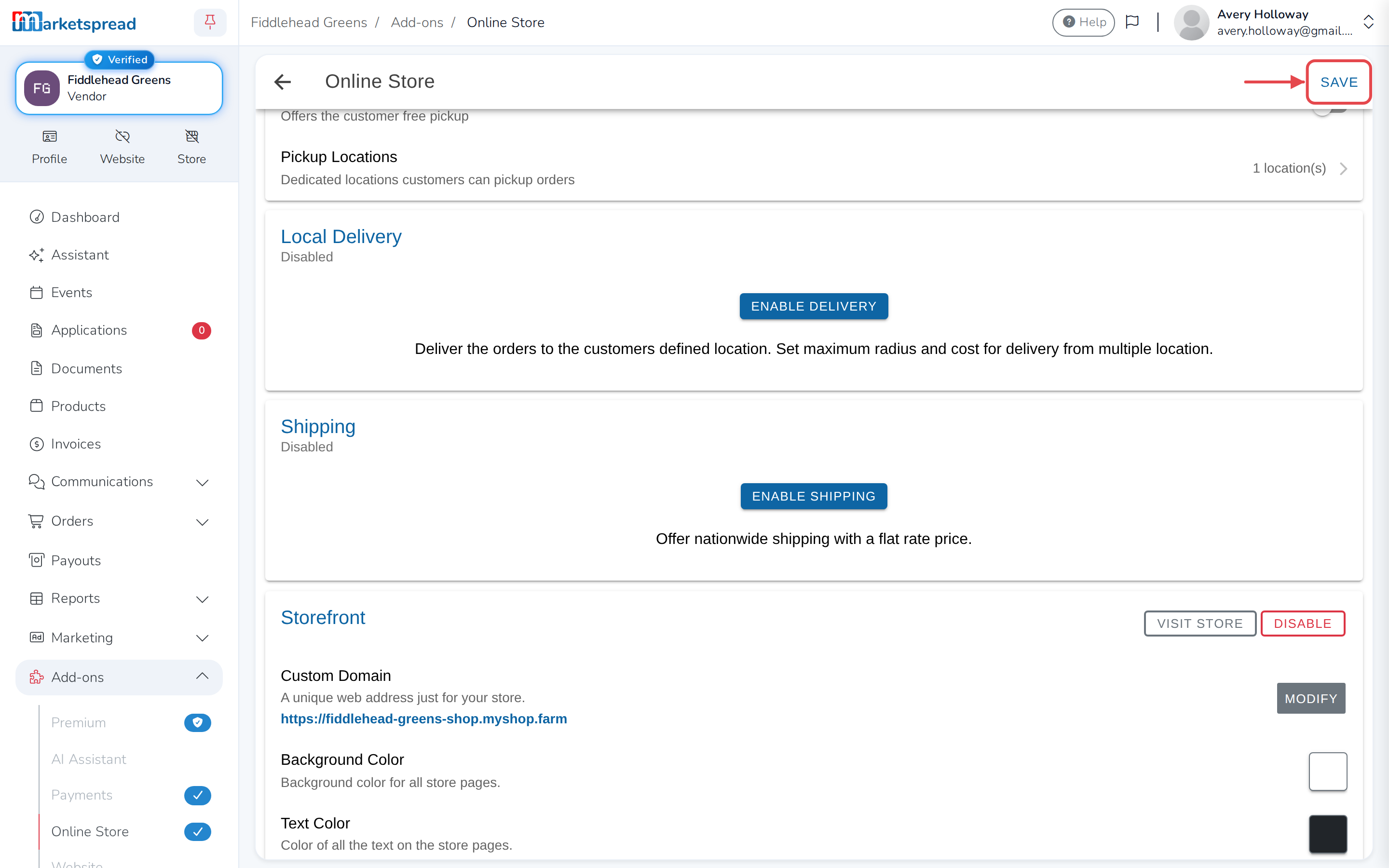
-
Click Save.
The old address stops working
Anyone using the old link — a printed flyer, a post, a bookmark — will not
reach your store. Change it before you advertise it, not after.
Your storefront does not take you out of the marketplace. Customers can still
find your products there as well.