Scheduler calculates vendor fees from settings in two places:
- Your event map, where you price booths.
- Your event configuration, under Event Configuration, then
Events, where you price by vendor type or vendor tag.
Change a fee in either place after the event is active, and Scheduler will
not apply it to existing bookings or invoices on its own. Resync your fees to
bring them up to date.
Note
Resyncing applies fee changes to future bookings and to invoices that
have not been released yet. It will not change an invoice that has
already been released.
Resync your fees
-
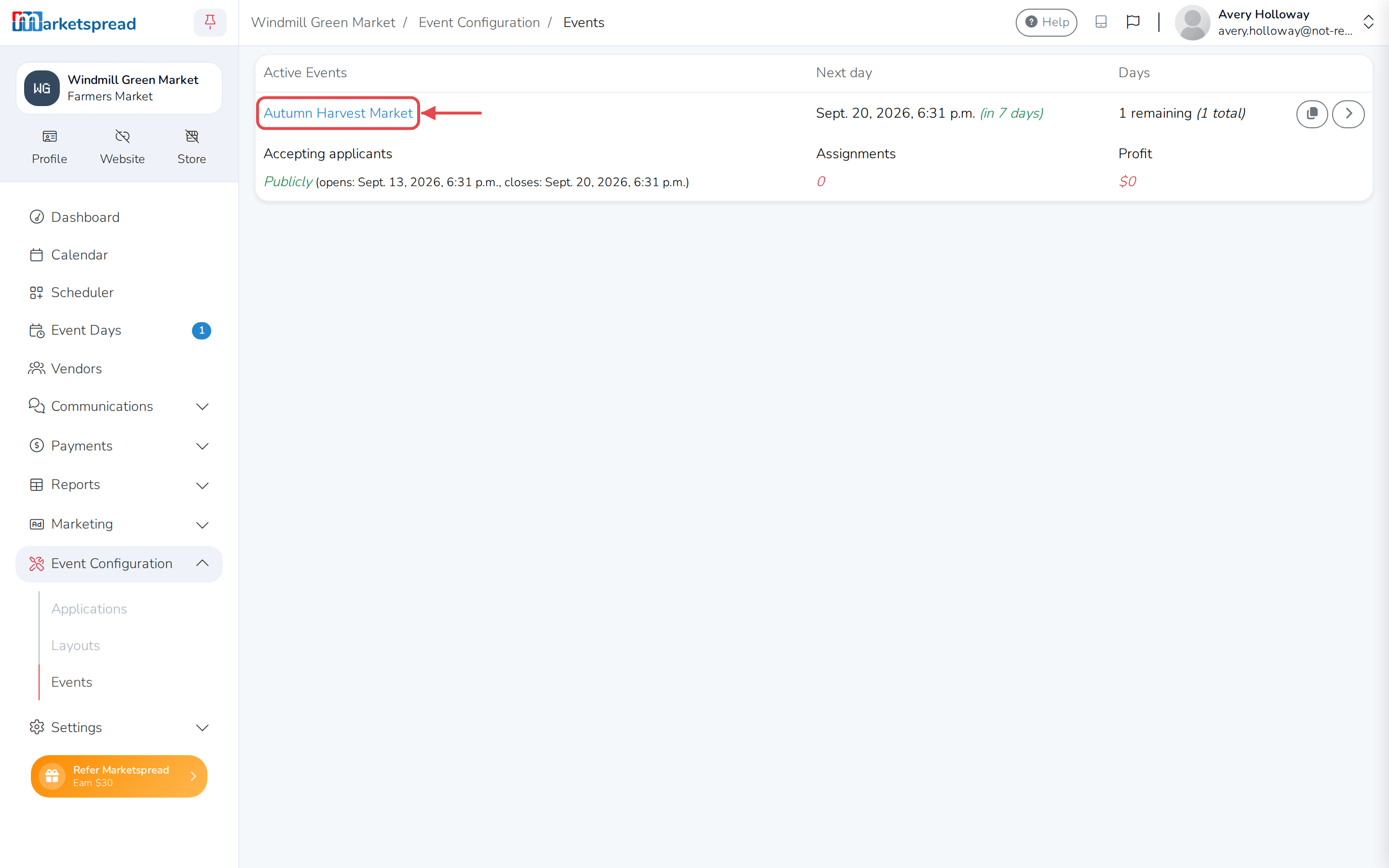
Open Event Configuration, then Events.
-
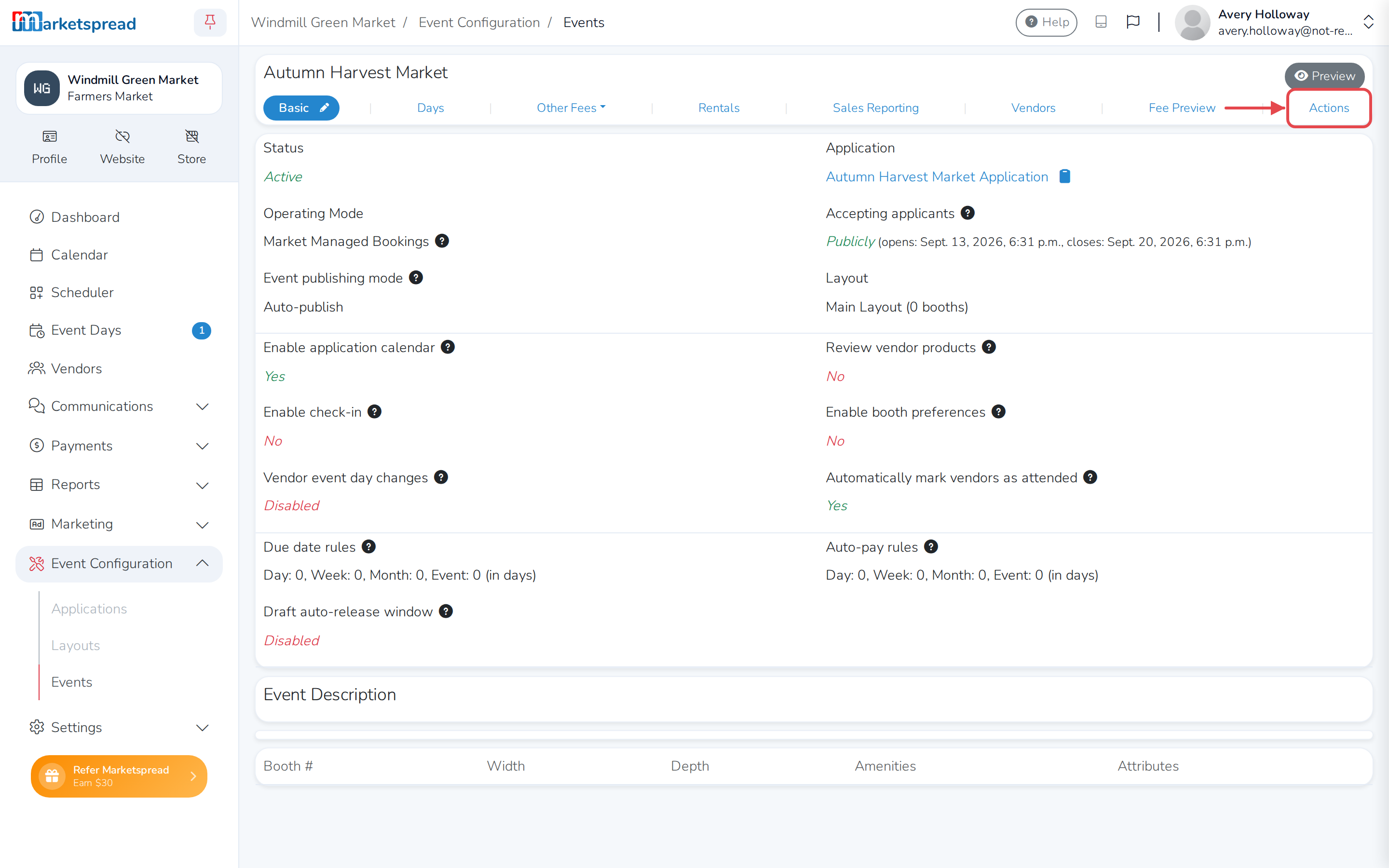
Select the event, then click its Actions tab.
-
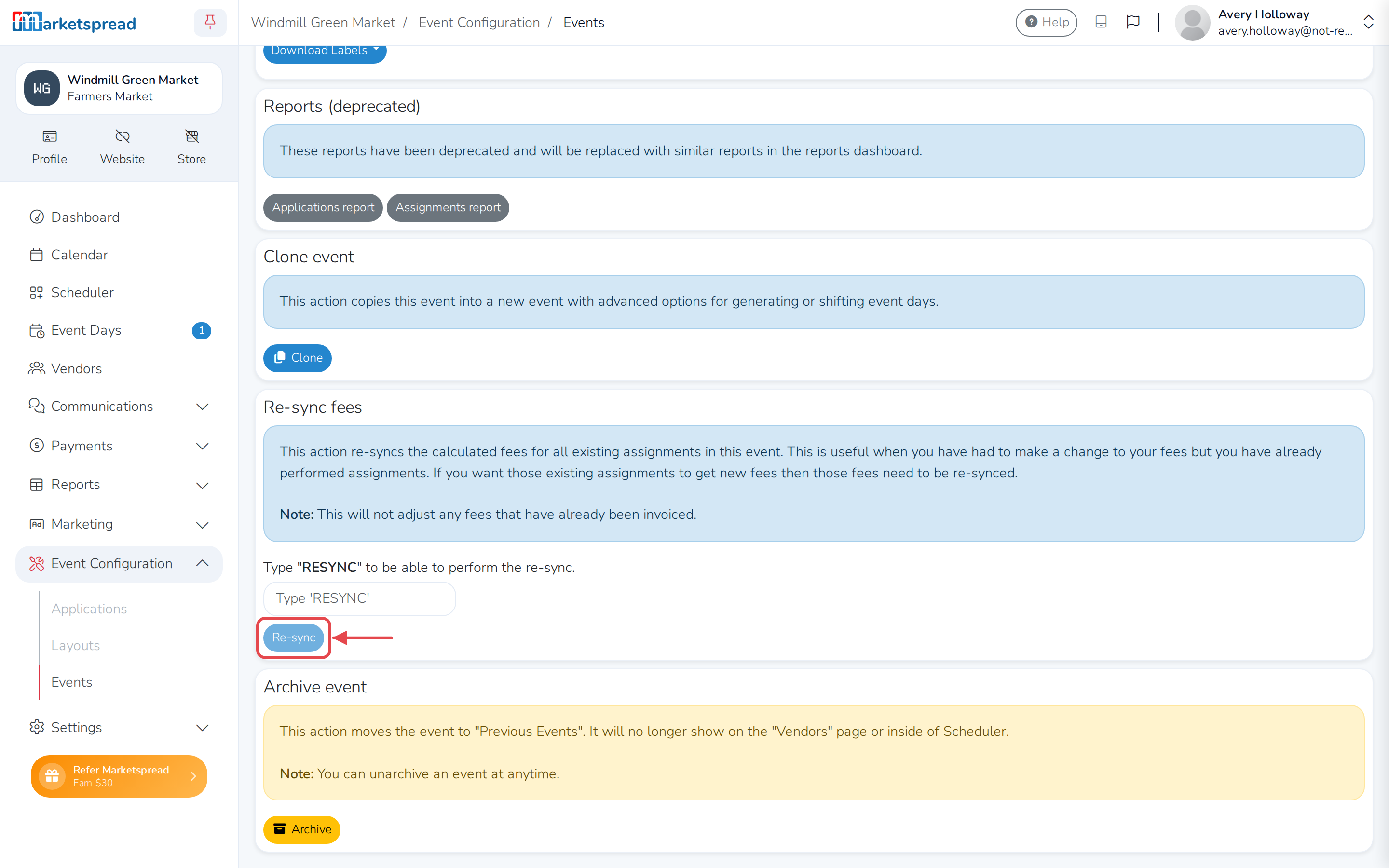
In the Re-sync fees section, type RESYNC into the box, then click
Re-sync.