


As a vendor, you can let a market manager make changes to your profile and application on your behalf. You give or take away that access from your application to the market, and you can change your mind at any time.
Give a market access to your profile
-
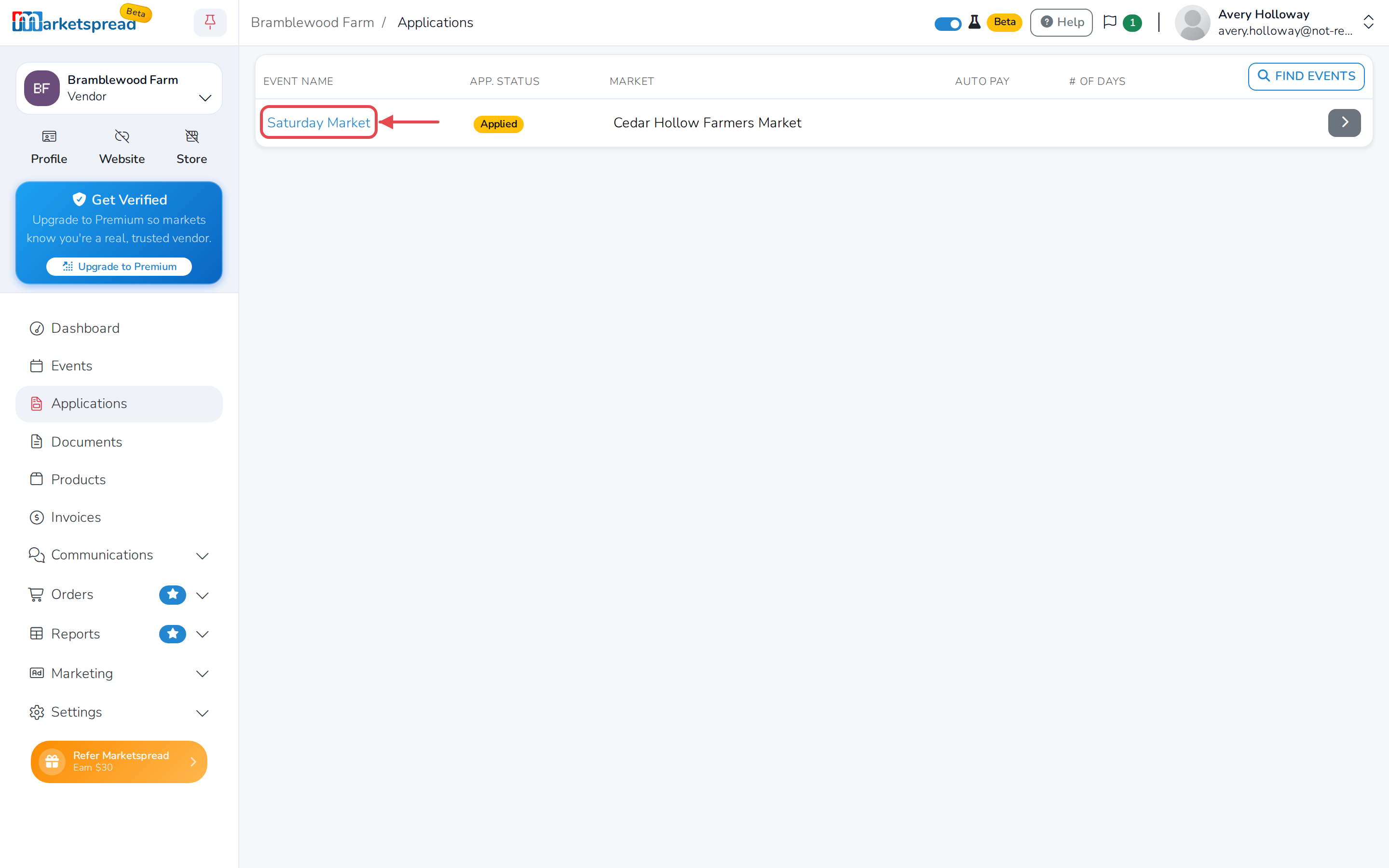
From your vendor dashboard, click Applications.
-
Click the event for the market you want to give access to.
-
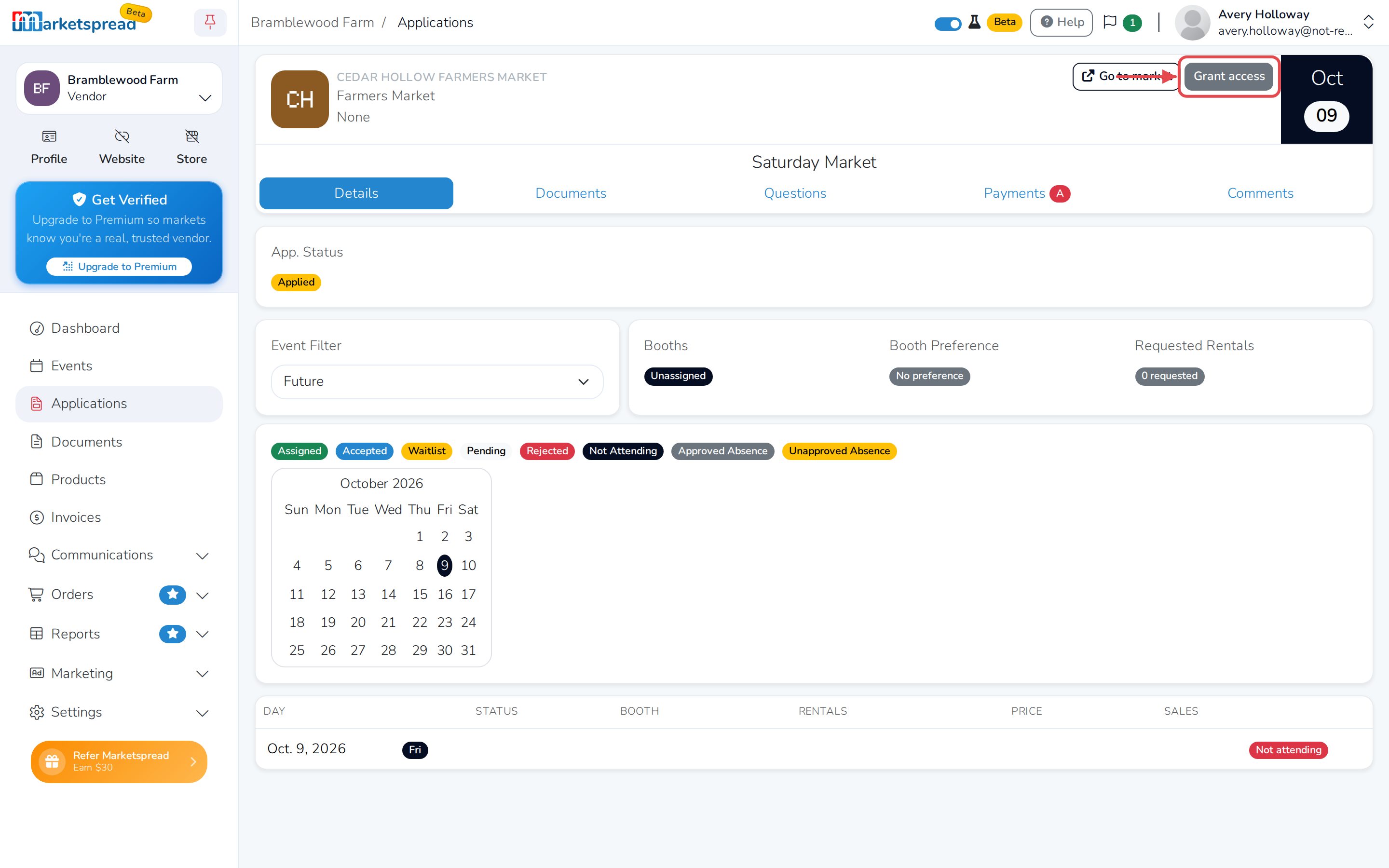
Click Grant access, in the top-right corner of the market's card. If the market has already asked to edit your profile, this button says Approve access instead.
-
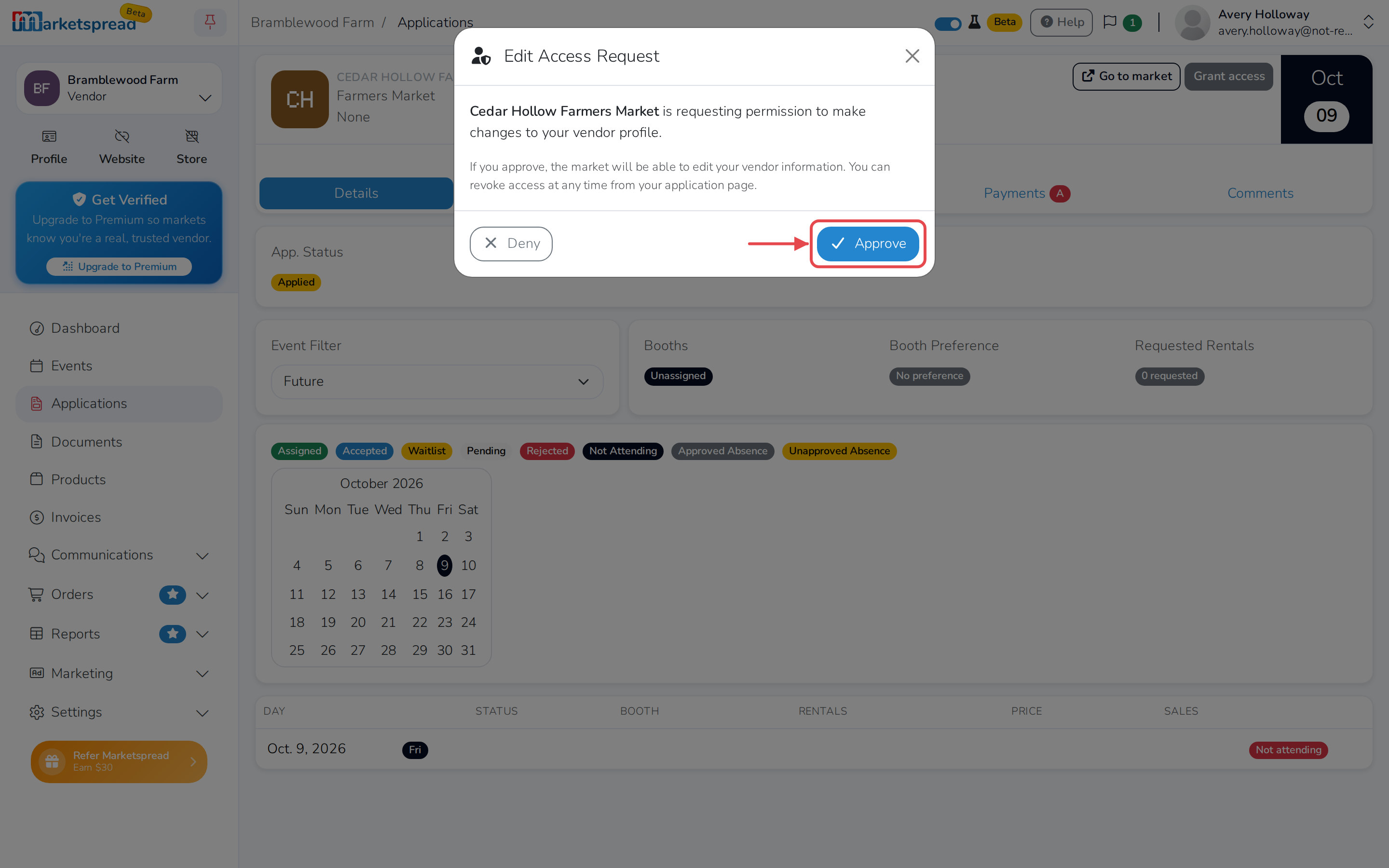
Click Approve to allow it.
Note
Whether you started this yourself or a market asked first, the same window opens. Click Deny instead if you don't want to allow it.
Once you approve, the market manager can make changes to your vendor profile and application.
Stop a market from editing your profile
-
From your vendor dashboard, click Applications.
-
Click the event for that market.
-
Click Revoke access, in the top-right corner of the market's card.
-
Click Revoke to confirm.
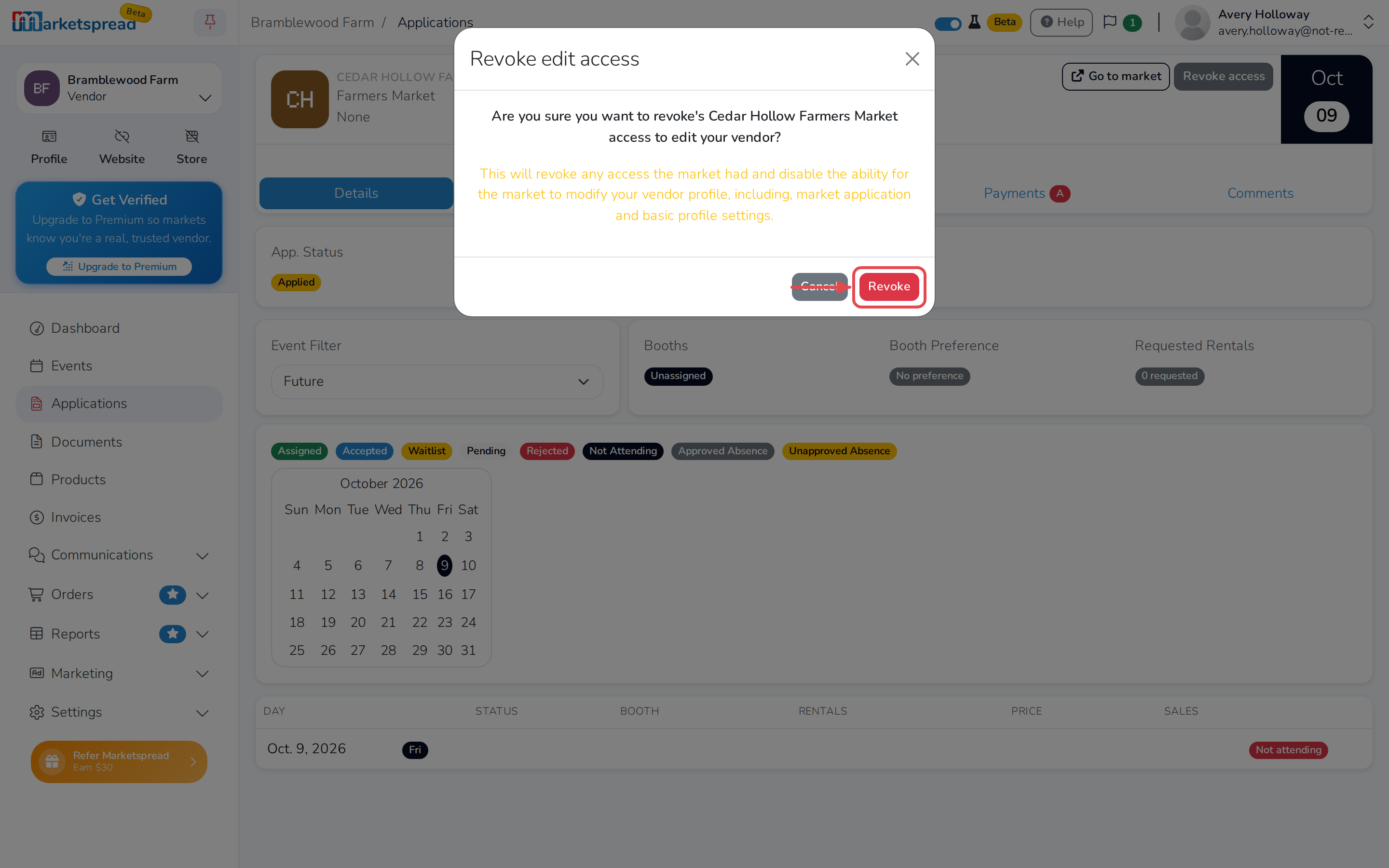
This turns off the market's access to your vendor profile and application. They won't be able to make changes for you again until you grant access.