


Your market's Messenger plan sets how many emails and text messages you can send each month. It's billed to the card on file. Open Add-ons in the left-hand menu of your dashboard, then click Messenger.
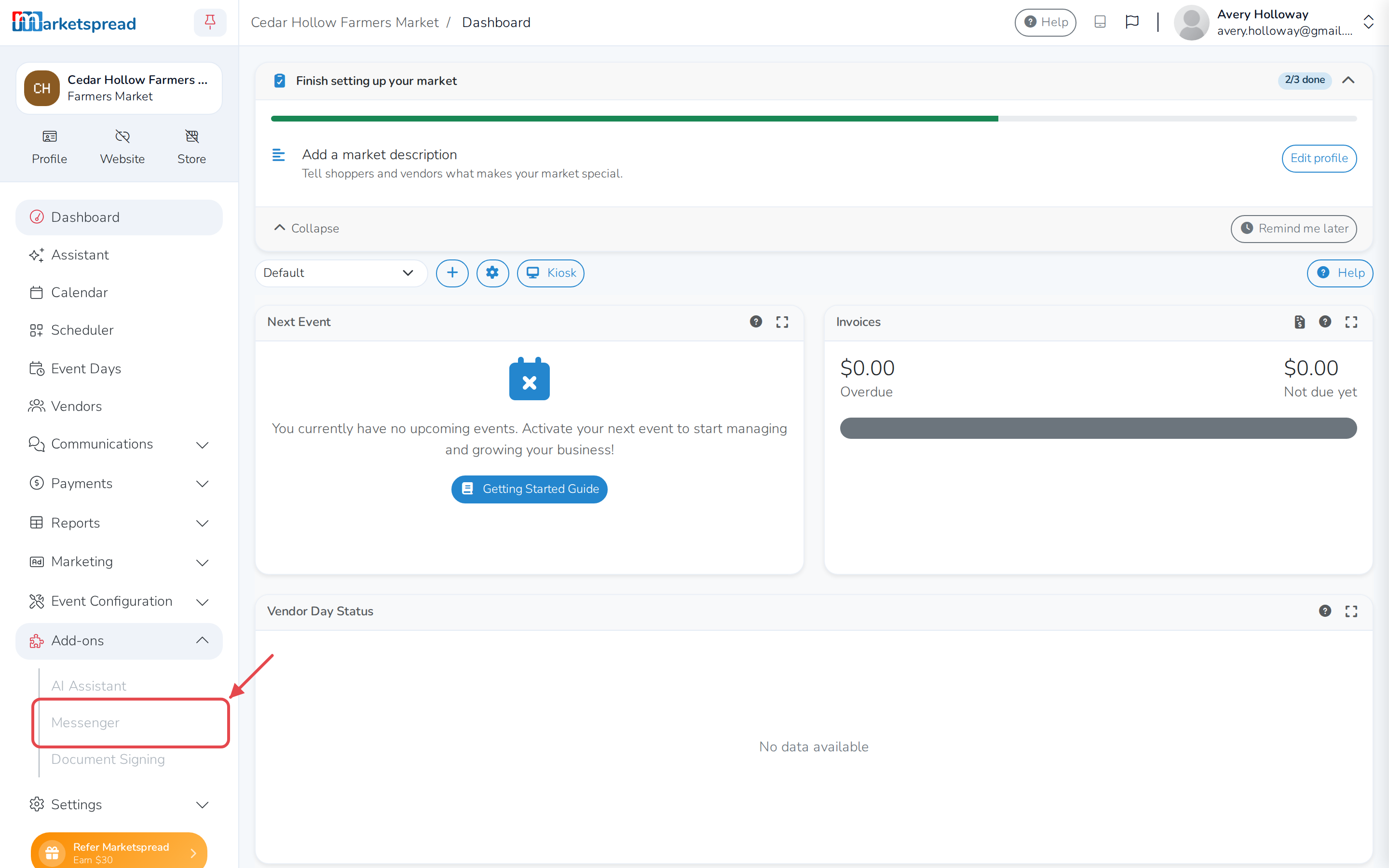
From this screen you can:
- Check your plan and how much you've used
- Upgrade or change your plan
- Update your payment method
- Downgrade to the Free plan
Check your plan and how much you've used
The Current Plan card names your plan and its price. Below it, three bars show what you've used this month:
- Free Emails — the emails every plan includes, used first.
- Plan Emails — extra emails your plan adds once the free emails run out.
- SMS — text messages your plan includes. The Free plan doesn't include any.
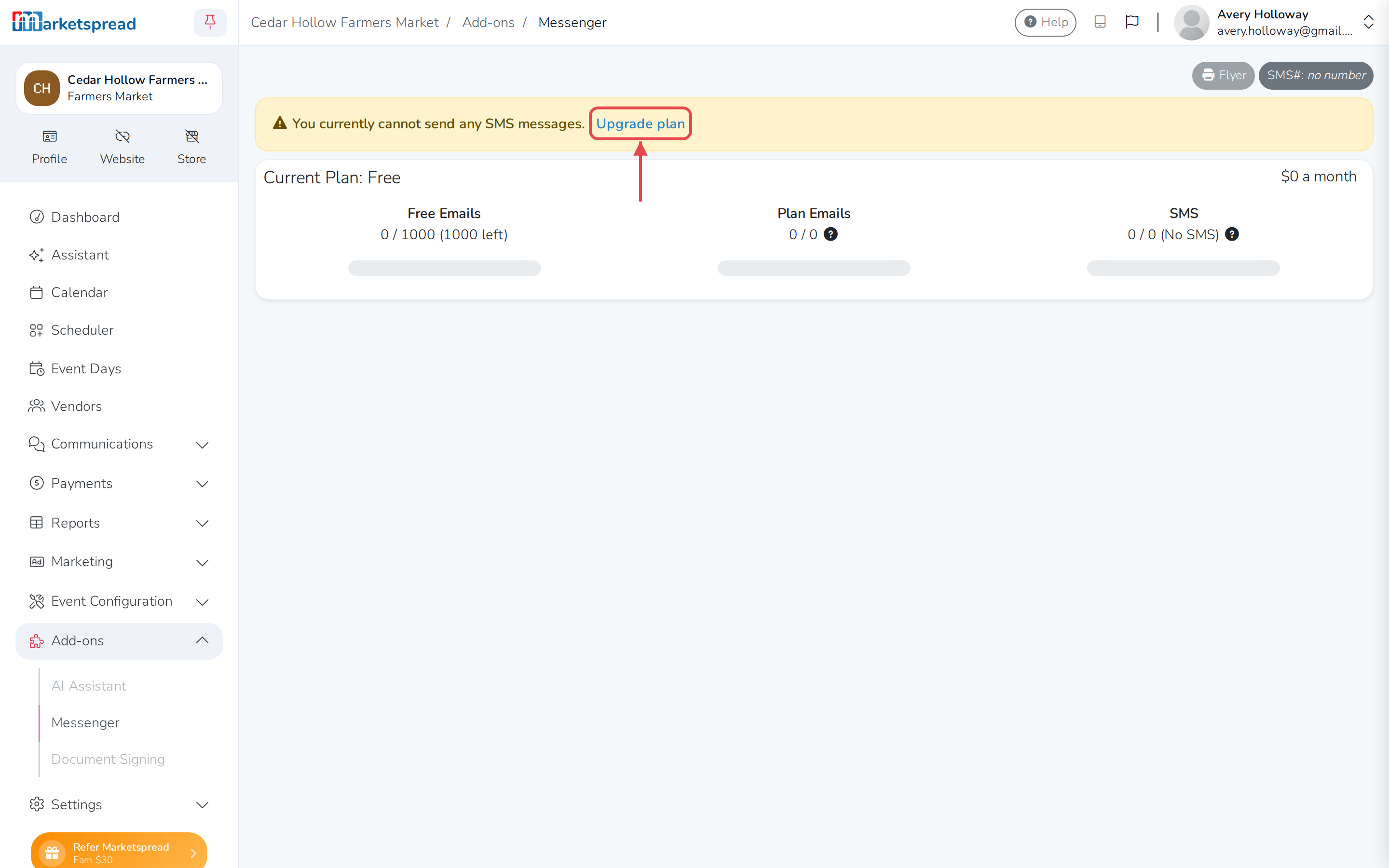
On a paid plan, going over what it includes is billed automatically: $0.01 for each extra email, $0.02 for each extra text. On the Free plan, once its 1,000 emails are used, no more can be sent that month.
Once your plan includes SMS, the page also shows your market's text number next to SMS#. Click Flyer to print a page with a QR code people scan to sign up for texts. Under Embeddable Widgets, the SMS Signup Widget box holds a short piece of code — paste it into your website to add the same sign-up there.
Your card on file appears under Payment Method, showing its brand, last four digits and expiration date. Past charges are listed in the table headed Bills, with the plan, number of emails and texts sent, the total, and whether it's Paid or Unpaid. Click a bill's invoice number to see it.
Upgrade or change your plan
| Plan | Price a month | Emails | SMS |
|---|---|---|---|
| Free | $0 | 1,000 | 0 |
| Starter | $30 | 3,000 | 1,500 |
| Plus | $60 | 6,000 | 4,000 |
| Premium | $105 | 10,000 | 7,000 |
Each paid plan's price above is a $5 base fee — for your SMS number and stored contacts — plus the plan's own price. The $5 is billed every month; the plan's own price is only billed in months your market sends or receives more than 10 texts, or sends more than 1,000 emails.
Need more than Premium? Open a support ticket for High Volume pricing.
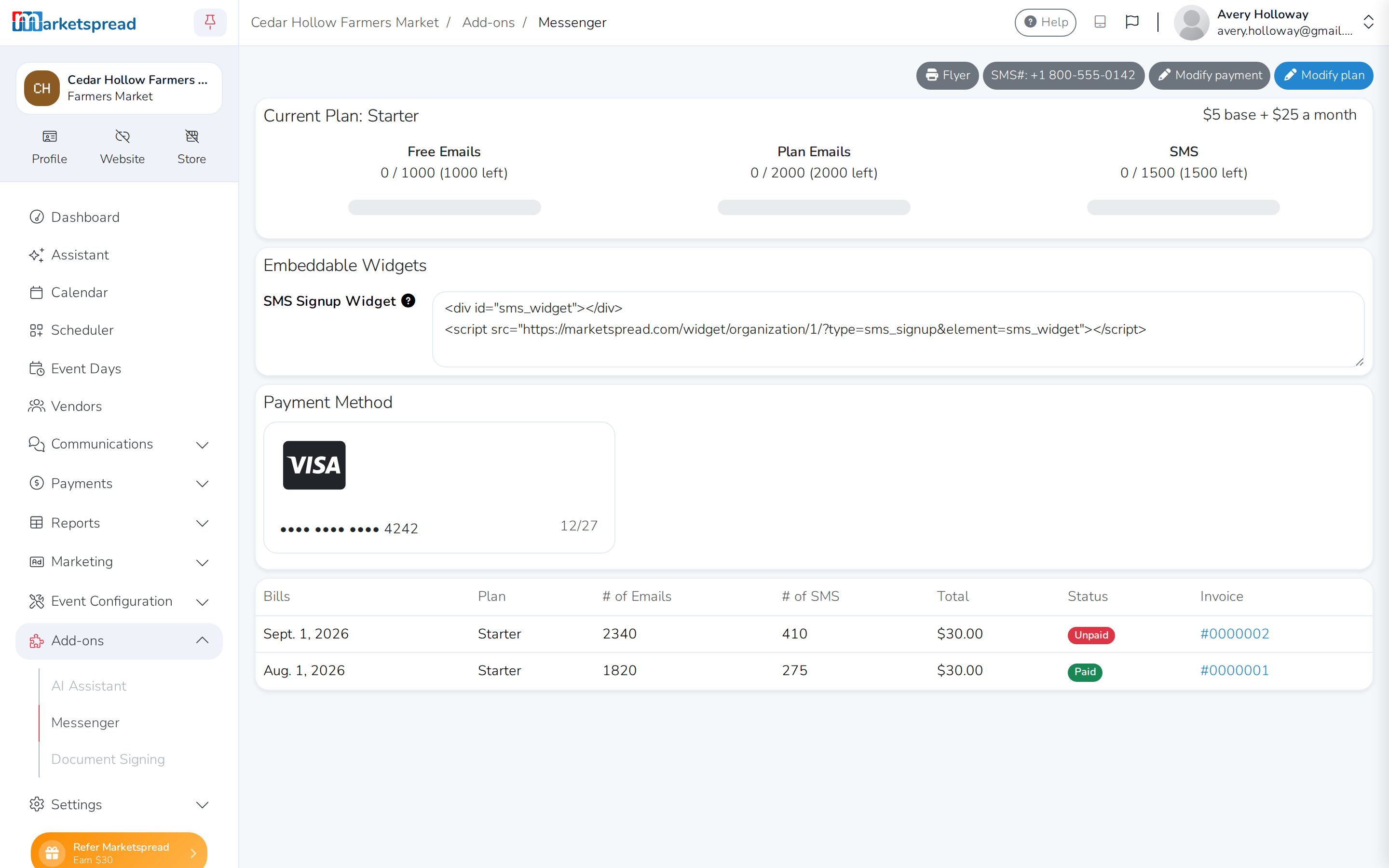
- Click Upgrade plan (or Modify plan, if you're already on a paid plan).
- Click a plan's name to select it. It's marked selected.
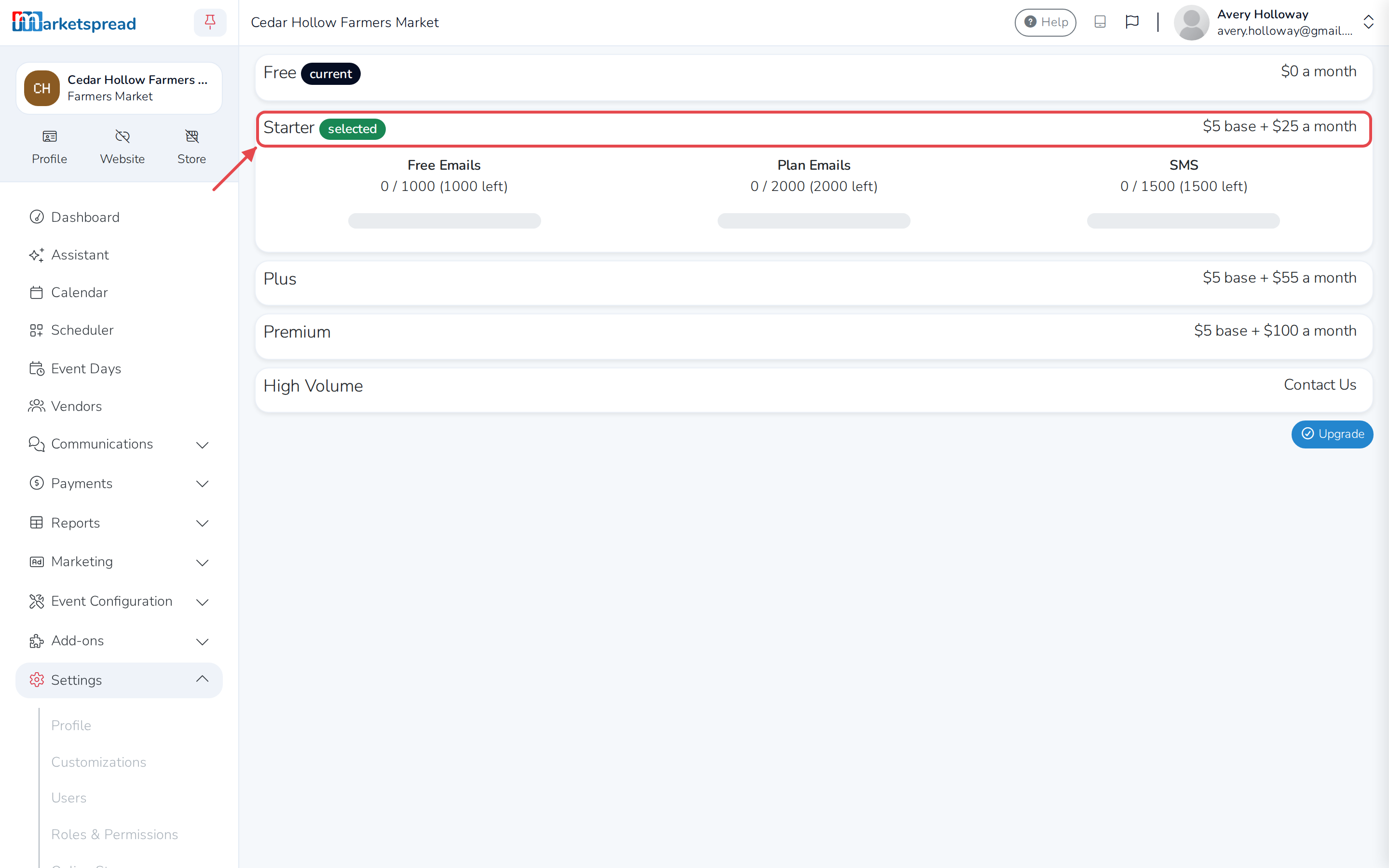
- Click Upgrade (or Modify).
Moving off the Free plan asks you to pay — see "Start a paid plan" below. Moving to a bigger paid plan takes effect right away, as does moving to a smaller paid plan within 24 hours of your last change. Otherwise, moving to a smaller plan takes effect on your next bill; until then it's shown as Next Months Plan.
Start a paid plan
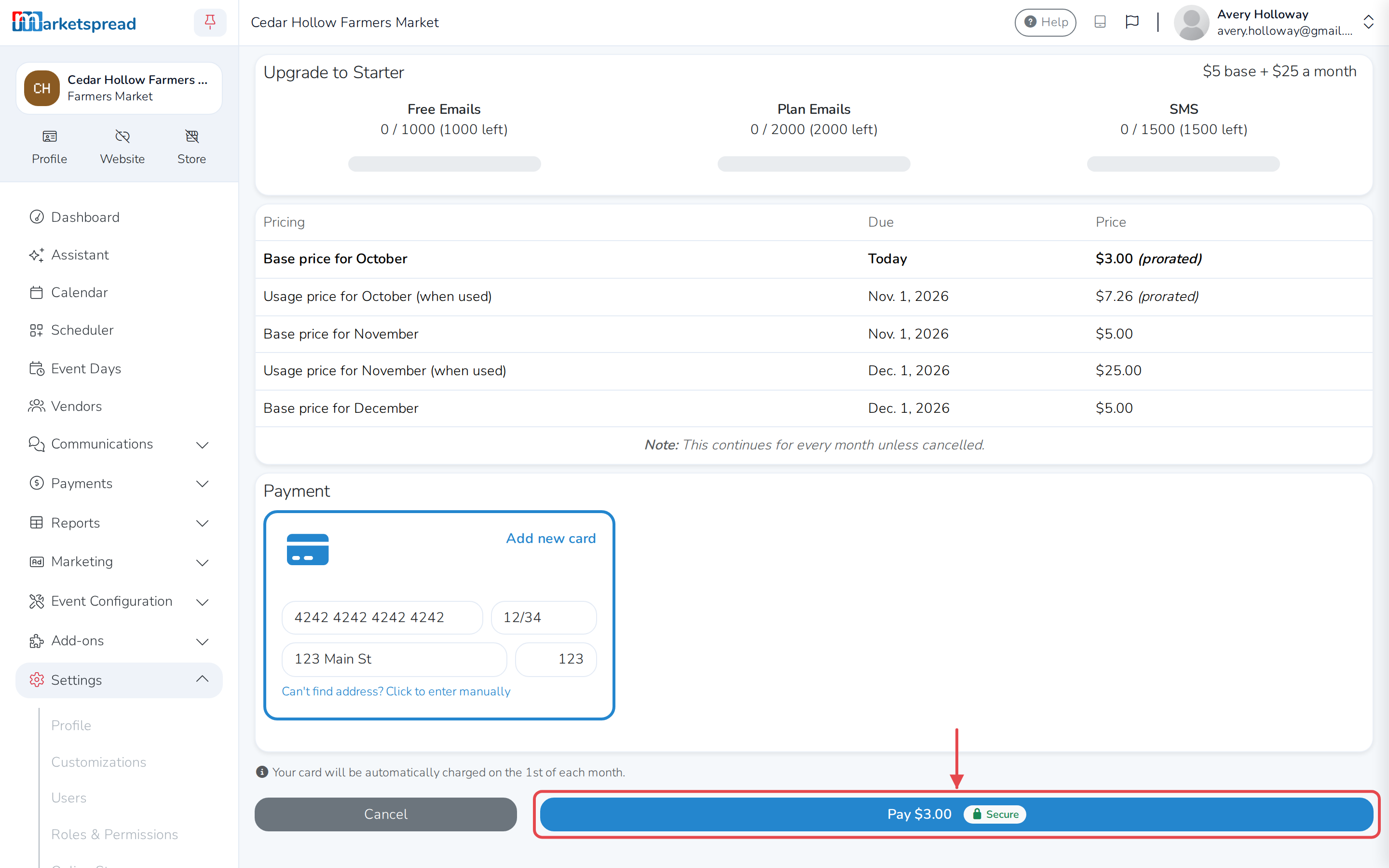
Moving off the Free plan needs a card on file, and assigns your market its SMS number.
- Enter your card details.
- Click Pay to confirm — the button shows the exact amount, prorated for today.
Update your payment method
- Click Modify payment.
- Click Add new card.
- Enter your new card details.
- Click Update.
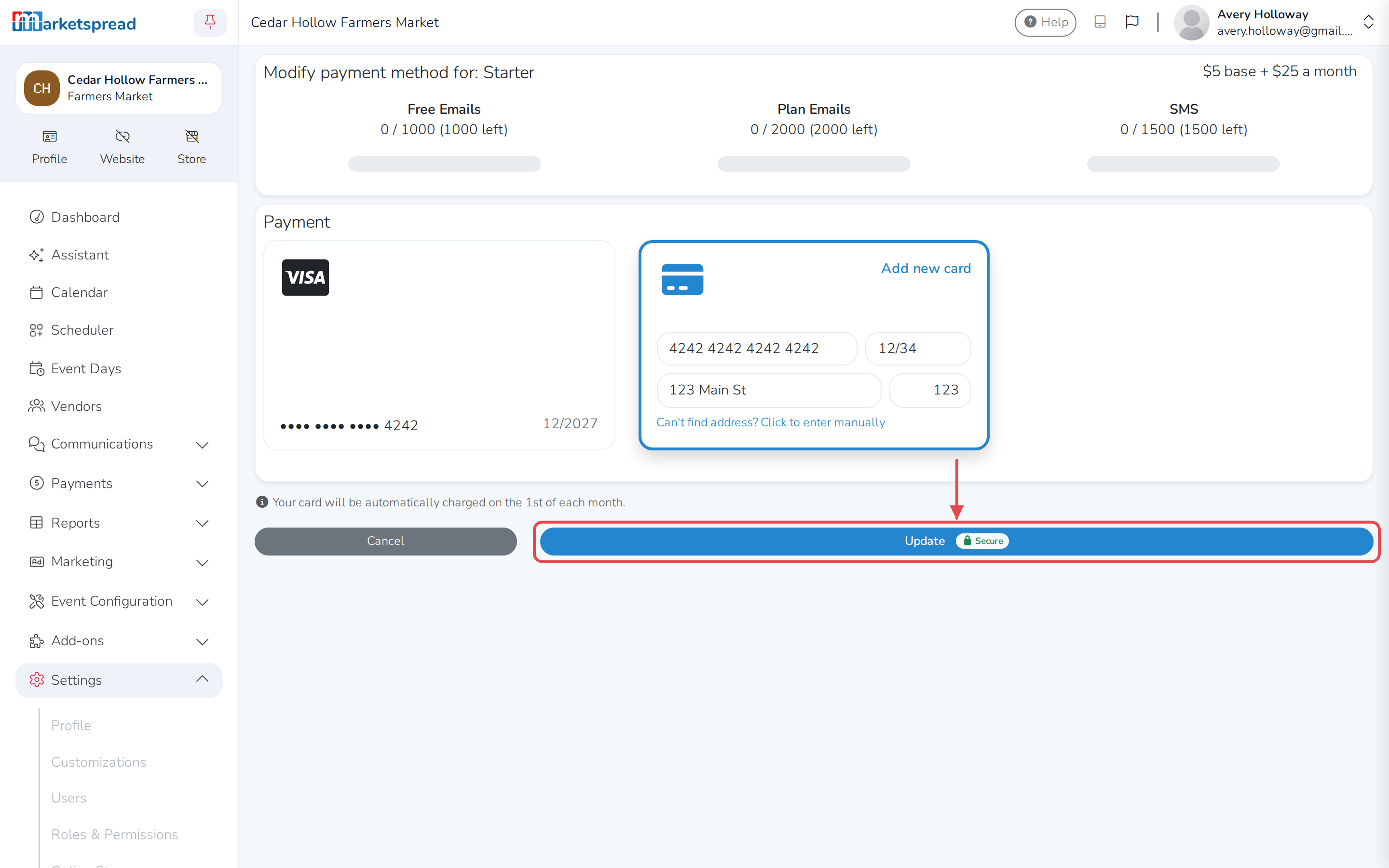
Your card is charged automatically on the 1st of each month.
Downgrade to the Free plan
Downgrading to Free takes effect on your next bill. From then on, your market loses its SMS number, and everyone signed up for text messages is removed — neither can be undone.
- Click Modify plan.
- Click Free to select it.
- Click Downgrade.
- Type DOWNGRADE to confirm.
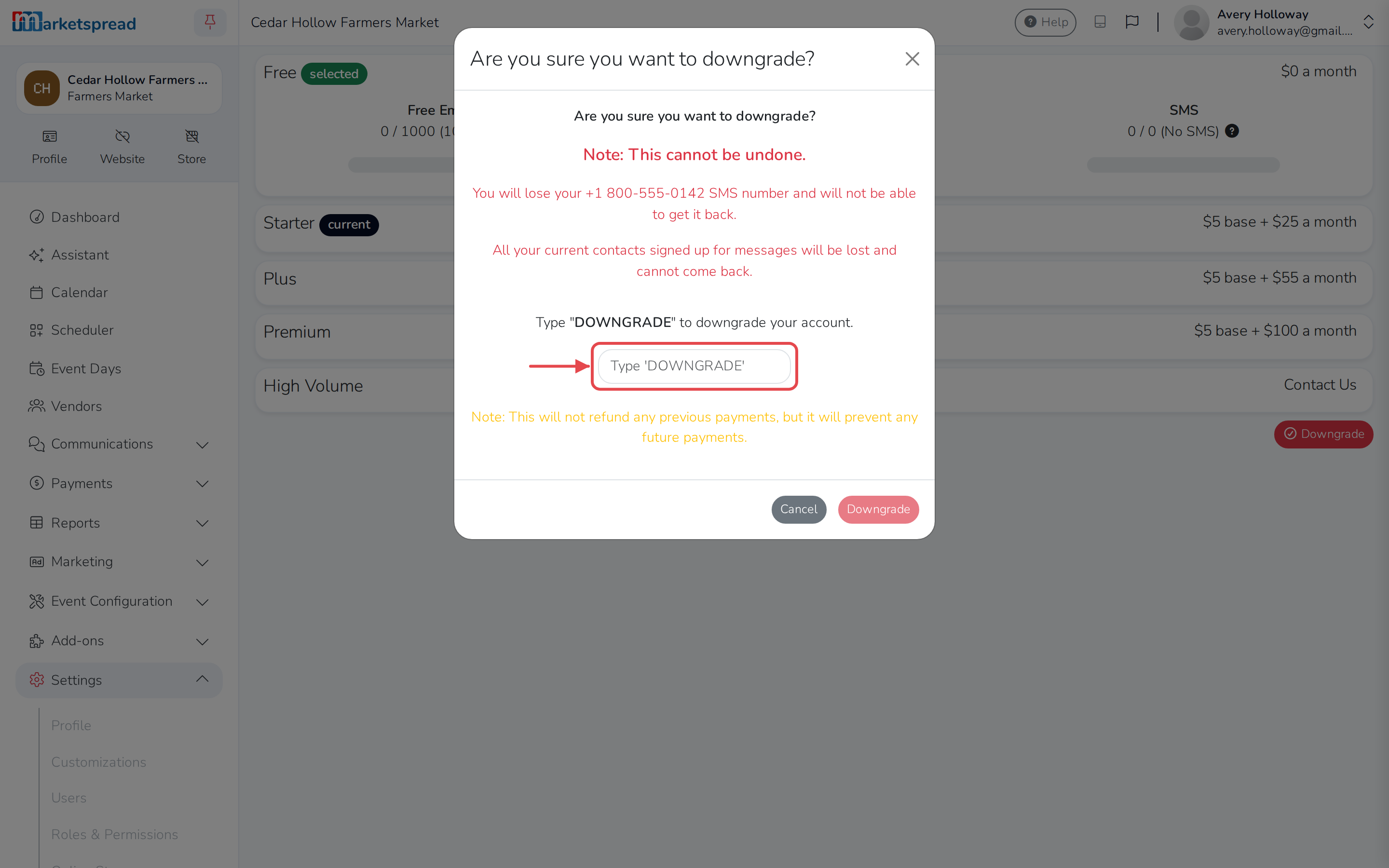
- Click Downgrade.
This doesn't refund what you've already paid — it just stops future charges.
Good to know
Only market admins can change the plan or update the payment method.