


Your market's Marketpress website gets a free marketpress.site address as soon
as you activate it. If you own a domain of your own, you can connect it so
customers find your site there instead.
Important
Your website has to be active before you can connect a domain to it. If
you haven't set one up yet, see
Marketpress getting started.
Connect a custom domain
-
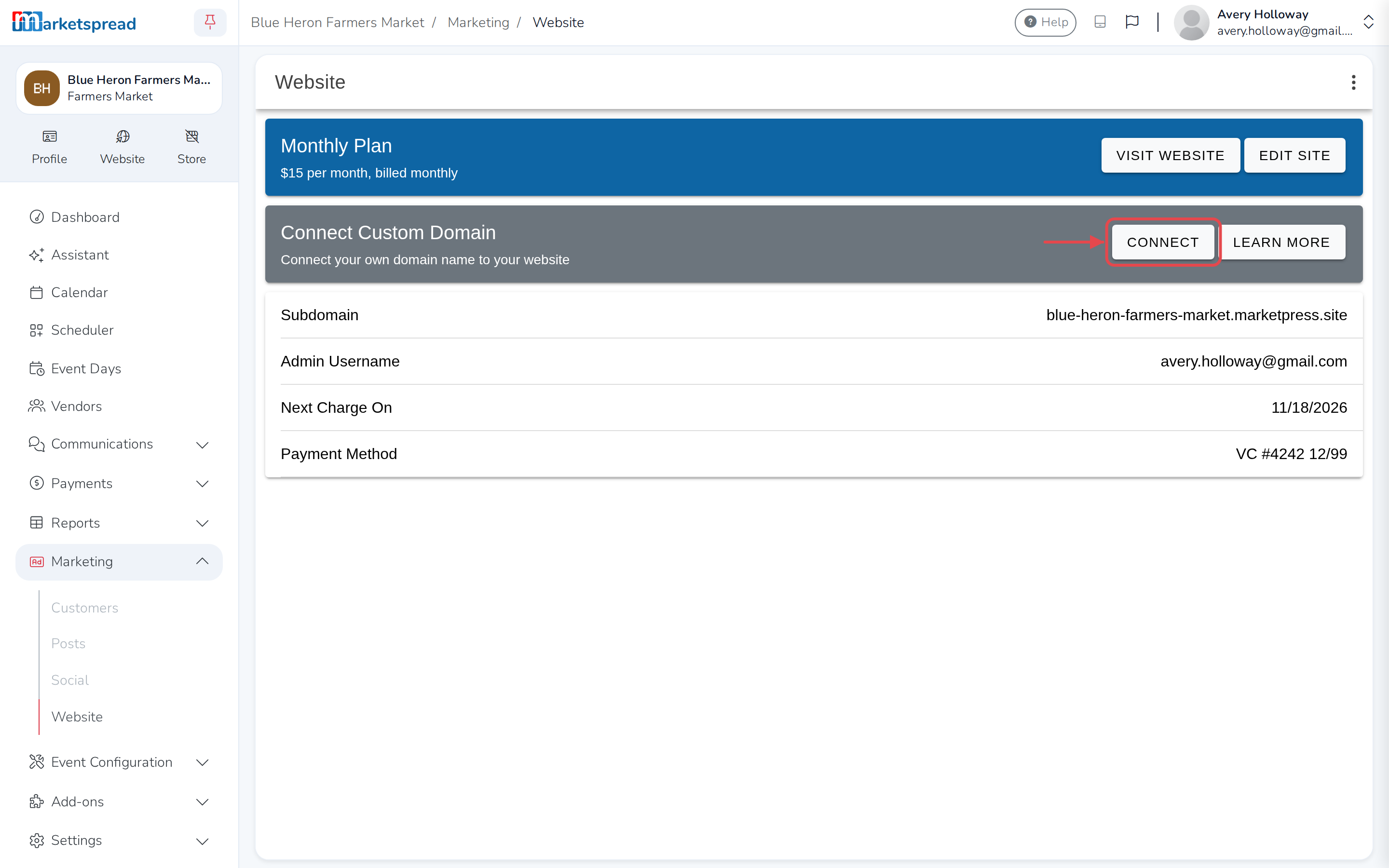
From your dashboard's left-hand navigation, go to Marketing → Website.
-
On the Connect Custom Domain card, click Connect.
-
Enter your domain.
-
Click Connect.
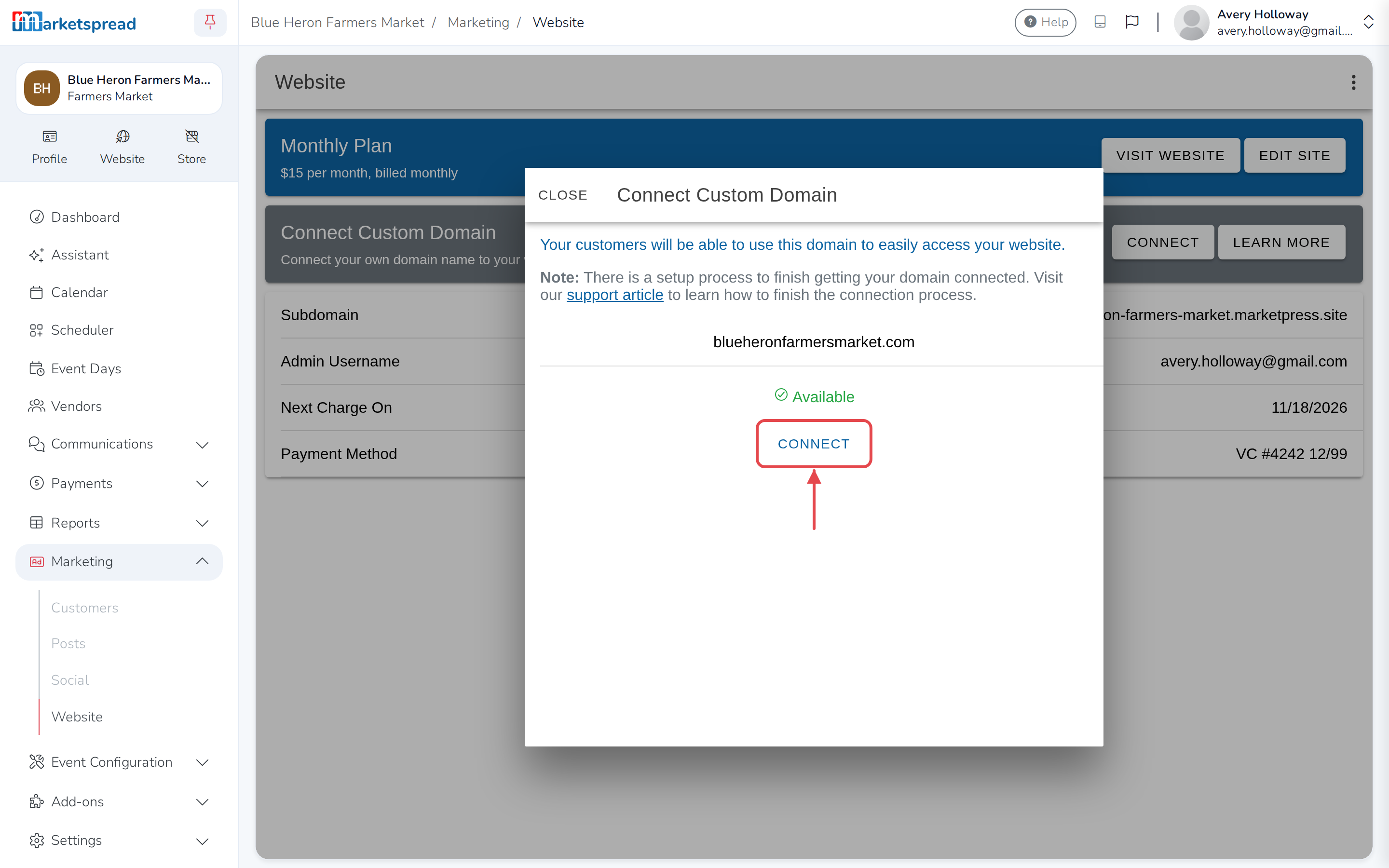
Marketspread saves your domain, but it isn't live until your DNS records
point at it.
Update your DNS records
- Log in to your domain provider's account.
- Add an A record for your domain pointing to 207.244.251.137. For
the host (sometimes called the "root"), use @ or leave it blank —
whichever your provider asks for. - Add a second A record pointing to 209.126.13.72, with the same
host. - Save your changes.
If you need help finding DNS settings with your provider, these guides cover
GoDaddy, eNom and Squarespace — Google Domains has moved there, so that's
where its DNS help lives now:
Note
DNS changes can take a few minutes to reach Marketspread, and sometimes
longer depending on your provider. Come back to Website afterward to
check your domain's status.
If your domain still isn't ready after a while, click Details on its card
to see why.
Disconnect a custom domain
-
From your dashboard's left-hand navigation, go to Marketing → Website.
-
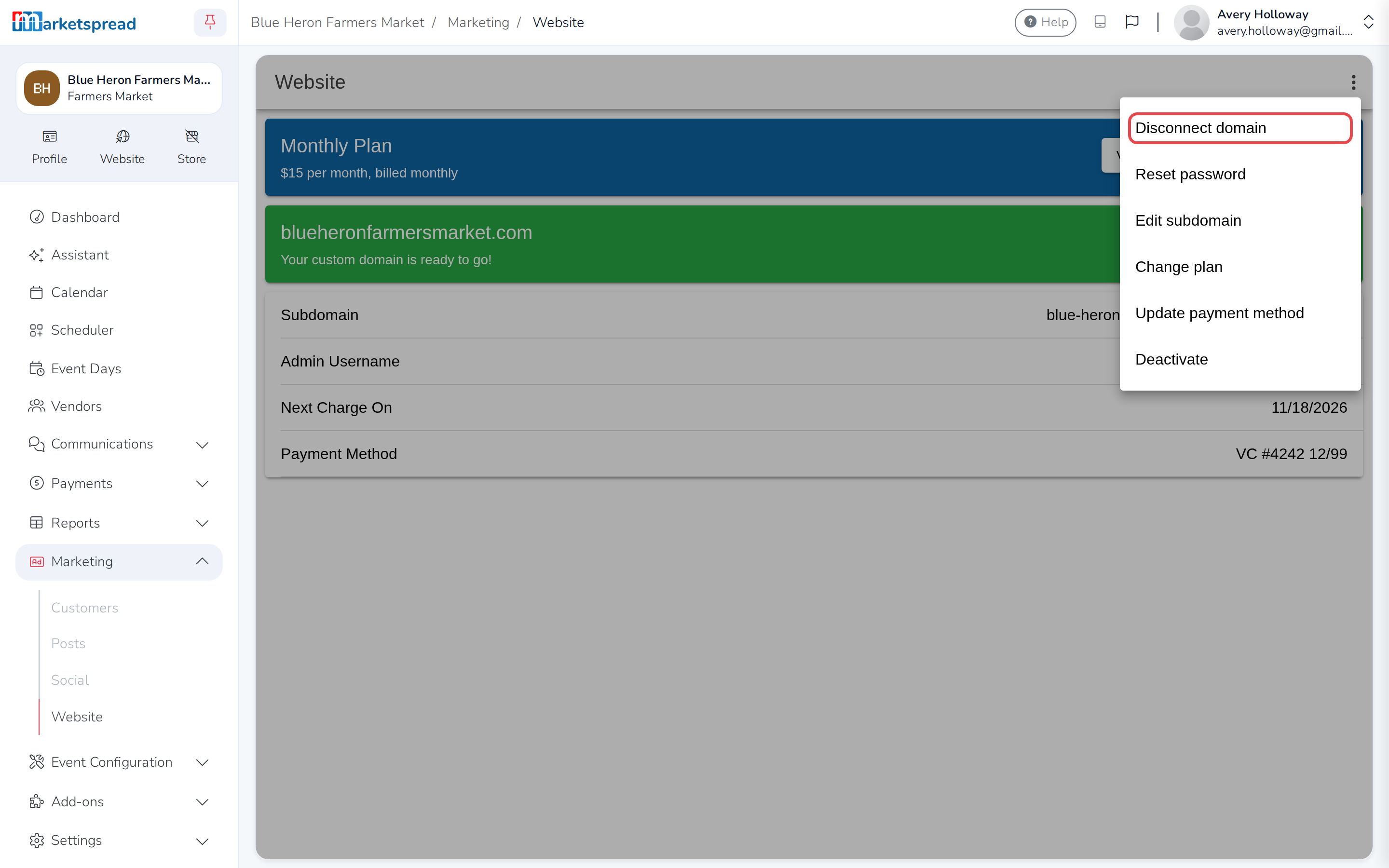
Click the three-dot menu in the top right.
-
Choose Disconnect domain.
-
Click Disconnect to confirm.
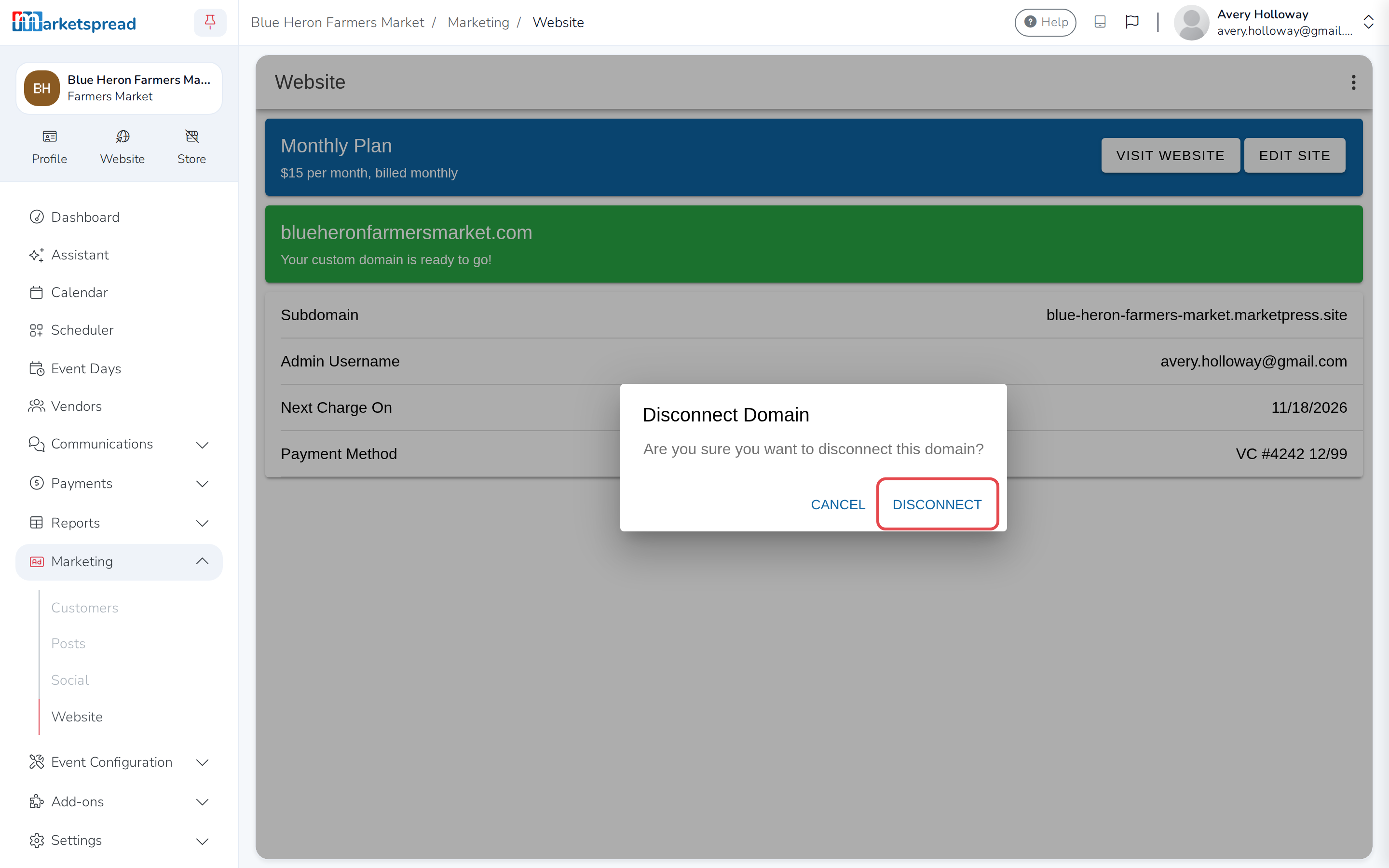
Your website goes back to its marketpress.site address. You can connect a
different domain any time by following the steps above.