


Sometimes a customer or vendor disputes a card charge with their bank. When
that happens, you get an email, and the dispute shows up on your Disputes
screen so you can respond and track it.
Review a dispute
Open Payments, then Disputes, in the left menu to see your list of
disputes.
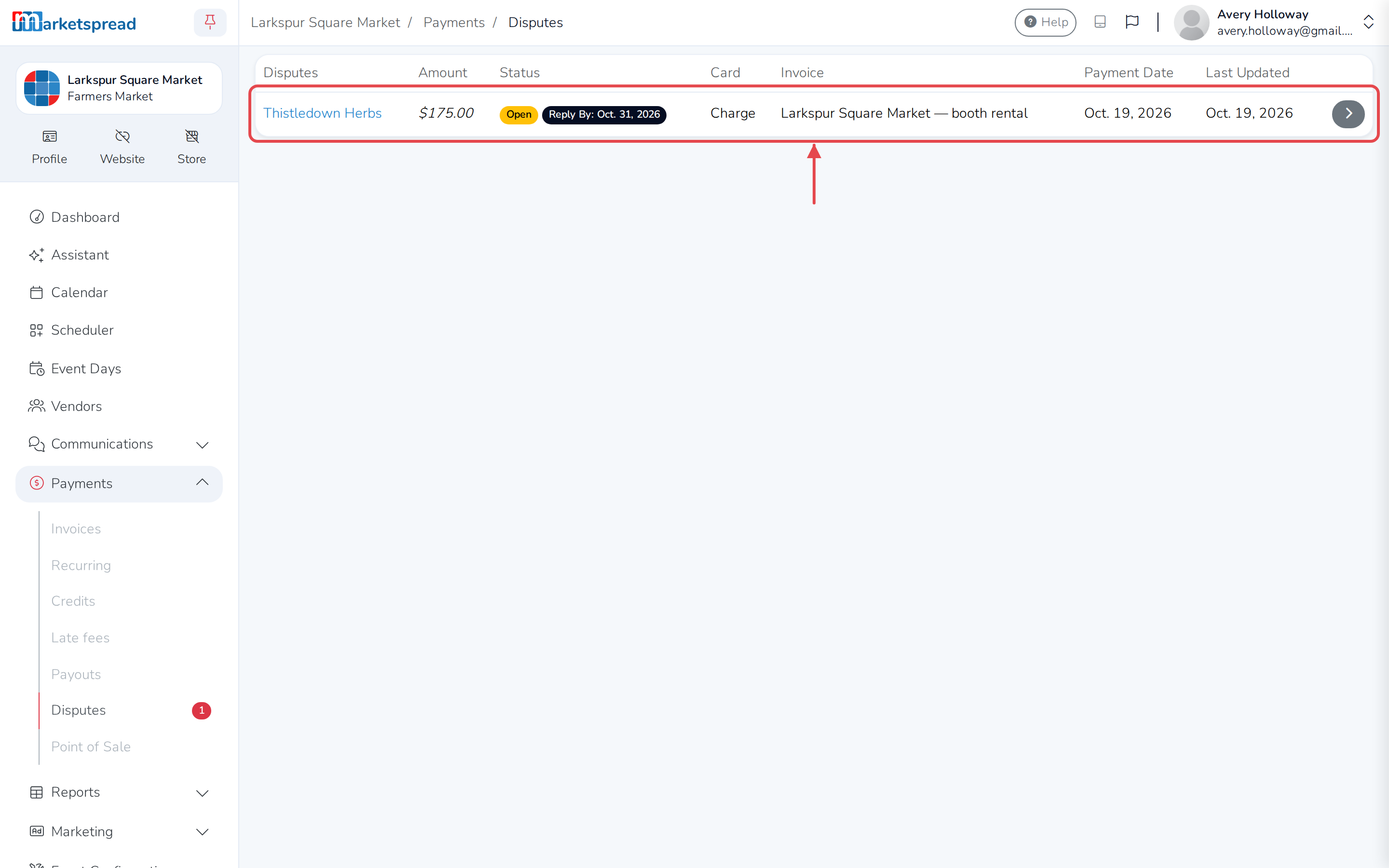
Click a dispute to see its details.
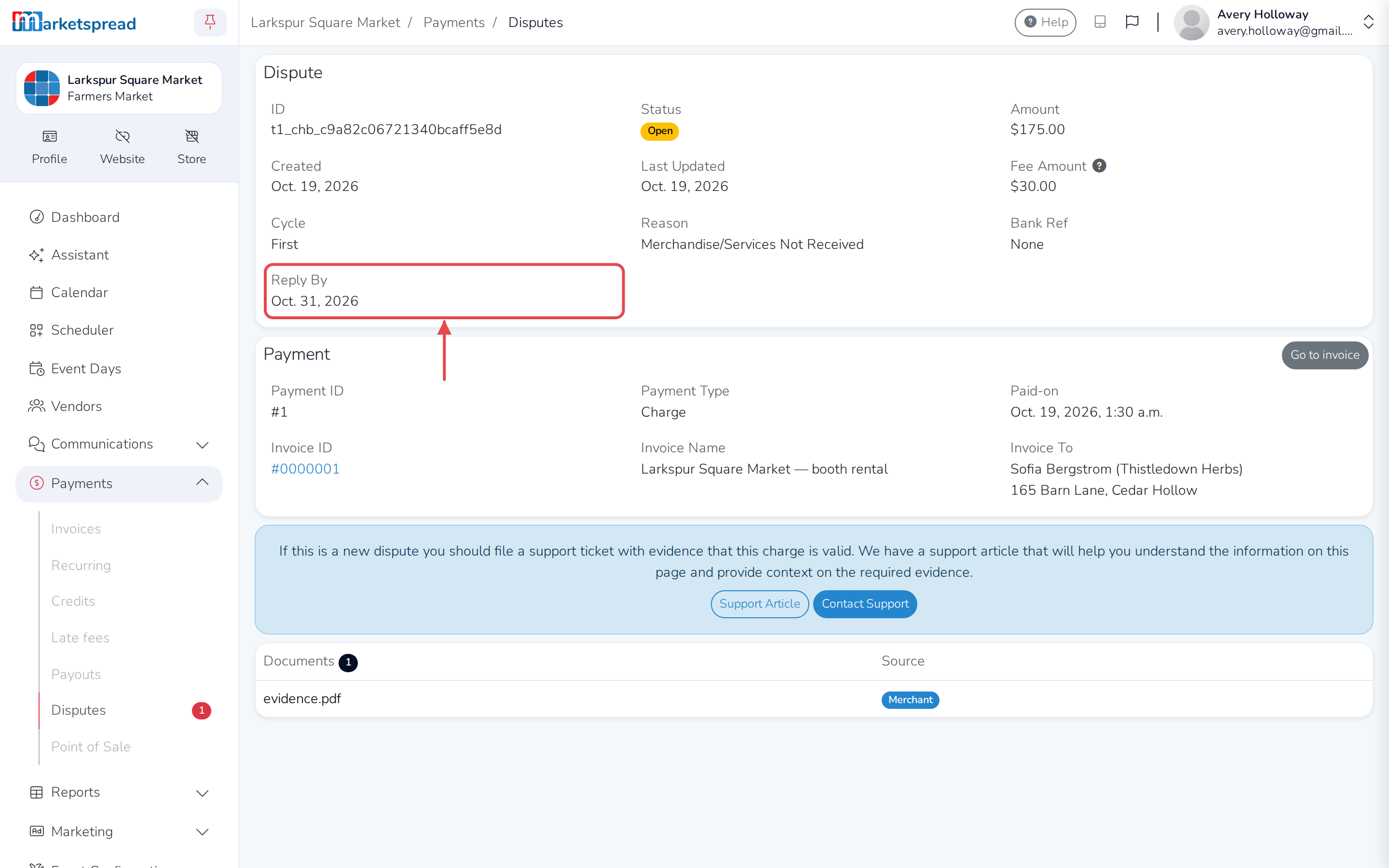
The Reply By date is when you need to respond by, if you want to contest
the charge.
Respond to a dispute
Open a support ticket, or click Contact Support on the dispute's details
page, and describe your evidence. Our team will be in touch to collect it and
pass it to our processor, who works with the card companies to resolve it.
Important
Send your evidence as a PDF. The processor won't accept documentation in
any other format.
Good evidence includes receipts, vendor agreements, proof of attendance,
social media posts, or emails with the cardholder.
It's also worth asking the cardholder to contact their bank directly and
withdraw the dispute.
You're charged a fee for every dispute, even if you win it.
Once you've opened a ticket, you'll see updates on the Disputes screen, and
by email. The card companies' final decision shows up there too.
If a dispute is escalated
Sometimes a dispute you've already won gets escalated — the cardholder or
their bank submits new evidence and reopens the case. This is called
pre-arbitration or arbitration.
You can send new evidence to fight it, but arbitration comes with its own
fee, which can run into the hundreds of dollars depending on the card brand.
Caution
Weigh the size of the original charge against the arbitration fee before
you continue.
If you decide not to fight it
You don't have to issue a refund if you'd rather not contest a dispute. The
disputed amount is already held from your account: if the card companies
rule in your favor, you get it back; if they rule for the cardholder, that's
how they get their money back.
Our processor has its own explainer on disputes, if you want more detail:
What is a dispute?