


If your market currently uses Manage My Market, you can export your vendor list from there and send it to Marketspread. Our team imports it into your account for you.
Export your vendor data
-
Log in to your Manage My Market account.
-
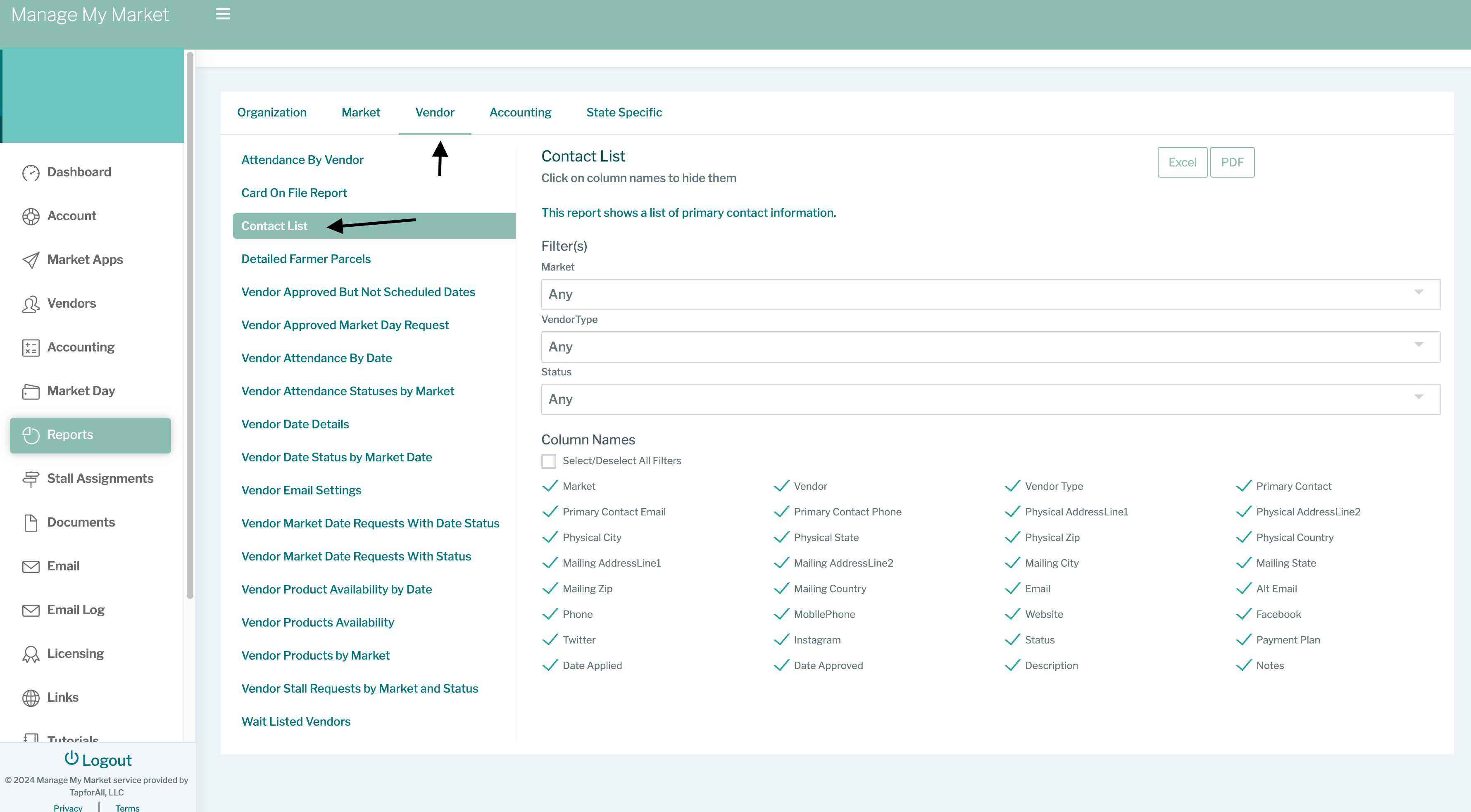
Go to Reports → Vendor → Contact List.
-
Choose the correct vendor status before you export.
-
Export the file as a CSV.
-
Open a support ticket and tell us you have a Manage My Market export to import. Our team will be in touch to collect the file.