


A vendor alias is a name your market uses instead of a vendor's real name — useful when their name is long, or you'd rather list them differently. Once you set one, it replaces the vendor's name in your vendor list.
Set a vendor's alias
-
Click Vendors in the left menu.
-
Click the vendor's name to open their vendor page.
-
Next to their name, click the pencil icon.
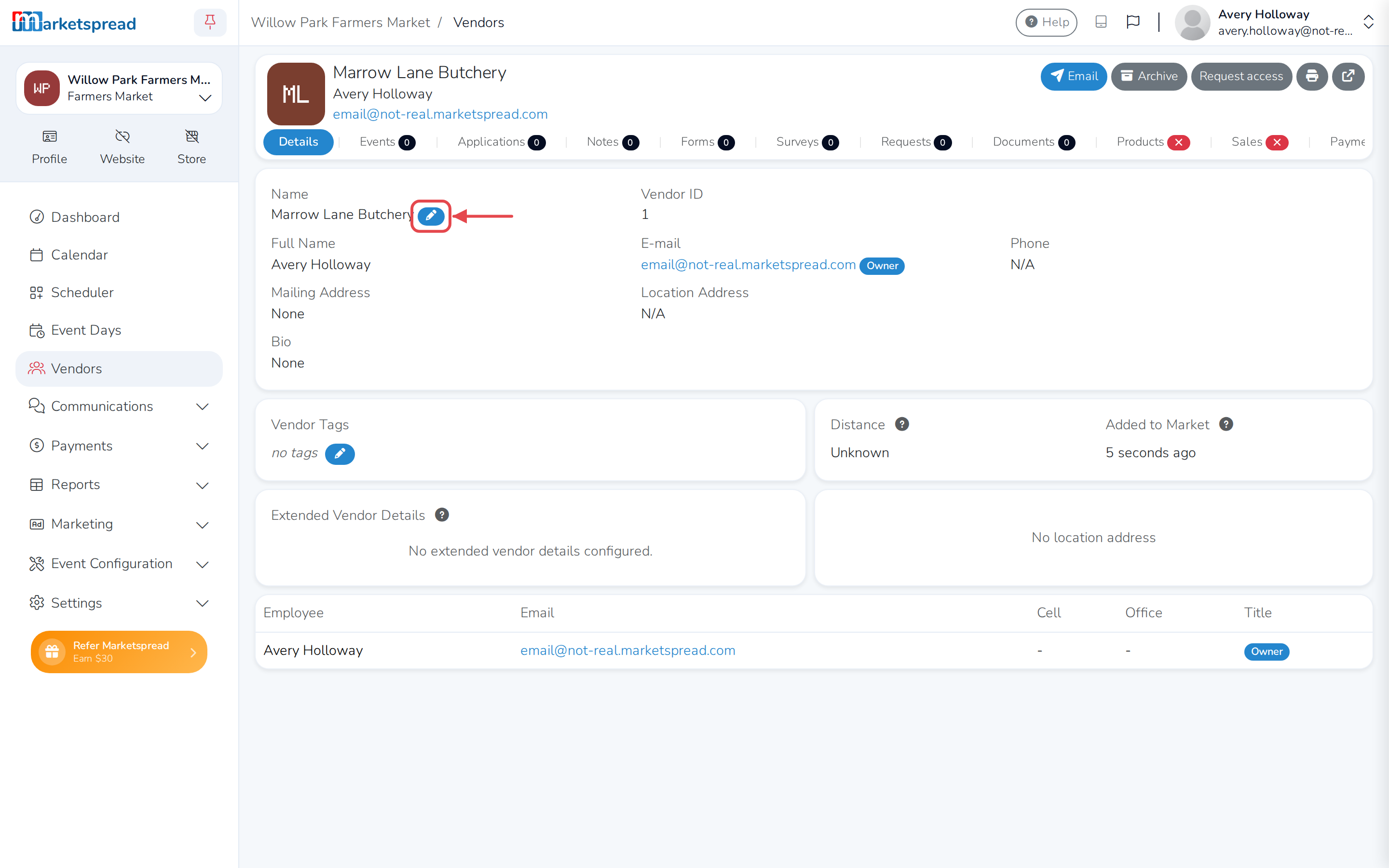
-
Type the name you want to use into Alias.
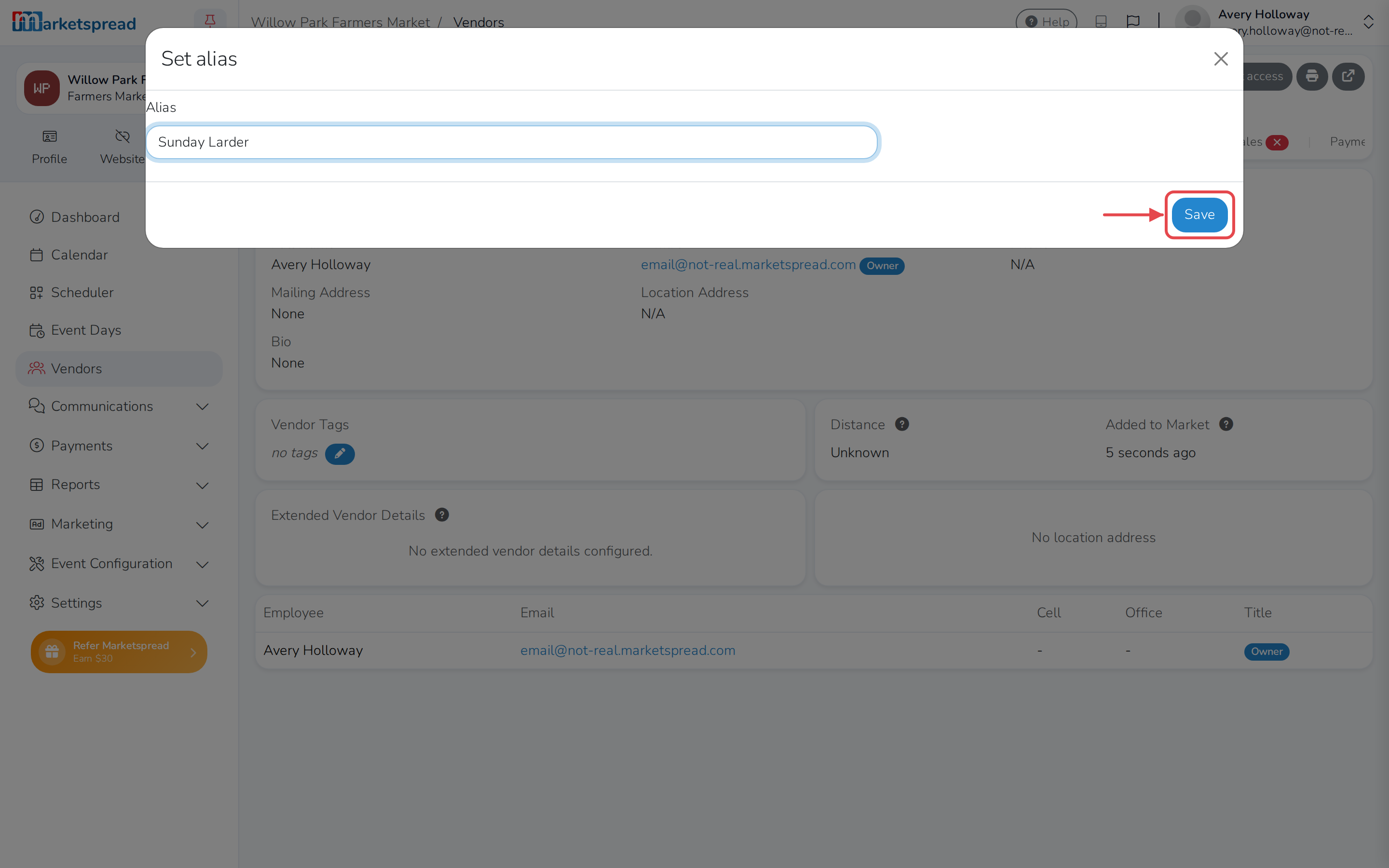
-
Click Save.
Note
Only market staff who can edit vendors see the pencil icon. Ask a market admin if you don't see it.
Change or remove a vendor's alias
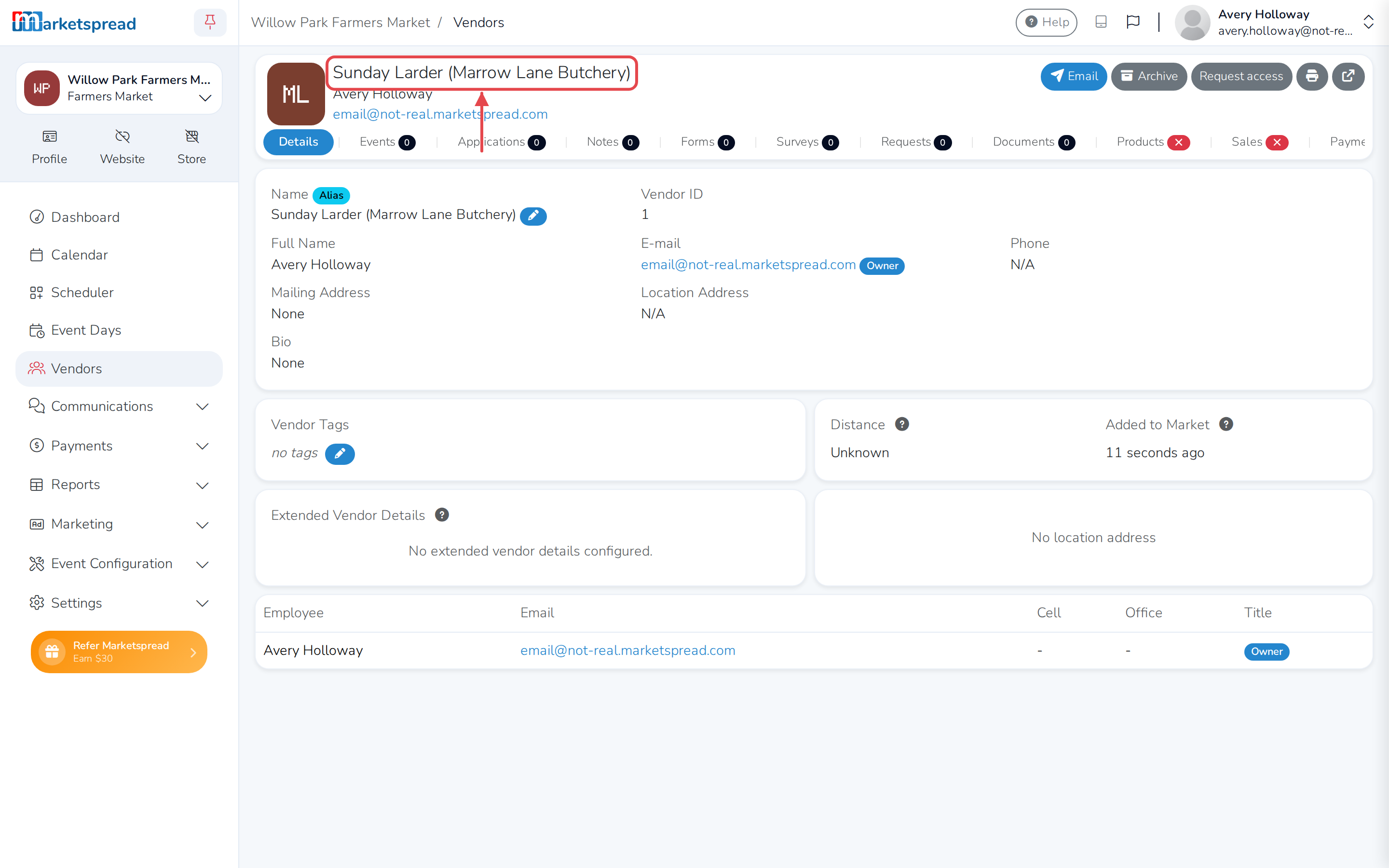
Once a vendor has an alias, their vendor page shows their name as alias (real name), so you can still tell who they are.
- Click Vendors in the left menu.
- Click the vendor's name to open their vendor page.
- Next to their name, click the pencil icon.
- Change Alias to a new name, or clear it to go back to showing their real name.
- Click Save.
Note
An alias only changes what your market sees. The vendor's own profile, and any other markets they sell at, still show their real name.