


Change an application's questions, fees, documents or messages — whether it's still a template or already activated for an event.
Edit an application
-
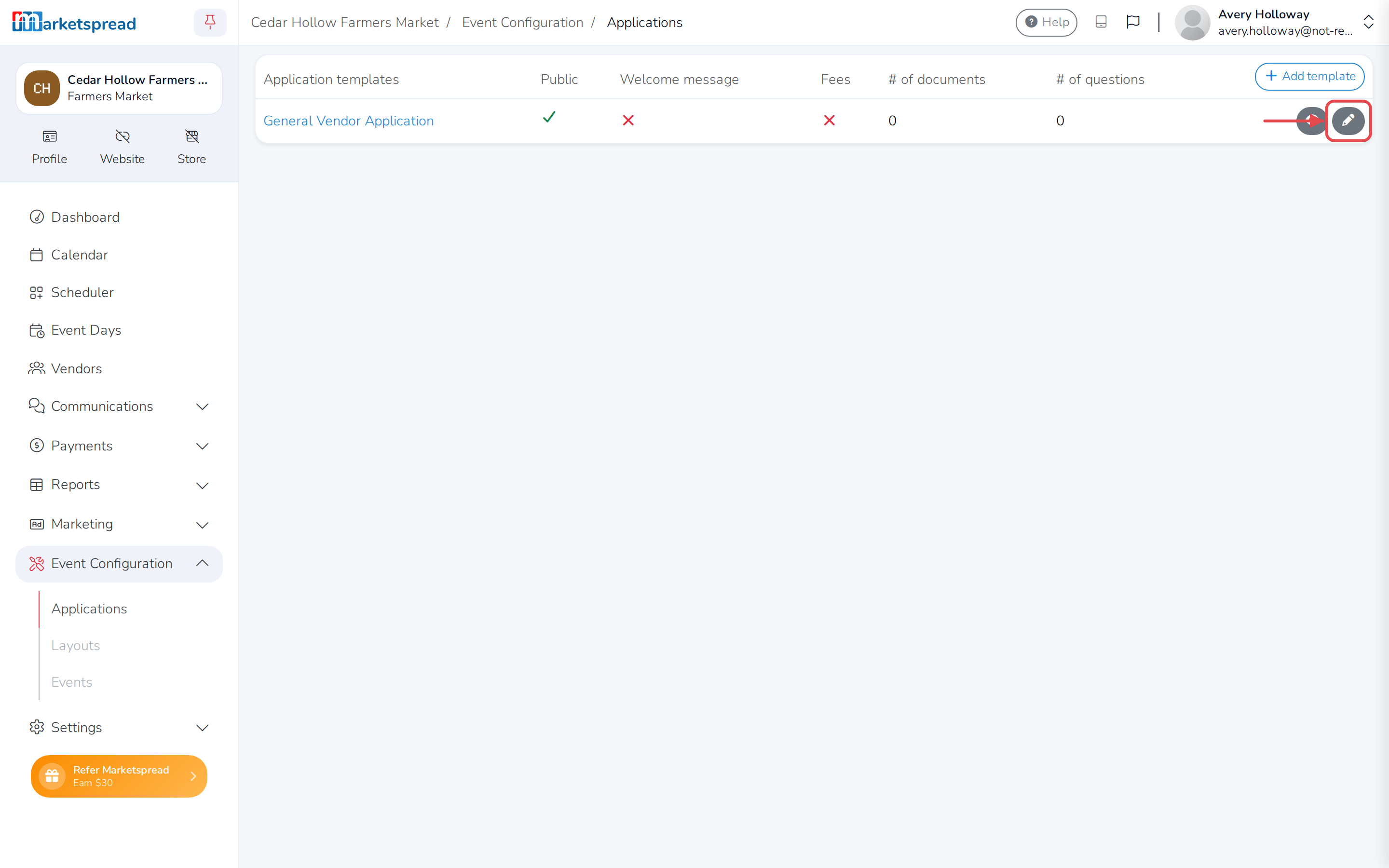
Open Event Configuration, then click Applications.
-
Find the application under Activated applications or Application templates.
-
Click the pencil next to it.
-
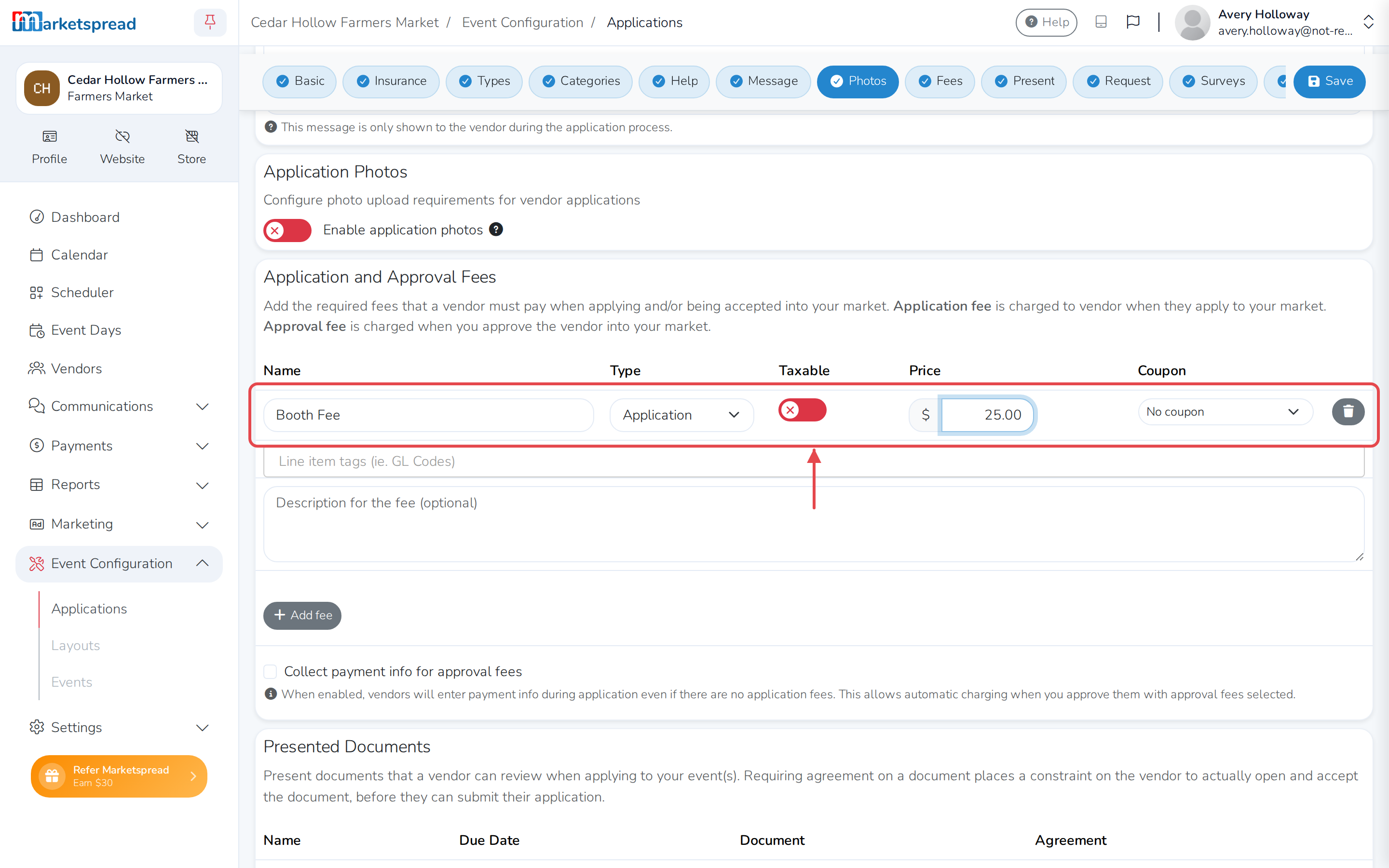
Make your changes — for example, add or edit a fee, document, question or message.
-
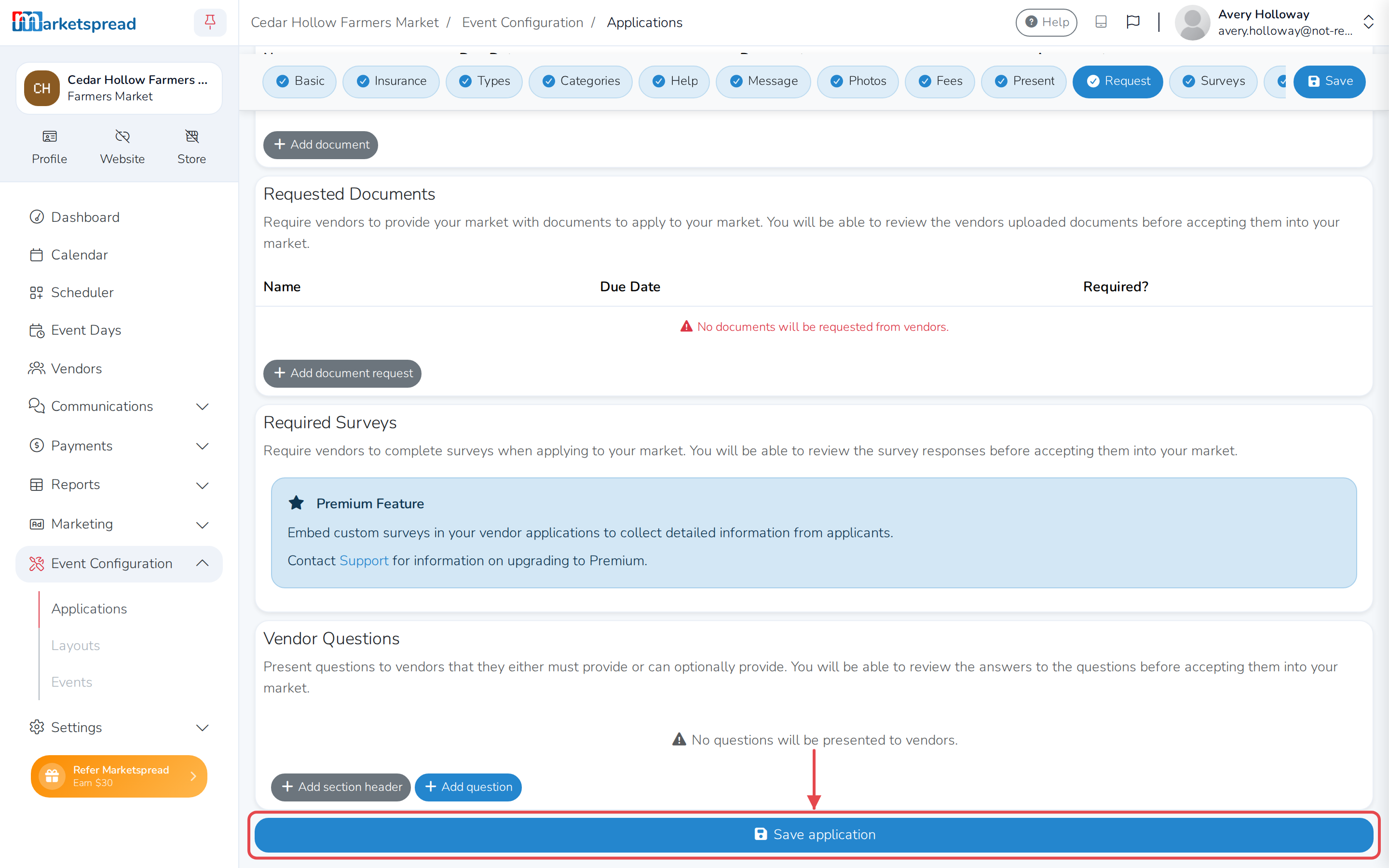
Scroll to the bottom and click Save application.
Note
An application template isn't linked to an event yet. Changing a template only affects events that use it after you save it — it doesn't change an event that has already activated that template. To change what an event is currently using, edit it under Activated applications instead.
For what each setting on an application does, see Creating applications.