


Some markets have a page on Marketspread before anyone from the market manages it. Maybe an association added it, or it was already there when you signed up. If a market's page shows it hasn't been claimed, you can ask Marketspread to assign it to you. You don't need a Marketspread account first.
Claim your market
-
Go to marketspread.com and click Events in the top navigation.
-
In the field marked What, type your market's name, then press Enter.
-
In the list of results, click your market to open it on the map.
-
In the card that opens, click the small Marketspread icon to go to the market's page.
-
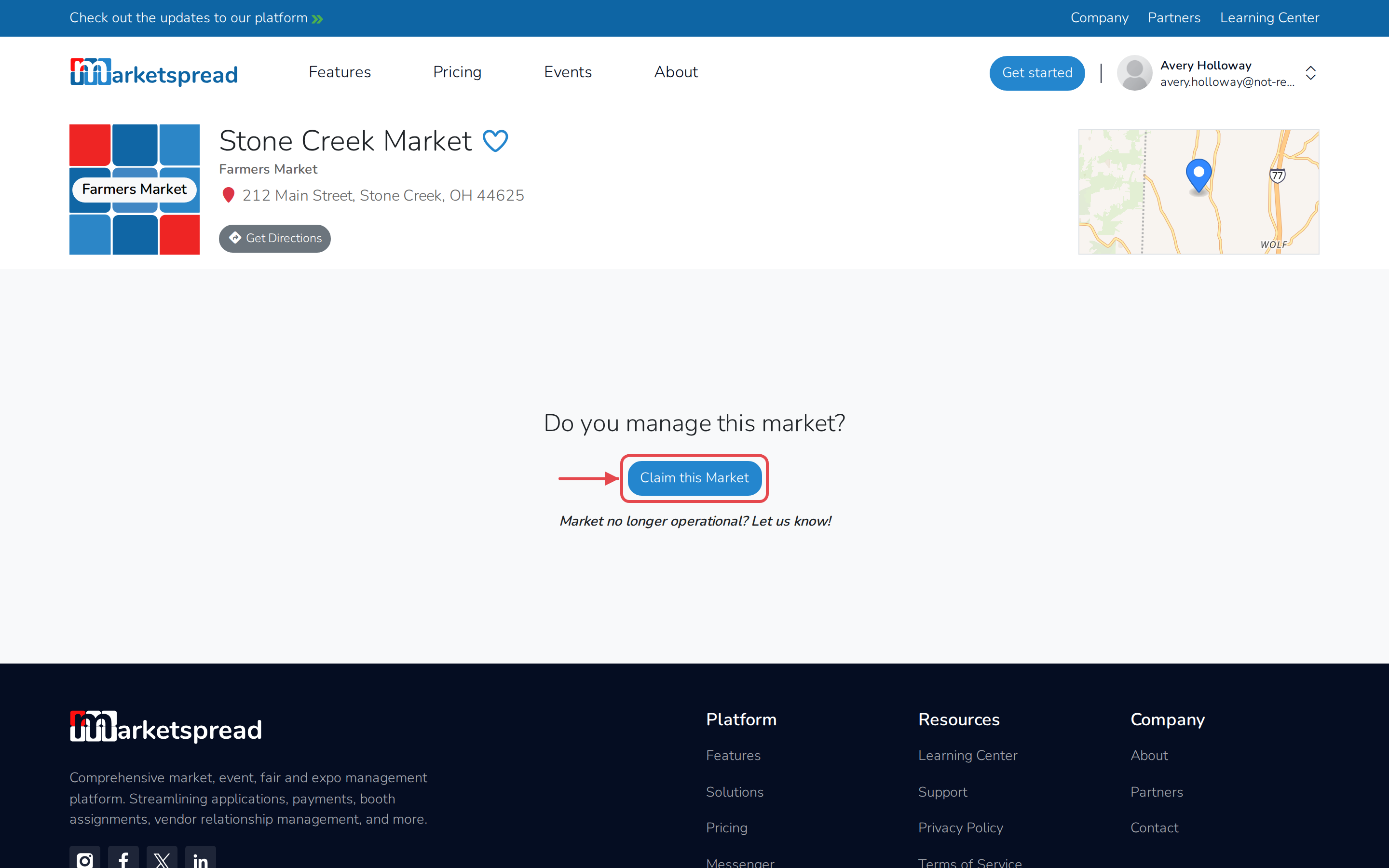
Under Do you manage this market?, click Claim this Market.
-
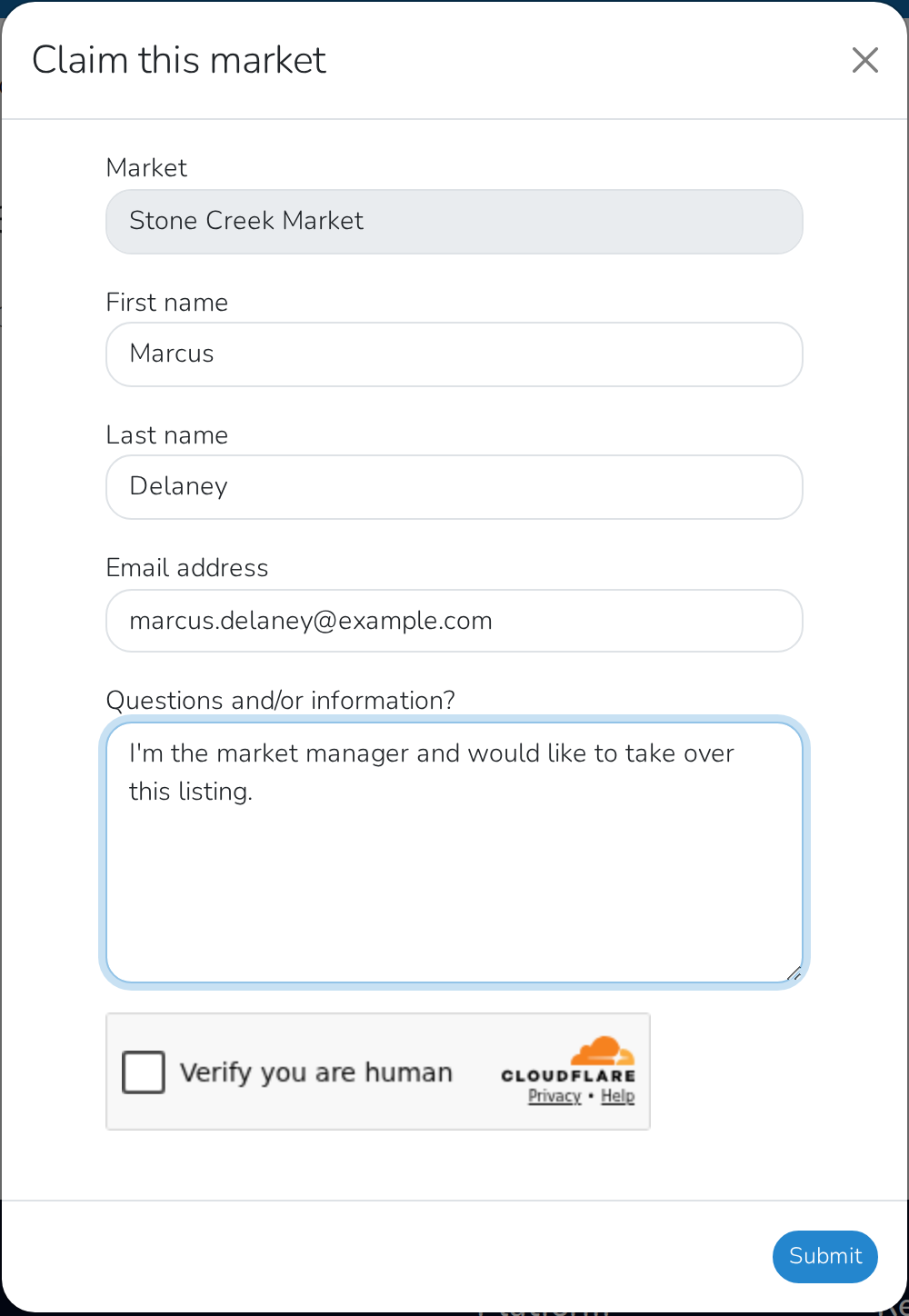
Fill in your First name, Last name, and Email address.
-
If you have anything to add, use Questions and/or information?.
-
Complete the verification check, then click Submit.
Note
Claiming a market doesn't hand it to you right away. Marketspread reviews your request and gets in touch to finish assigning the market to your account.
Once the market is assigned to you, update your market profile with your logo, hours and contact details.