


Approval fees are due once you approve a vendor, not when they apply. Turn on Collect payment info for approval fees to collect their card during the application. Then their card is charged automatically the moment you approve them.
Turn on the setting
-
Go to your Market Dashboard.
-
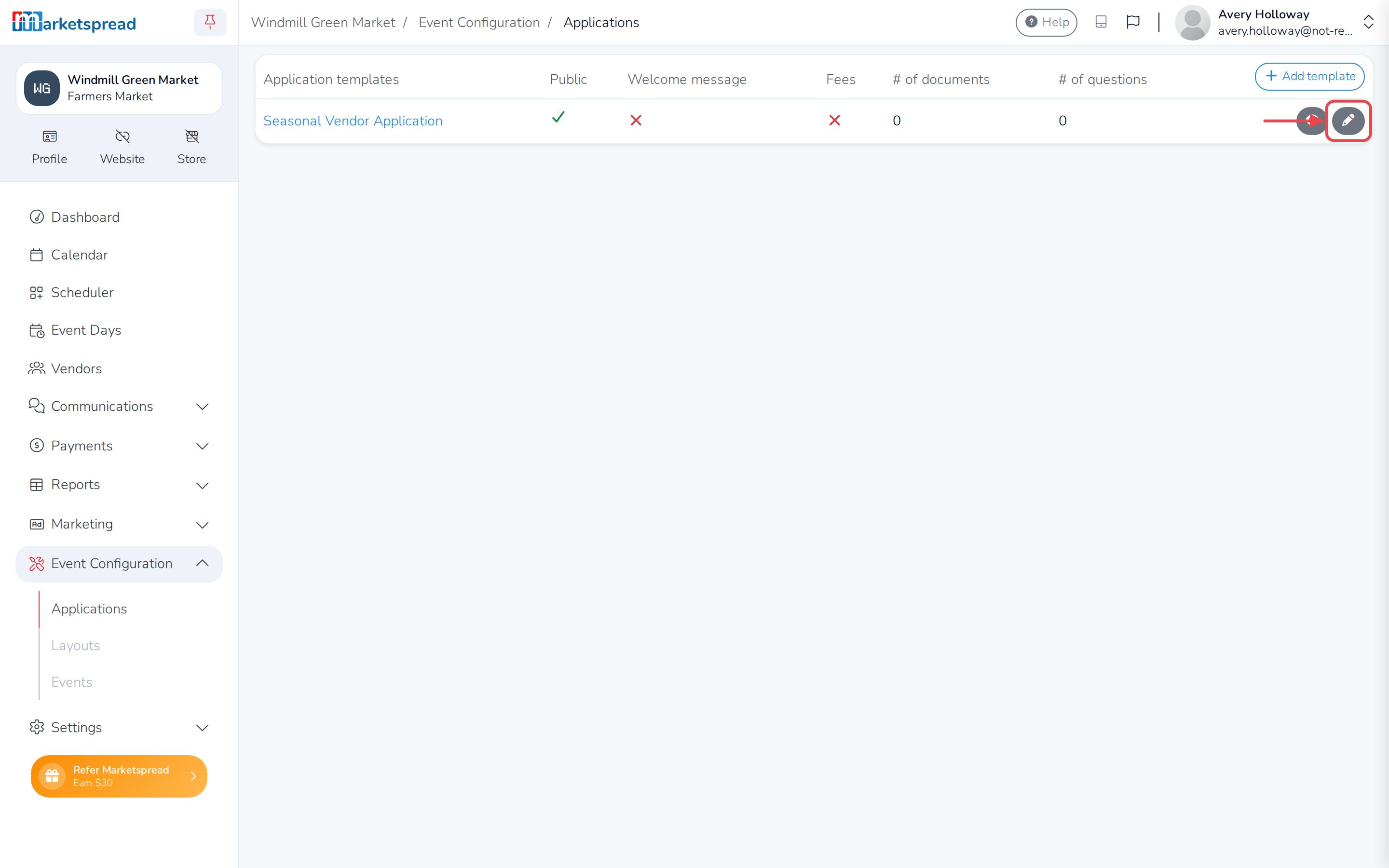
Open Event Configuration → Applications.
-
Click the pencil icon on the application you want to change.
-
Click the Fees tab.
-
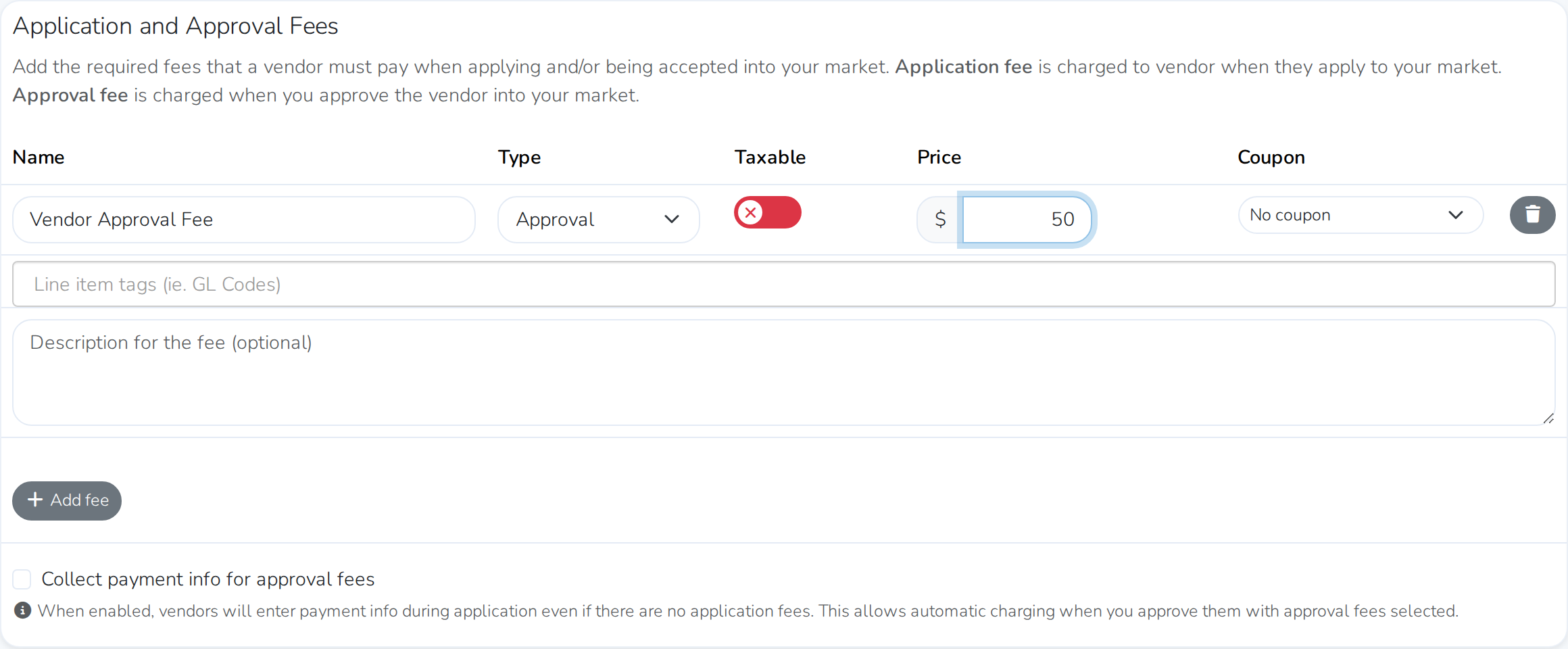
If you haven't already, add an approval fee: click + Add fee, name it, and set Type to Approval.
-
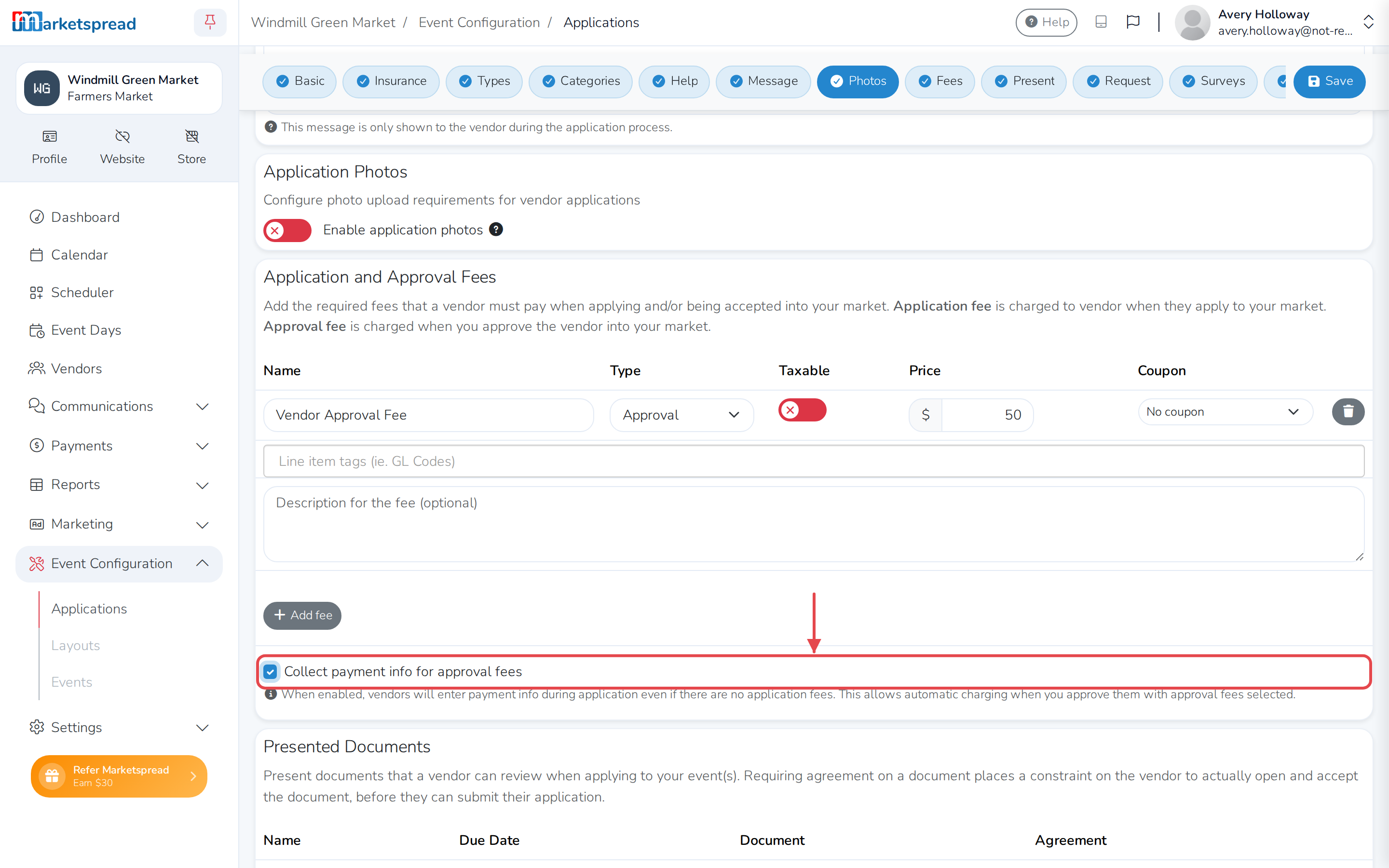
Check Collect payment info for approval fees.
-
Click Save.
Already charge an application fee?
Vendors enter payment info when they apply either way, if applying costs a fee. This setting only matters when applying is free but you still want a card on file for the approval fee.
Good to know
- Vendors only see the payment form if you have an approval fee set up for their vendor type. Add one with + Add fee on the Fees tab first.
- Turning this on doesn't charge anyone right away. Vendors are only charged once you approve them.
- If the charge is declined when you approve a vendor, they still get an invoice for the fee by email. Contact them to update their card, then take the payment another way.
- If you have coupons set up, a vendor can enter one during the application. It discounts the approval fee when you charge it at approval.