Grouping ties event days together so they act as one for a vendor's
application, scheduling and invoicing. Use it for a multi-day event — a
three-day weekend market, for example — where you want a vendor to attend
every day in the group, not just pick one.
Turn on event day grouping
-
Open Settings, then Advanced.
-
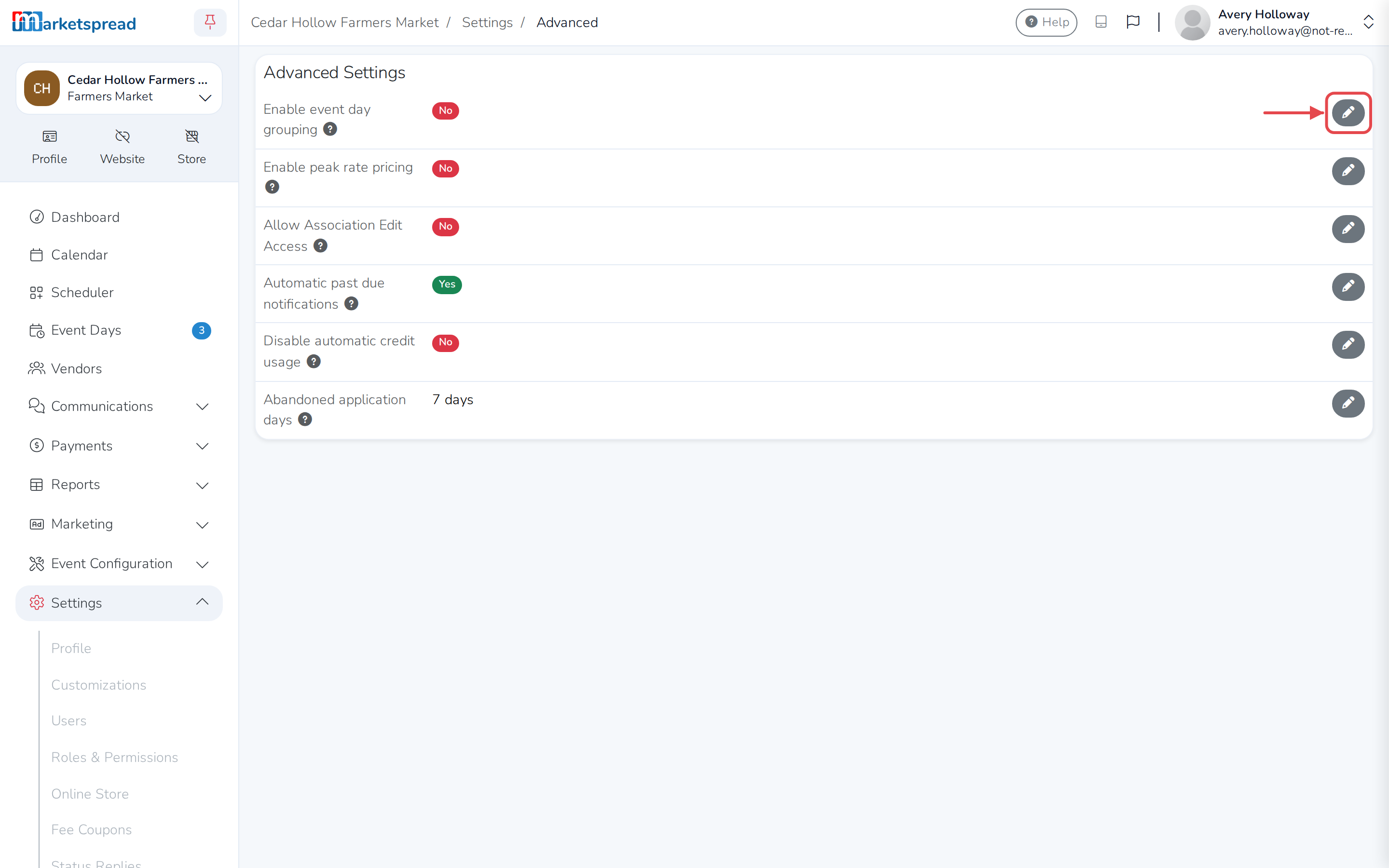
Click the pencil next to Enable event day grouping.
-
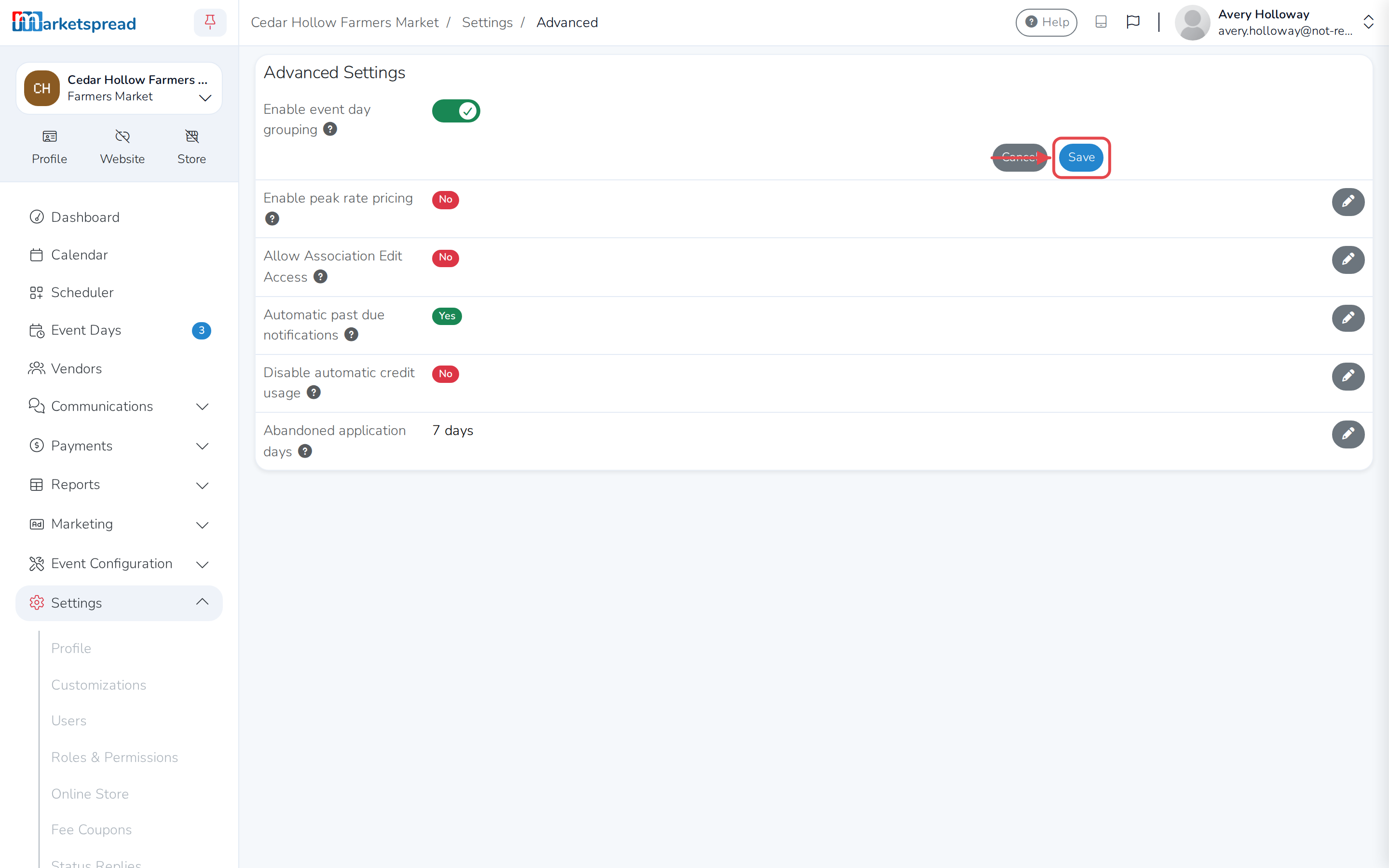
Turn on the switch and click Save.
Group your event days together
-
Open Event Configuration, then Events, and pick the event.
-
Open the Days tab and click the edit pencil.
-
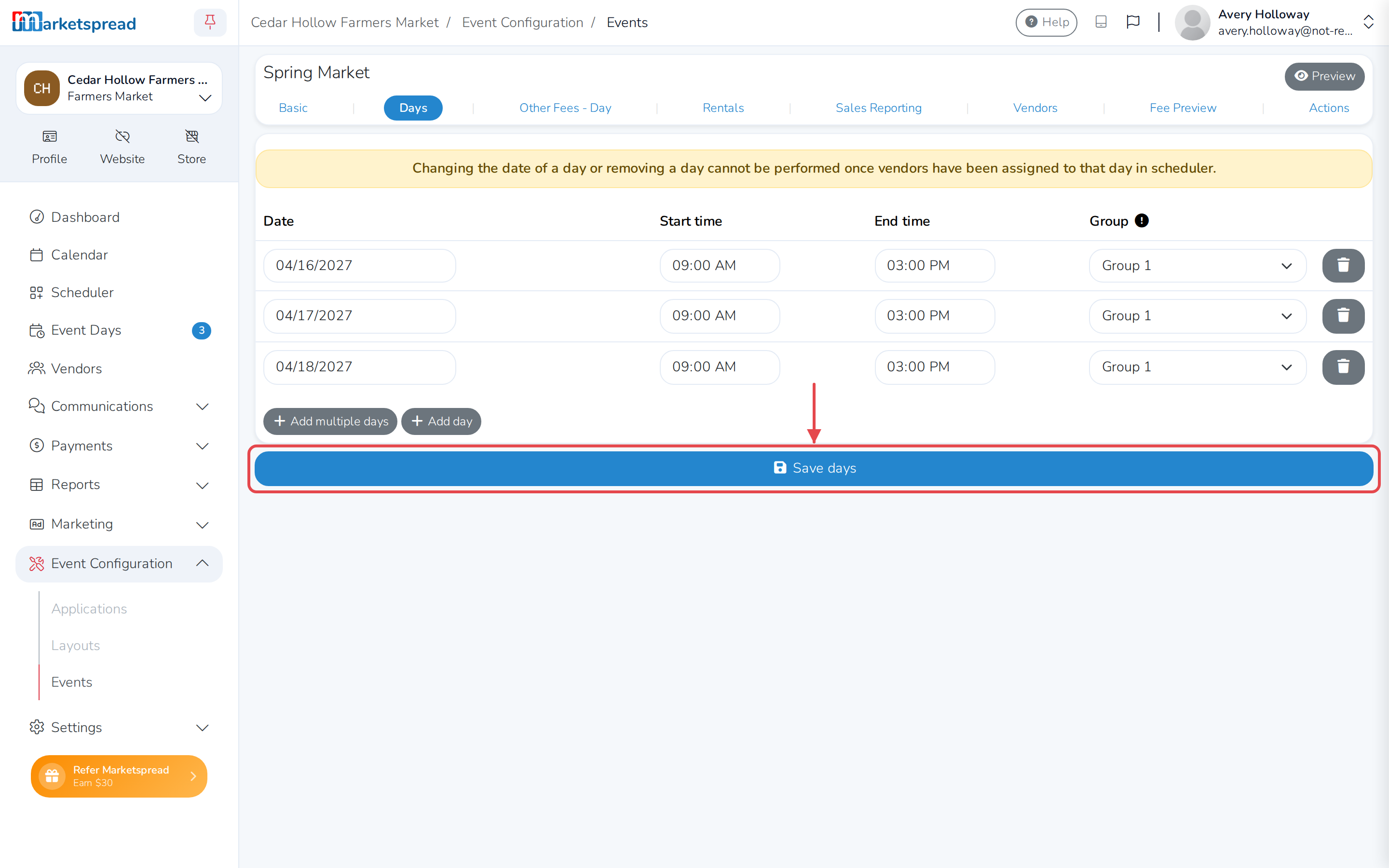
For each day you want tied together, choose the same option from the
Group dropdown — Group 1, or any other number. It only matters
that every day you want grouped shares the same one. -
Click Save days.
What a vendor sees when they apply
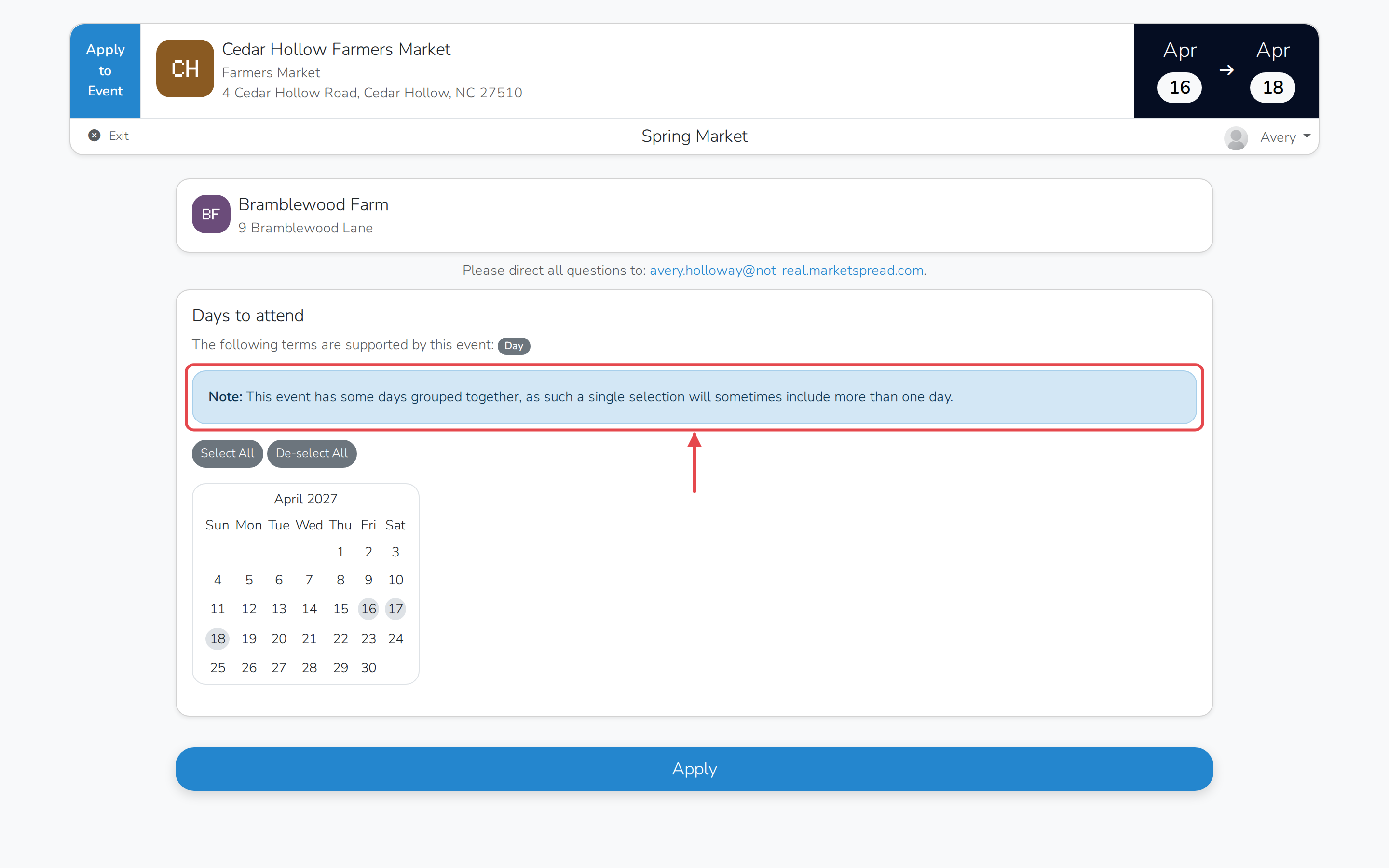
When a vendor applies to an event with grouped days, a note tells them some
days are grouped together.
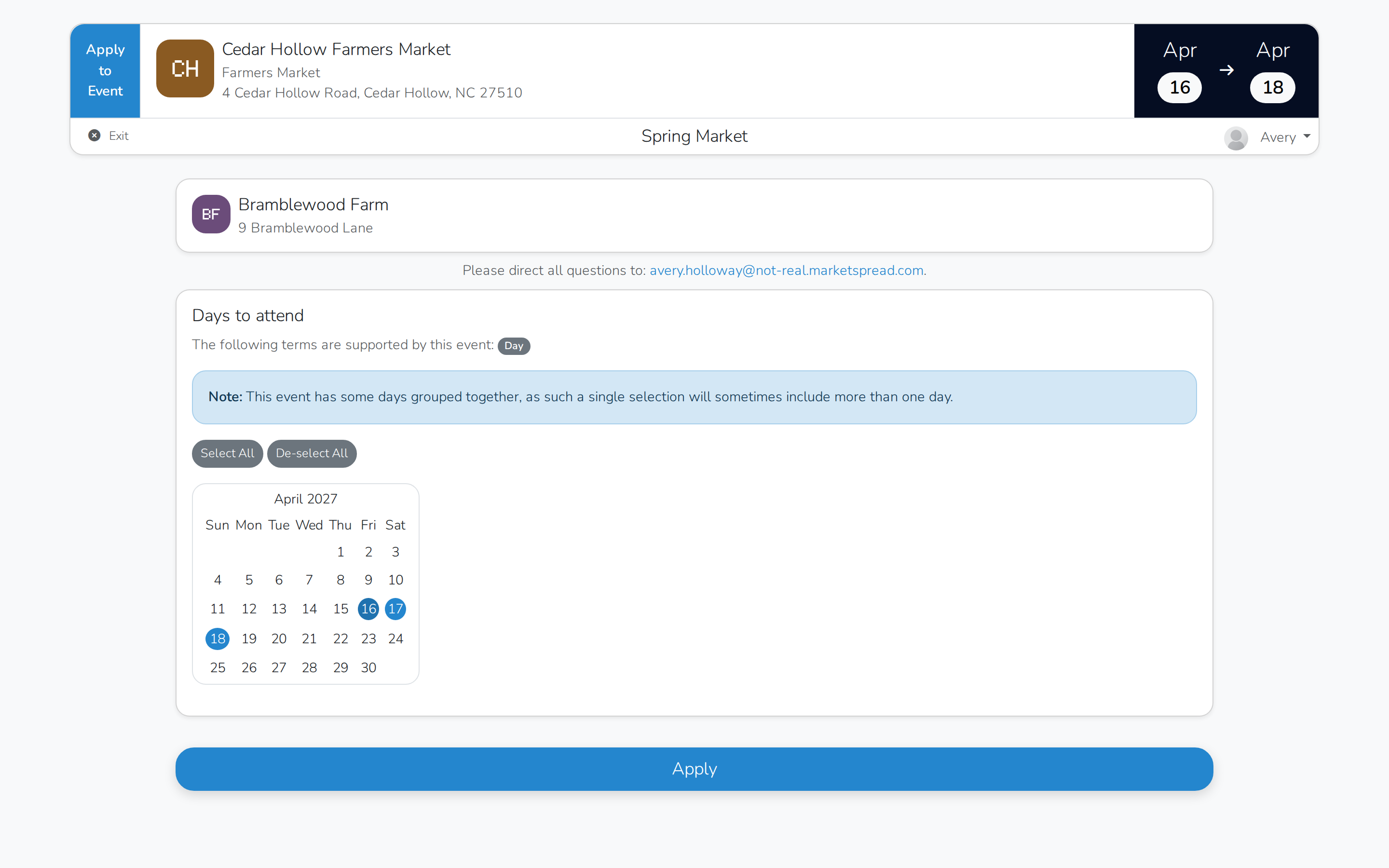
Selecting one day in the group selects the rest for them automatically.
Schedule a vendor across a group
-
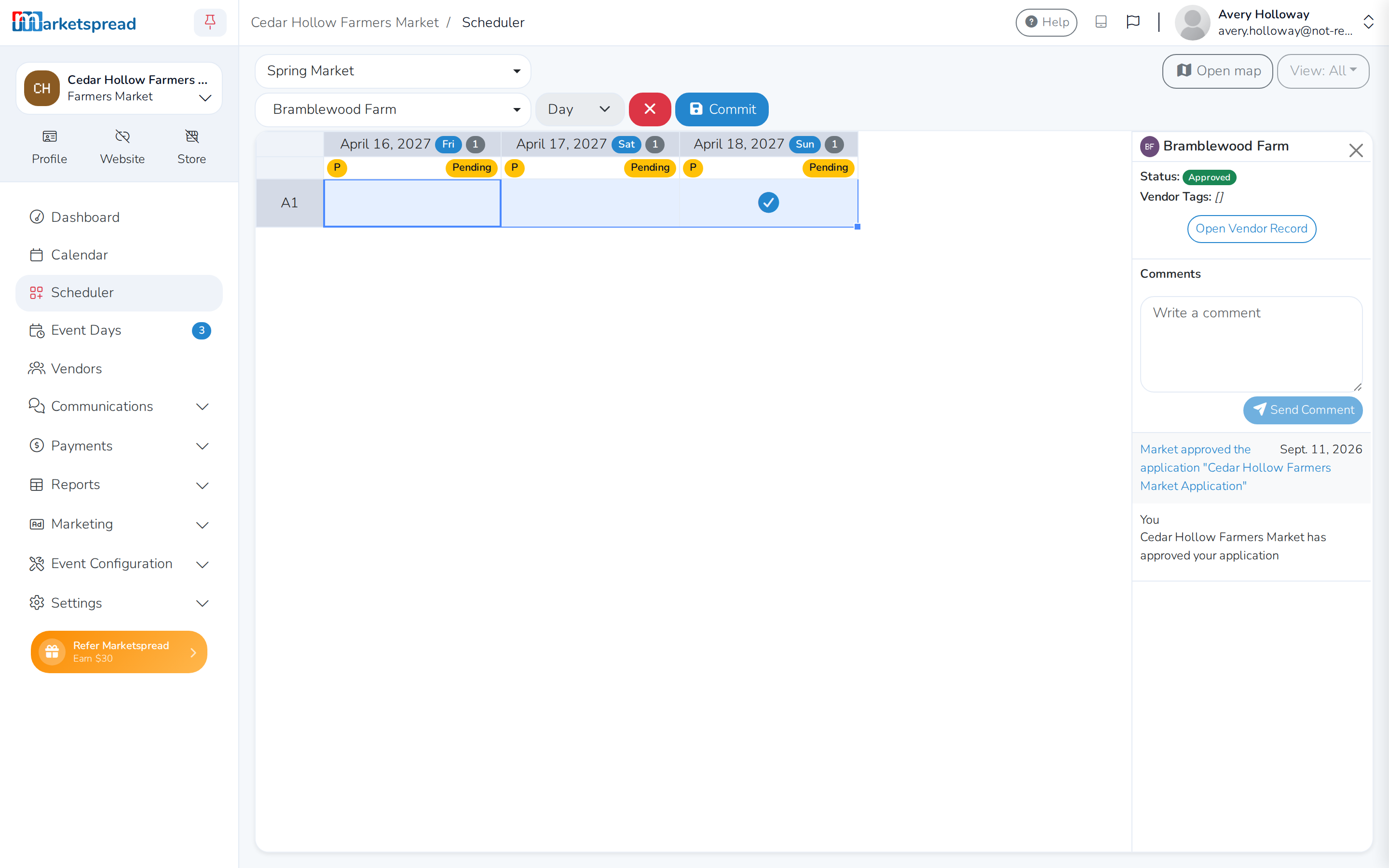
In Scheduler, select all the days in a group for one booth space.
-
Right-click the selection and choose Assign space(s).
-
Click Commit, then Confirm.
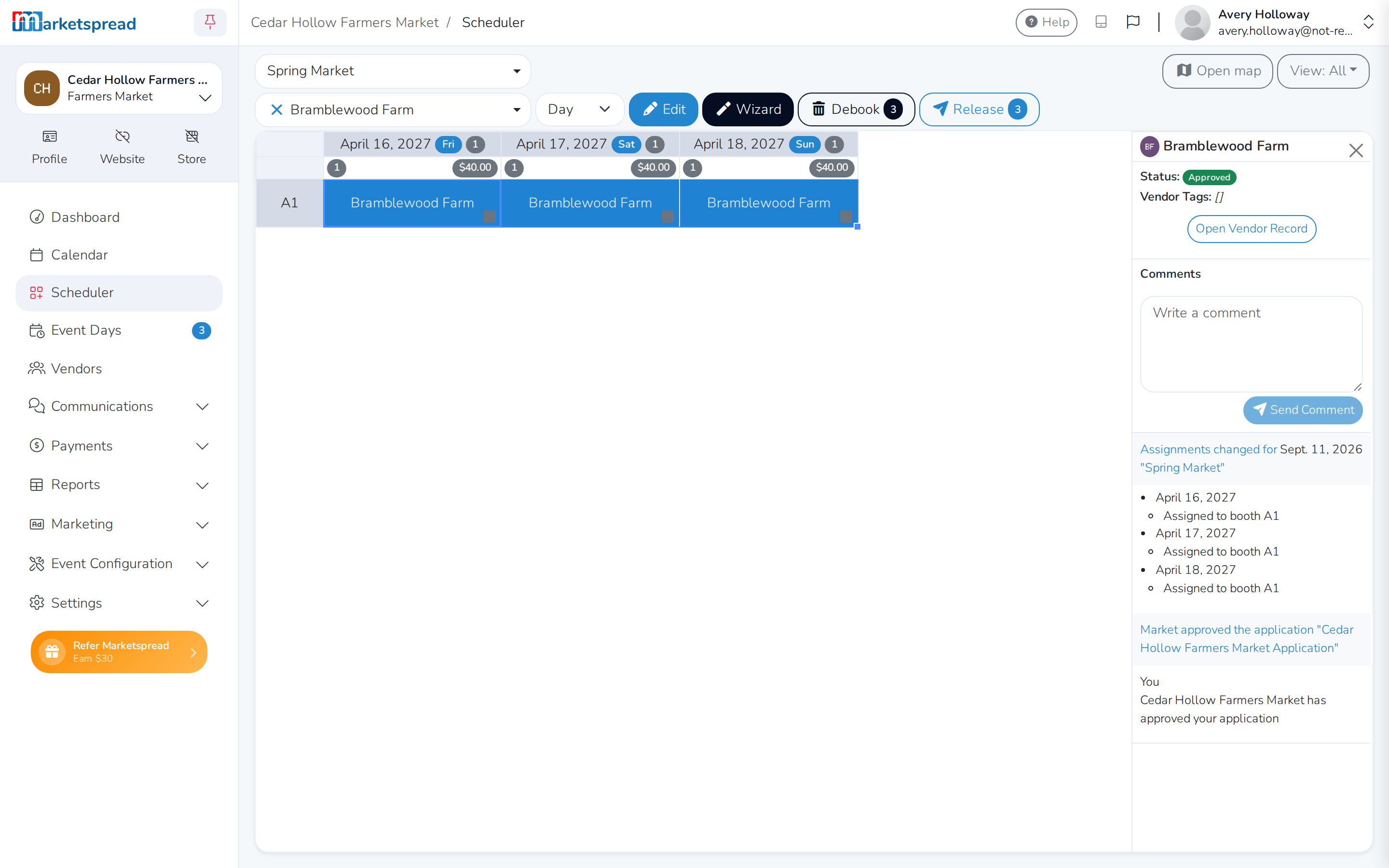
The vendor is booked into every day in the group at once.
Note
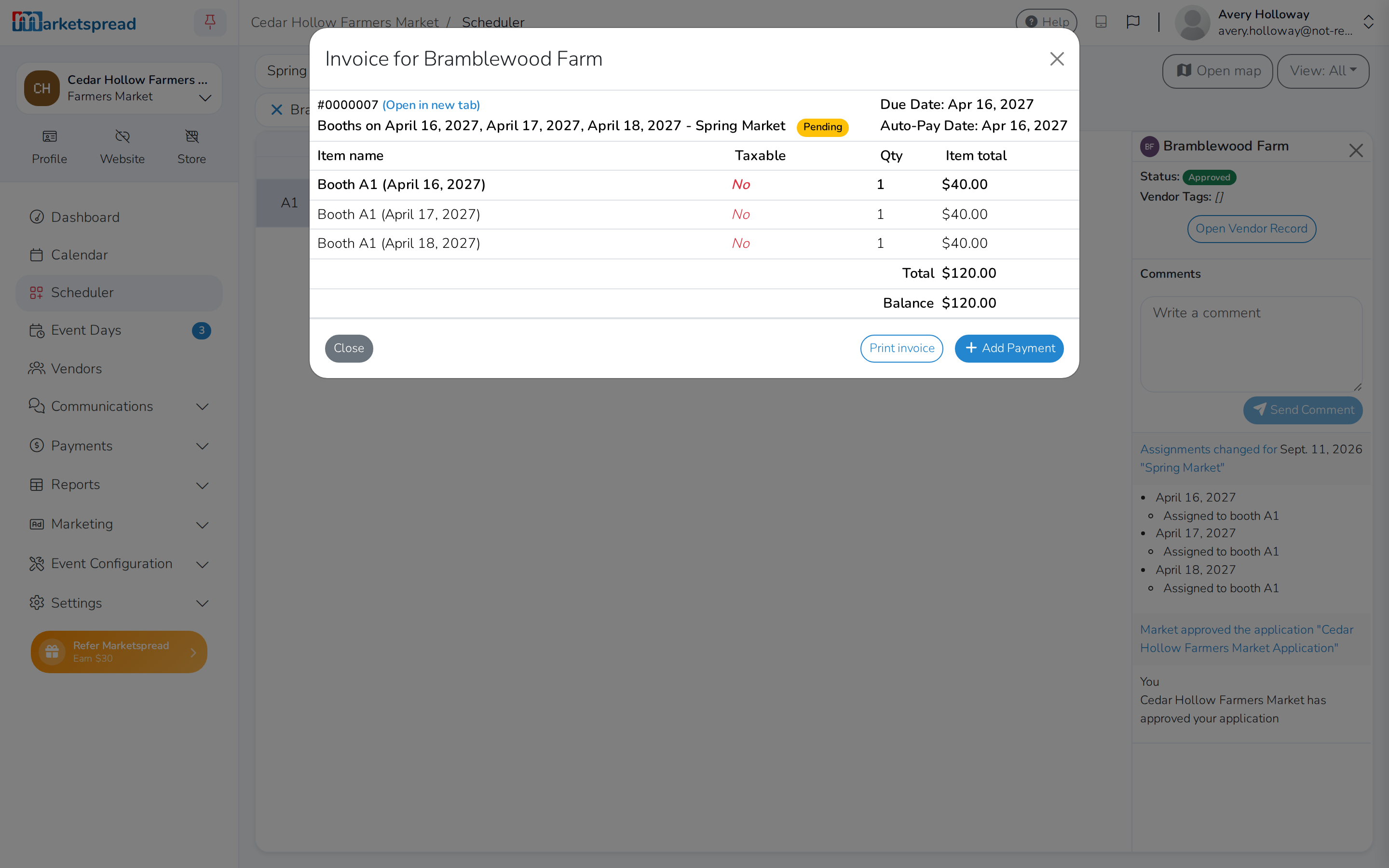
Each day in a group is still priced separately. To charge $120 for a
three-day grouped event, price each day at $40.
Combine a group's invoices into one
-
After scheduling a group, select the same days again in Scheduler.
-
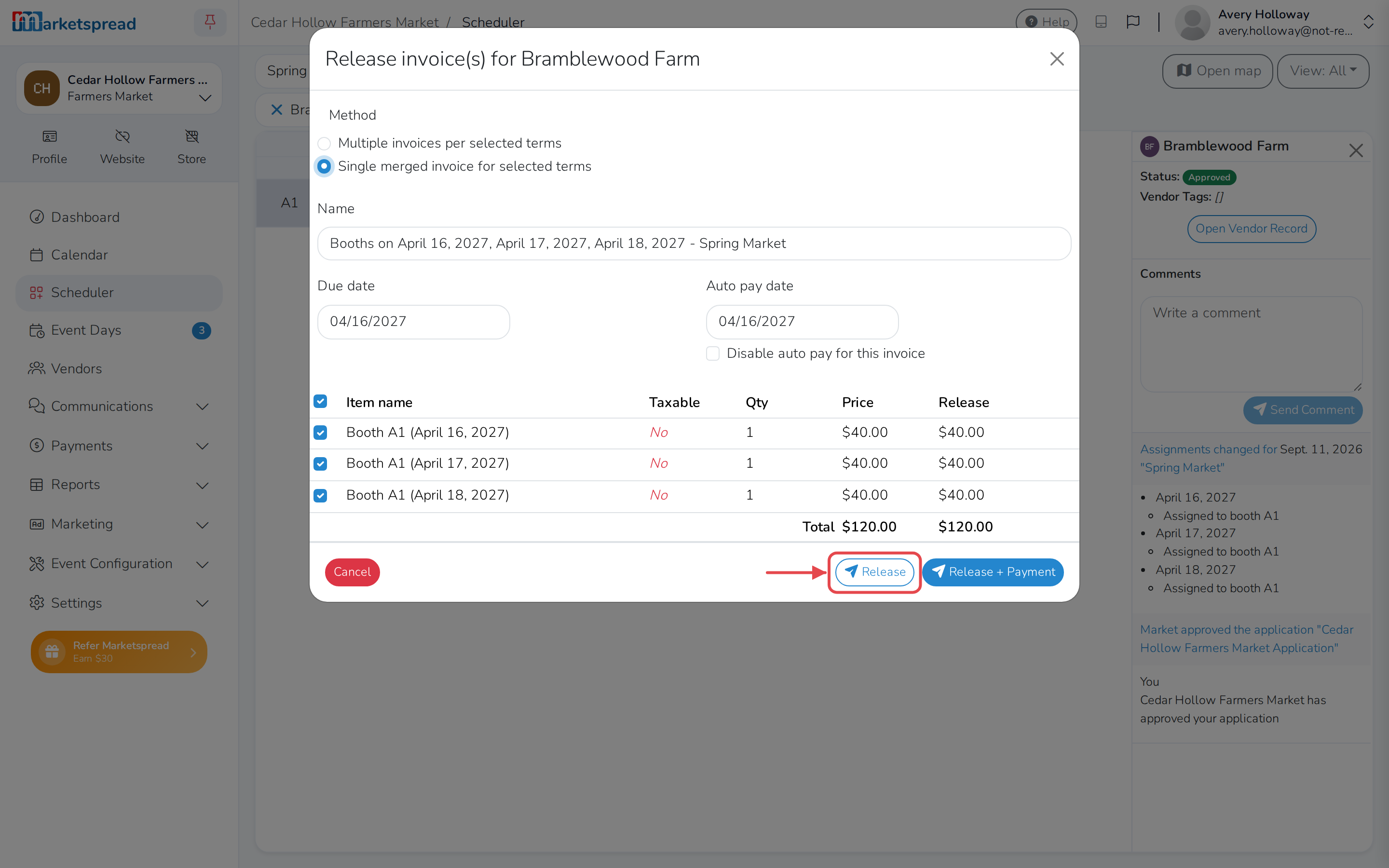
Right-click the selection and choose Release invoice(s).
-
Pick Single merged invoice for selected terms.
-
Click Release.
This creates one invoice covering every day in the group, instead of one
invoice per day.