


Every event has its own application window — when vendors can start applying, and when applications close. You can change either date at any time, including extending a deadline that's already passed.
Change your application dates
-
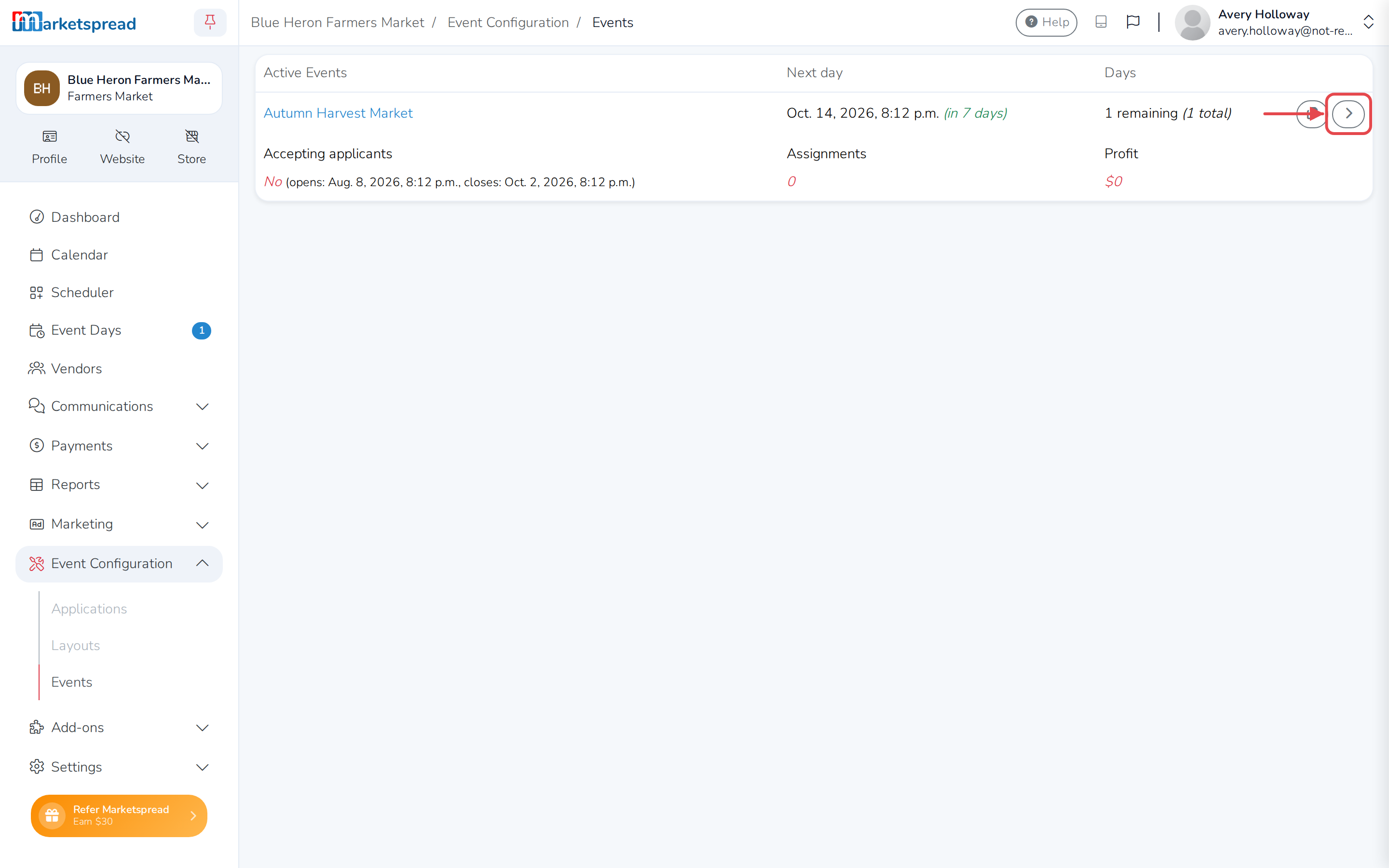
Click Events under Event Configuration.
-
Find the event you want to change, and click the arrow on the right of its row to open it.
-
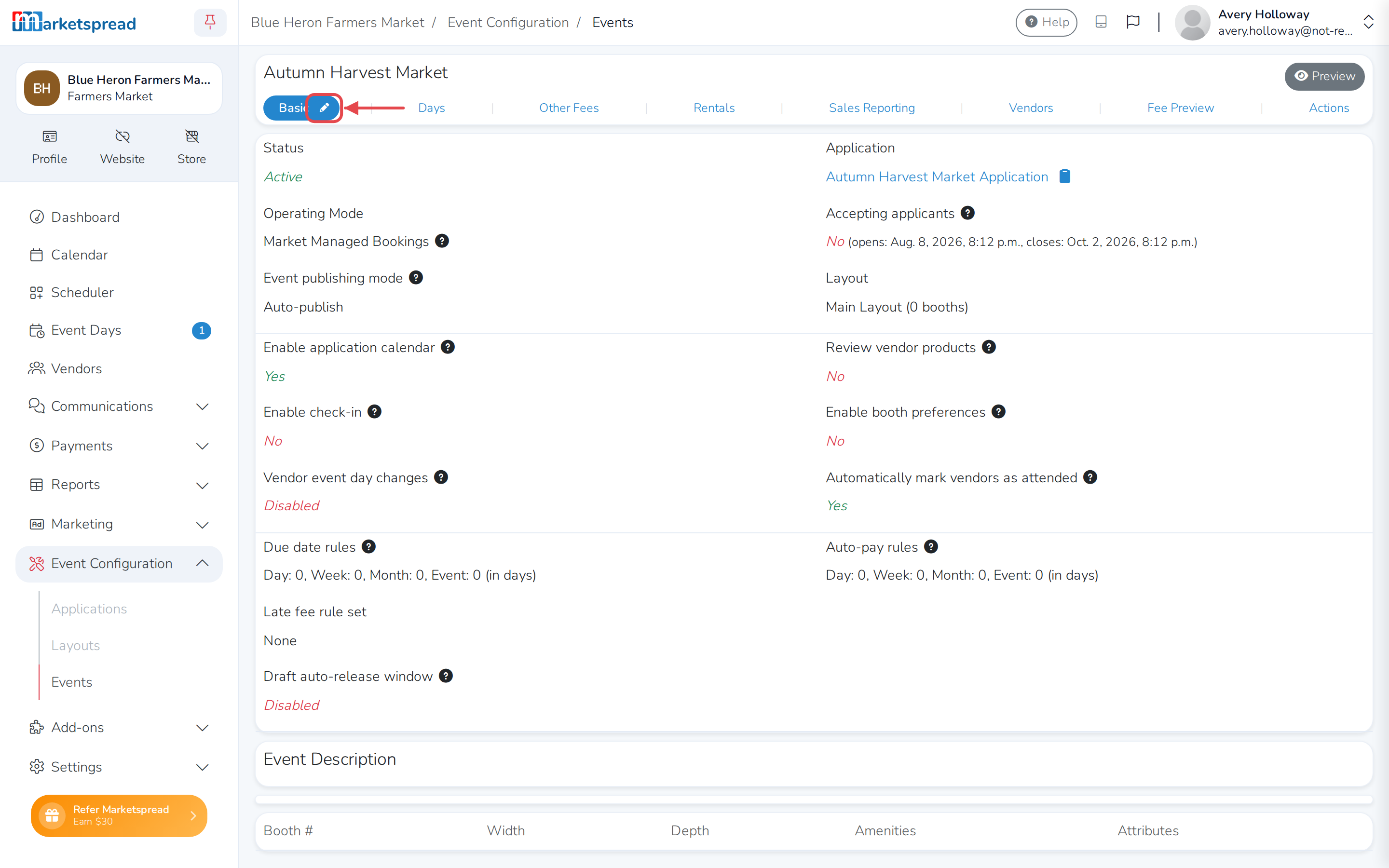
Click the pencil icon next to Basic.
-
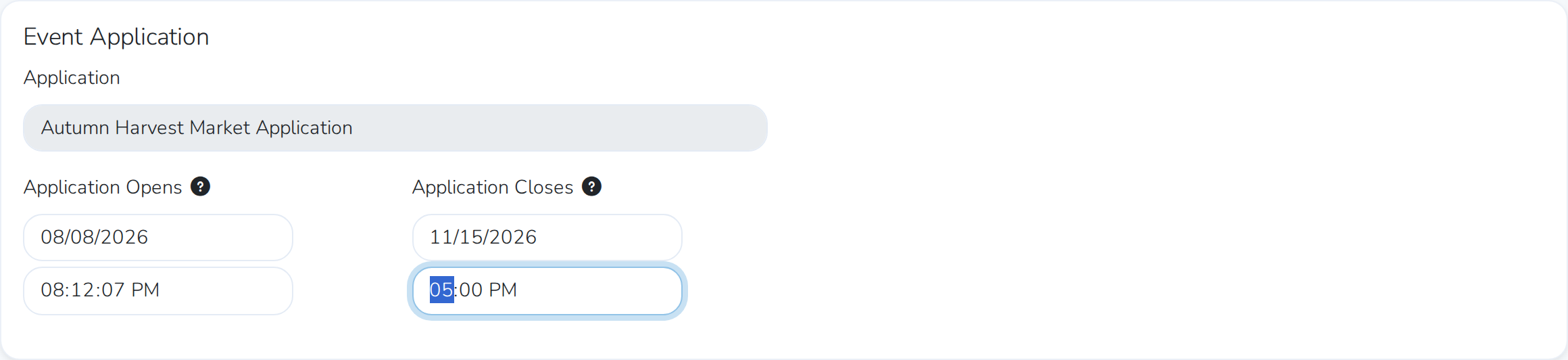
Under Event Application, set Application Opens and Application Closes to the dates and times you want.
-
Scroll to the bottom and click Save basic.
This is the only way to change an event's application window — there's no separate shortcut for extending a deadline.
Note
Editing an event's Basic tab is also where you'd change its layout and publish mode. The application dates are just one section on that page.