


Document signing lets vendors sign documents you've attached to your
application, like a waiver or hold harmless agreement, with a real electronic
signature. It isn't part of your base plan — turning it on costs $5 a month,
plus $1 for every document signed that month.
- Turn it on
- See what you've been billed
- Update the card on file
- Turn it off
Turn on document signing
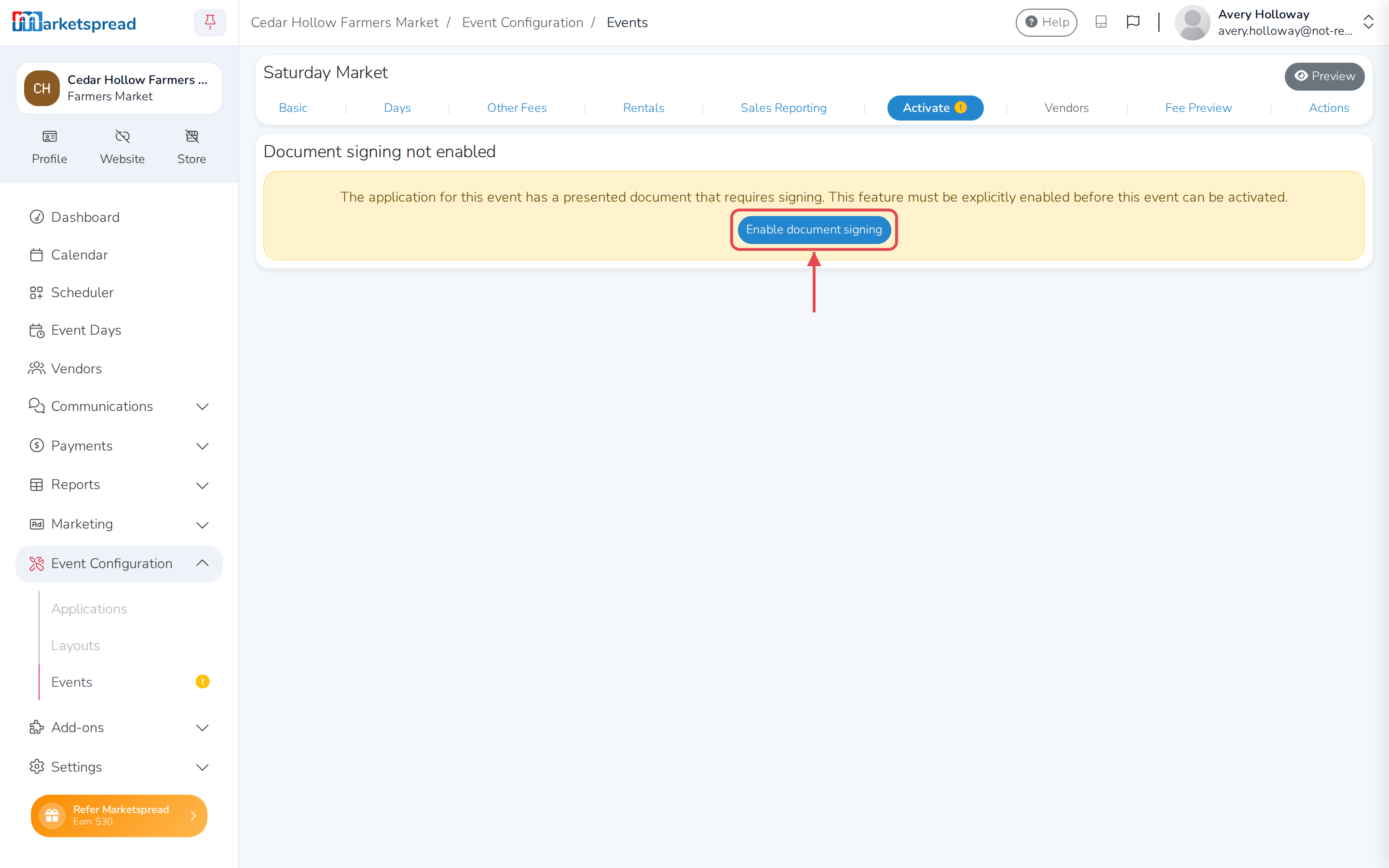
An event whose application includes a document to sign can't activate until
document signing is on. Try to activate one anyway, and you'll see a notice
with a shortcut to turn it on.
-
Open Add-ons, then Document Signing.
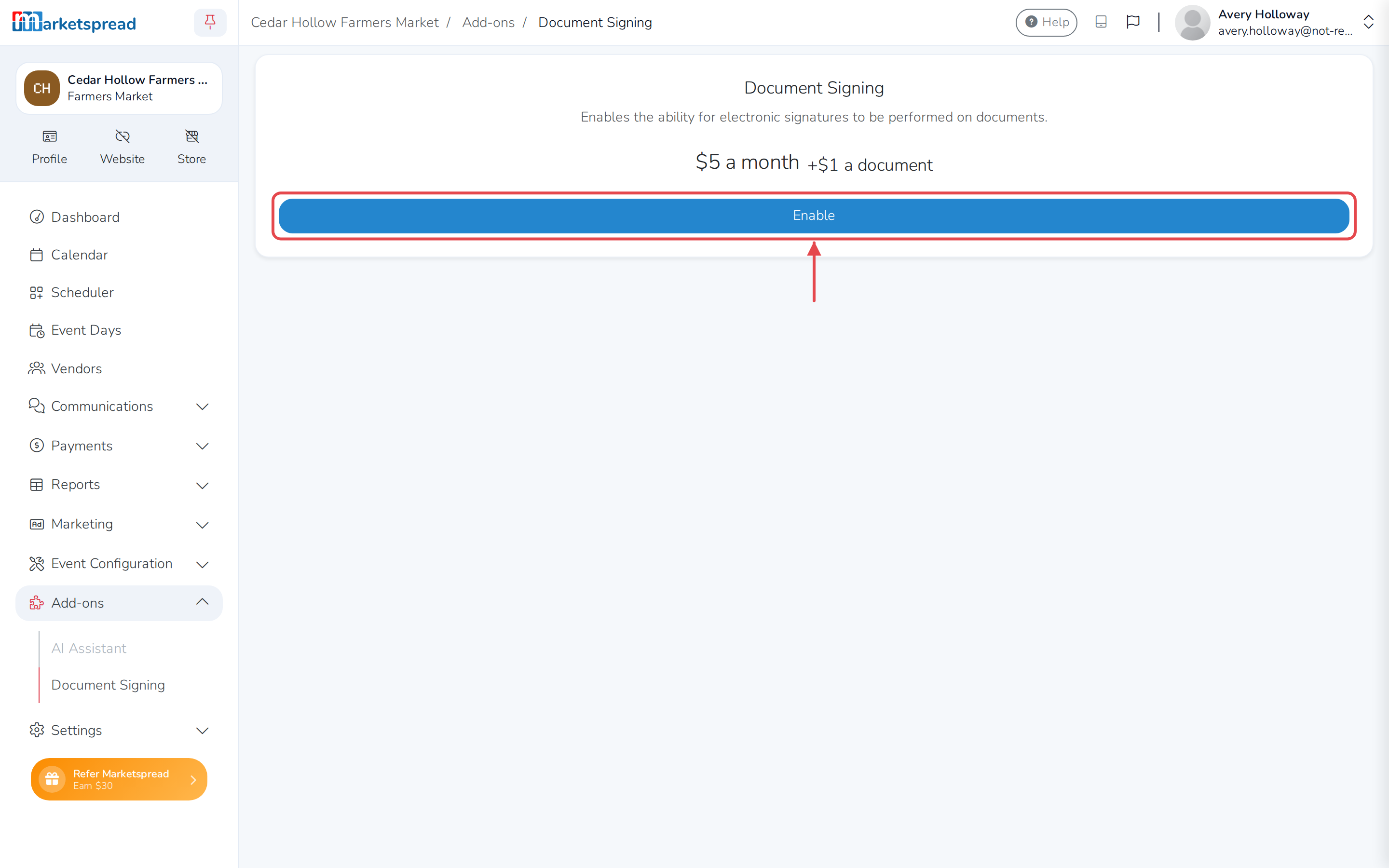
-
Click Enable.
-
Enter your card details, or choose a card you already have on file.
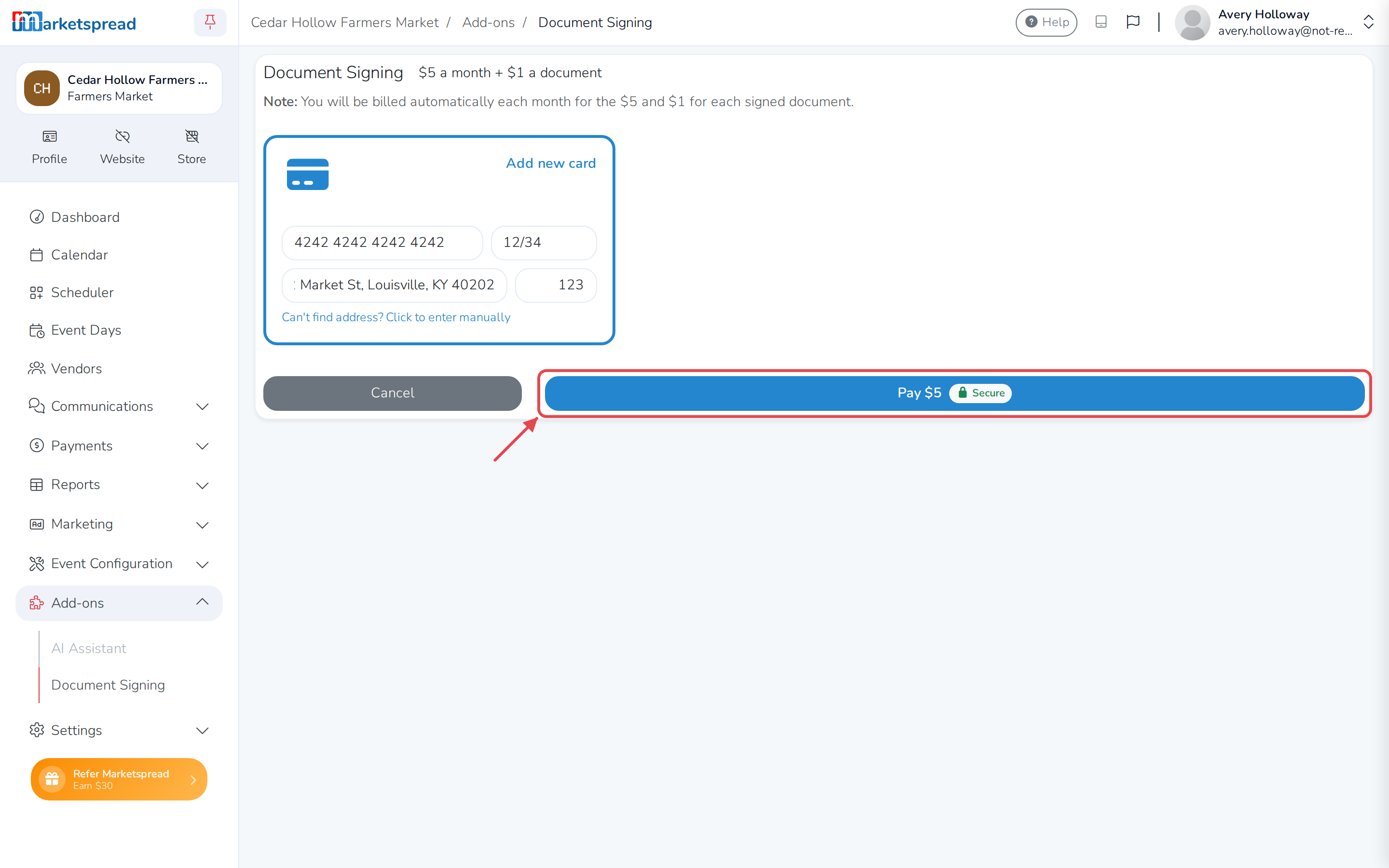
-
Click Pay $5.
You're taken back to Document Signing, now showing as Enabled.
See what you've been billed
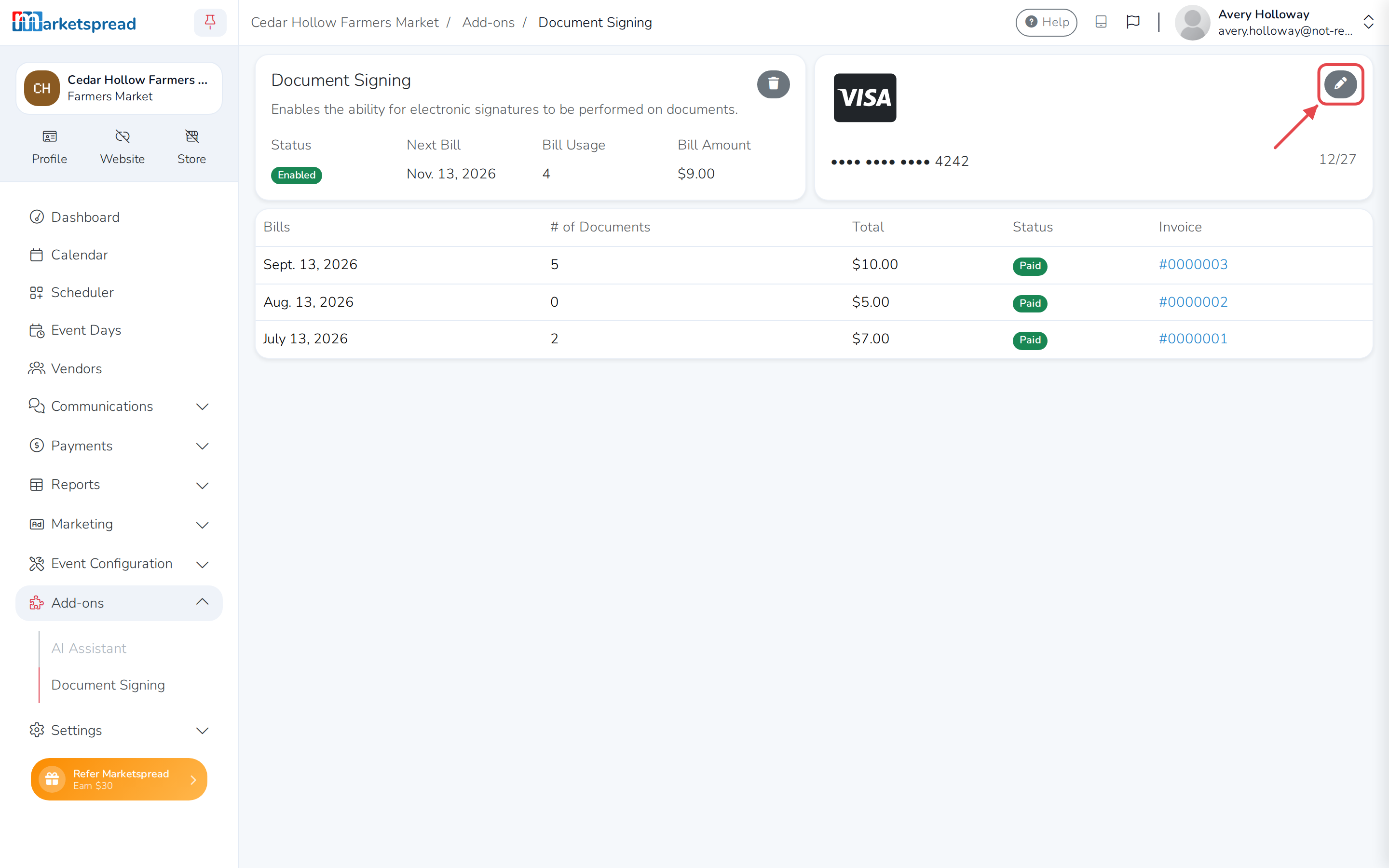
Document Signing shows your status, your next bill date, how many
documents you've used this month, and the amount of your next bill. Below
that, every past bill is listed with its number of documents, its total,
whether it's paid, and a link to its invoice.
Update the card on file
-
On Document Signing, click the pencil icon on your card, or Add
card if you don't have one on file. -
Enter your new card details.
-
Click Update.
Turn off document signing
-
On Document Signing, click the trash can icon.
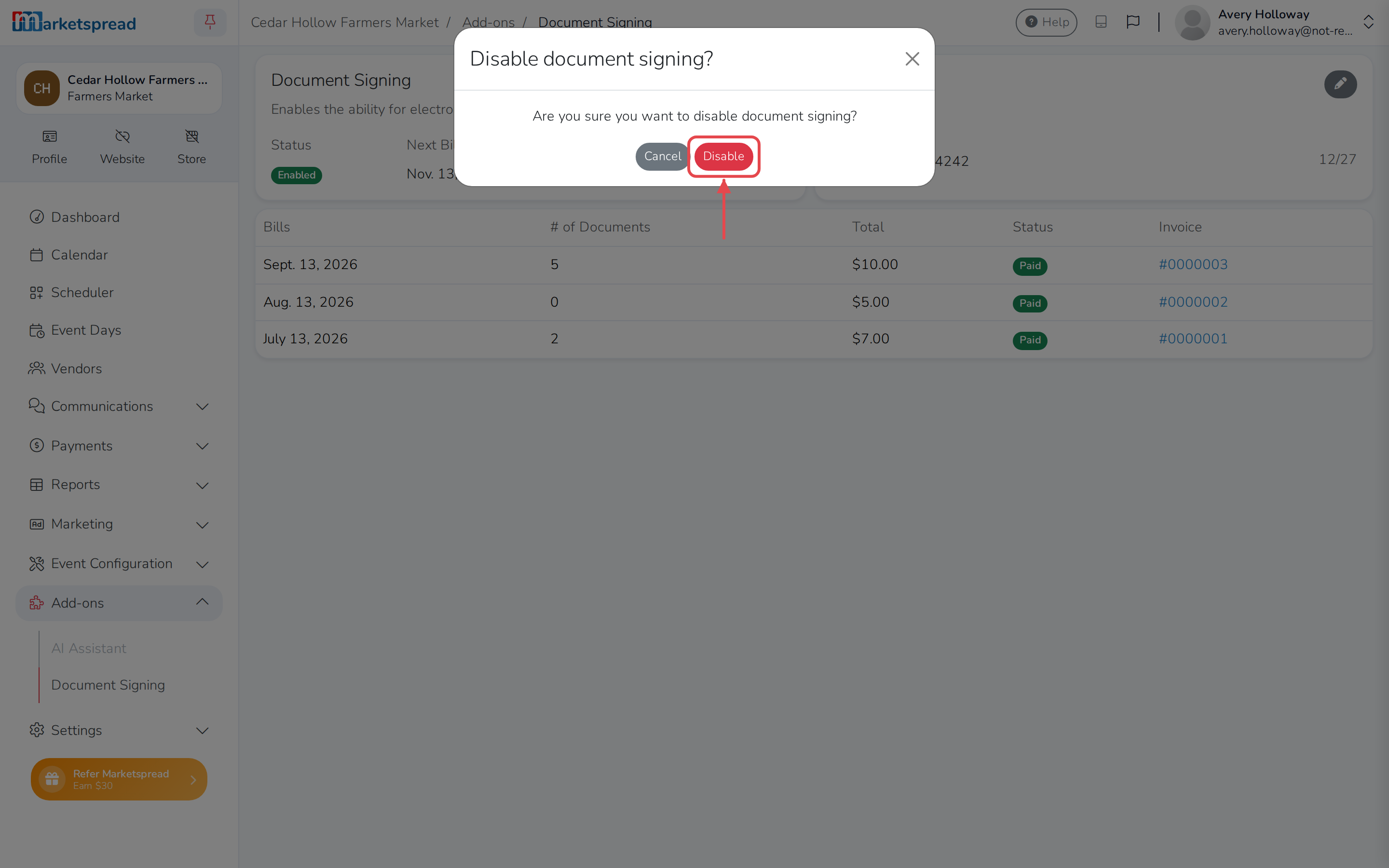
-
Click Disable to confirm.
Caution
Any documents already signed this billing period are still billed for,
even after you disable it.