


A customer can cancel their own booking request any time up until they've signed a contract for it. When they do, the booking's status changes to Cancelled, you get notified, and the space frees up again. Here's where to find it, and what happens to any quote or invoice you'd already sent.
Get notified
- Click the flag icon at the top of the page. It opens your Notifications, where a cancelled booking shows up as a new one.
- Click Review booking on it to open the booking.
Find a cancelled booking
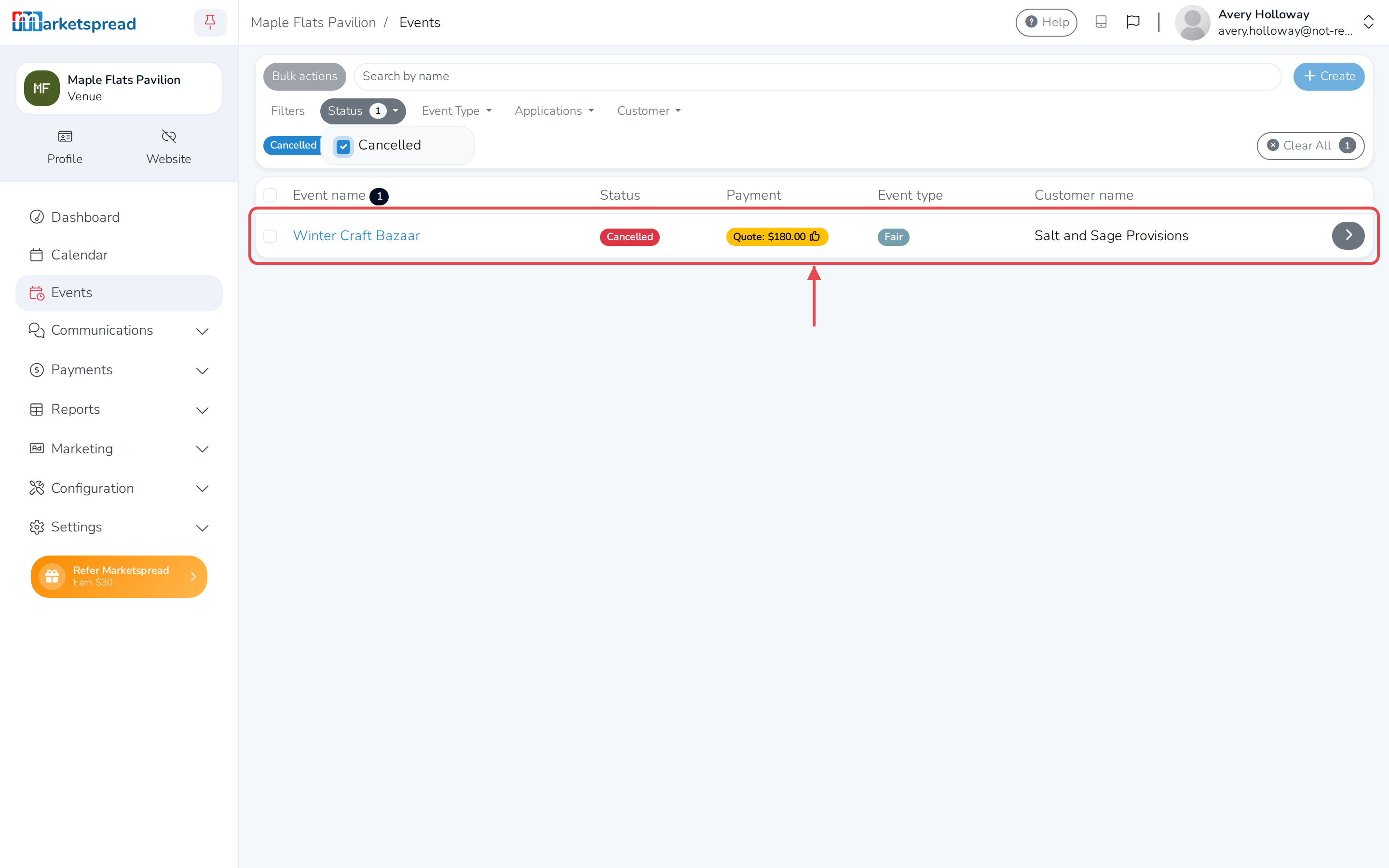
Cancelled bookings don't show in your Events list by default.
-
Click Events in the left-hand menu.
-
Click Status in the filter bar.
-
Check Cancelled. The booking shows in the list with a red Cancelled badge.
Check on a quote or invoice you already sent
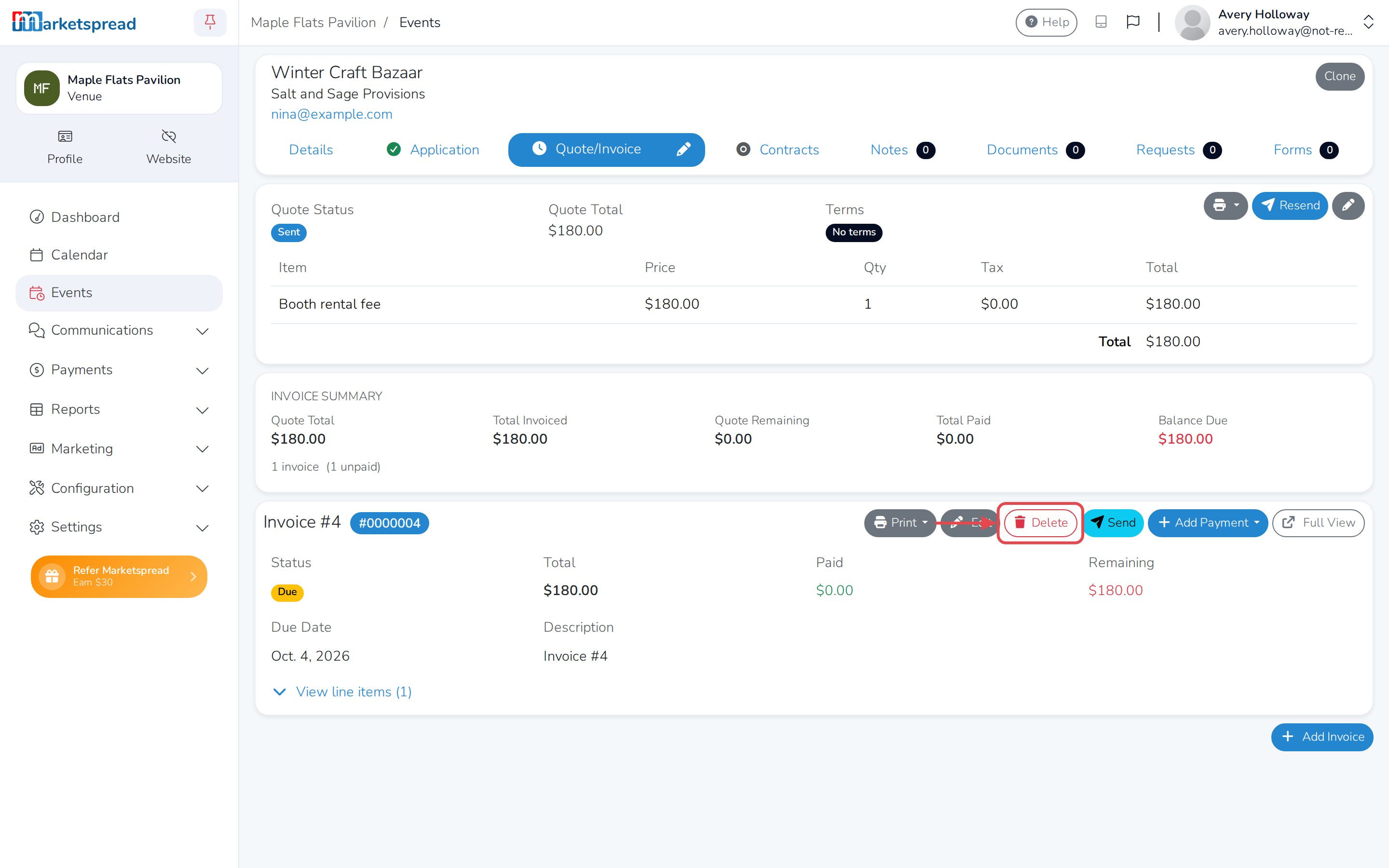
Cancelling doesn't touch a quote or invoice you'd already sent — it stays exactly as it was, still showing Due, Past due or Paid.
- Open the cancelled booking from your Events list.
- Click the Quote/Invoice tab.
- If you don't want to collect on an unpaid invoice, click Delete next to it.
The space is available again
Once a booking is cancelled, its space and dates no longer block a new booking. You can quote another customer for the same space and time without anything to clear first.