


Each application at your venue can ask customers for documents, like a certificate of insurance or a business license. Ask for anything you need before you'll accept their booking. Mark a document as required and a customer has to upload it before they can submit the application. You'll see what they attached when you review their booking request.
Ask for a document
-
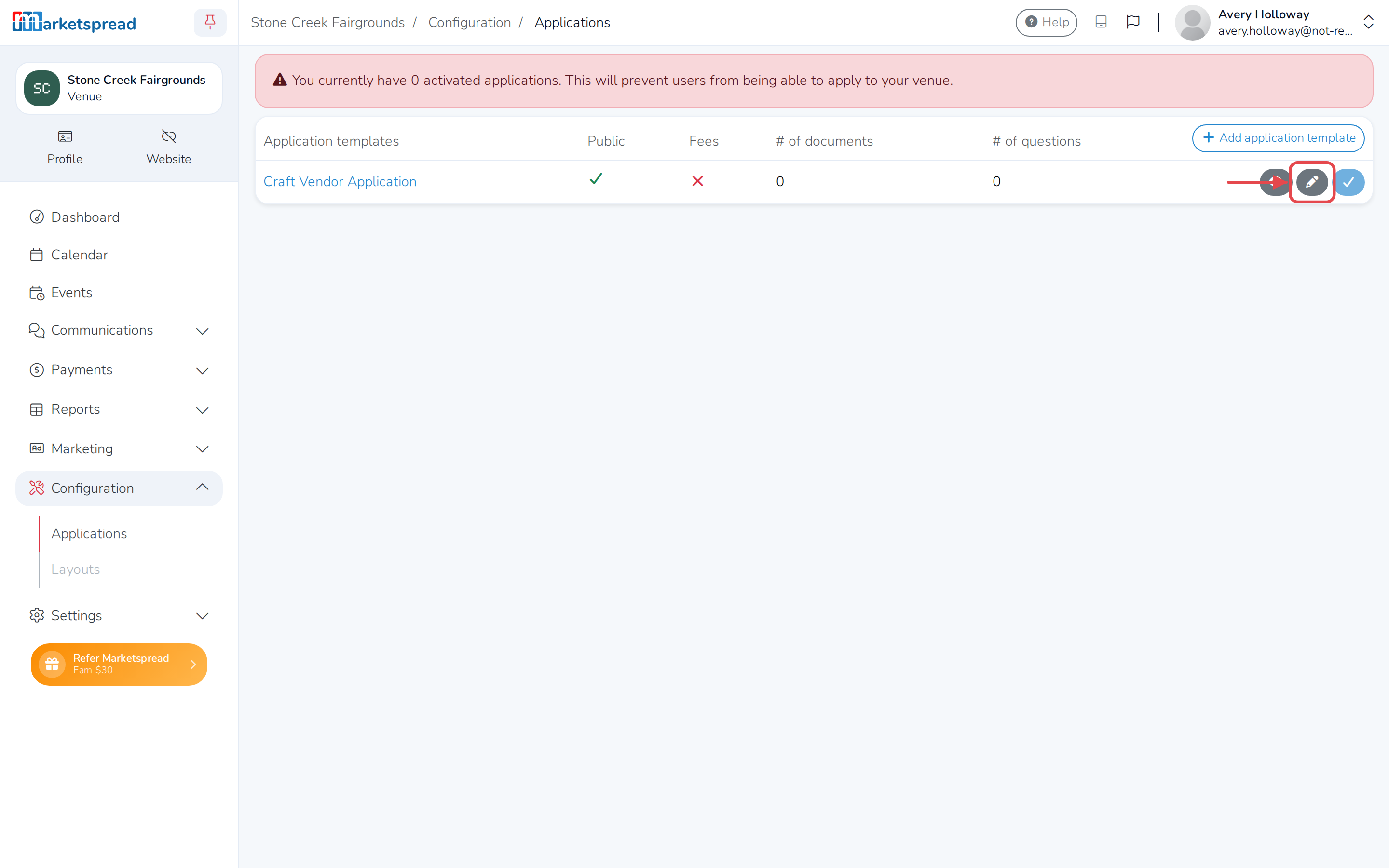
Click Configuration in the left-hand menu.
-
Click Applications.
-
Click the edit icon next to the application you want to change.
-
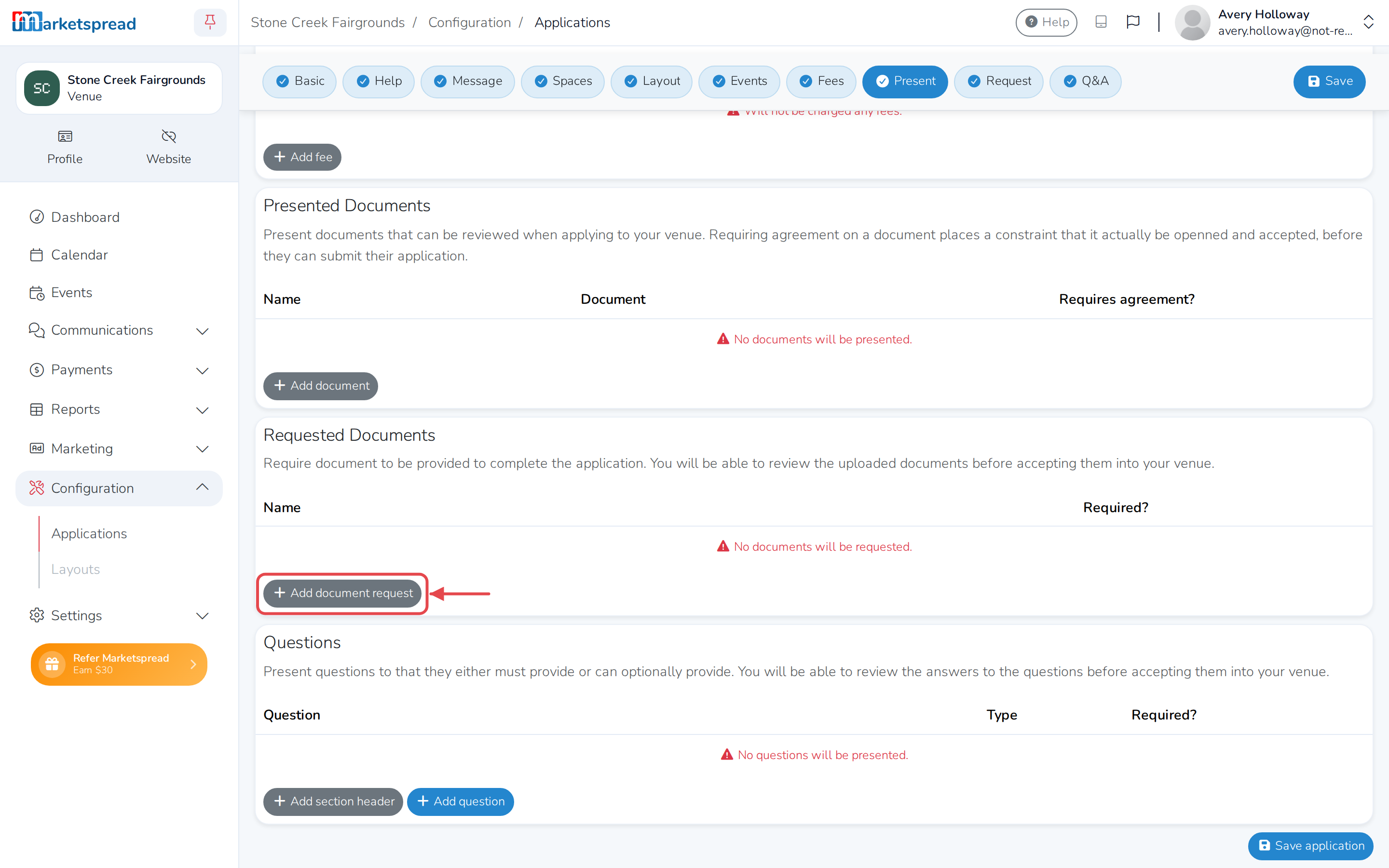
Scroll to Requested Documents.
-
Click Add document request.
-
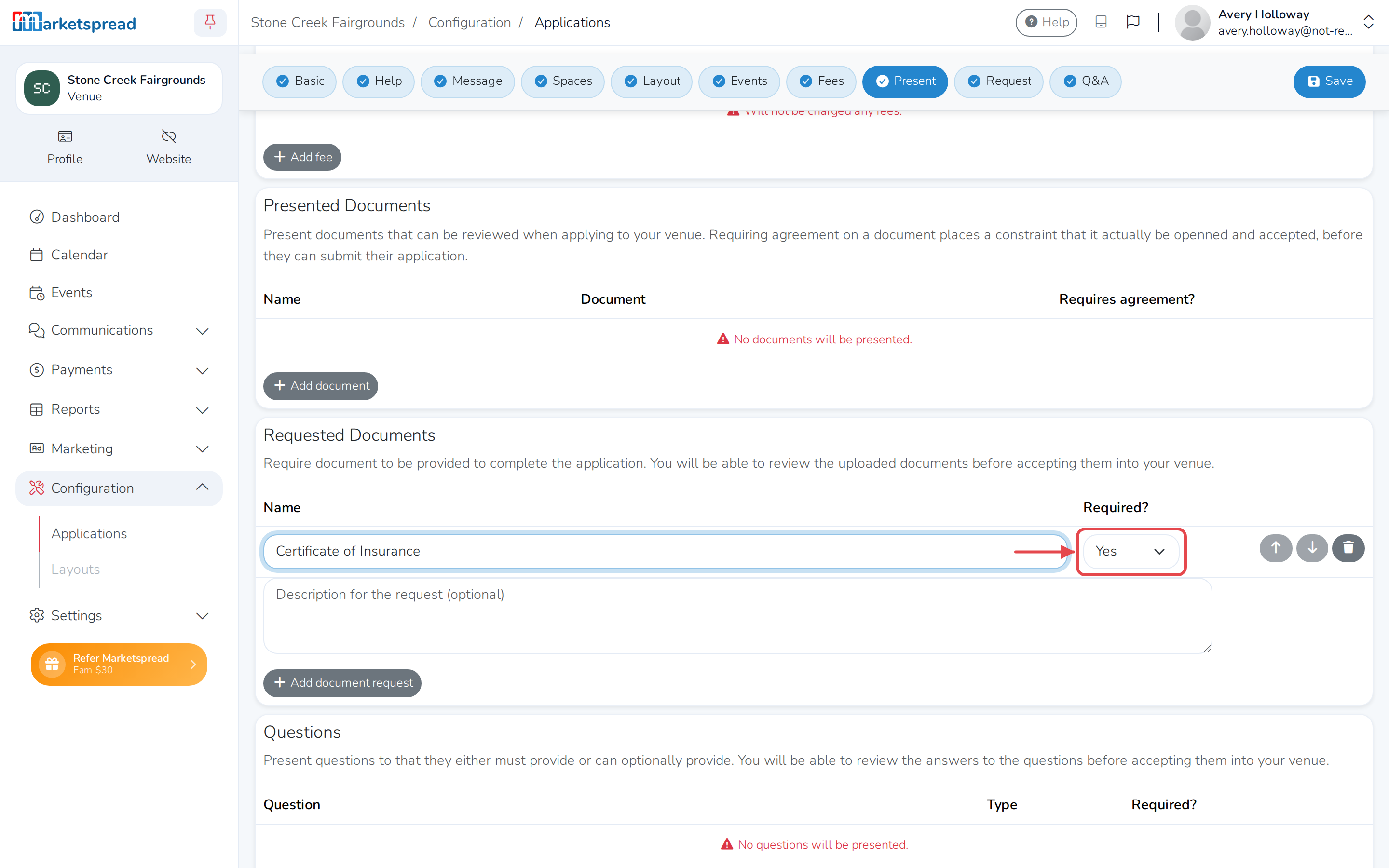
Fill in a Name for the document.
-
Add a Description to tell the customer more about what you need (optional).
-
Leave Required? set to Yes so they must upload it, or choose No to make it optional.
-
Click Save application.
Change or remove a document request
- On the Requested Documents list, edit the Name, Description or Required? for any request directly in the table.
- To remove one, click its trash icon.
- Click Save application.