


Your venue's Applications, under Configuration, are the templates customers fill out to request one of your spaces. Add a fee to one and a customer has to pay it — either when they apply or once you approve them — separate from the quote you send for the event itself.
Add a fee
-
Click Configuration in the left-hand menu, then click Applications.
-
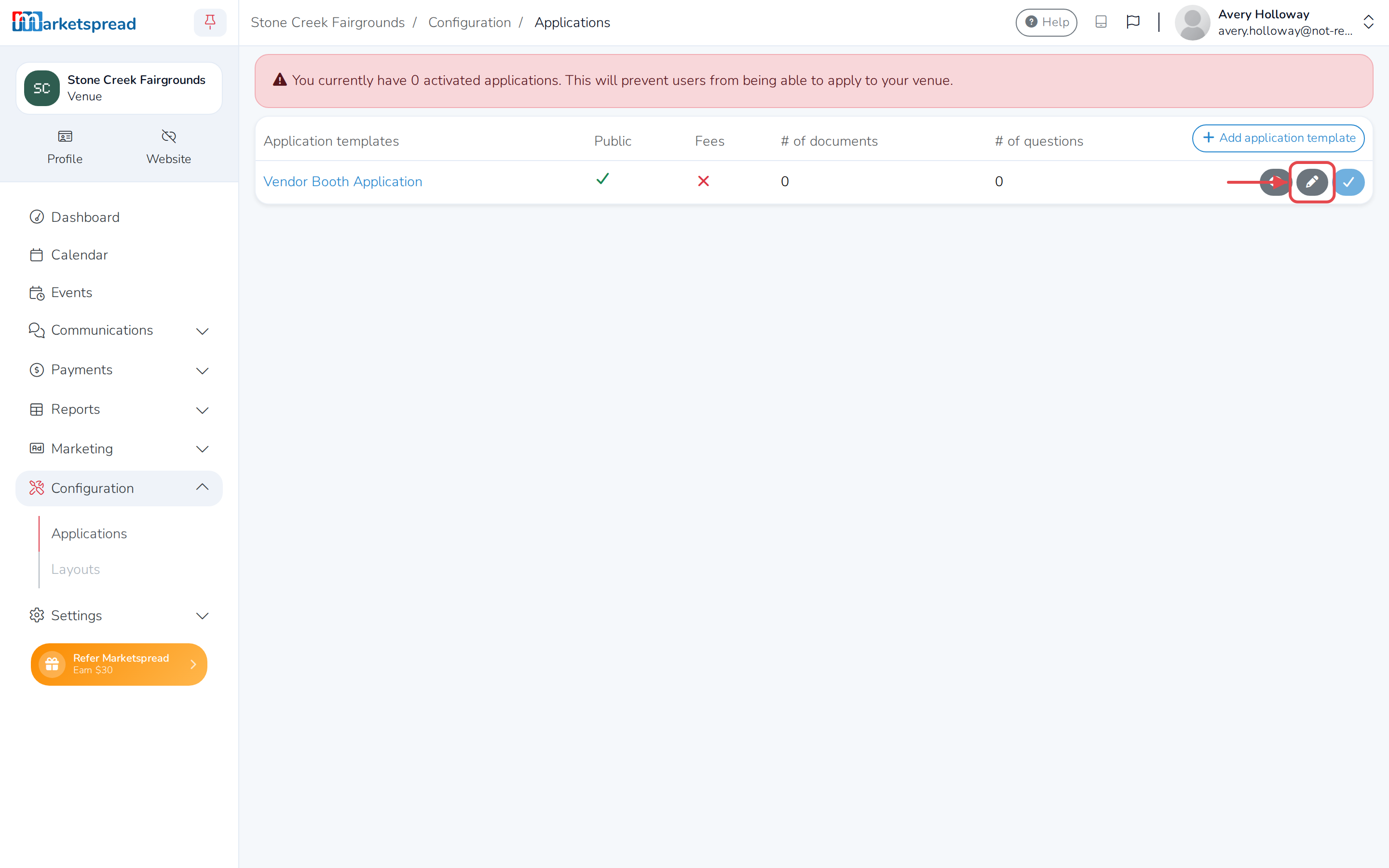
Find the application in the Application templates table and click its pencil icon.
-
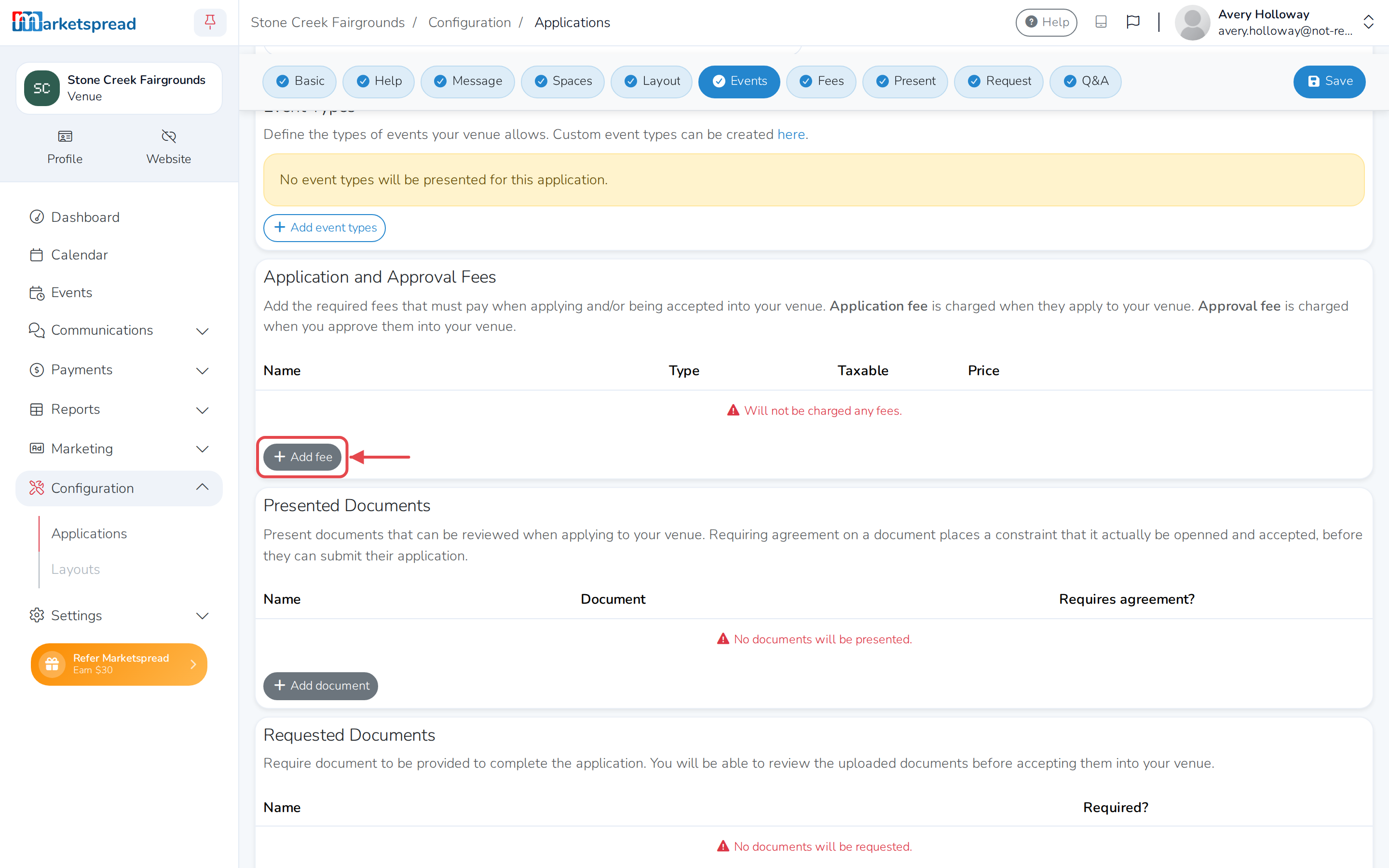
Under Application and Approval Fees, click Add fee for each fee you're charging.
-
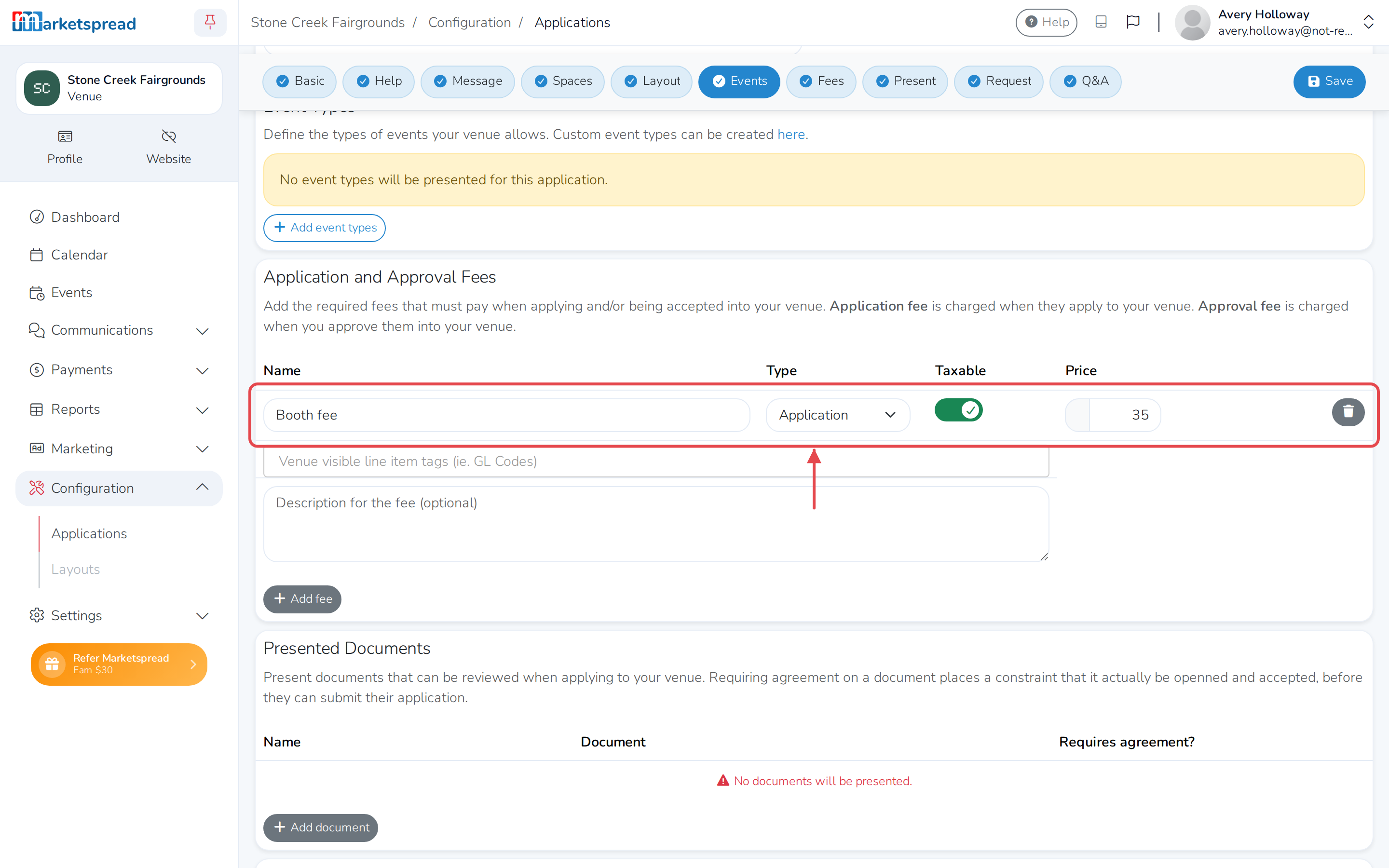
Fill in the fee's Name and Price.
-
Under Type, leave Application selected to charge the fee when the customer applies, or choose Approval to charge it once you approve them into your venue.
-
Turn on Taxable if the fee should include your organization's tax rate.
-
Click Save application.
Remove a fee
- Under Application and Approval Fees, click the trash icon next to the fee.
- Click Save application.
Good to know
An Application fee charges the customer when they apply, before you've reviewed their request. An Approval fee charges them only once you approve them into your venue. Both are separate from the quote you send for the event itself. Leave Application and Approval Fees empty and there's nothing to pay.