


Event types group your bookings into categories, like a wedding or a concert. Set them up from Settings, then Customizations in your venue dashboard. Add them to a booking application and customers pick one when they apply — it also shows next to their booking in your calendar's list view.
Note
A new venue starts with a set of event types already added — Concert, Conference, Expo, Fair, Market, Social, Wedding and Other. Edit or delete them to match what you actually book.
Add an event type
-
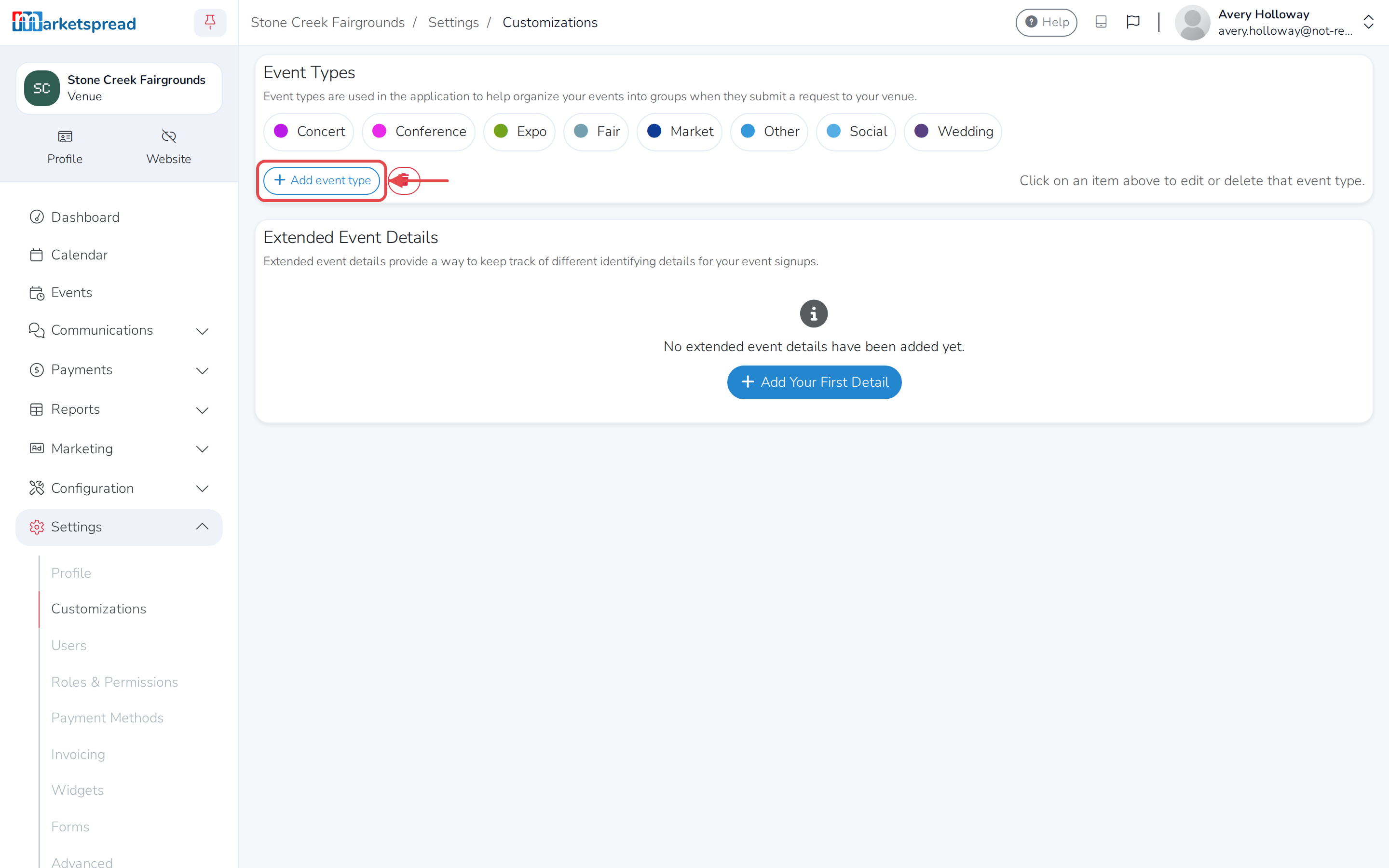
Click Settings, then Customizations.
-
Under Event Types, click Add event type.
-
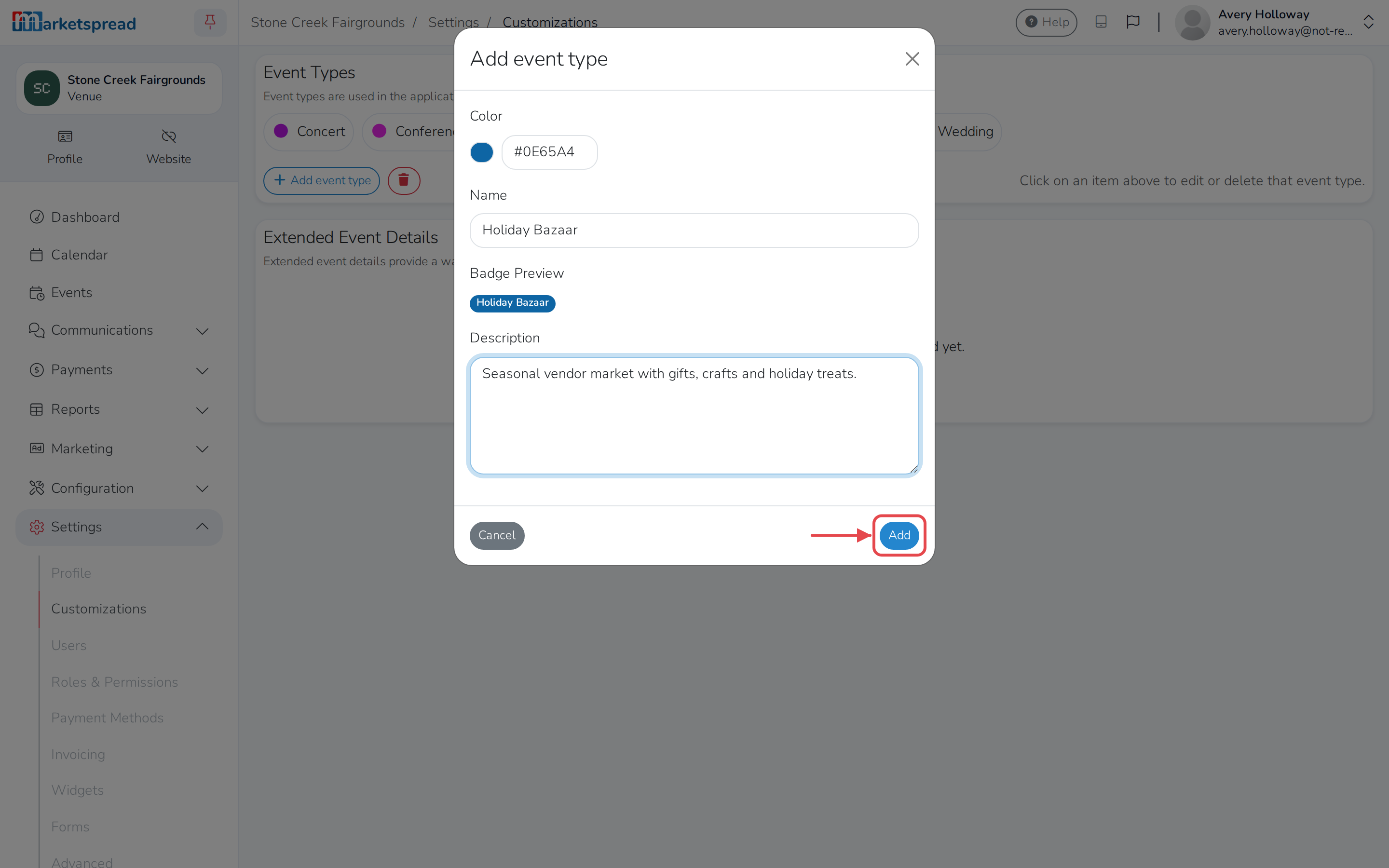
Click the color swatch to choose a Color, or type its hex code into the box next to it.
-
Fill in a Name. This is what customers see when they pick an event type on your booking application.
-
Add a Description if you want a reminder for yourself — customers don't see it.
-
Click Add.
Edit an event type
-
Click Settings, then Customizations.
-
Under Event Types, click the one you want to change.
-
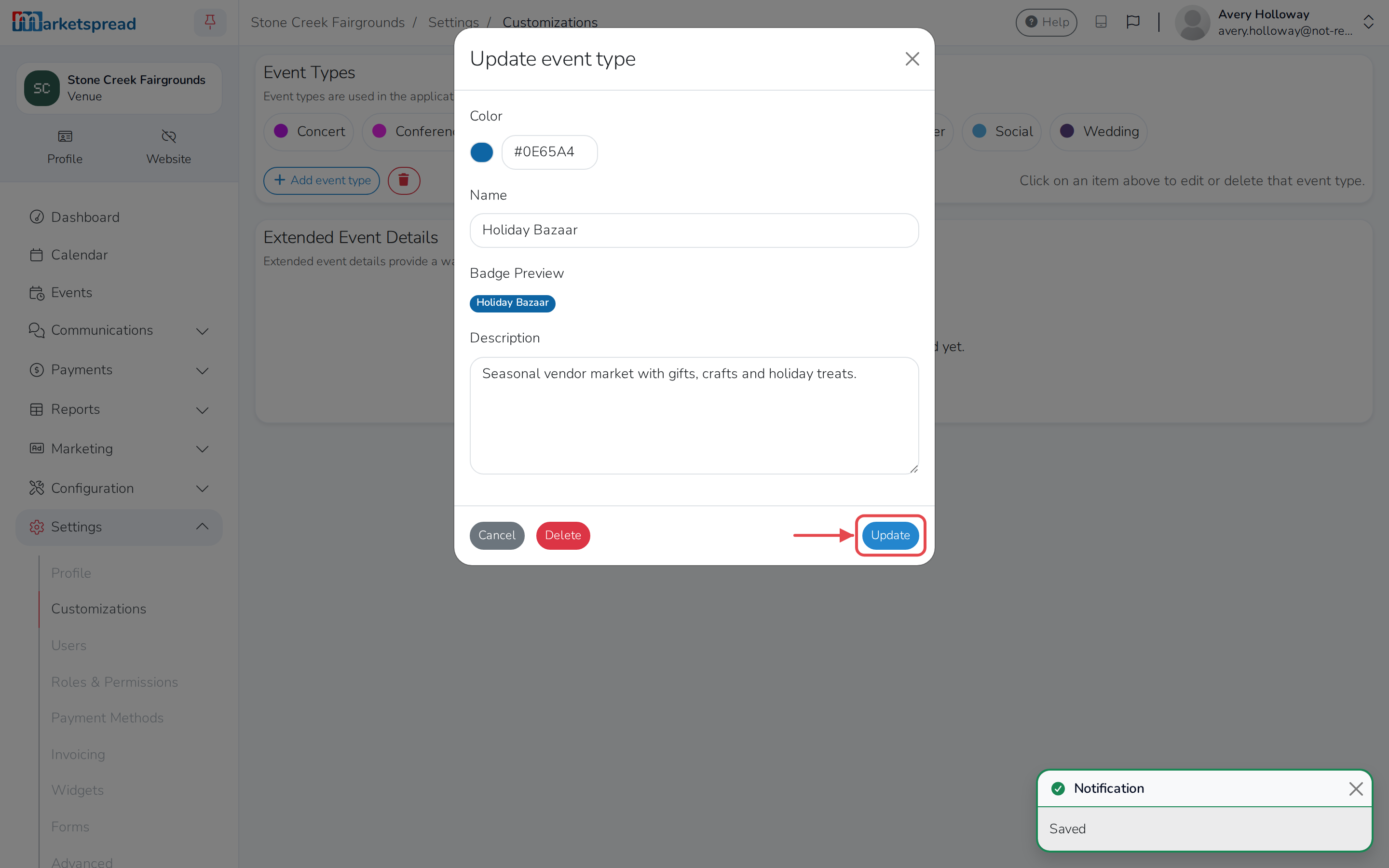
Change its Color, Name or Description.
-
Click Update.
Delete an event type
-
Click Settings, then Customizations.
-
Under Event Types, click the one you want to remove.
-
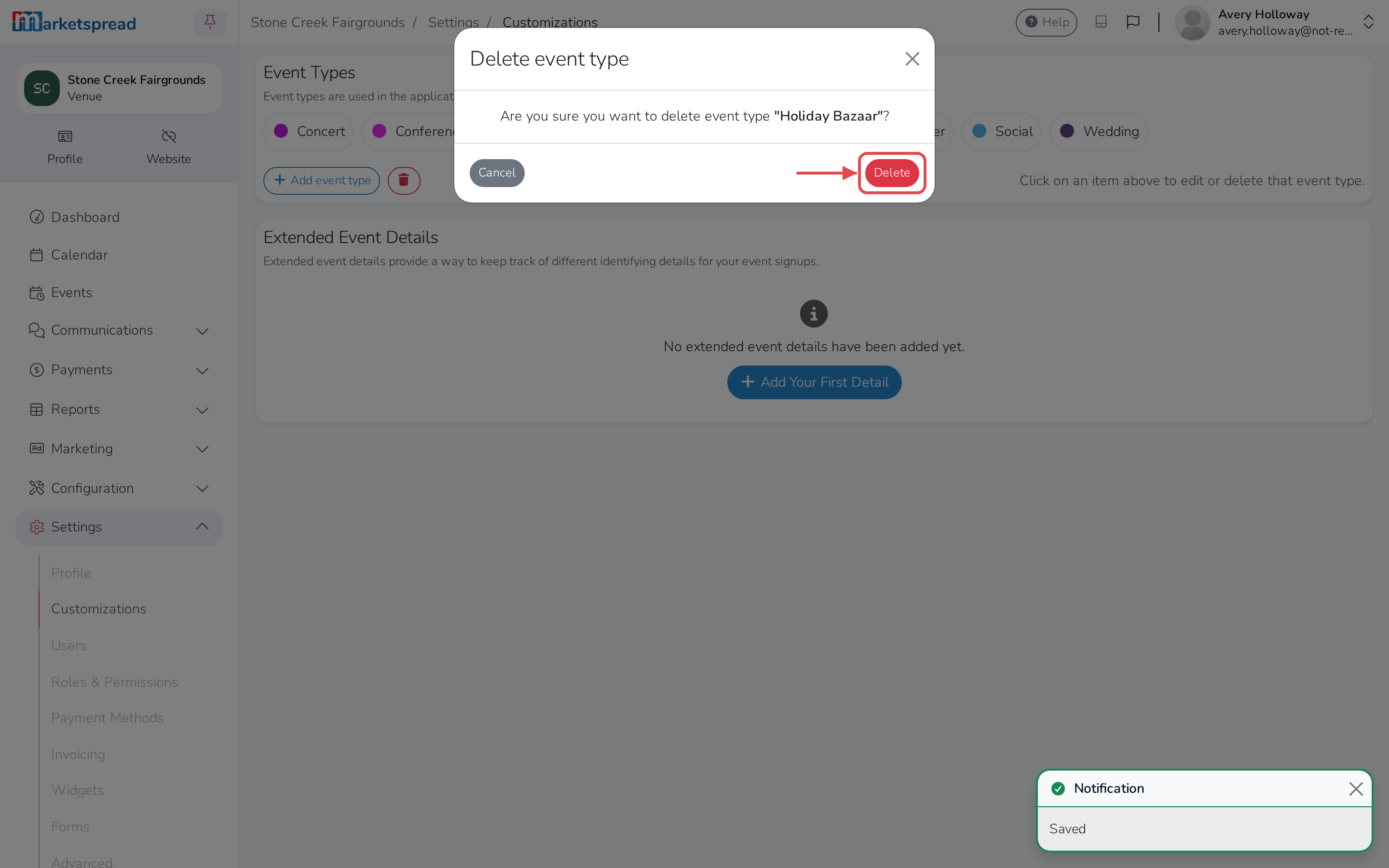
Click Delete.
-
Click Delete again to confirm.
Tip
To remove more than one at a time, click the trash icon next to Add event type. Click each event type you want to delete, click Delete, then click Delete again to confirm.