


Marketspread emails you when something happens at a venue you manage — a new booking request, a customer comment, an uploaded document. You choose which of your venues those emails come from, in your profile.
Turn notifications for a venue on or off
-
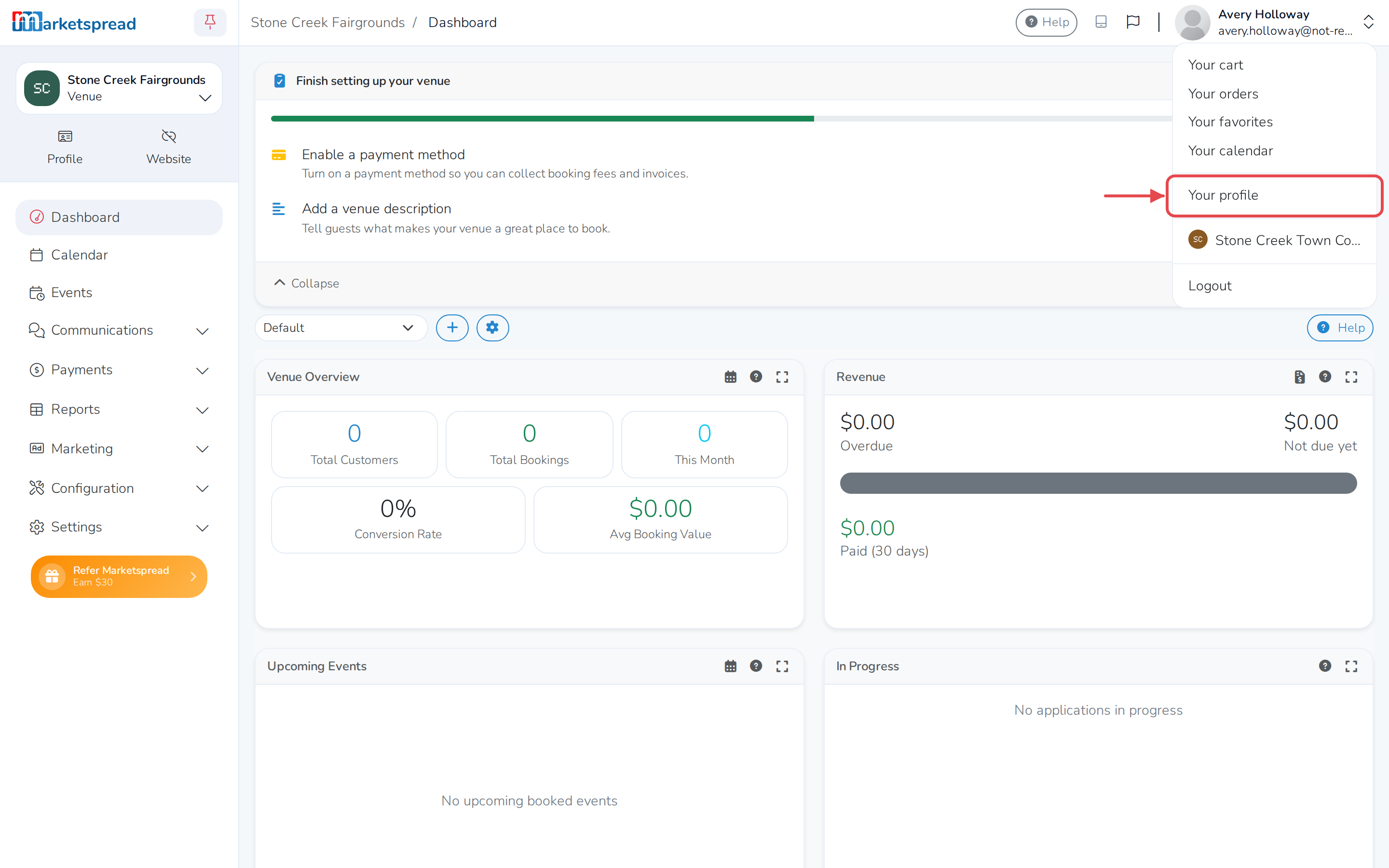
Click your profile photo in the top right corner, then click Your profile.
-
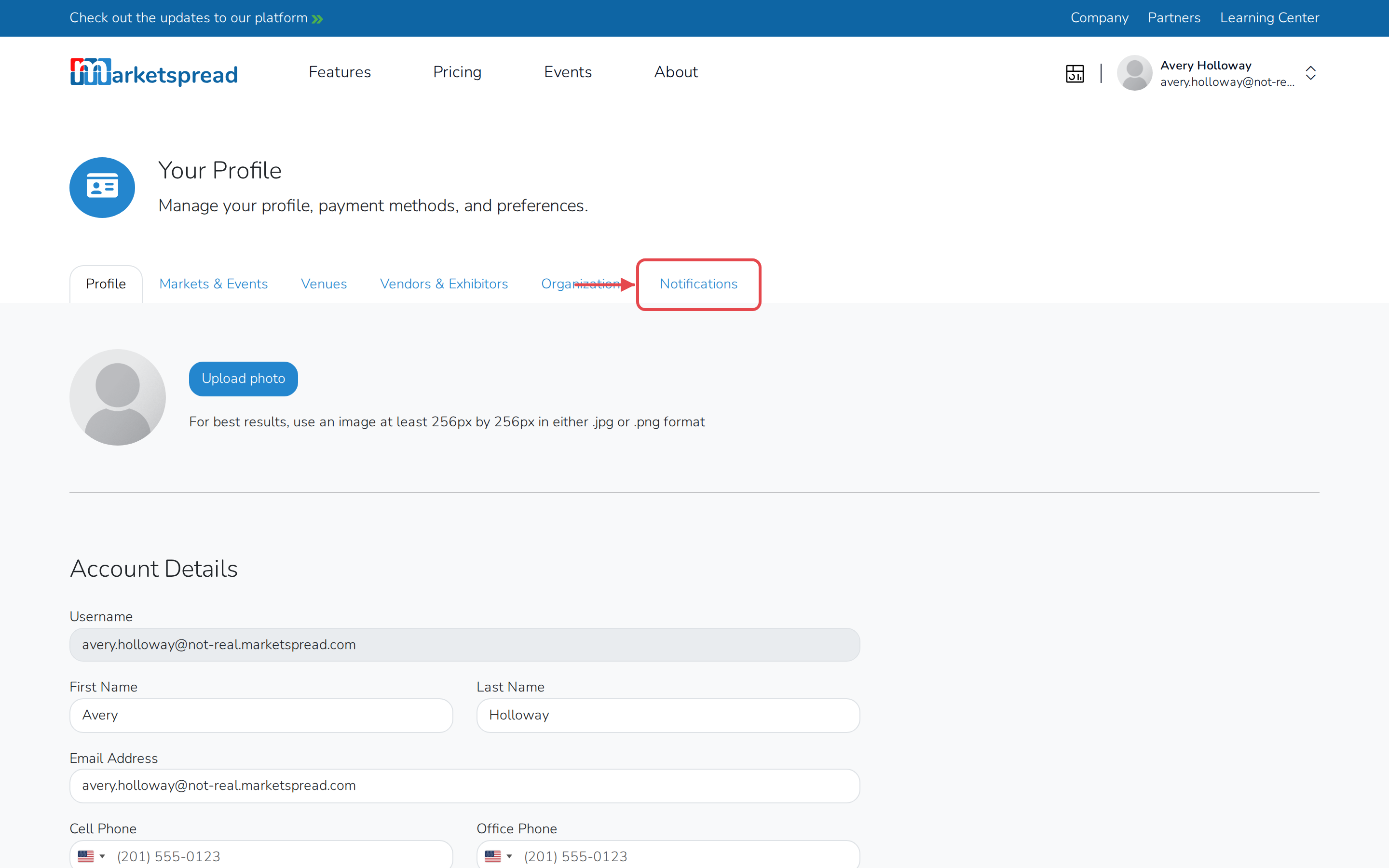
Click the Notifications tab.
-
Under Your Venue Preferences, find the venue.
-
Use the switch to turn its notifications on or off.
Good to know
Turning a venue's notifications off only stops the email. The notification still shows up under Notifications in that venue's dashboard, so anyone else managing it can see it there.
If more than one person manages a venue, this only changes what you receive. Everyone else keeps their own setting.