


Once you've agreed a booking, you invoice the customer from the event's Quote/Invoice tab. You choose how much is due now: the whole cost, or a deposit with the rest to follow.
Invoice for the whole cost
-
Open the event and click the Quote/Invoice tab.
-
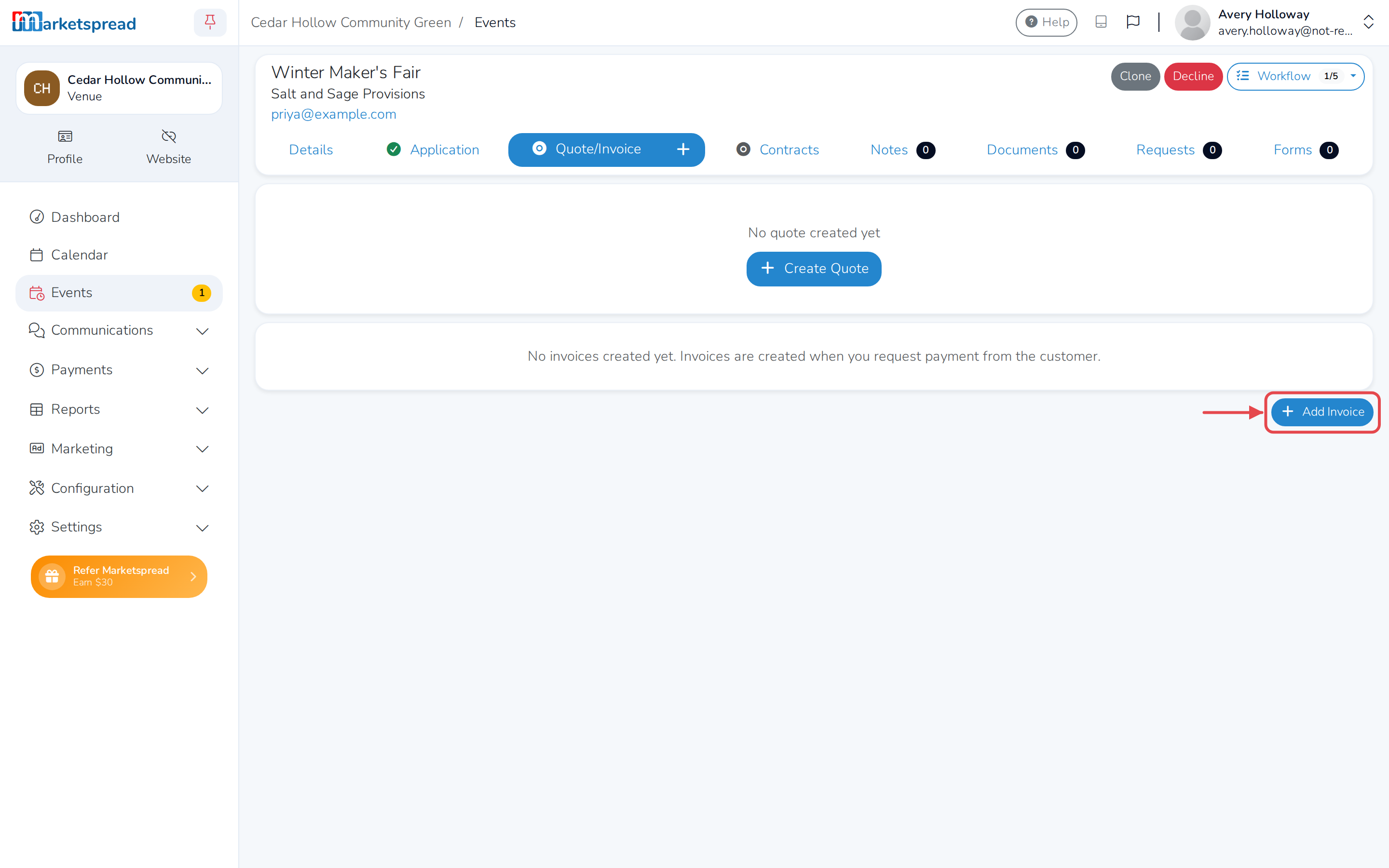
Click Add Invoice.
-
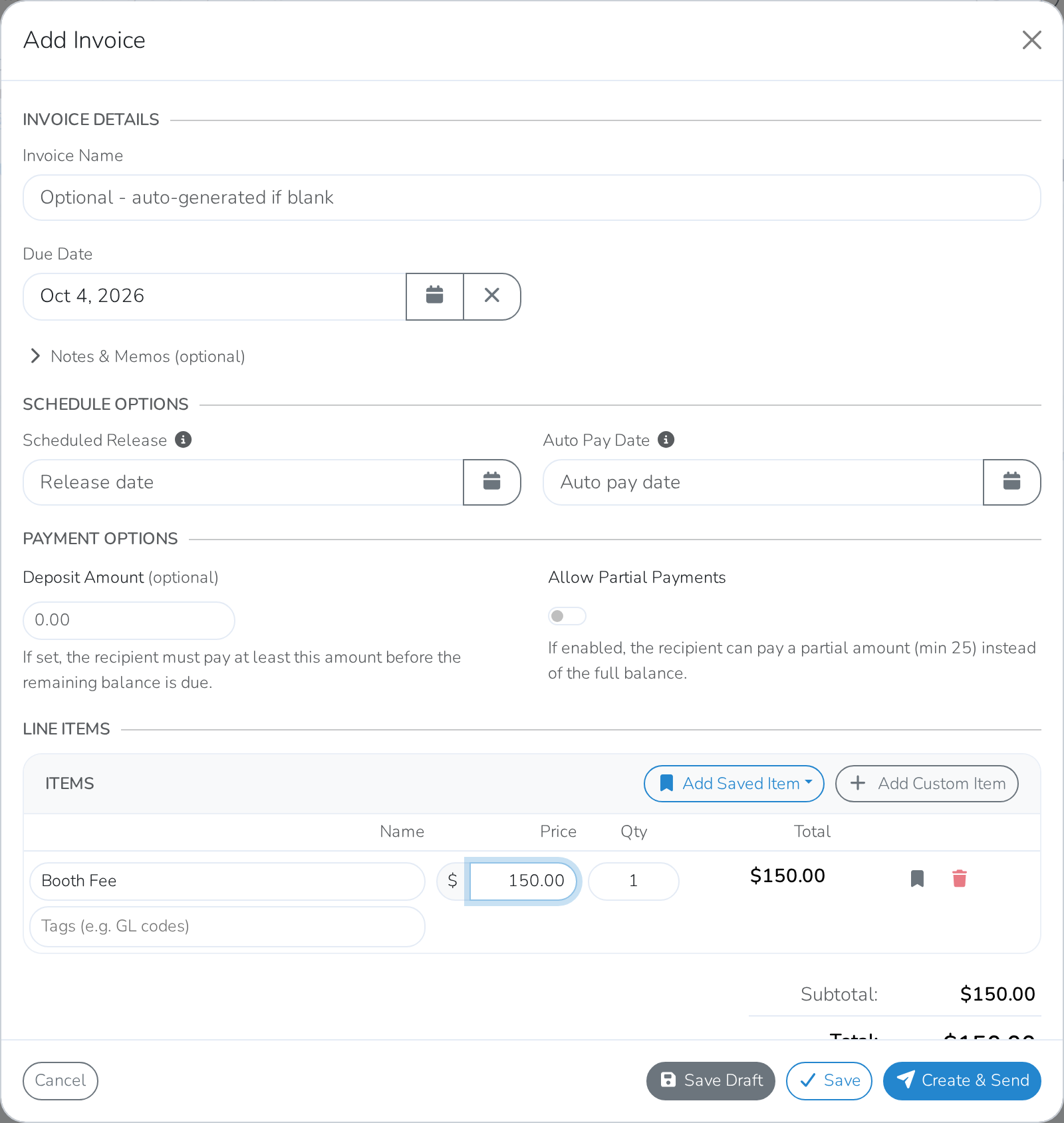
Fill in the name, price and quantity for the first item, or click Add Saved Item to use one you've saved before. Click Add Custom Item or Add Saved Item for anything else you're charging for, and fill those in too.
-
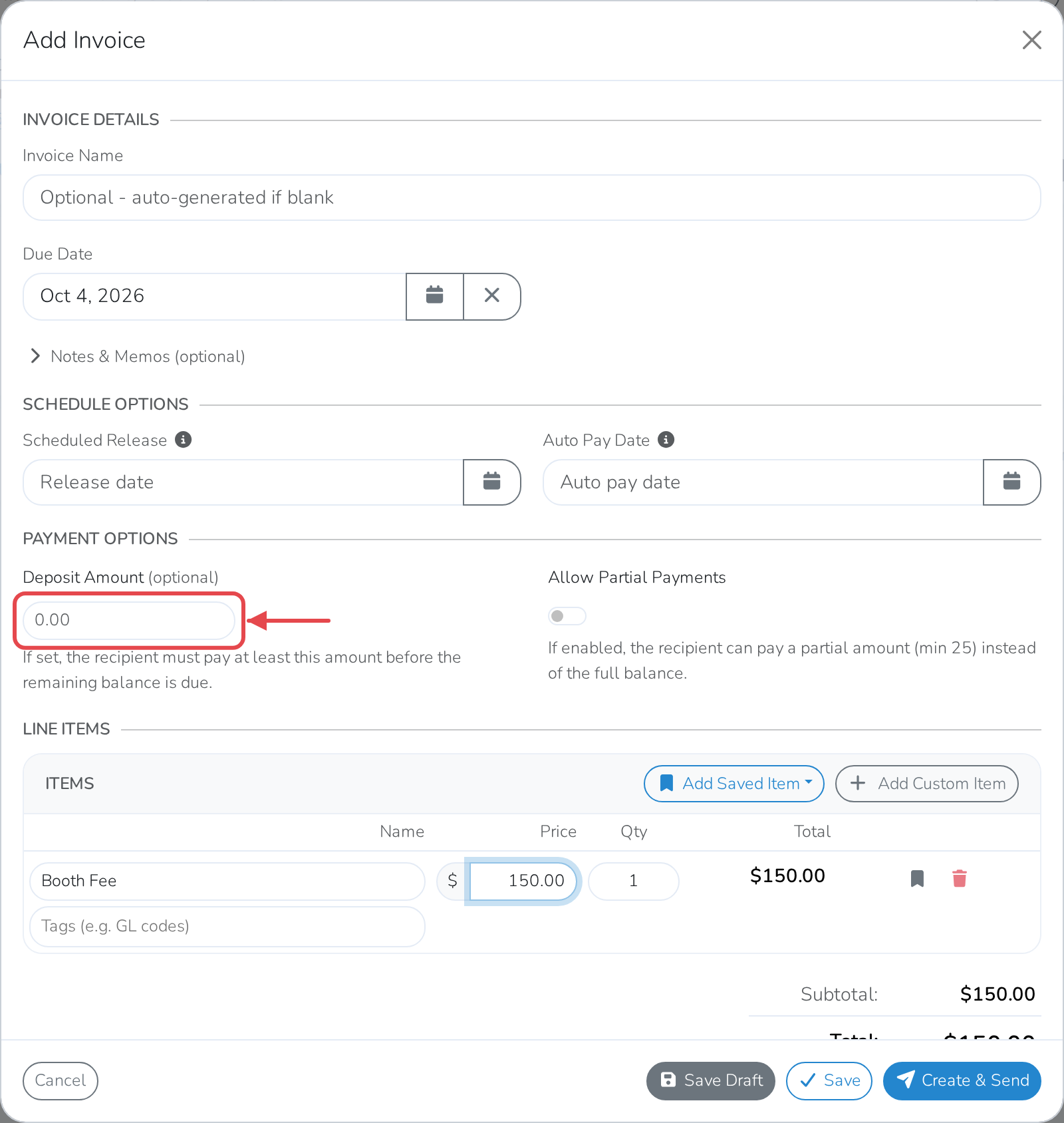
Under Payment Options, leave Deposit Amount blank.
-
Click Create & Send.
The customer has to pay the whole invoice in one go.
Ask for a deposit instead
Do the same as above, but at step 4 fill in Deposit Amount with what's due now. The customer pays that amount to secure the booking, and the rest later.
Add a deposit to an invoice you've already sent
- Open the event's Quote/Invoice tab.
- Click Edit on the invoice.
- Under Payment Options, fill in Deposit Amount.
- Click Save & Send.
Check what's been paid
- Open the event's Quote/Invoice tab.
- Find the invoice. Its Paid and Remaining amounts update as the customer pays.
Note
An invoice stays marked Due until the whole balance is paid. Paying just the deposit does not mark it Paid.
Good to know
Allow Partial Payments, next to Deposit Amount, is a different setting. Turning it on lets the customer pay in smaller amounts over time, as long as each payment is at least $25. A deposit sets an amount they must pay now; leaving both off means they pay the full amount in one payment.