


Every invoice you send from your venue has its own page, where you can see what's owed and get a copy of it.
Print or download an invoice
-
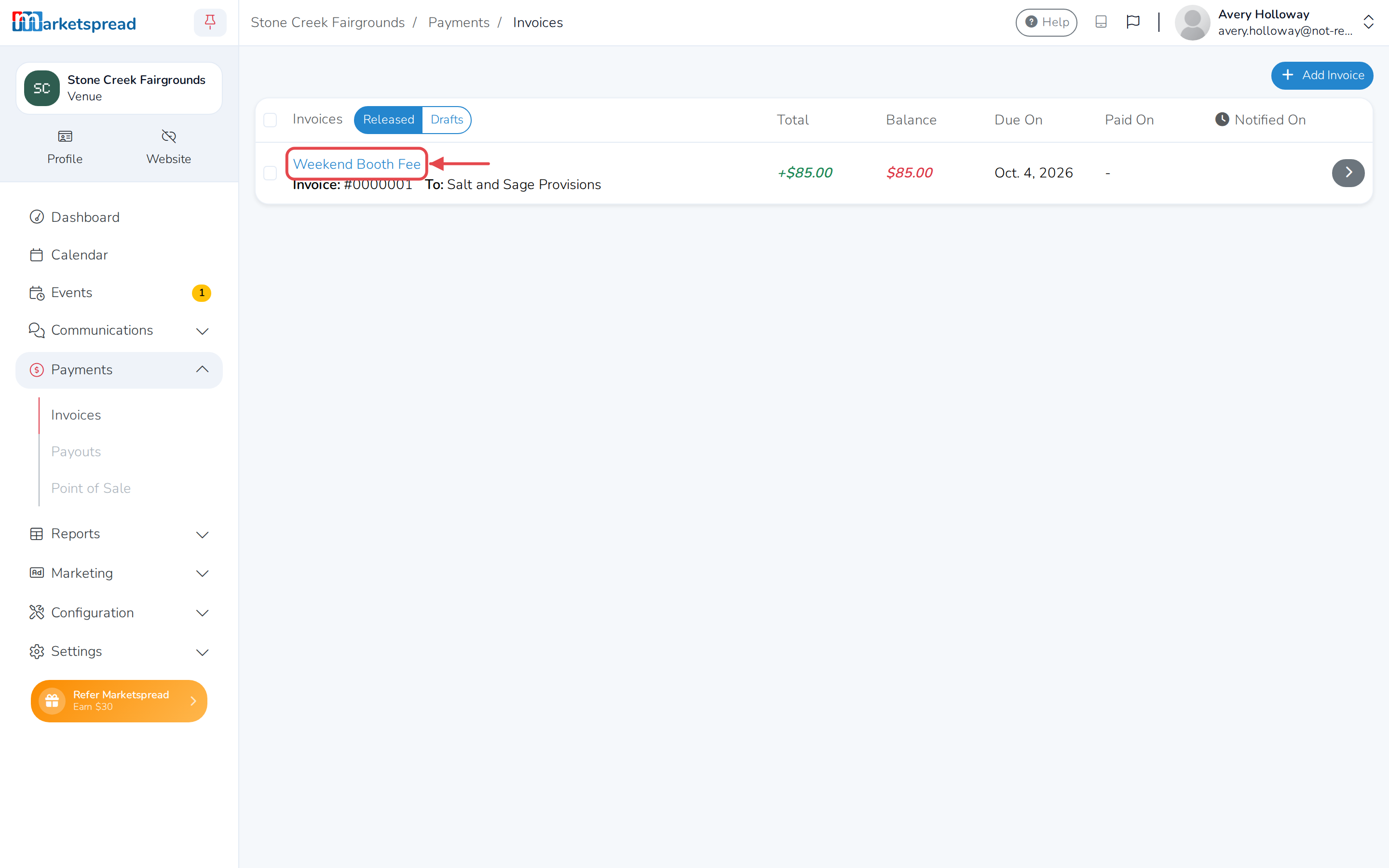
Click Payments in the left-hand menu, then click Invoices.
-
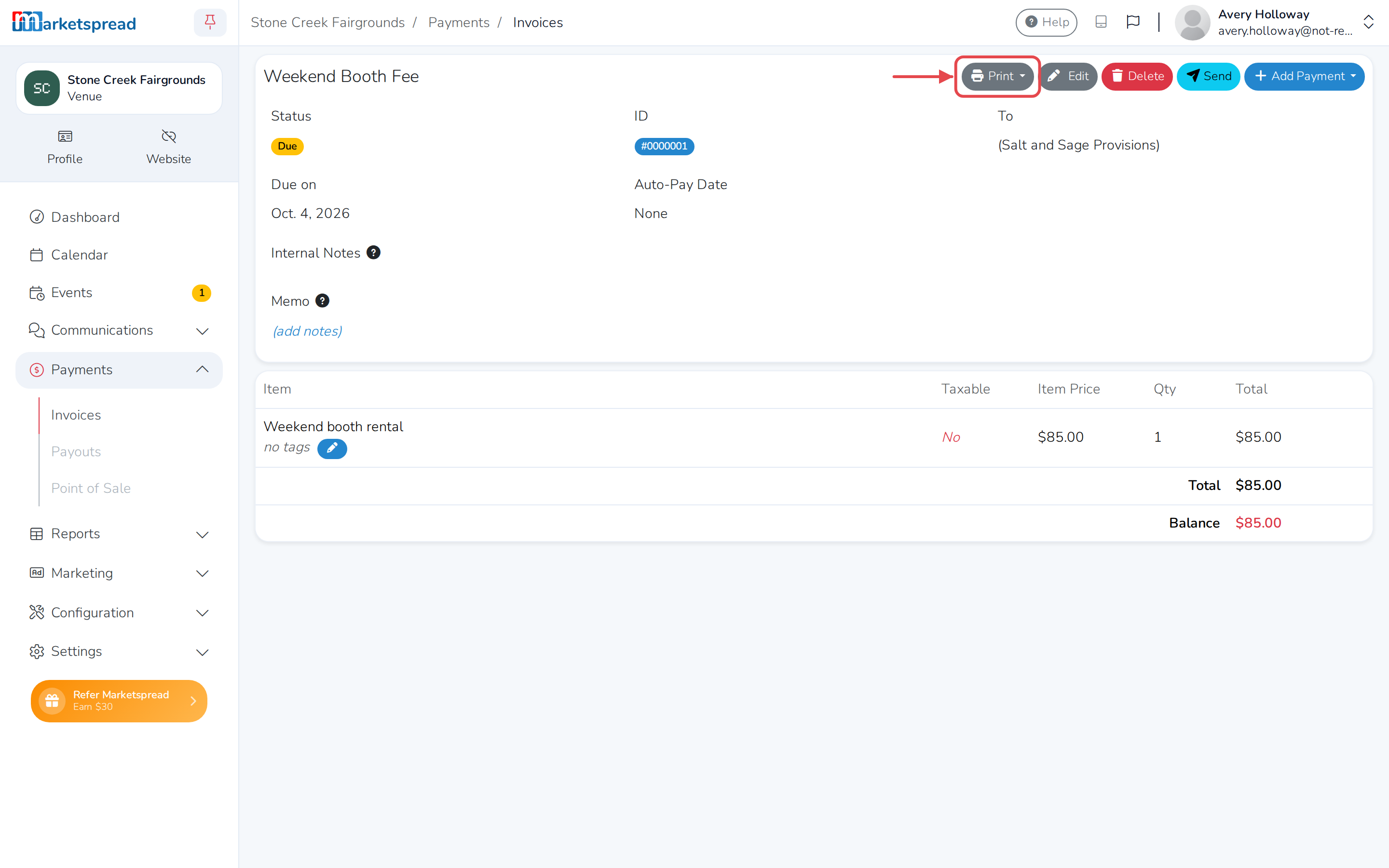
Click the invoice's name to open it.
-
Click Print.
-
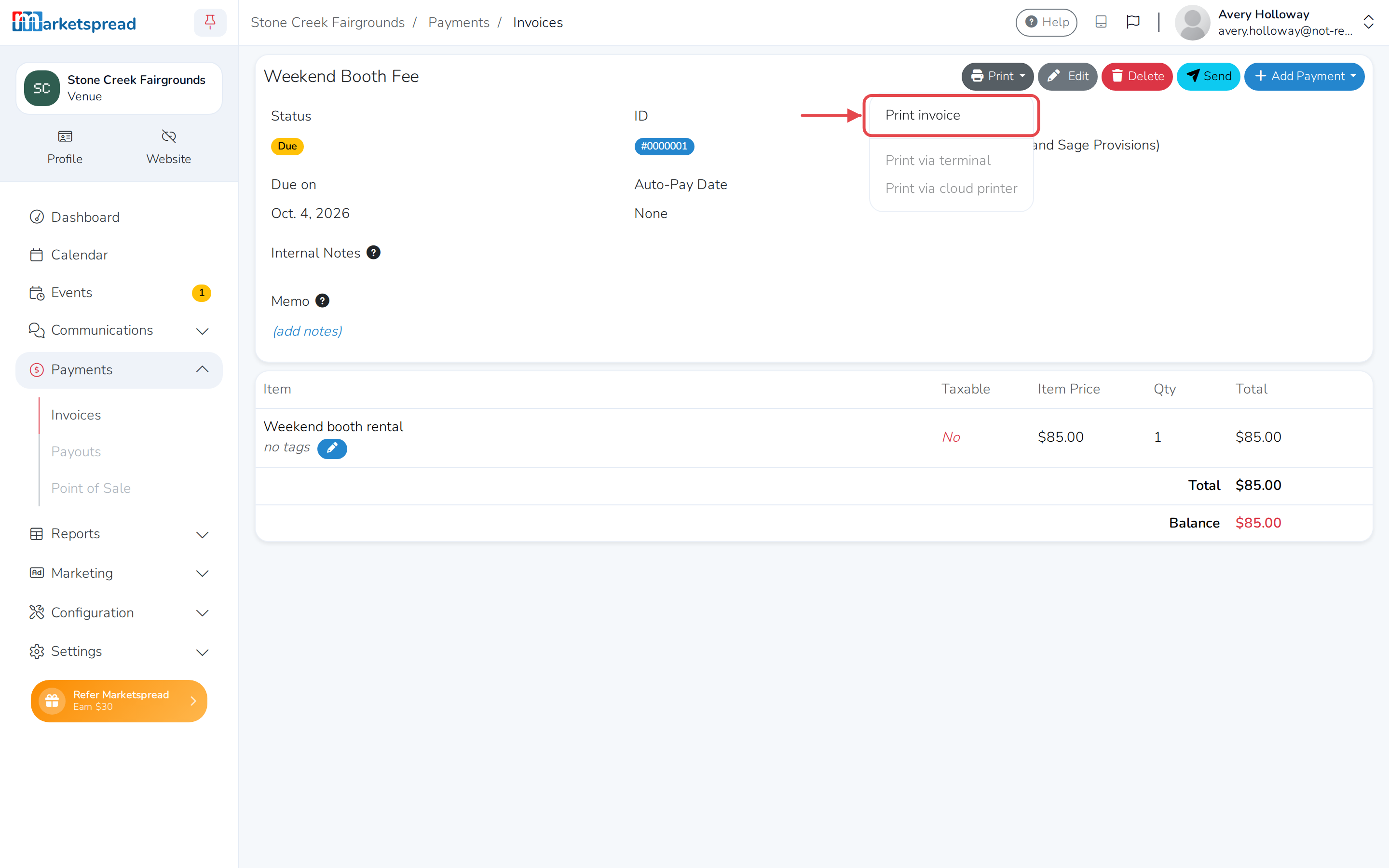
Click Print invoice.
-
A print window opens. Choose your printer to print it, or choose to save it as a PDF to download a copy instead.