


Add a note to a booking to keep something about it that only your venue can see — a call with the customer, or a reminder for next time. The customer never sees these notes. Open your venue's Events page, click the booking, then the Notes tab, to add, edit or delete one.
Add a note
-
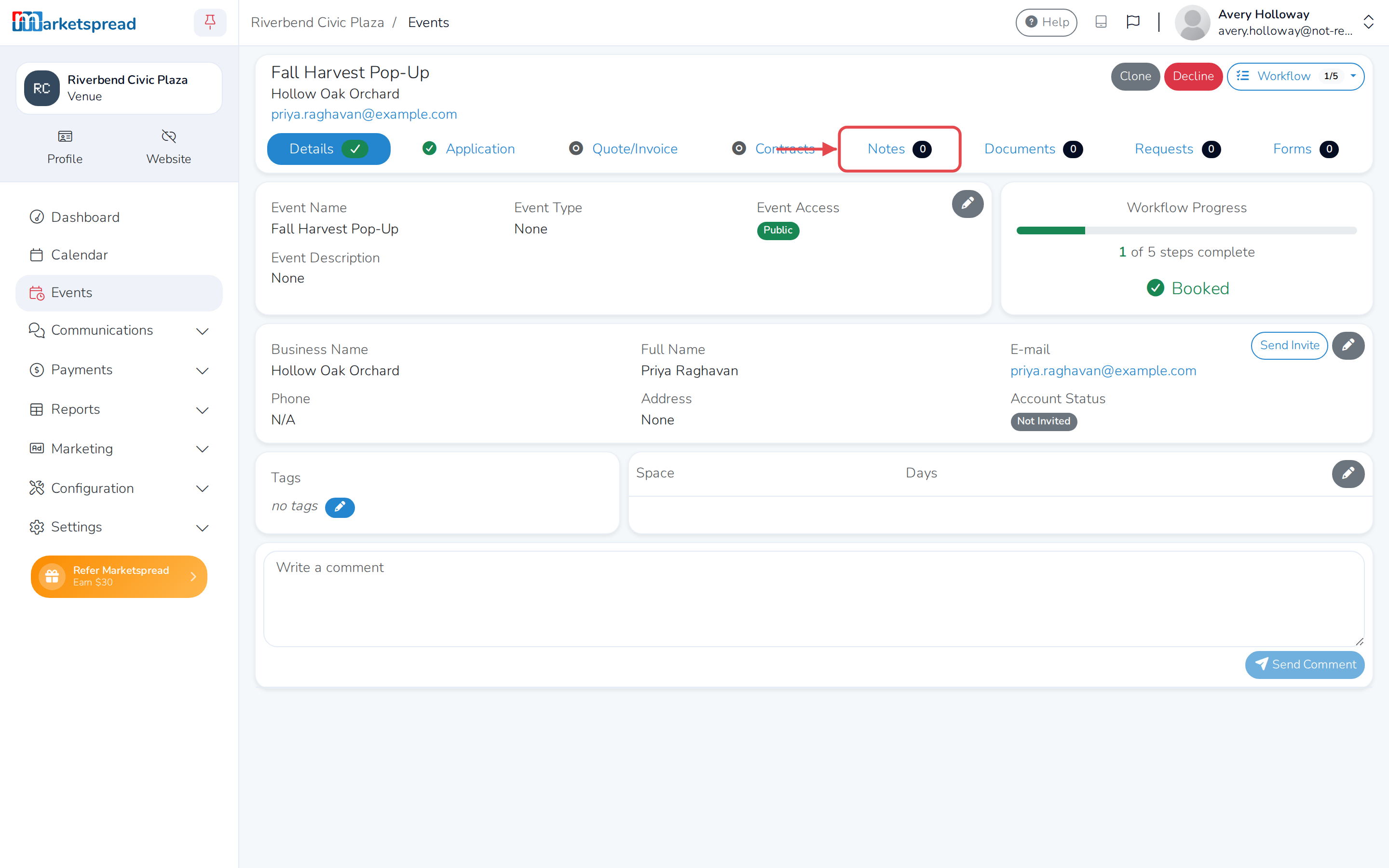
Open the booking and click the Notes tab.
-
Click +.
-
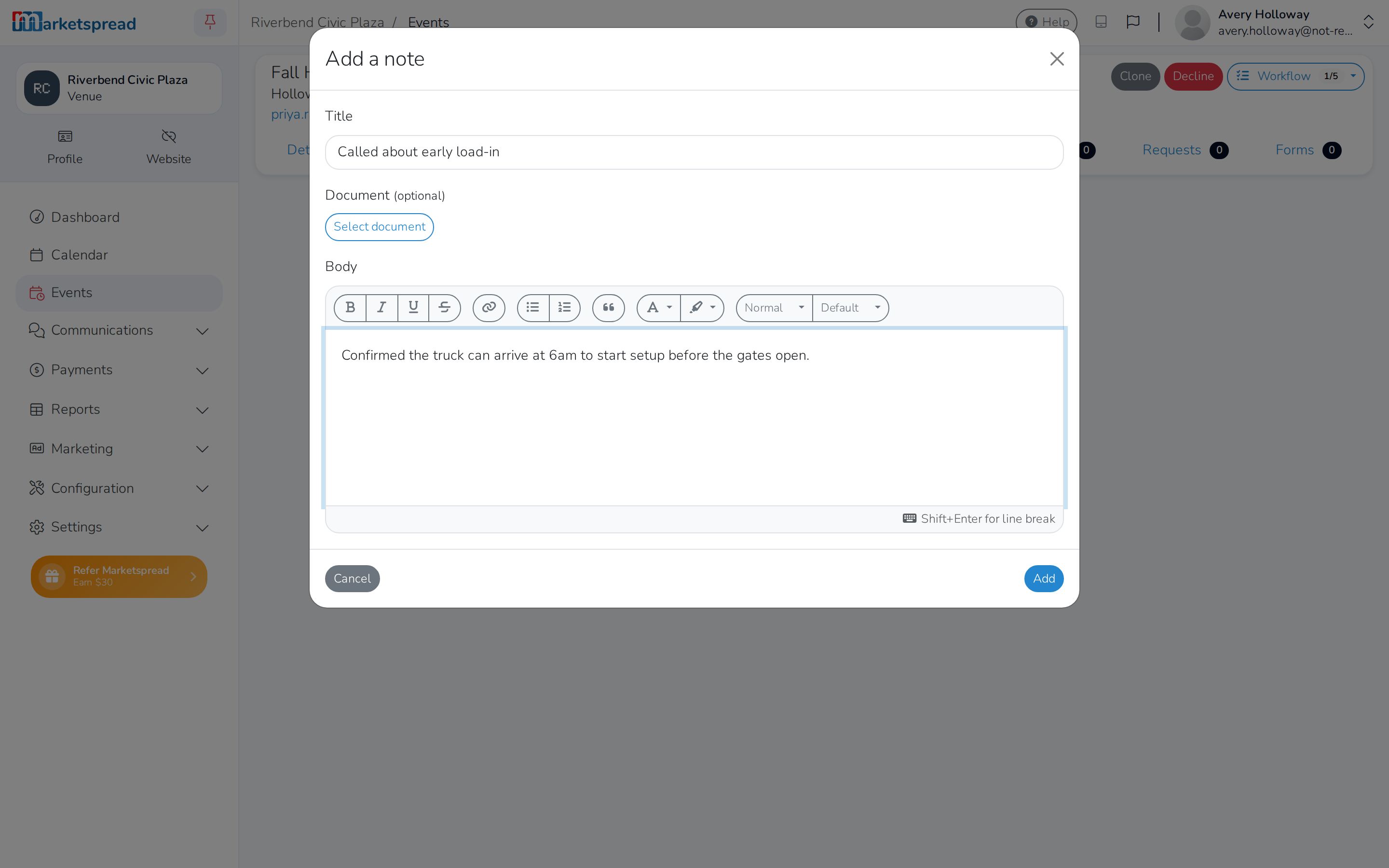
Fill in Title (optional).
-
To attach a file, click Select document, then drag one in or choose from what you've already uploaded (optional).
-
Write the note under Body.
-
Click Add.
Edit a note
- Open the booking and click the Notes tab.
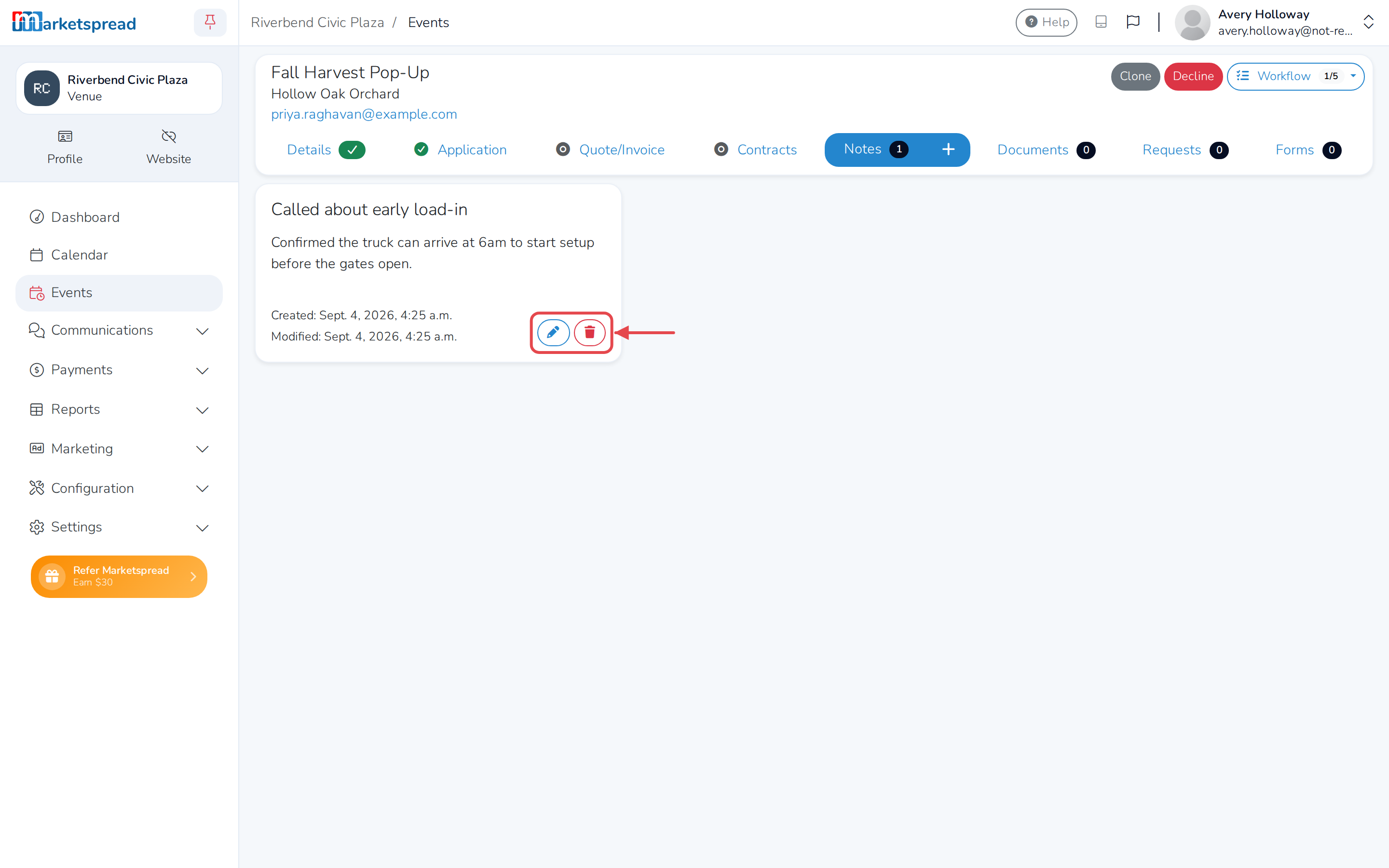
- Click the pencil icon on the note.
- Change the Title, Document or Body.
- Click Save.
Delete a note
- Open the booking and click the Notes tab.
- Click the trash icon on the note.
- Click Delete to confirm. This can't be undone.