


Open Assistant in the left-hand menu of your venue dashboard to ask about your bookings, contracts and invoices. It only reads your own venue's data, and only what your role allows. From here you can ask a question, start a new conversation, or go back to an old one.
Ask a question
-
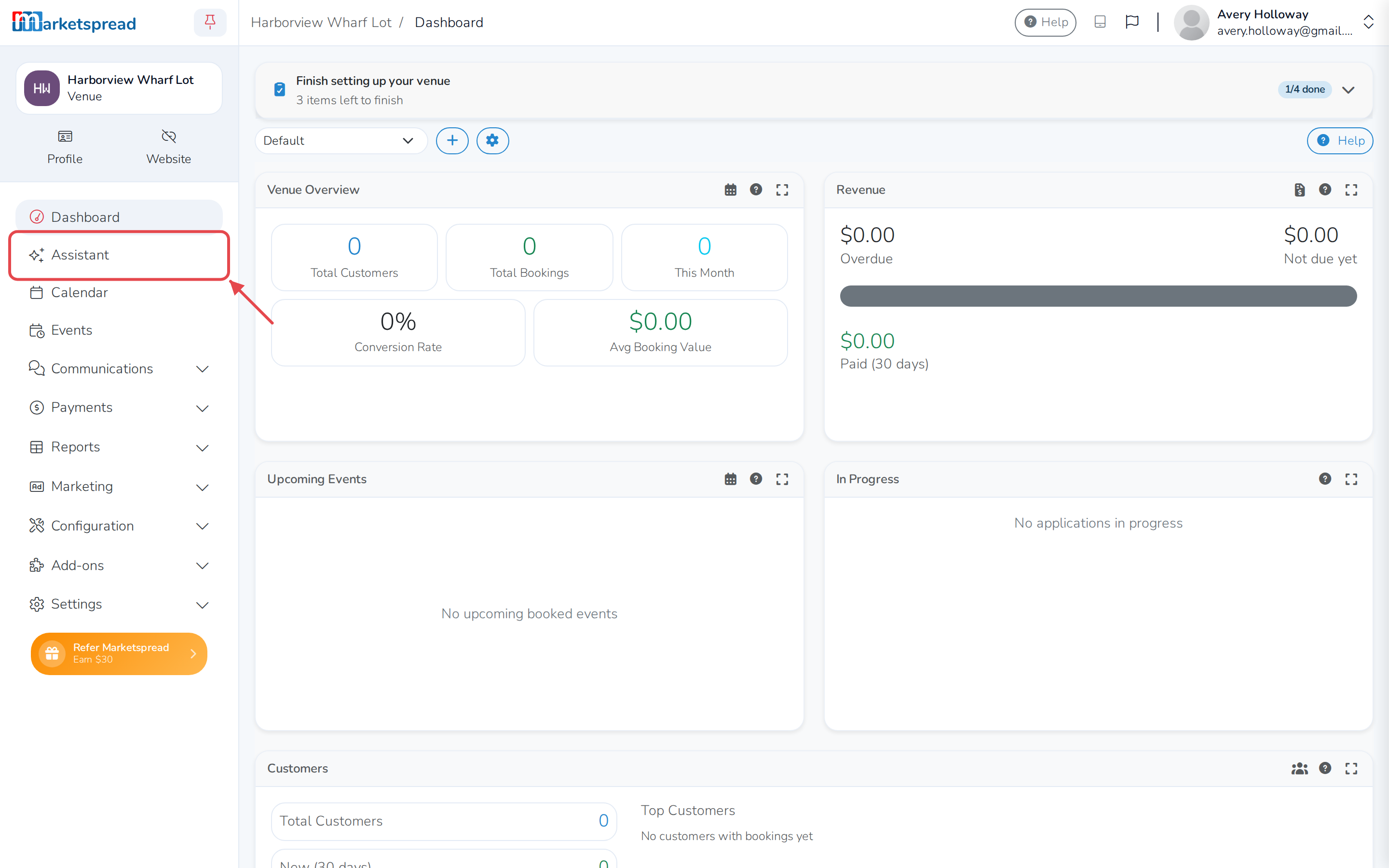
Click Assistant in the left-hand menu.
-
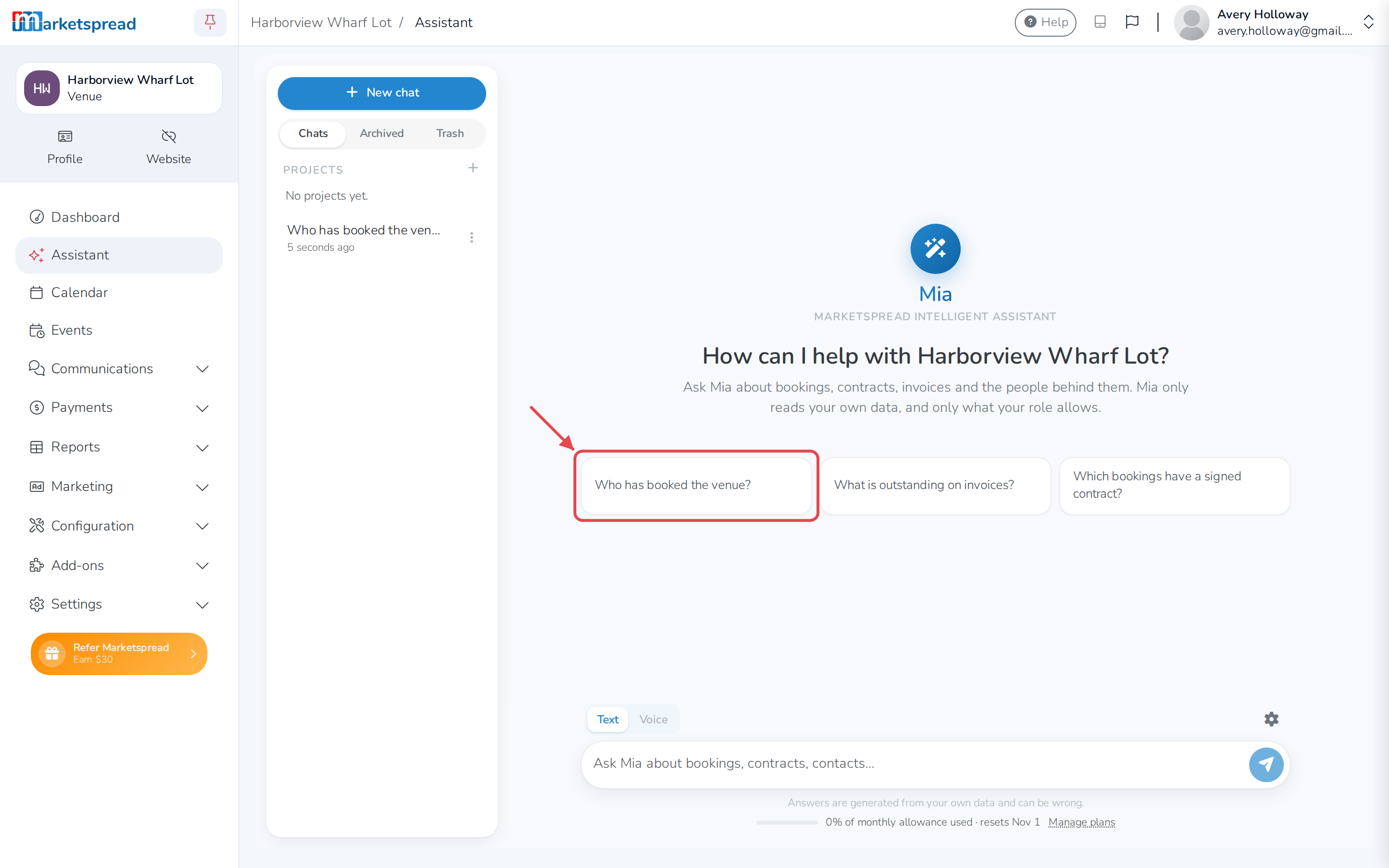
Click one of the suggested questions — for example Who has booked the venue? — or type your own in the message box at the bottom.
-
Press Enter, or click the send button next to it.
The assistant can also tell you how to do something in the dashboard. Ask it, and it links to the support article it used.
Ask for a report or a form
- From Assistant, describe the report or form you want, in your own words.
- Click Approve 1 change when the assistant proposes it.
This opens the report or form builder with your request already filled in. Nothing is created until you finish it there.
Start a new conversation
- Click New chat at the top of the sidebar.
Reopen a previous conversation
-
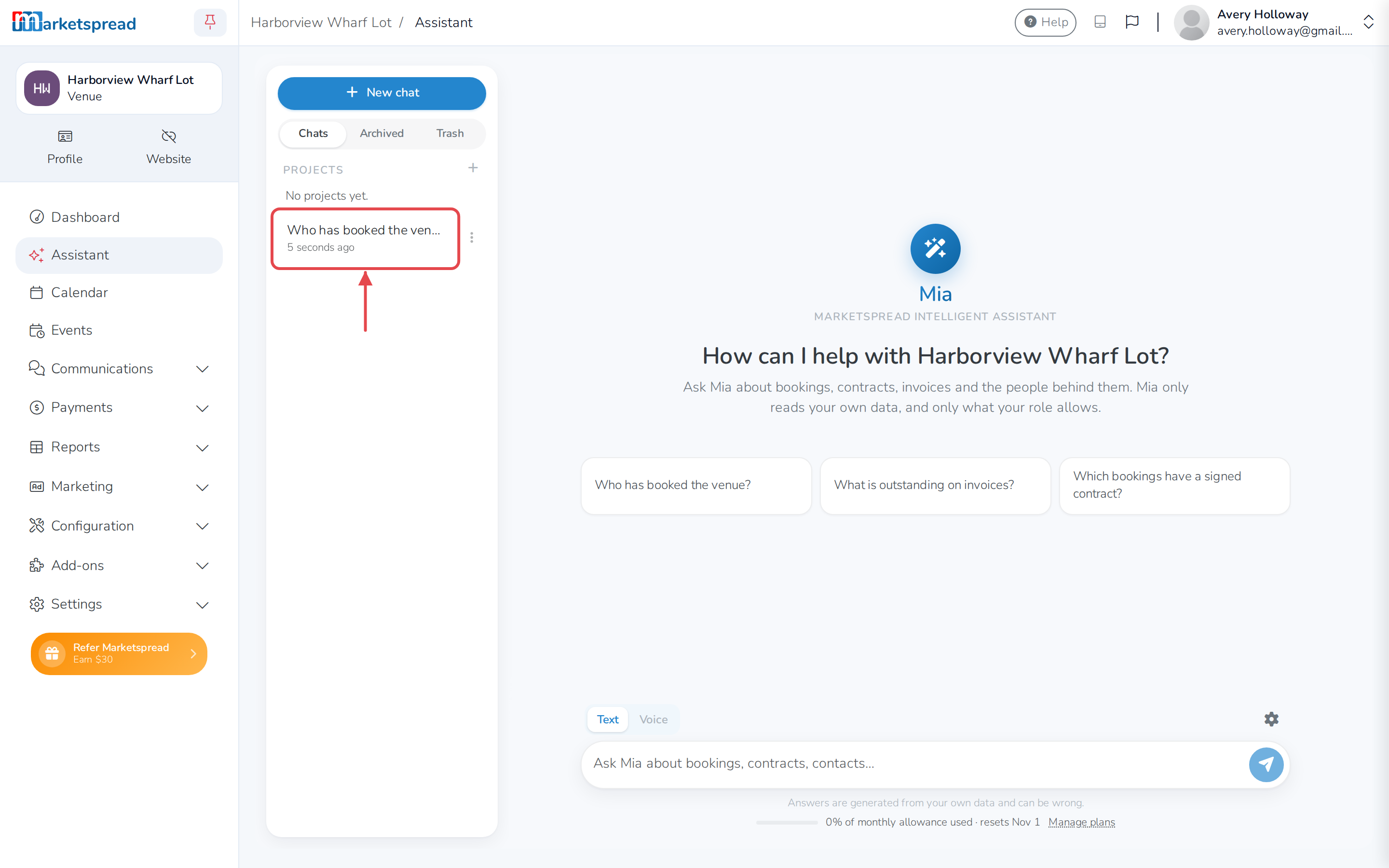
In the sidebar, click a previous conversation to open it.
Good to know
The assistant can't change, create or delete anything about your bookings or contracts. If you ask it to make a change, it tells you where to do that yourself in the dashboard.
It only answers about this venue — not any other venues, markets or vendors you manage.