


Your venue's Settings page has a Danger Zone where you can close it or delete it. Closing hides it from the public but keeps everything else as it is, so you can re-open it any time. Deleting removes it, and everything attached to it, for good.
Close a venue
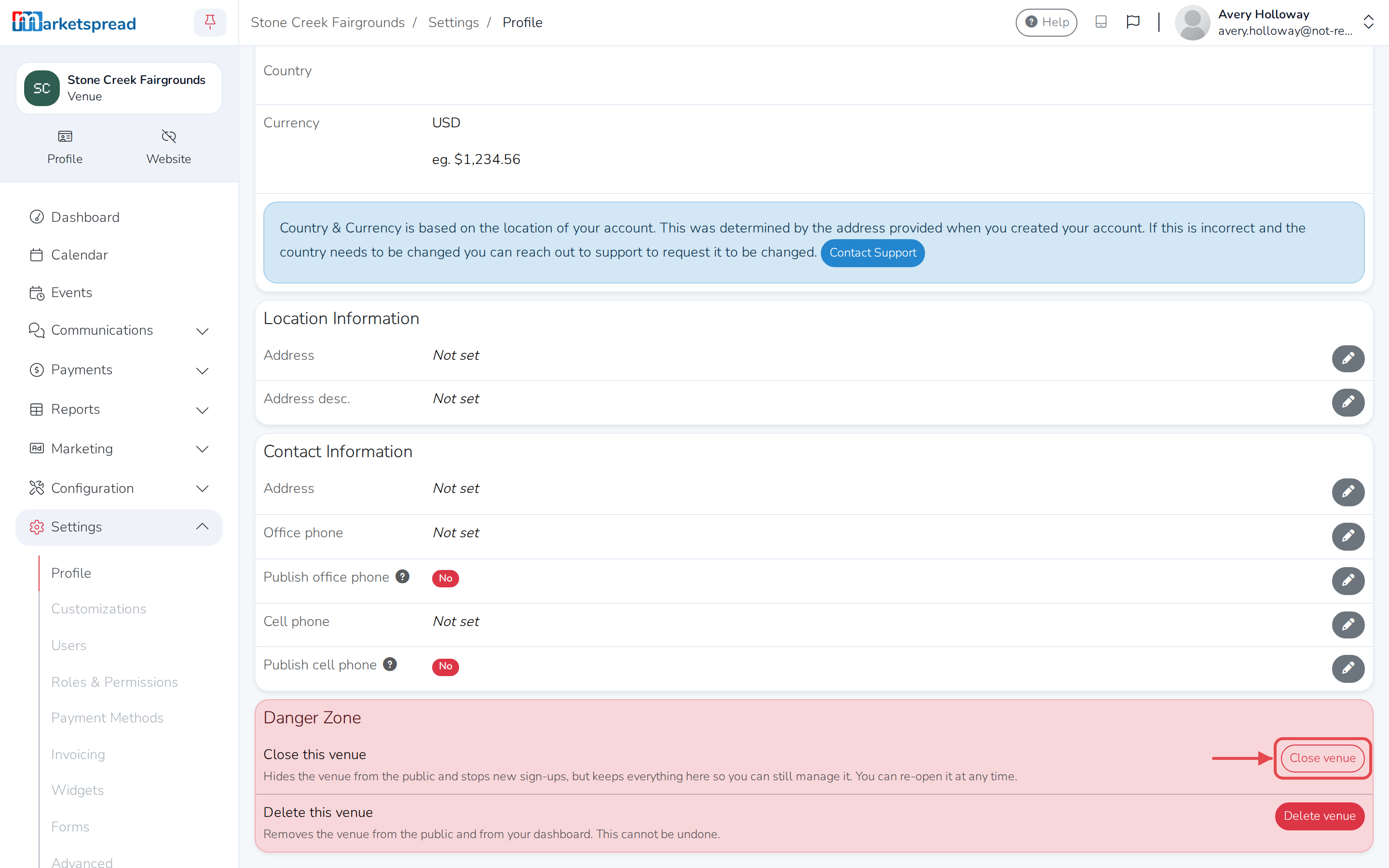
Closing takes your venue off the public listings but keeps everything else as it is.
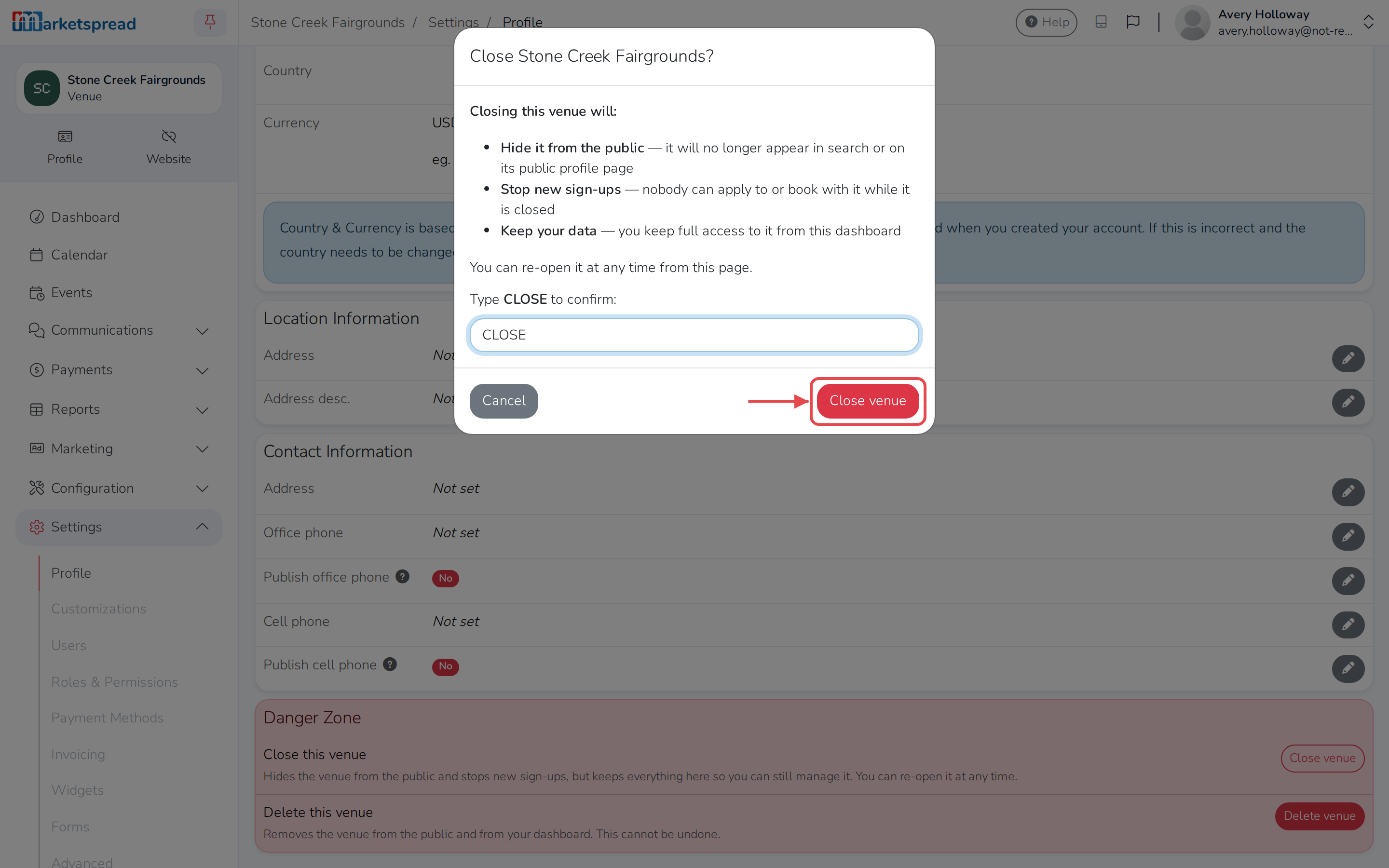
- It's hidden from search and from its public profile page.
- No one can apply to book it while it's closed.
- You keep full access to manage it from here.
-
Click Settings in the left-hand menu.
-
Click Profile.
-
In the Danger Zone card, click Close venue.
-
Type CLOSE to confirm.
-
Click Close venue.
Re-open a venue
Re-opening makes your venue publicly visible again, exactly as it was before you closed it.
- Click Settings in the left-hand menu.
- Click Profile.
- In the Danger Zone card, click Re-open venue.
Delete a venue
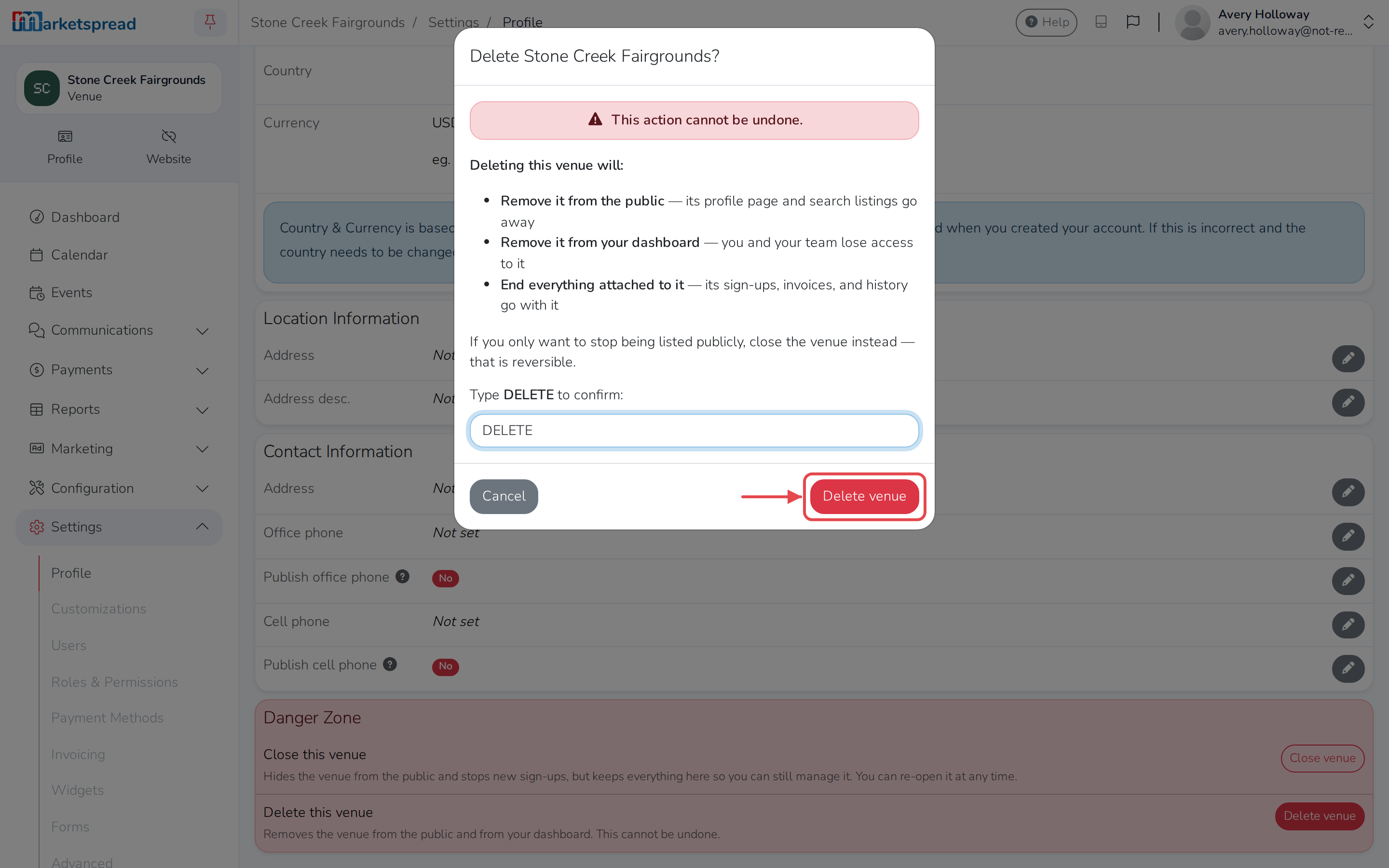
Deleting a venue can't be undone.
- Its profile page and search listing disappear.
- You and your team lose access to it from your dashboard.
- Its booking requests, invoices and history are removed too.
If you only want to stop taking new bookings, close the venue instead — that's reversible.
-
Click Settings in the left-hand menu.
-
Click Profile.
-
In the Danger Zone card, click Delete venue.
-
Type DELETE to confirm.
-
Click Delete venue.
Good to know
Only the account owner can close or delete a venue. Ask them if you need one of these done.