


Your Orders page lists every order a customer has placed with you, with
its status and how much they paid. Open an order from here to refund it, if
it's already been paid for.
Find the order
-
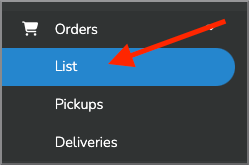
In your dashboard, click Orders.
-
Click List.
-
Click the order you want to refund. Its details open, with what the
customer ordered and paid.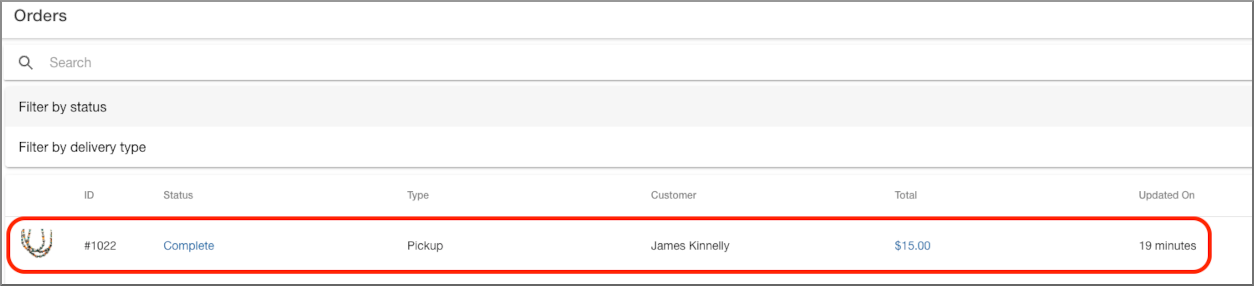
Tip
Click the search icon and enter the order number to jump straight to it,
instead of scrolling the list.
Refund an order
-
On the order's details, click the blue Refund button near the top.
Note
You only see Refund on an order that's been paid, and only if you
have permission to refund orders. Ask whoever manages your account if
the button is missing.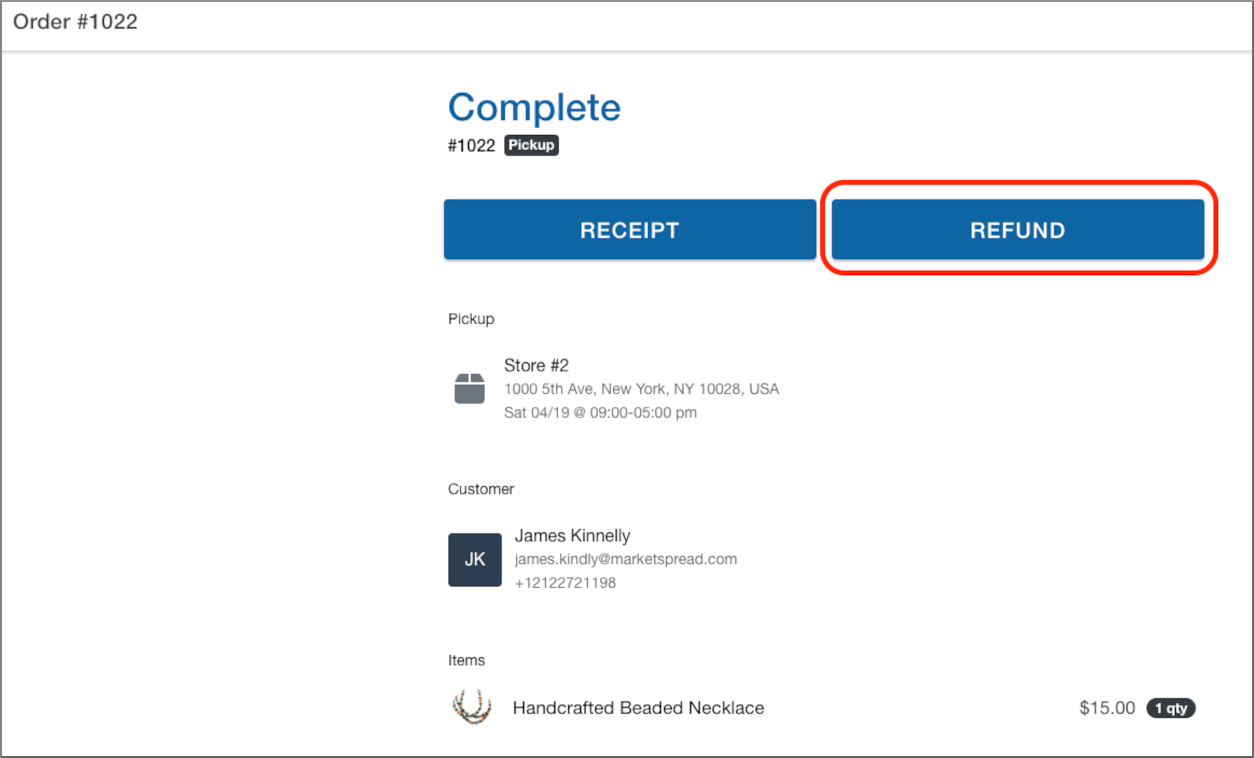
-
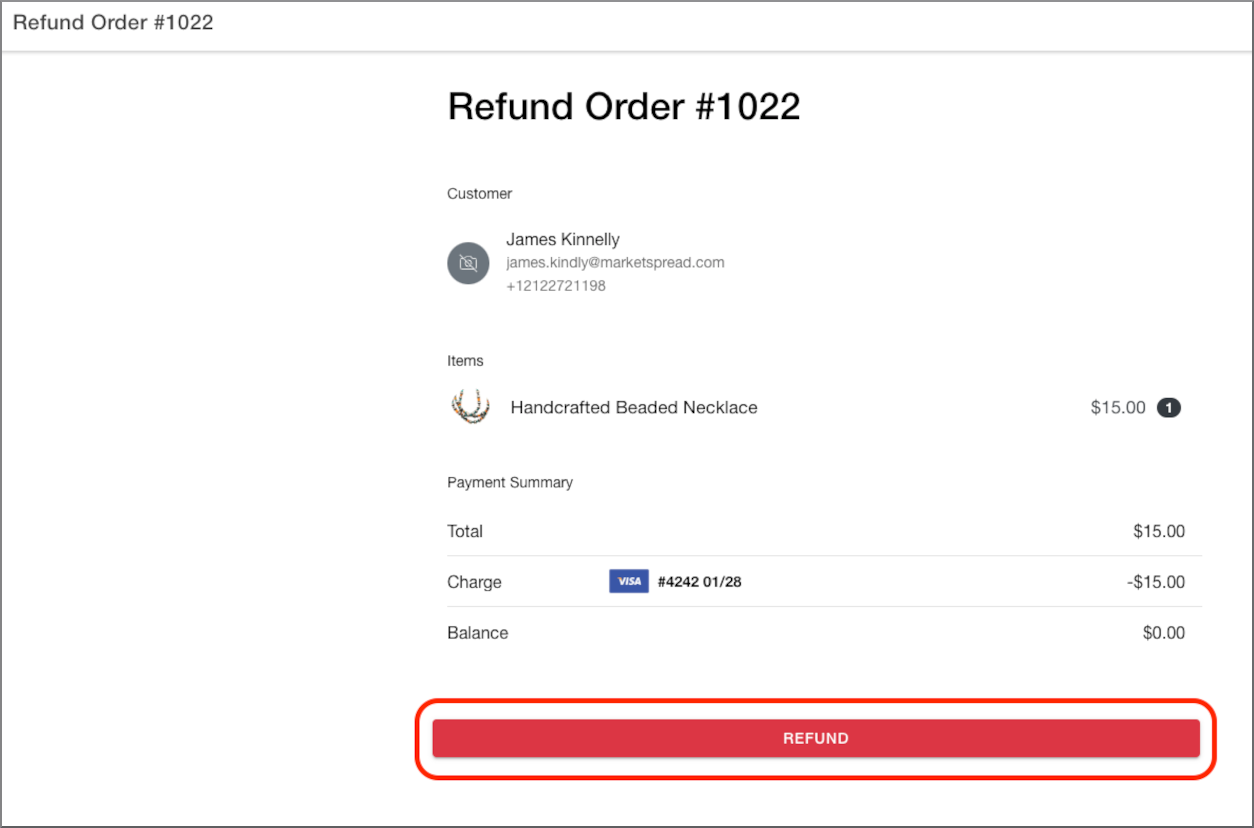
Check the items and the amount.
-
Click the red Refund button at the bottom.
Note
This refunds the whole order at once — there's no way to refund just
one item or part of the amount. -
A box titled Refund order asks "Are you sure you want to refund this
order?" Click Refund to confirm.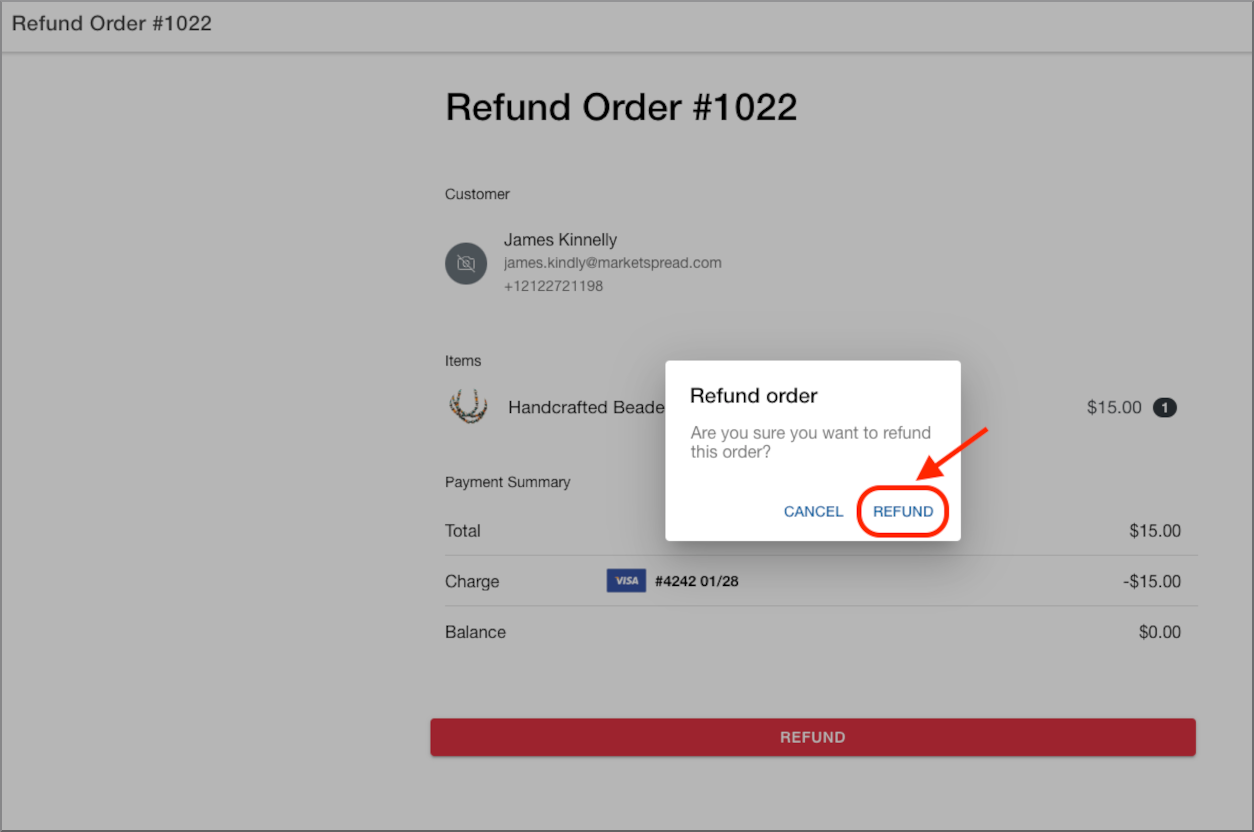
Caution
Once you confirm, the refund can't be undone.
-
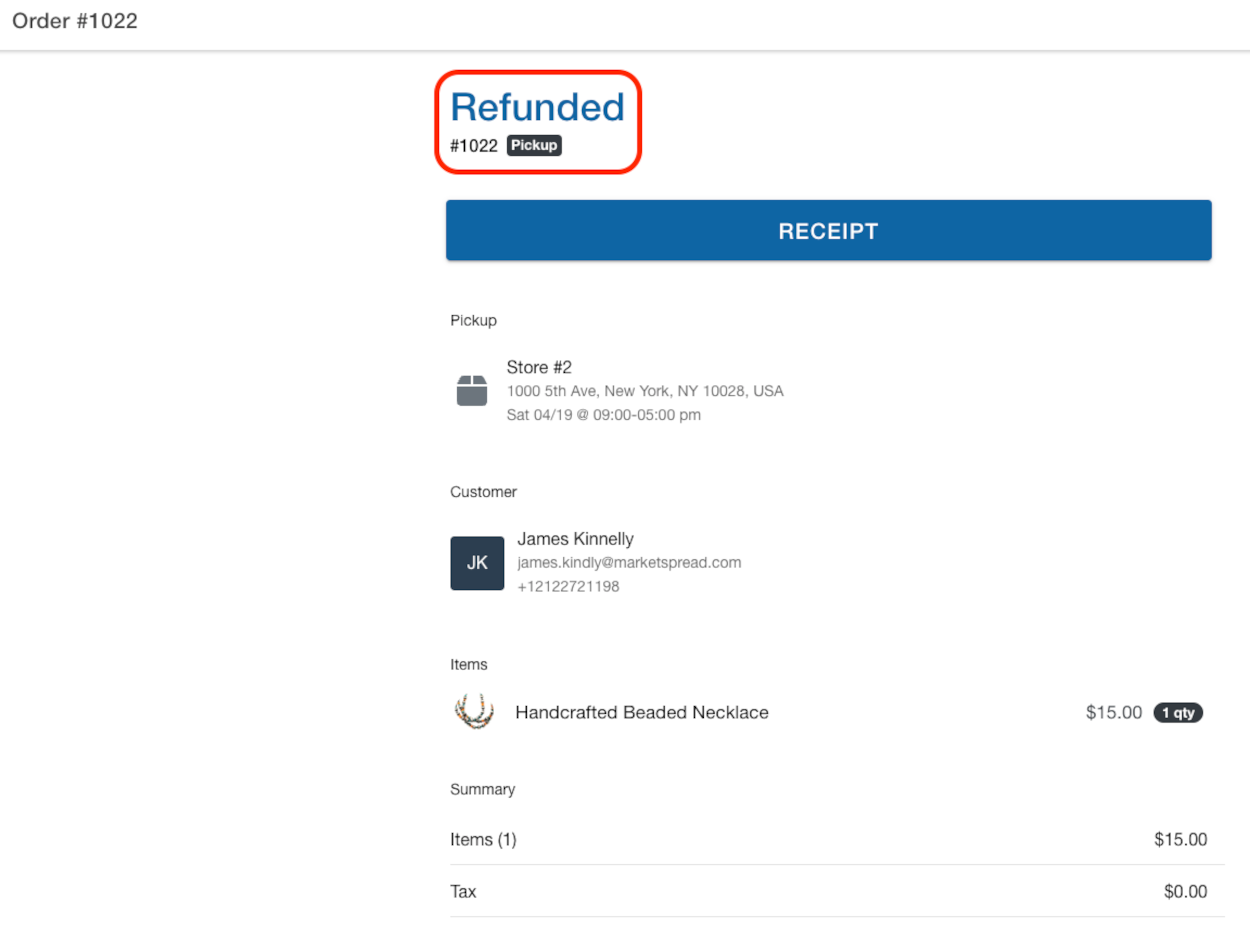
The order's status changes to Refunded, back on its details page.
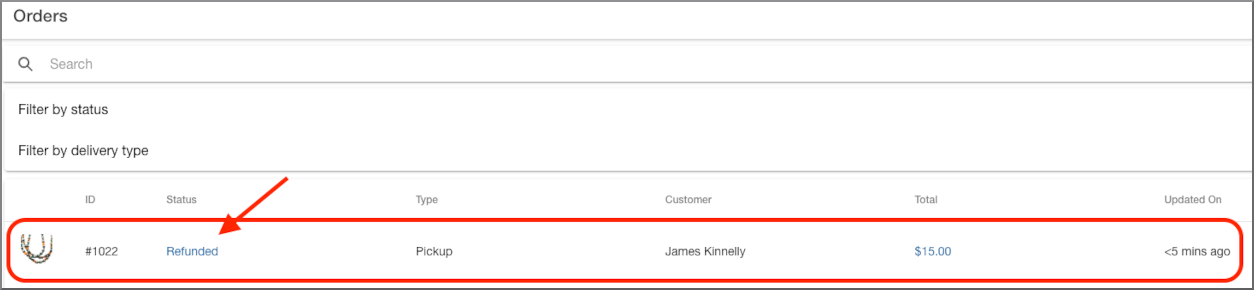
Back on the Orders list, the same order now reads Refunded too.
If it does not work
If the refund fails, you'll see Refund Failed and the order is not
refunded. Try again — if it keeps failing, the message tells you why.