


Some markets sort vendors into types, like Farmer or Food Truck, so
shoppers and the market know what you sell. If a market asks for one, you pick
it as part of applying — its name and a short description appear right on the
screen, so you don't need to memorize anything.
Each market chooses its own vendor types, so the list you see can differ from
one market to the next. Most markets start with these:
- Beverages — drinks that aren't just water: coffee, tea, lemonade,
kombucha, wine, beer. - Entertainment — a band, a speaker, or other activities.
- Farmer — grows everything you sell, on your own farm, orchard, dairy,
greenhouse or similar. - Fisher/Seafood — catches fish or other seafood to sell.
- Food Cart — sells food made to eat right away, from a licensed food
cart. - Food Truck — sells food made to eat right away, from a licensed food
truck. - Material Goods/Craft/Flea/Art — sells things that aren't food or
plants: crafts, antiques, clothing, jewelry, art and similar. - Organization — a group or cause, like scouts or a local charity.
- Rancher — raises livestock for food.
- Served/To Go Foods — sells packaged food meant to be eaten later, not
on the spot. - Service — offers a paid service, like knife sharpening.
- Specialty Food Artisan — makes specialty foods for sale, like baked
goods, jams, sauces or honey. - Sponsor — gives the market money or equipment, rather than selling
something. - Youth Vendor — run by someone under 18.
Note
A market can rename these, write its own descriptions, remove ones it
doesn't use, or add types of its own. If your market's list looks
different, that's why.
Pick your type
-
Open Applications in your Vendor Dashboard.
-
Find the market and click Finish Application, or Resubmit if it
shows that instead.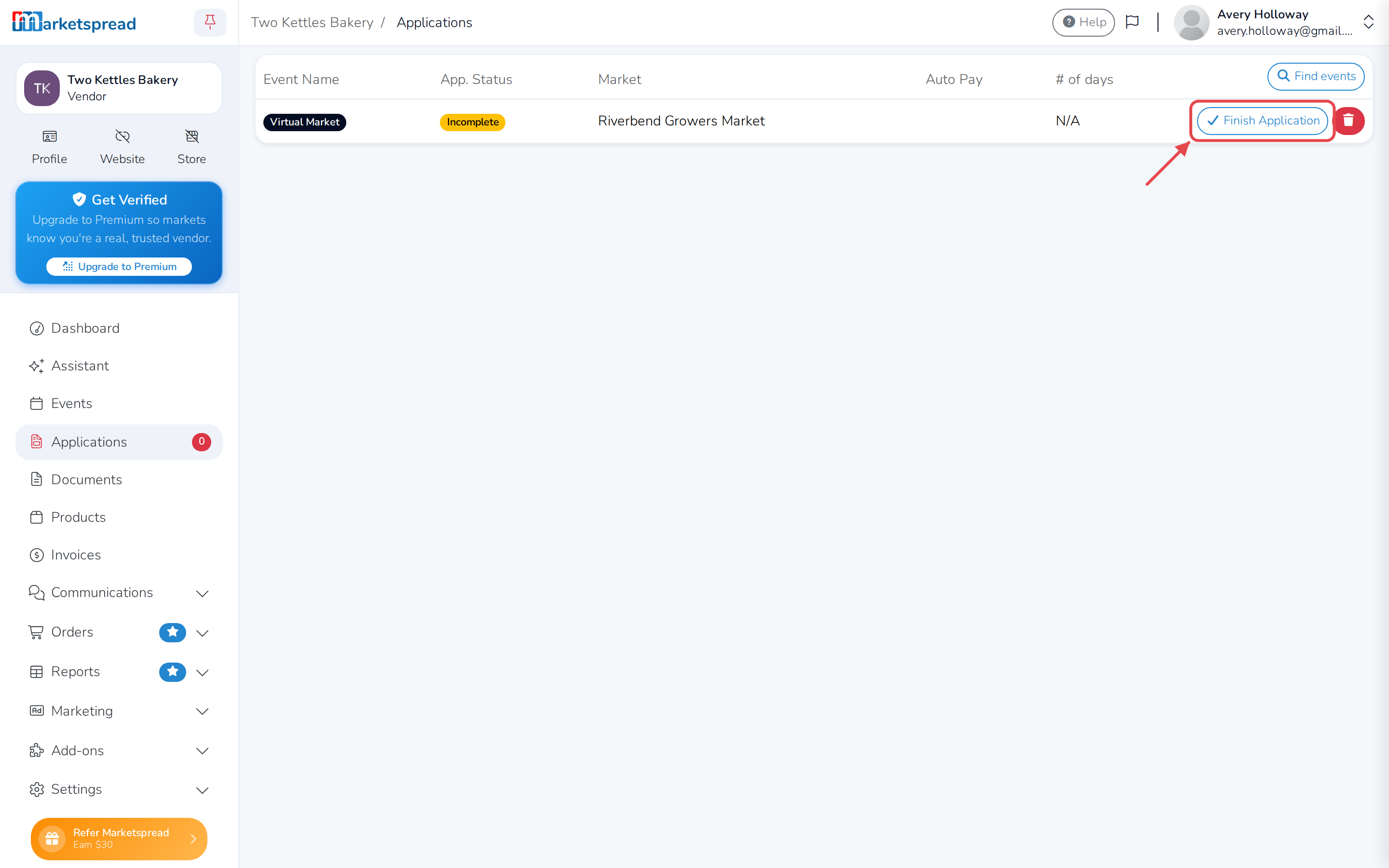
-
Under Select a Type, read each one's description and click the type
that fits you the closest.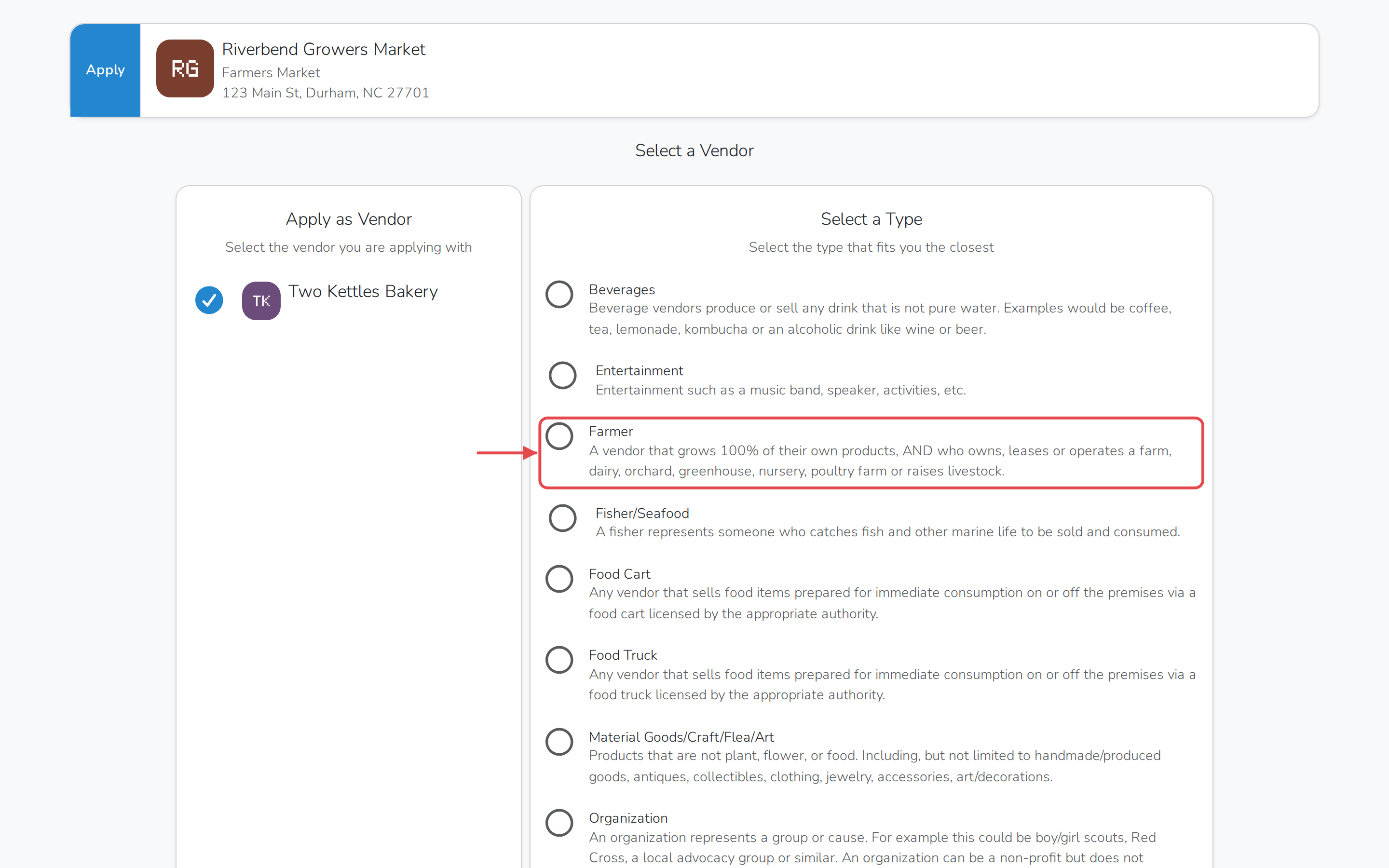
-
Continue through the rest of the application.
Tip
Not sure which one fits? Ask the market's manager which type they'd
recommend.
Change it after you apply
Once you submit the application, you can't change your vendor type yourself.
See Change your vendor type to ask
the market to reopen it.