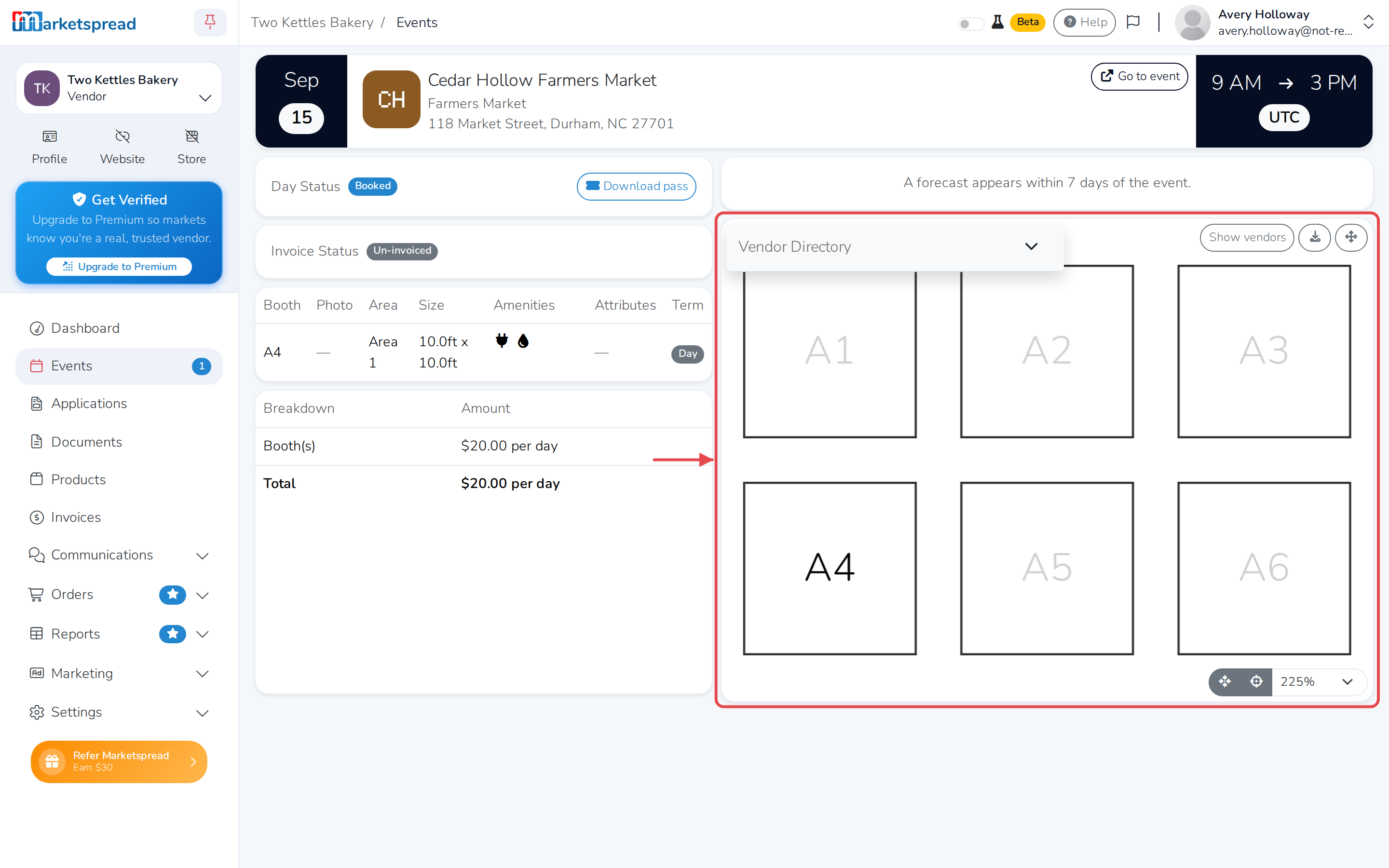
Your Events list shows which booth you've been assigned for each upcoming
event, once the market has published it. Check it at a glance, or open the
day's overview for the full details and a map of where your booth sits.
Check the Events list
-
In the left-hand navigation, click Events.
-
Find the event day. Your booth is in the Booth column.
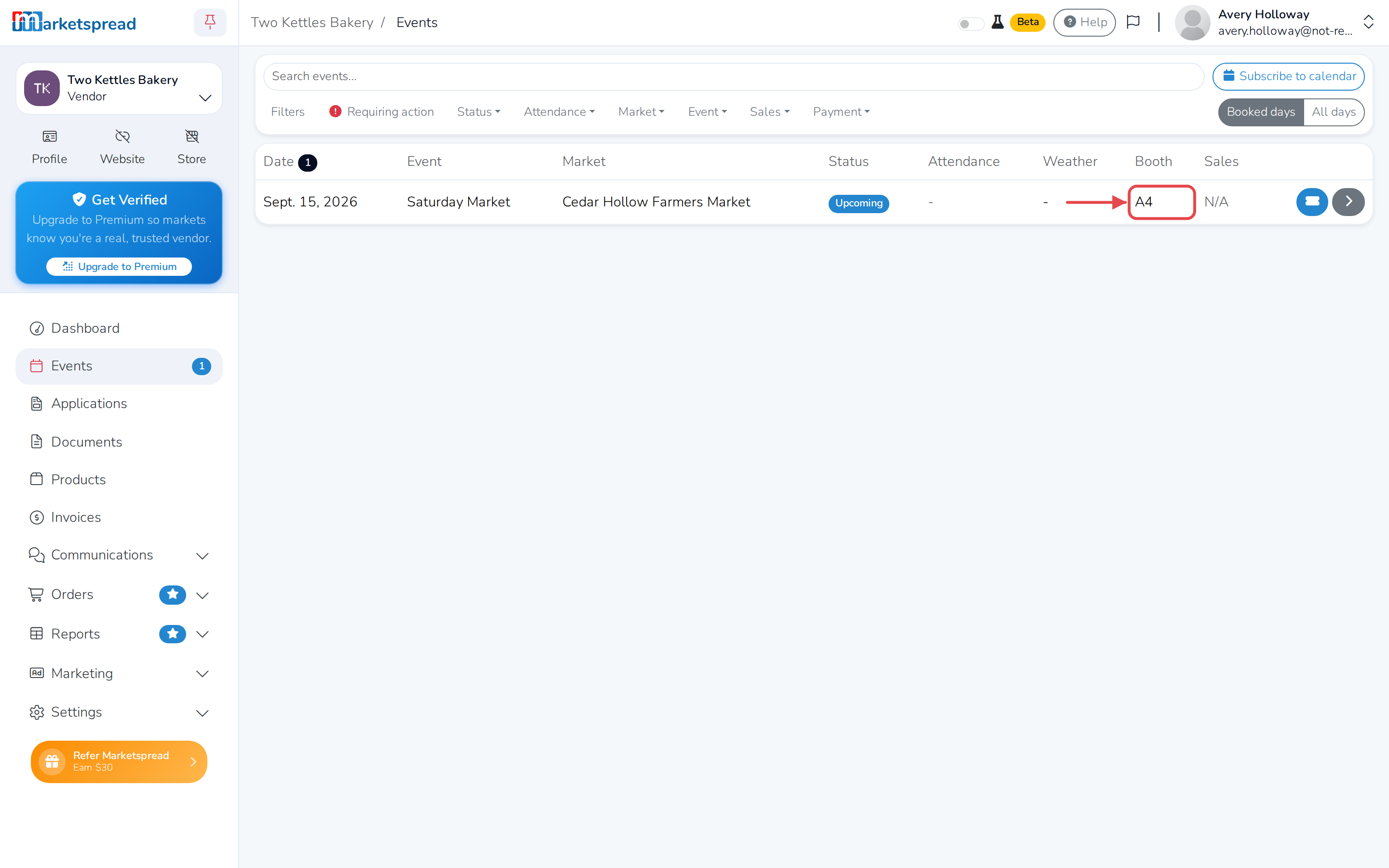
Note
If the market hasn't published booth assignments for that day yet, this
shows TBD.
See the map and full details
-
Click the arrow on the right of the event day's row. This opens the day's
overview.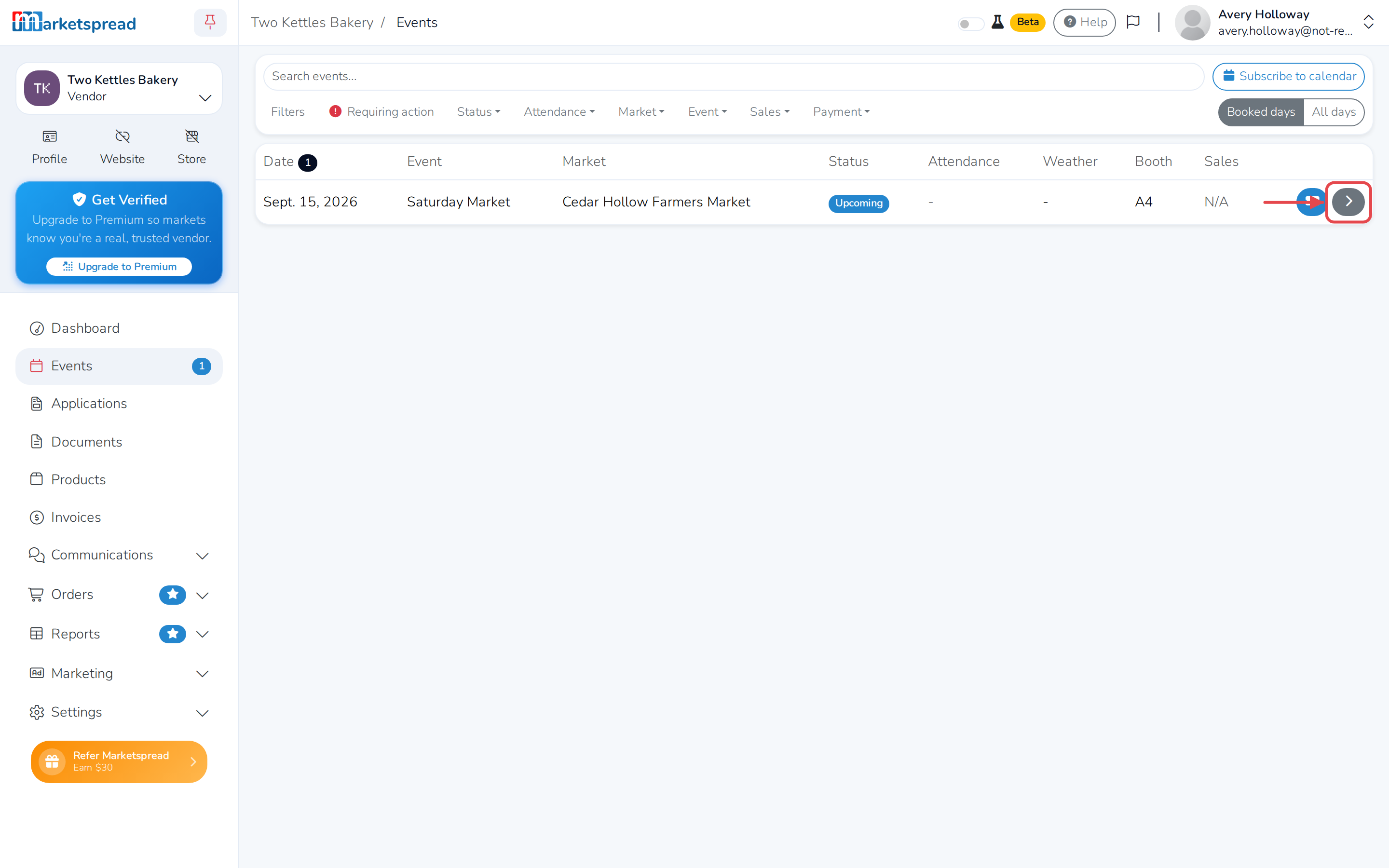
-
Scroll down to see your booth's size and amenities, and — if the market
has set one up — a map showing where it is.