Some markets send you updates by text through Messenger. To receive them, add your cell phone number to your Marketspread account. You can add or update it any time from your profile.
Add or update your cell phone number
-
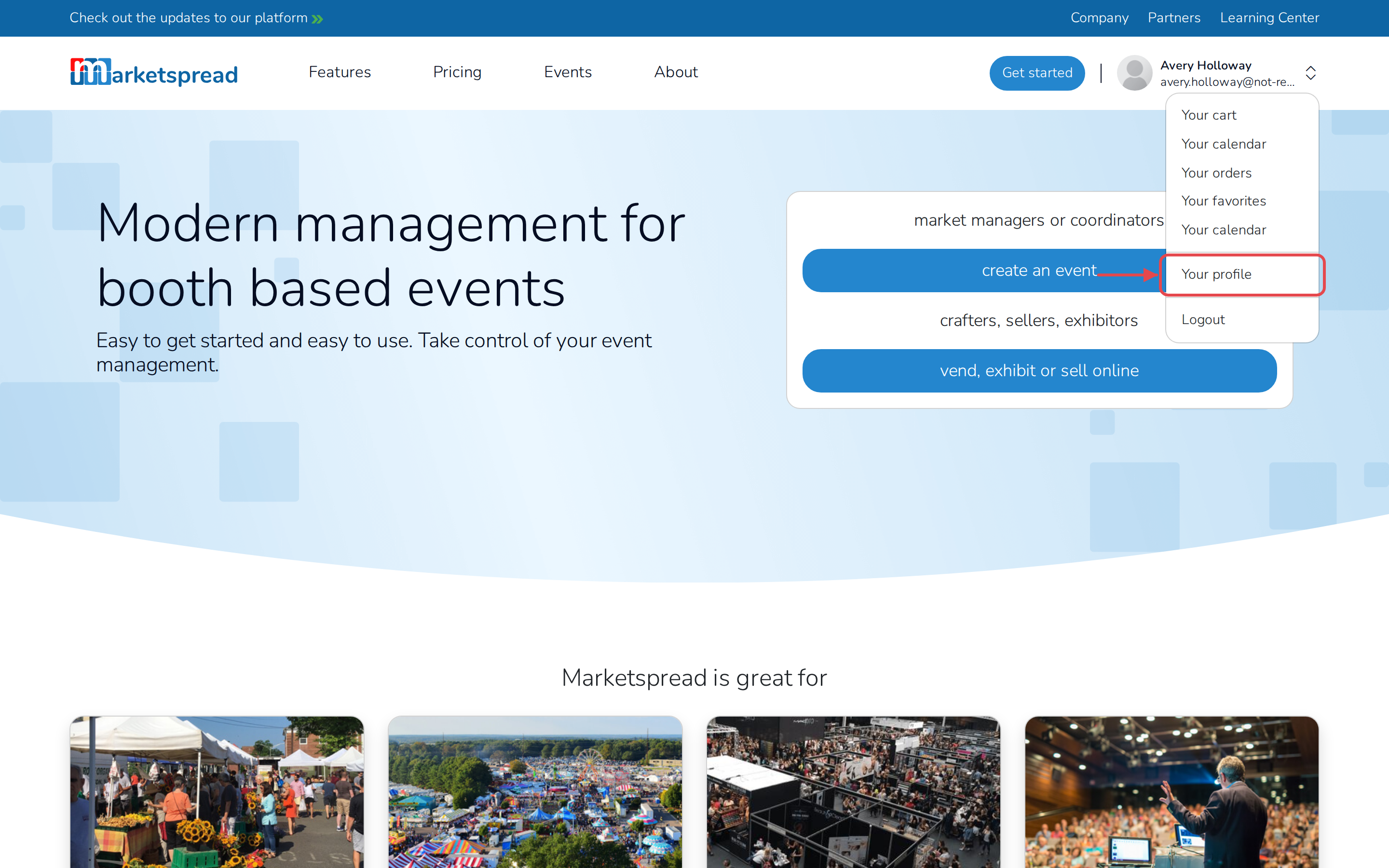
Click your profile photo in the top-right corner of the screen.
-
Click Your profile.
-
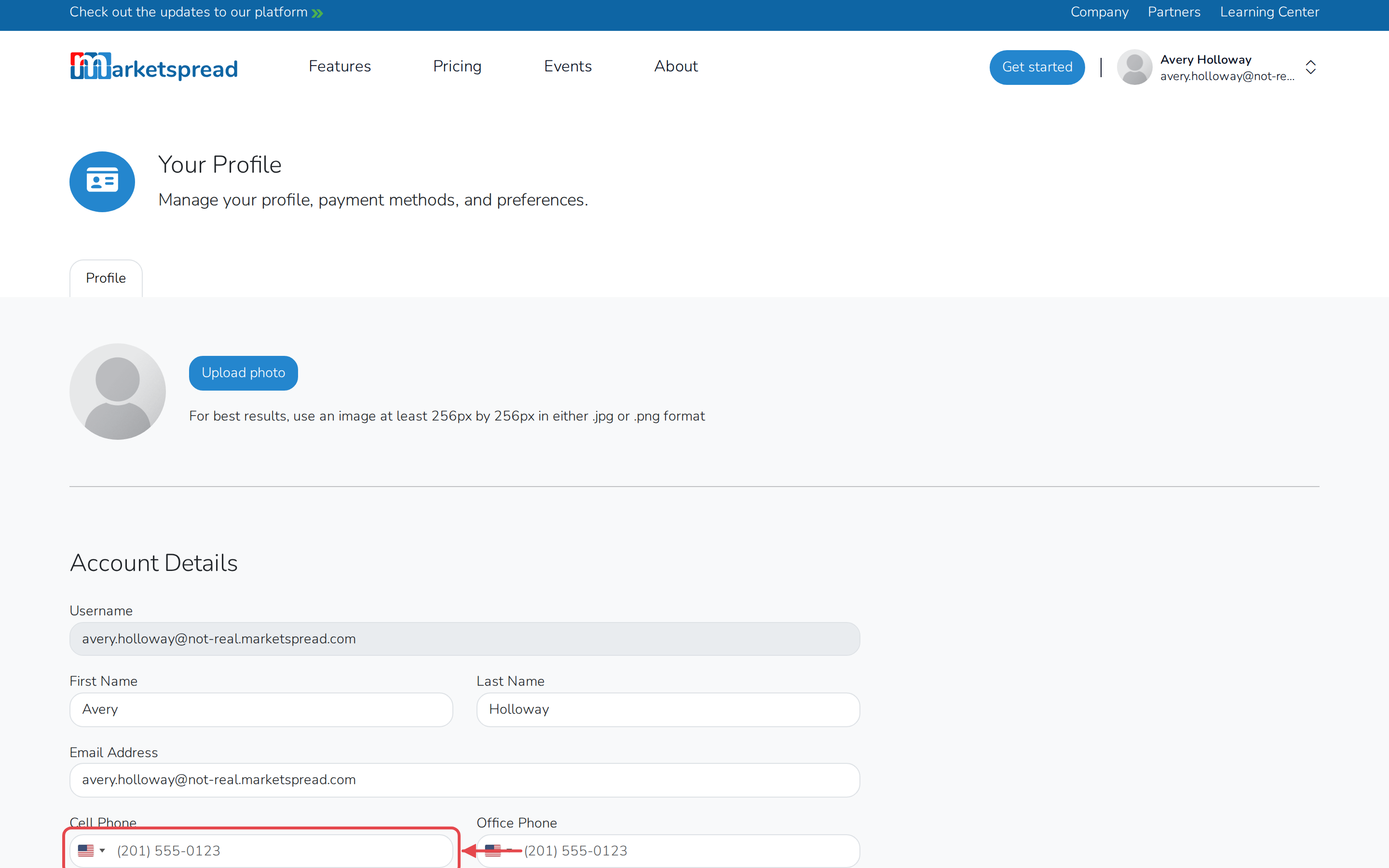
Under Account Details, enter your number in the Cell Phone field.
-
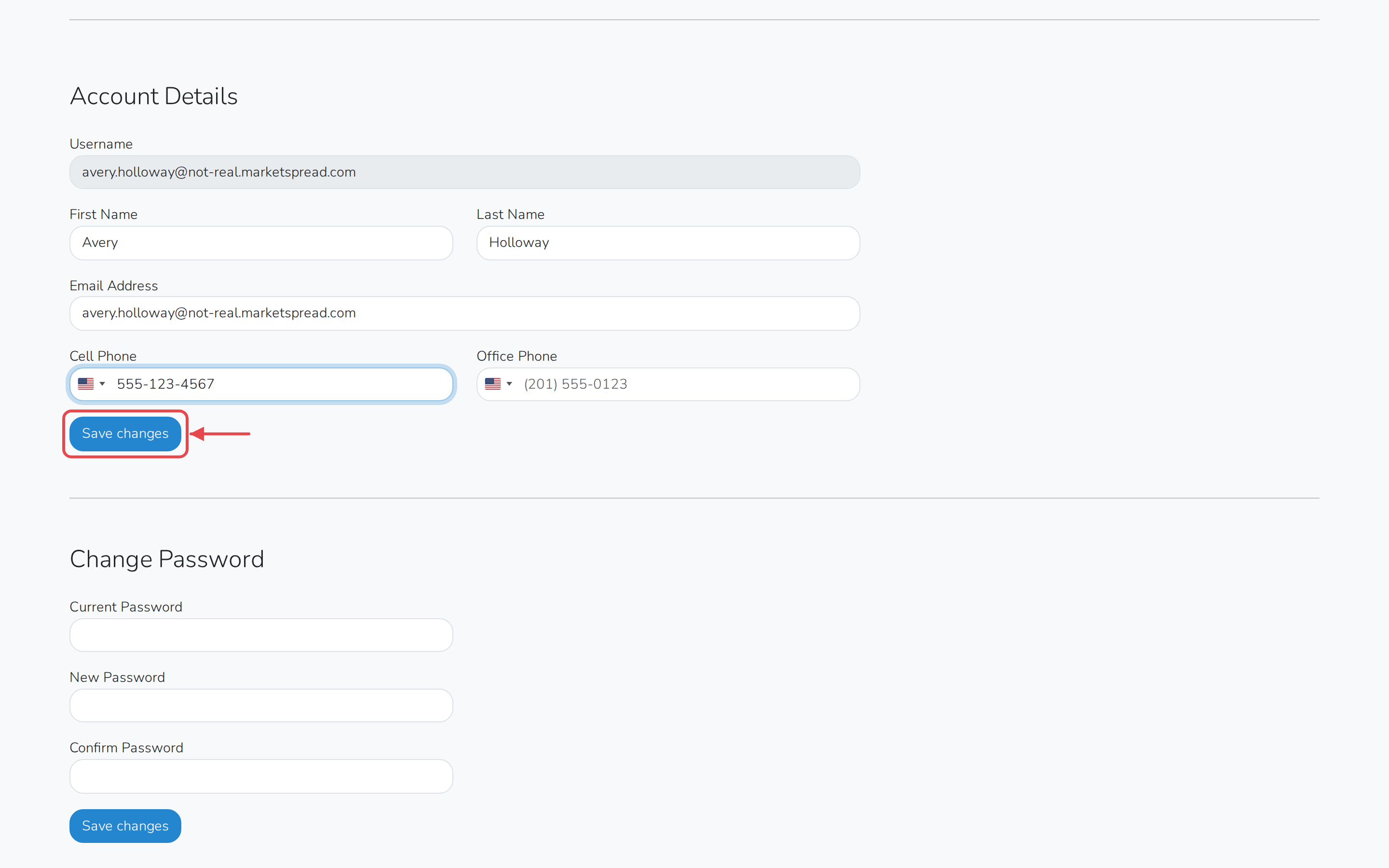
Click Save changes.