


A market can invite you to apply, so you do not have to go looking for it. The
invitation waits for you on your vendor dashboard, under Applications.
From there, you can apply to it or turn it down.
Apply to the invitation
-
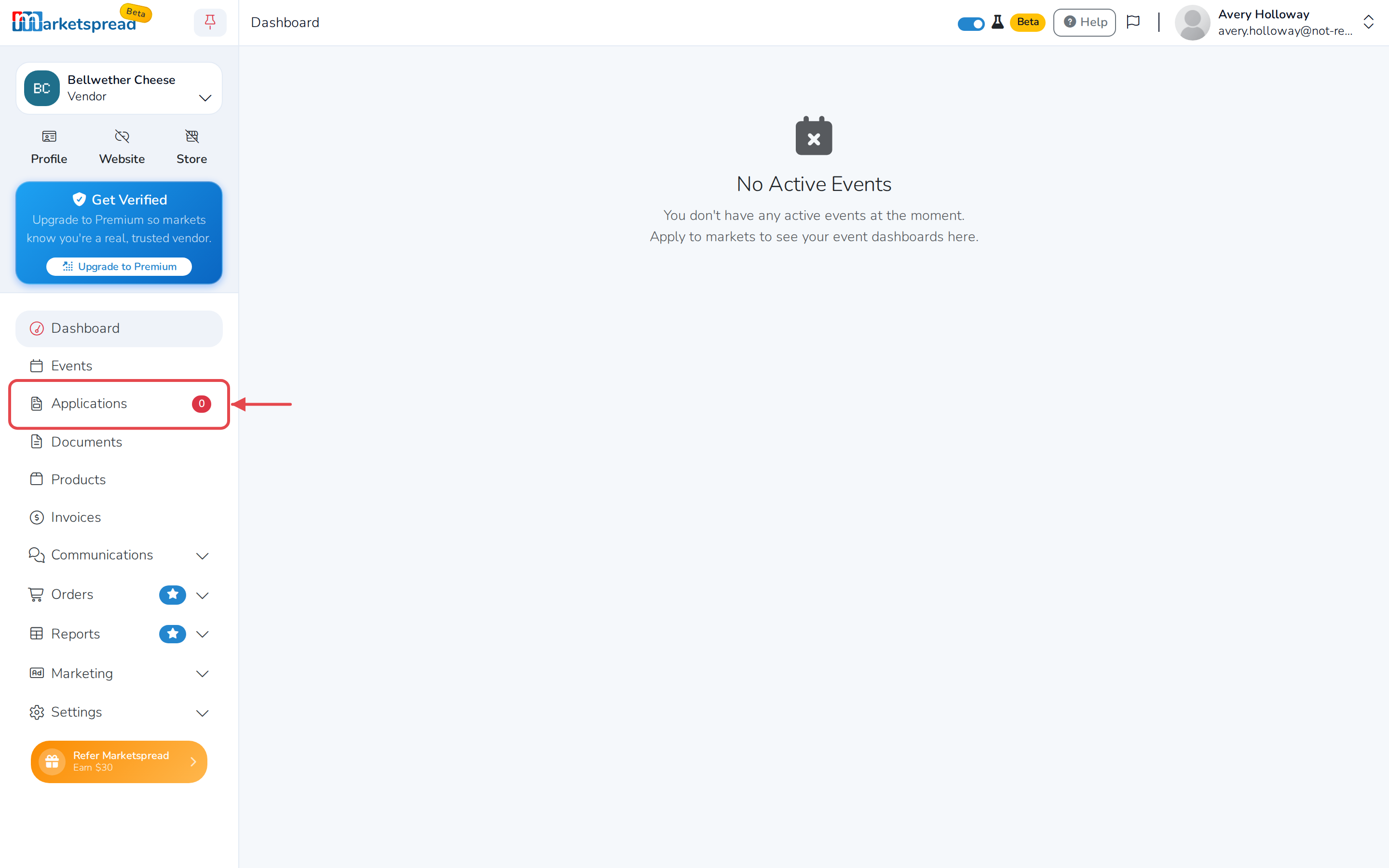
Open your vendor dashboard and click Applications in the left menu.
-
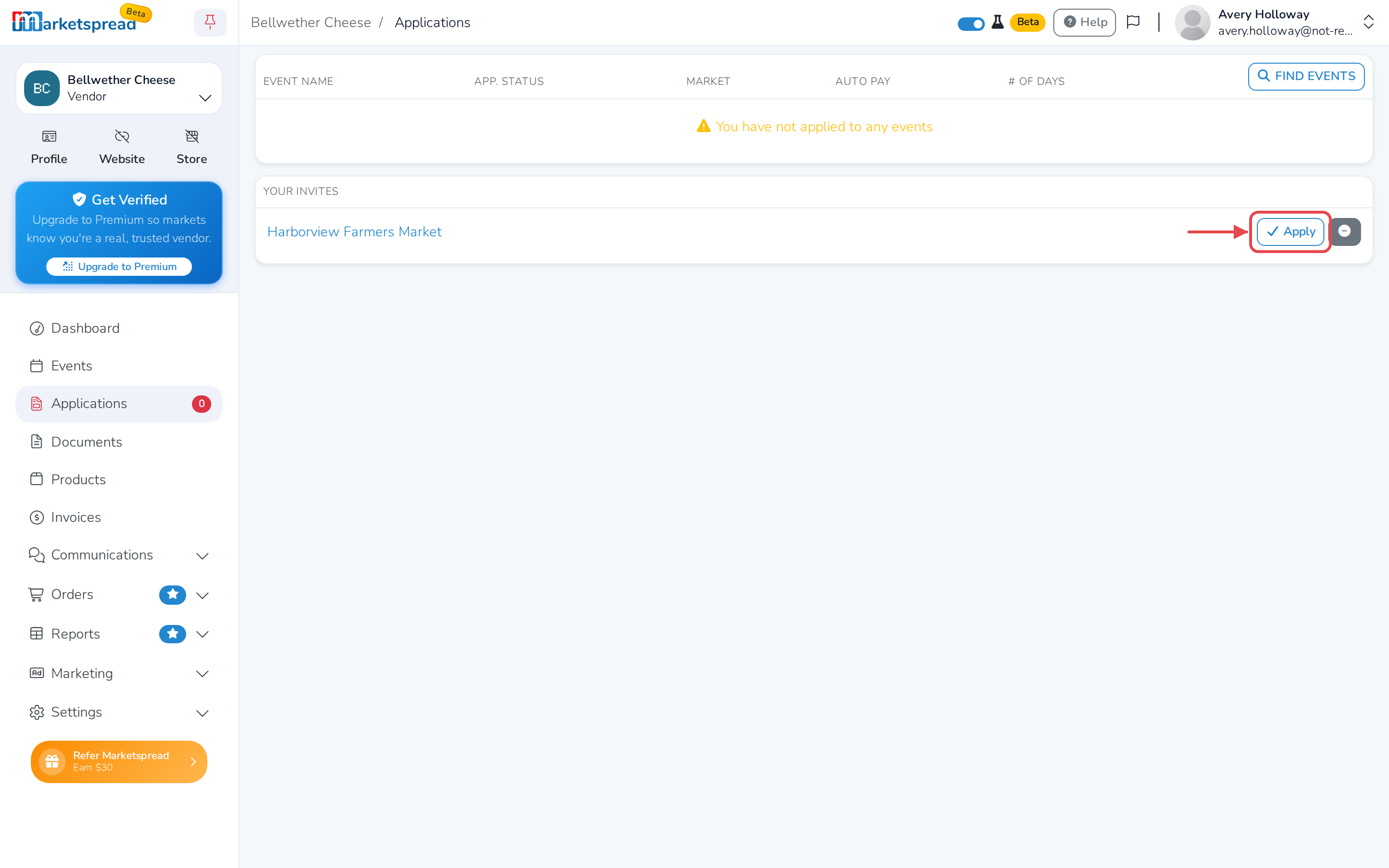
Under Your Invites, find the market that invited you.
-
Click Apply next to its name.
-
If the market has more than one event open, you land on Select an
Event. Click the one you want to apply to. If it only has one, you go
straight into the application.
Note
The first time you apply anywhere, you are also asked to set up your
vendor details. After that, every application starts from this step.
Decline an invitation
-
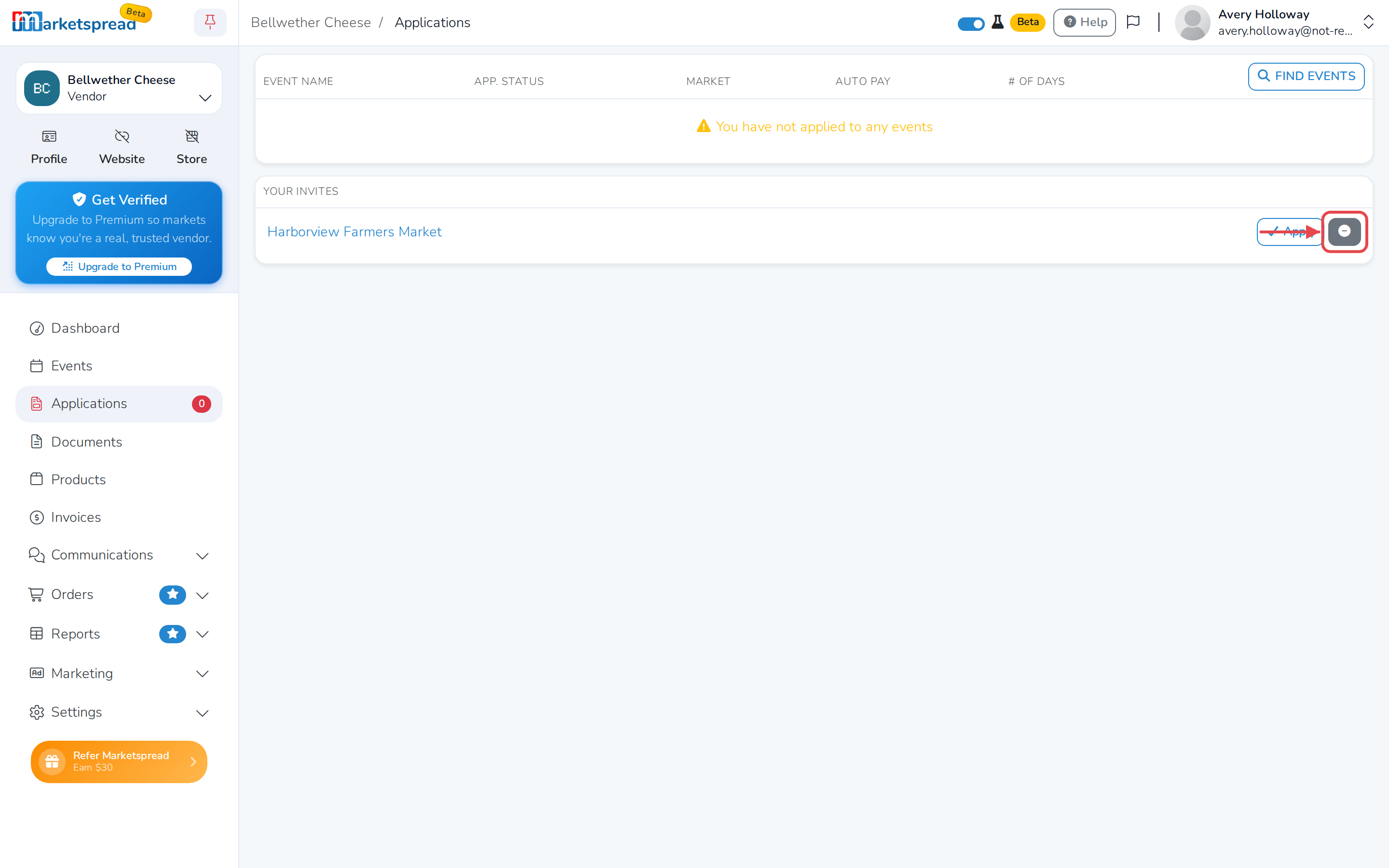
Under Your Invites, find the market you want to turn down.
-
Click Reject next to its name.
-
Click Reject again to confirm.
Note
The market is told you declined. If you change your mind, ask them to
invite you again.