Pay an invoice from your vendor dashboard whenever a market bills you for a booth fee or another charge.
Pay an invoice
-
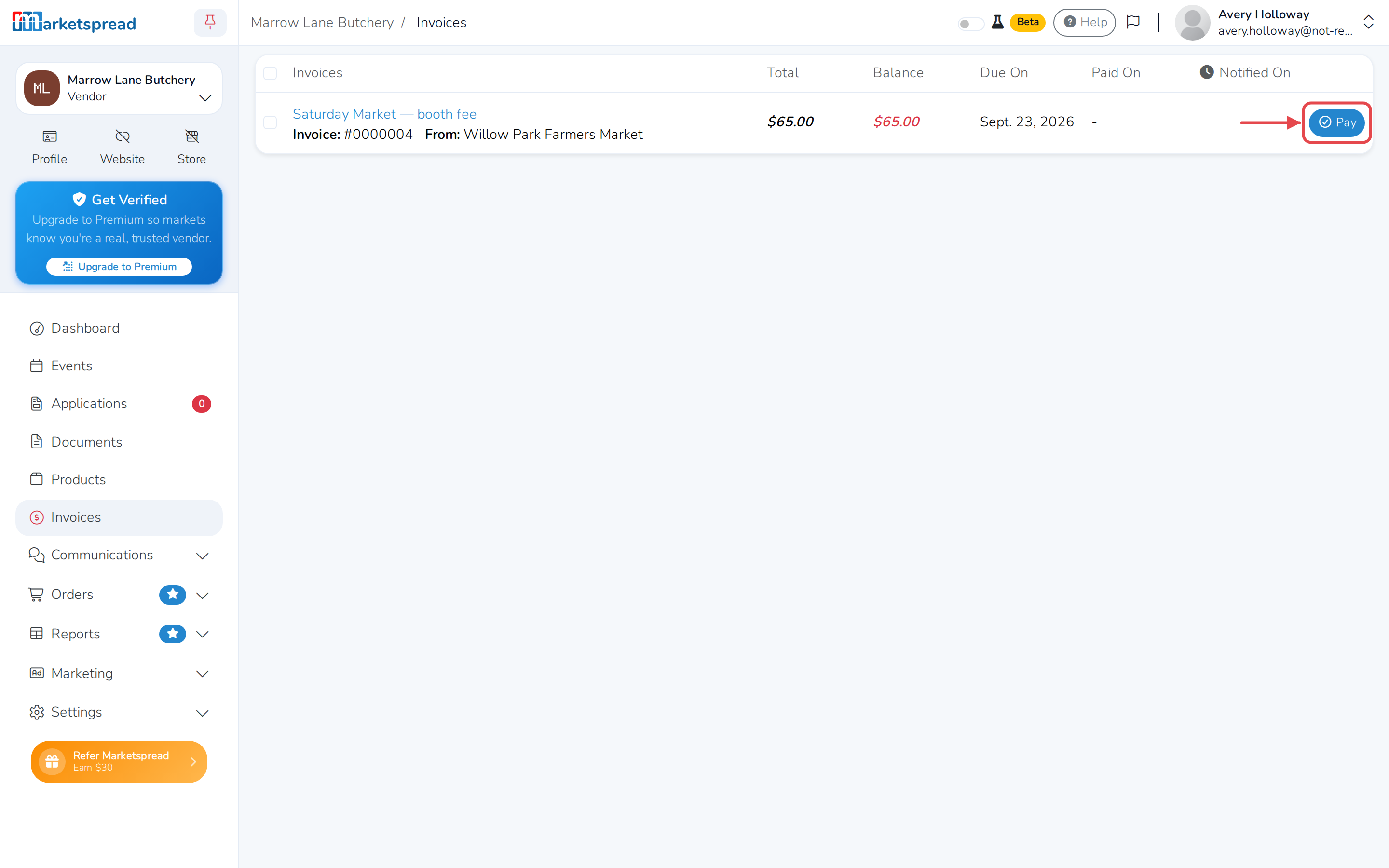
Open Invoices in the left-hand menu.
-
Find the invoice you want to pay, and click Pay on its right.
-
Click a card you've already saved, or click Add new card and enter the card number, expiration date, CVV and Billing address.
-
If you picked a saved card, enter its CVV — the three or four digits on the card.
-
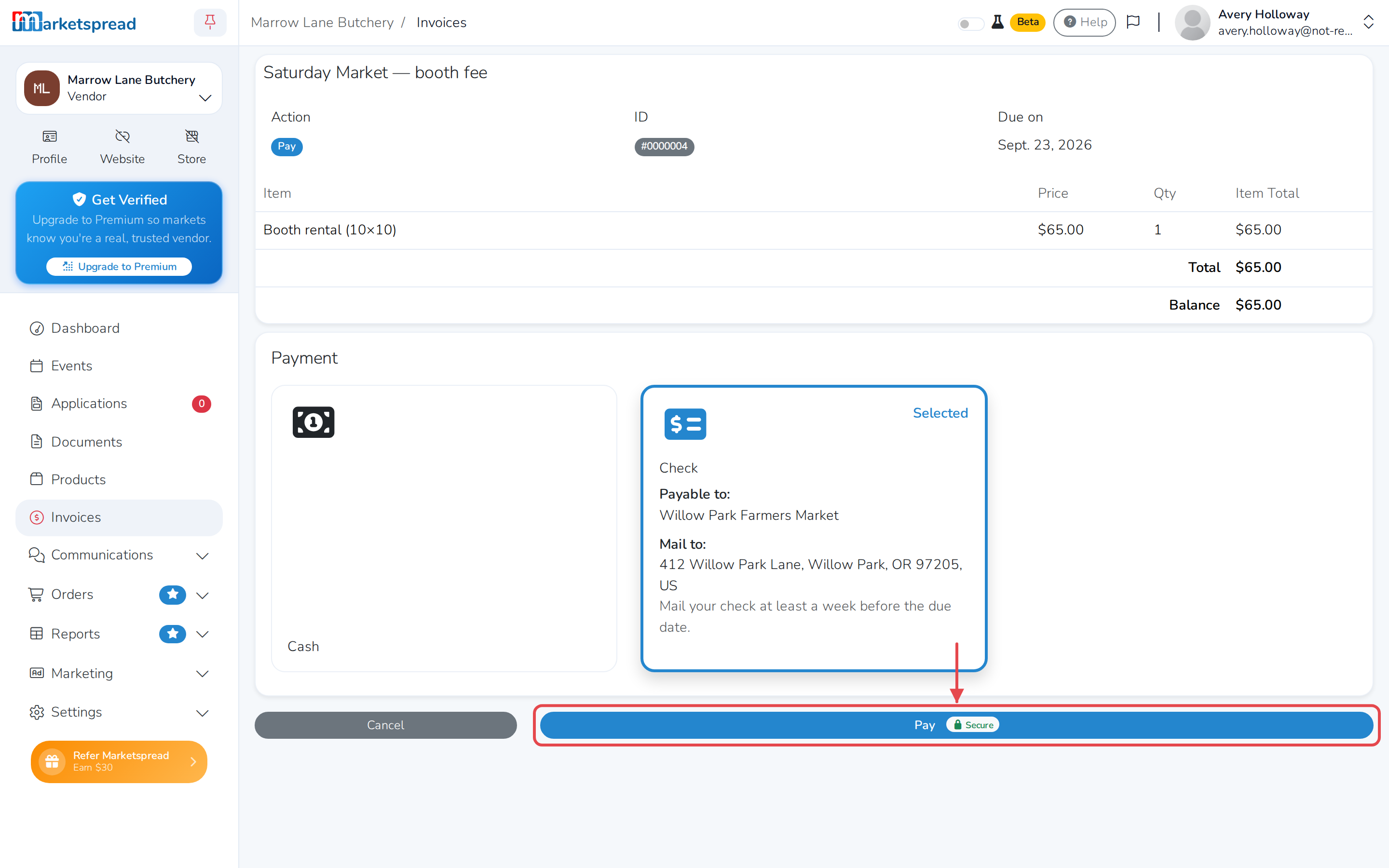
Click Pay.
The invoice's status changes to Paid.
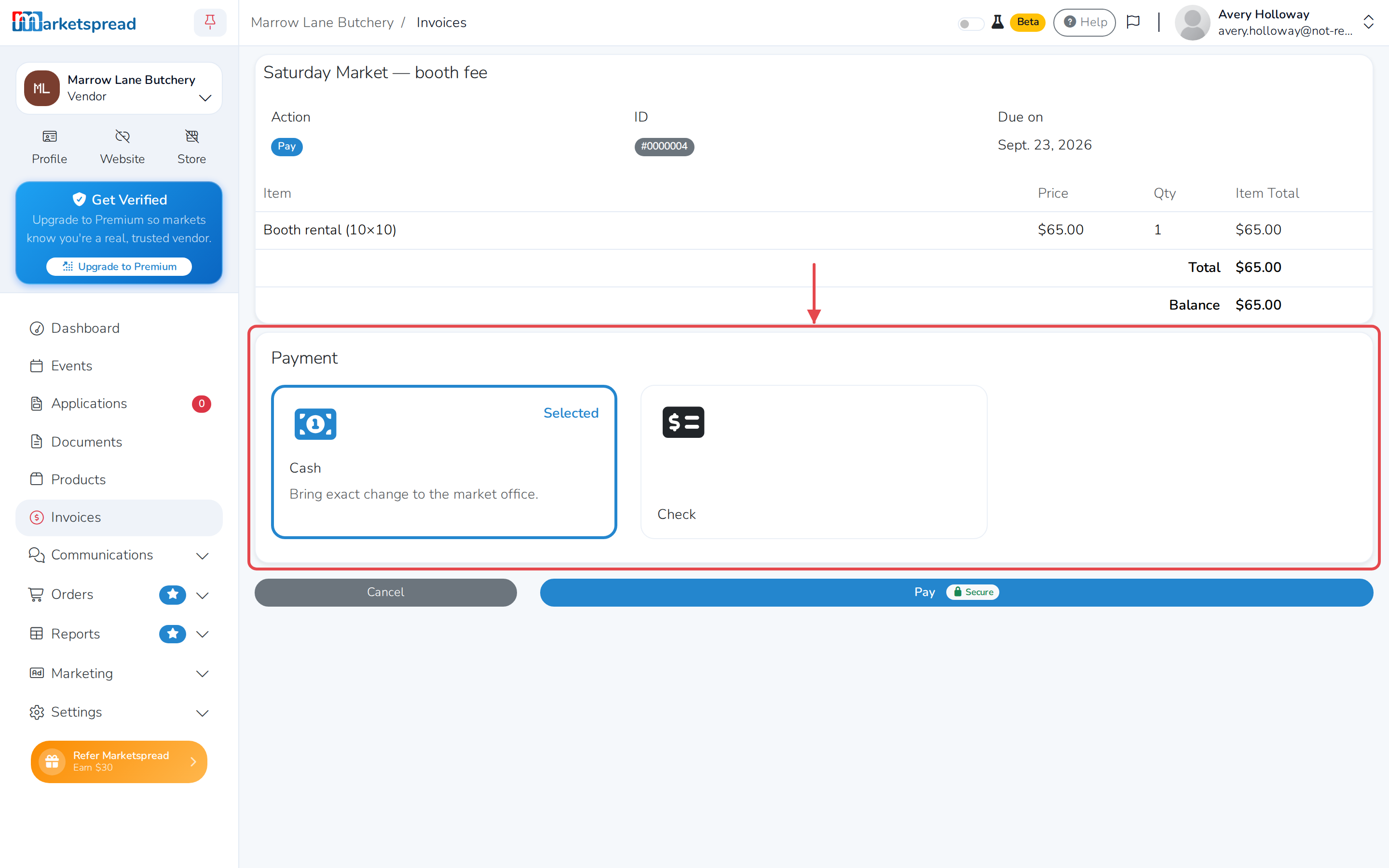
Some markets accept other ways to pay
If a market also takes cash or check, you'll see those next to the card
option. Choose one and follow its instructions. Your invoice stays
marked pending until the market receives your payment and confirms it.