


Your Applications page lists every market or event you've applied to. Some markets let vendors request their own attendance changes:
- Ask to attend a date you're not signed up for
- Ask to come off a date you're already on
If your market doesn't allow this, you won't see the request buttons below.
Ask to attend an additional date
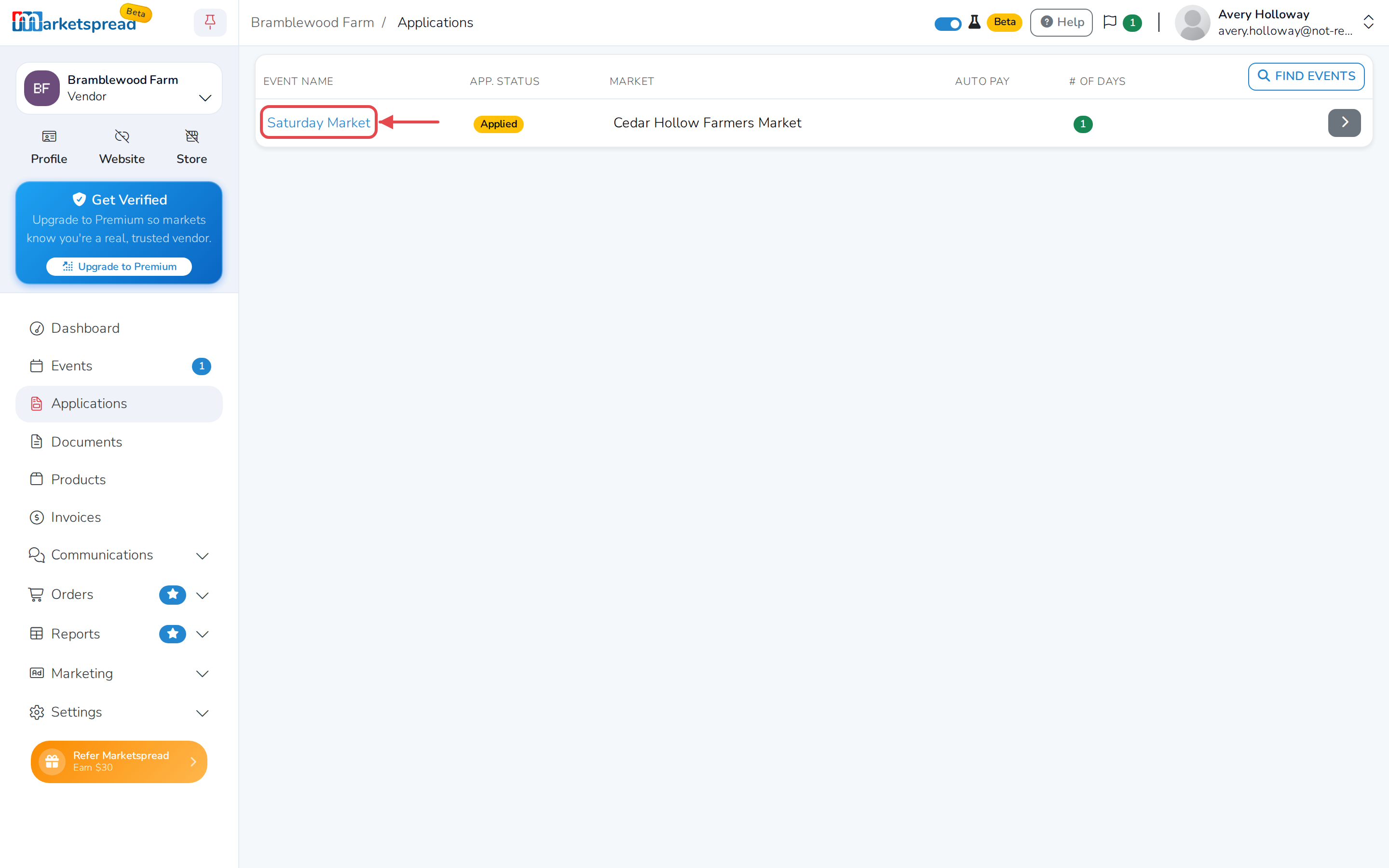
- From your vendor dashboard, click Applications.
- Click the market or event you want to change.
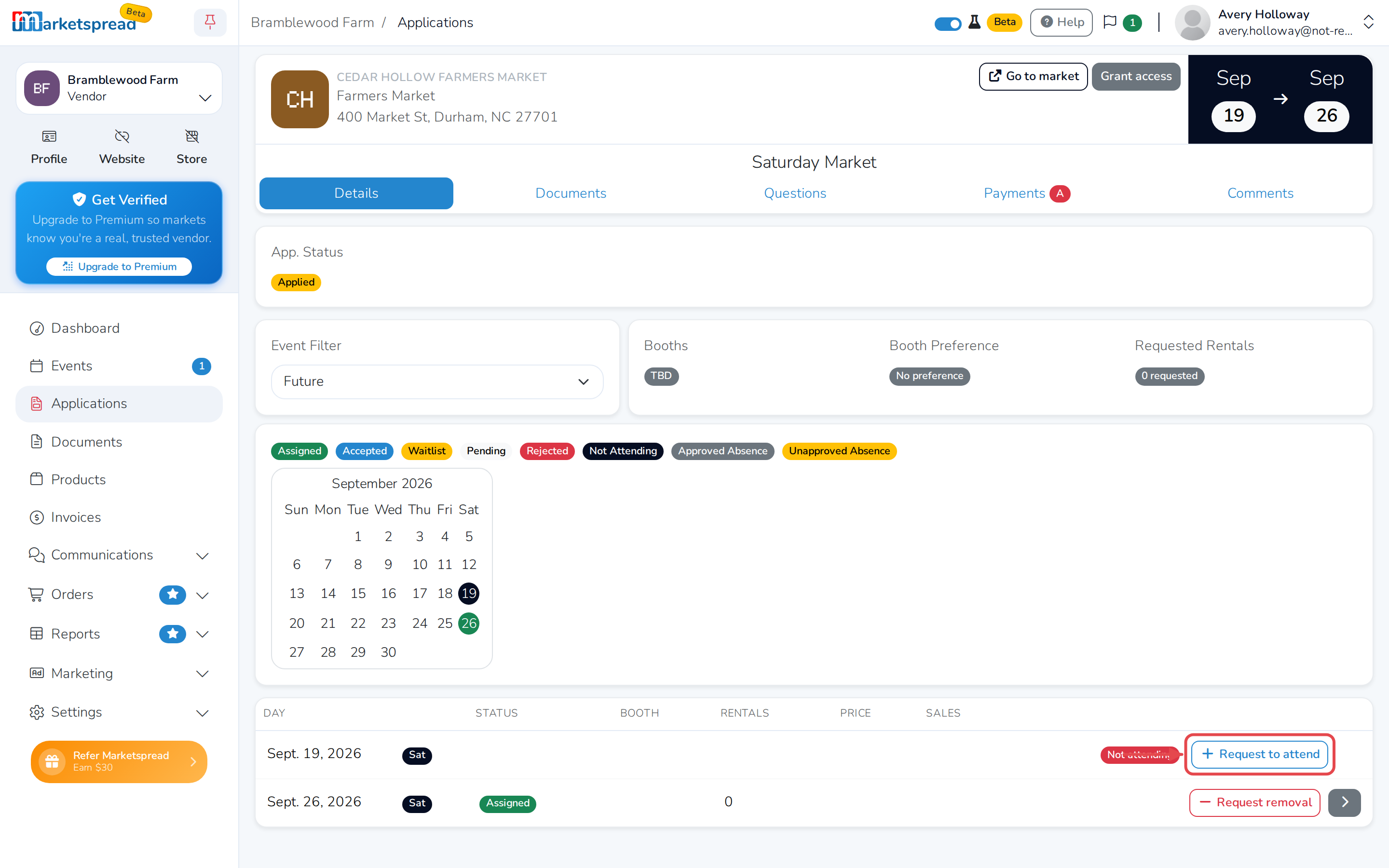
- Scroll to the list of dates and find the one you want to add.
- Click Request to attend.
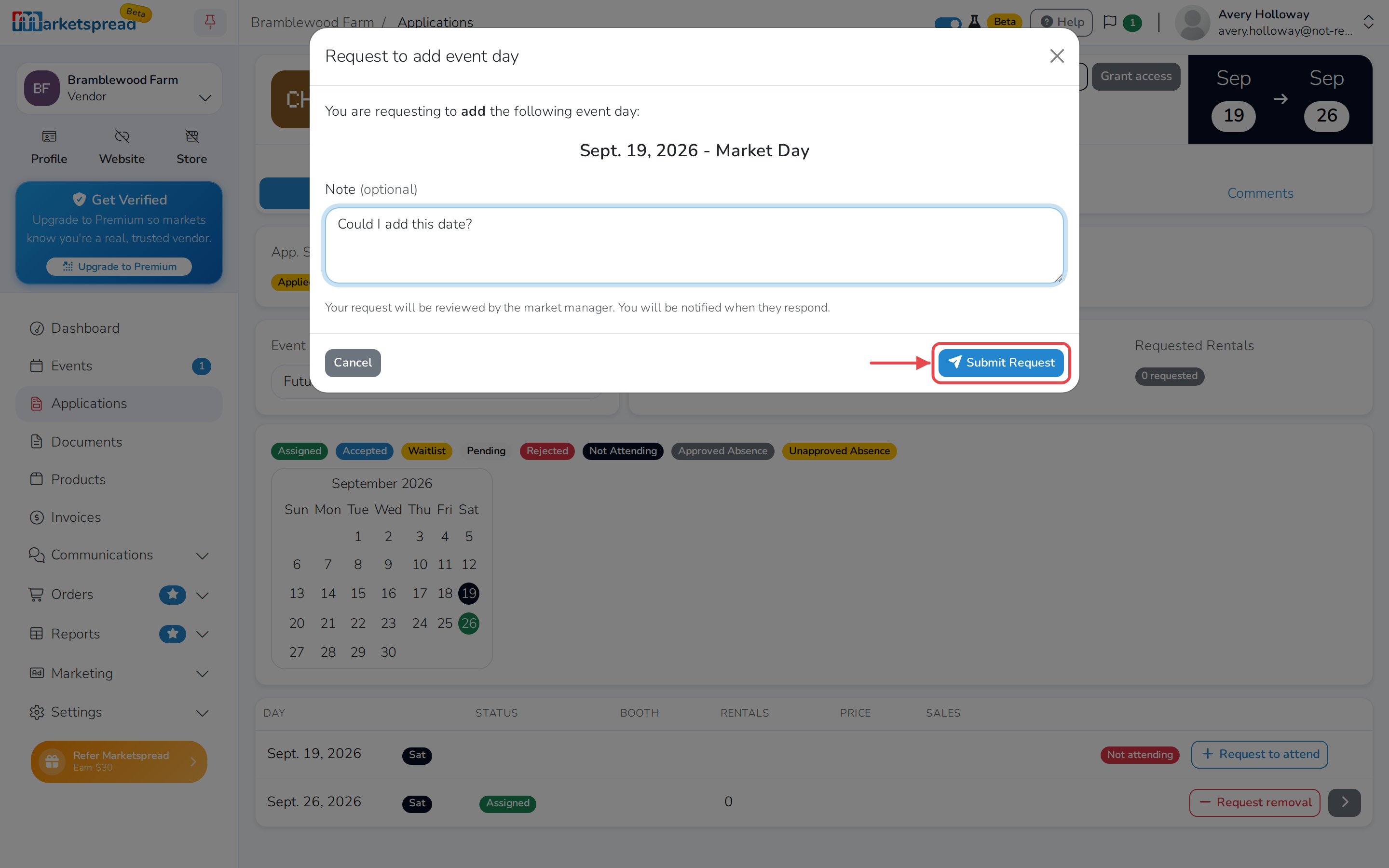
- Add a note for the market manager, if you'd like.
- Click Submit Request.
Note
Your request goes to the market manager for review. The date shows Pending approval until they respond.
Ask to be removed from a date
- From your vendor dashboard, click Applications.
- Click the market or event you want to change.
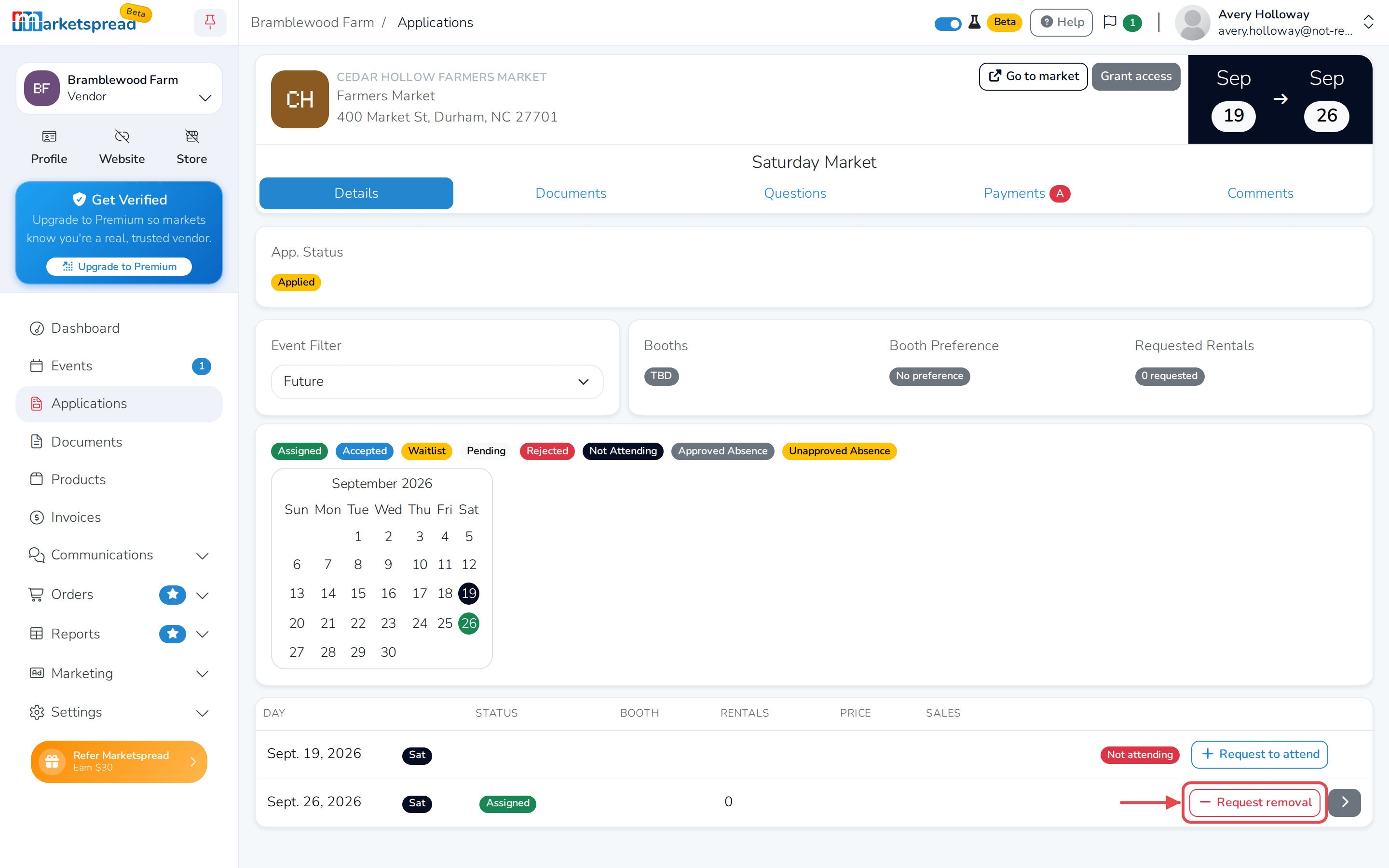
- Scroll to the list of dates and find the one you want to leave.
- Click Request removal.
- Add a note for the market manager, if you'd like.
- Click Submit Request.
Warning
If you already have a booth assigned for that date, removing it cancels your booth booking.