


Marketspread provides online market management software, but does not participate in the day-to-day operations or decision-making of individual markets. If you have questions about a specific market, contact the market manager directly. There are two ways to do that, depending on whether you have already applied to the market.
Contact a market you've already applied to
-
Log in to your Marketspread account.
-
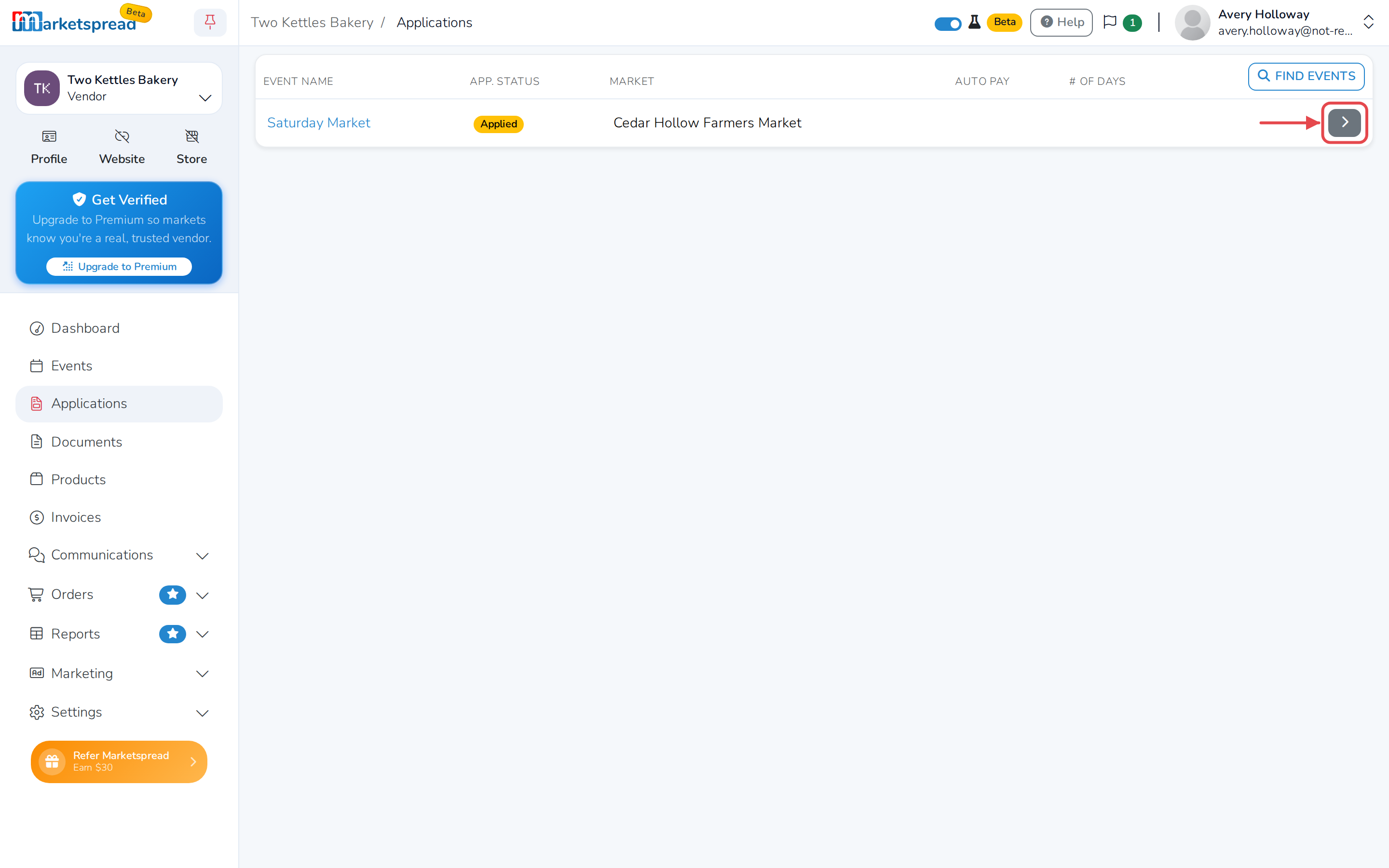
Click Applications in the left-hand menu.
-
Find the market you want to contact.
-
Click the Overview arrow on the right of it.
-
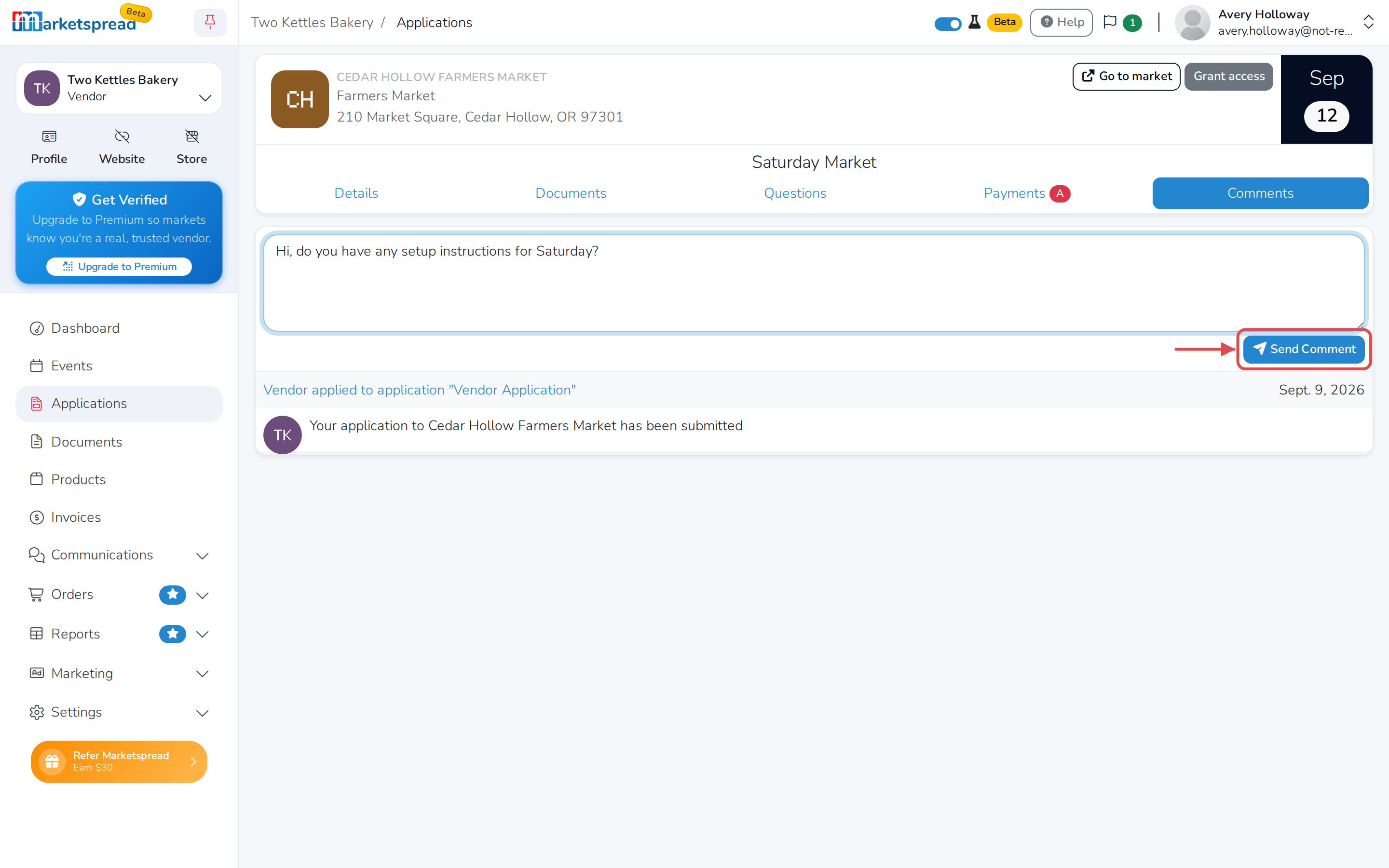
Click the Comments tab.
-
Type your question or message in the comment box.
-
Click Send Comment.
Contact a market before you apply
-
Go to the Marketspread website.
-
Click Events at the top of the page.
-
Search for the market by location or event name.
-
Click it in the results list or on the map. The market's information opens in a window over the map.
-
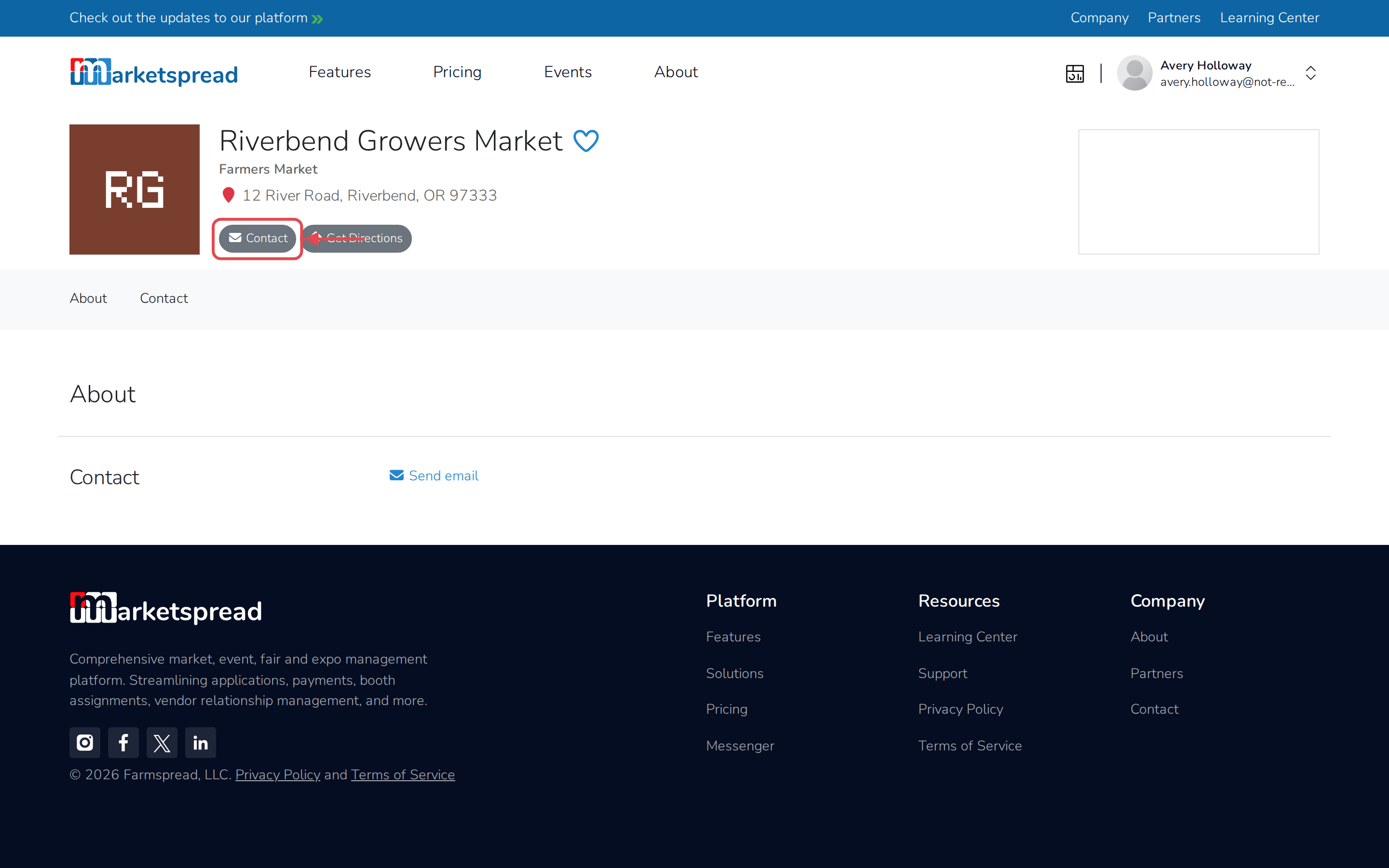
Click View Profile to open the market's profile page.
-
Click Contact below the market's name.
-
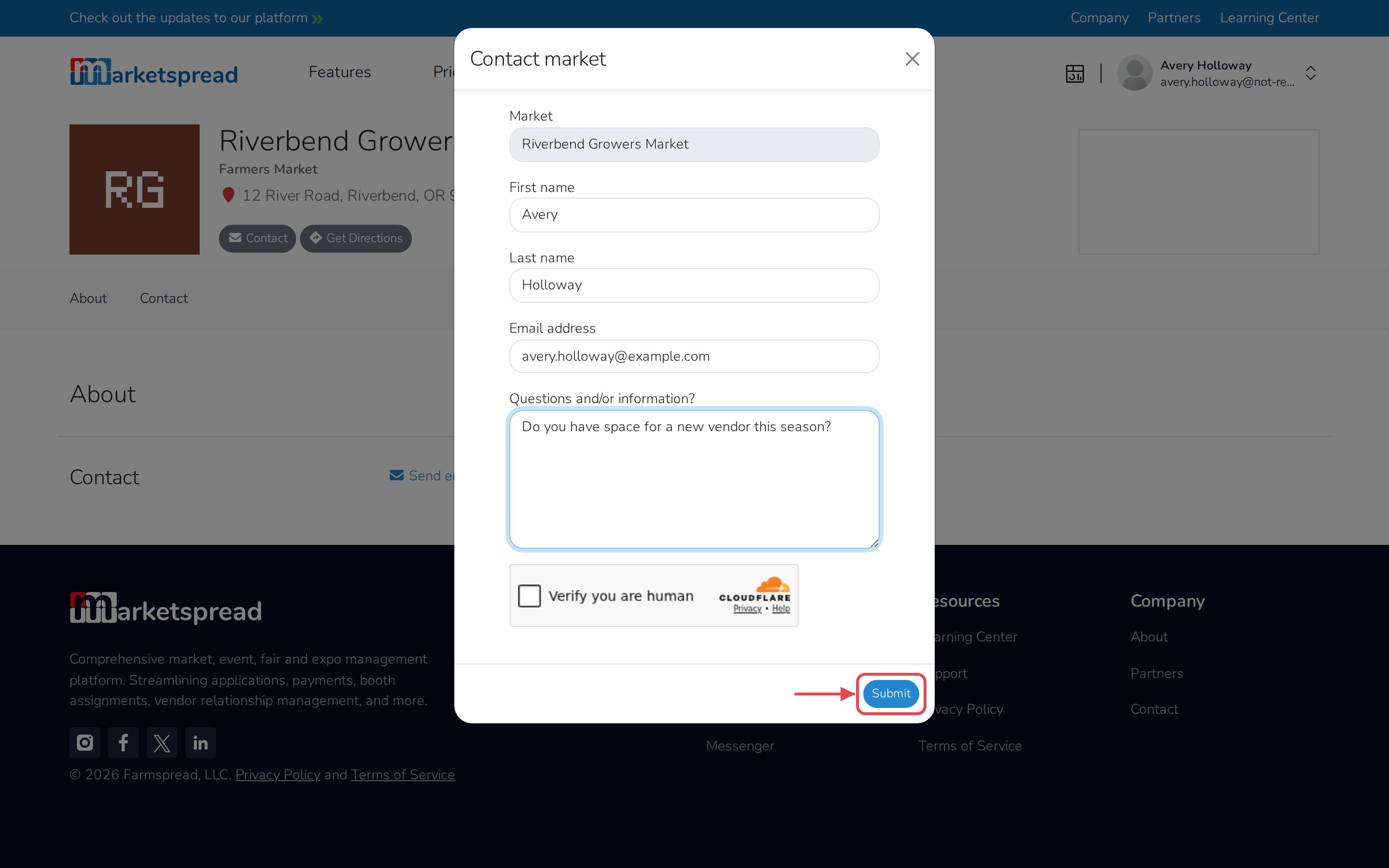
Fill in First name.
-
Fill in Last name.
-
Fill in Email address.
-
Enter your question under Questions and/or information?.
-
Check Verify you are human.
-
Click Submit.
Note
If a market's profile page doesn't have a Contact button, that market isn't on Marketspread. Try searching online or on social media for its contact information instead.