


Some markets sort vendors by type — farmer, food truck, craft vendor, and so on. They ask you to pick one when you apply to sell there. You choose your vendor type separately for every market that asks for one, as part of that market's application.
Change your vendor type
-
Open Applications in your Vendor Dashboard.
-
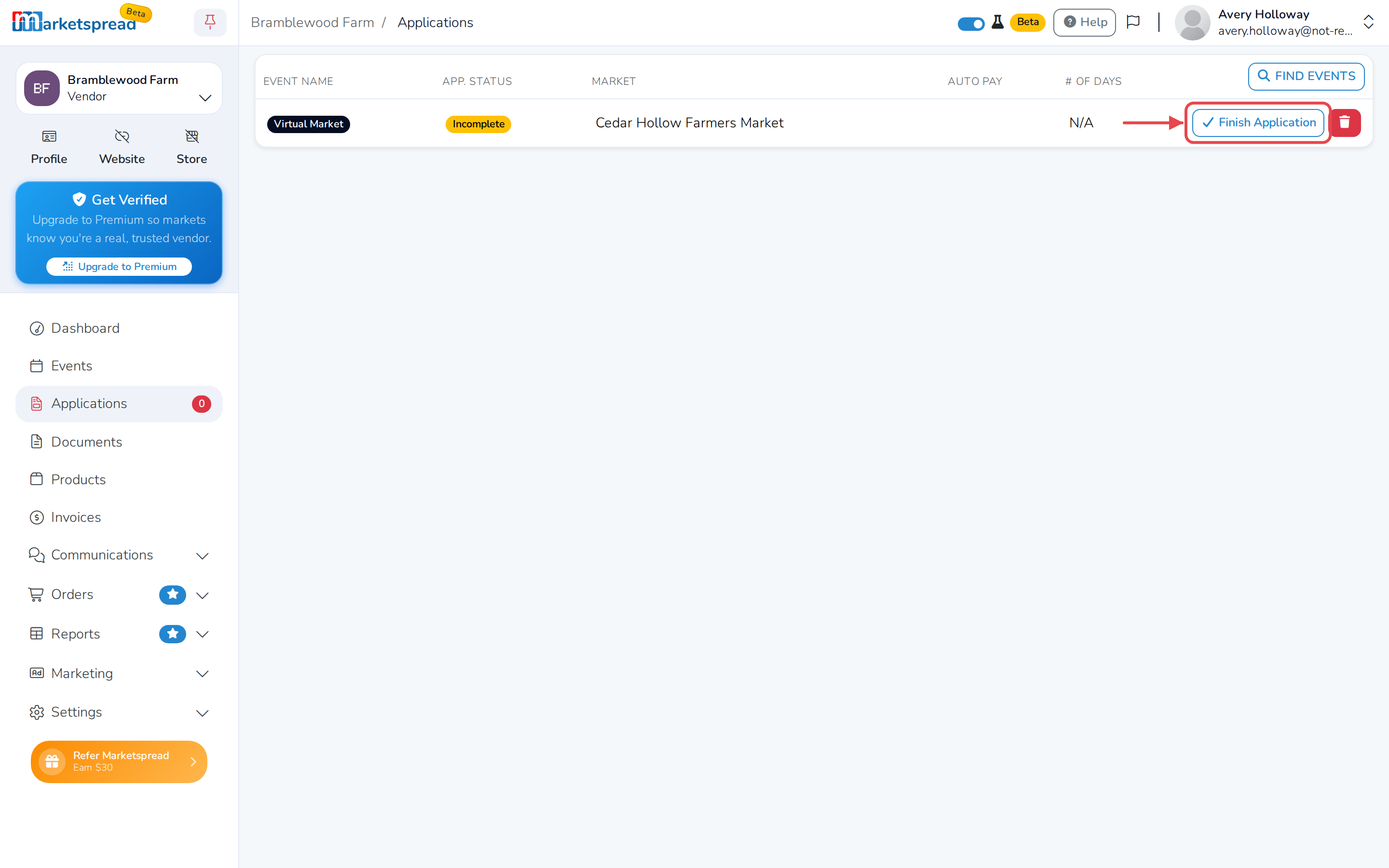
Find the market. If it shows Incomplete, click Finish Application. If it shows Resubmit, click Resubmit.
-
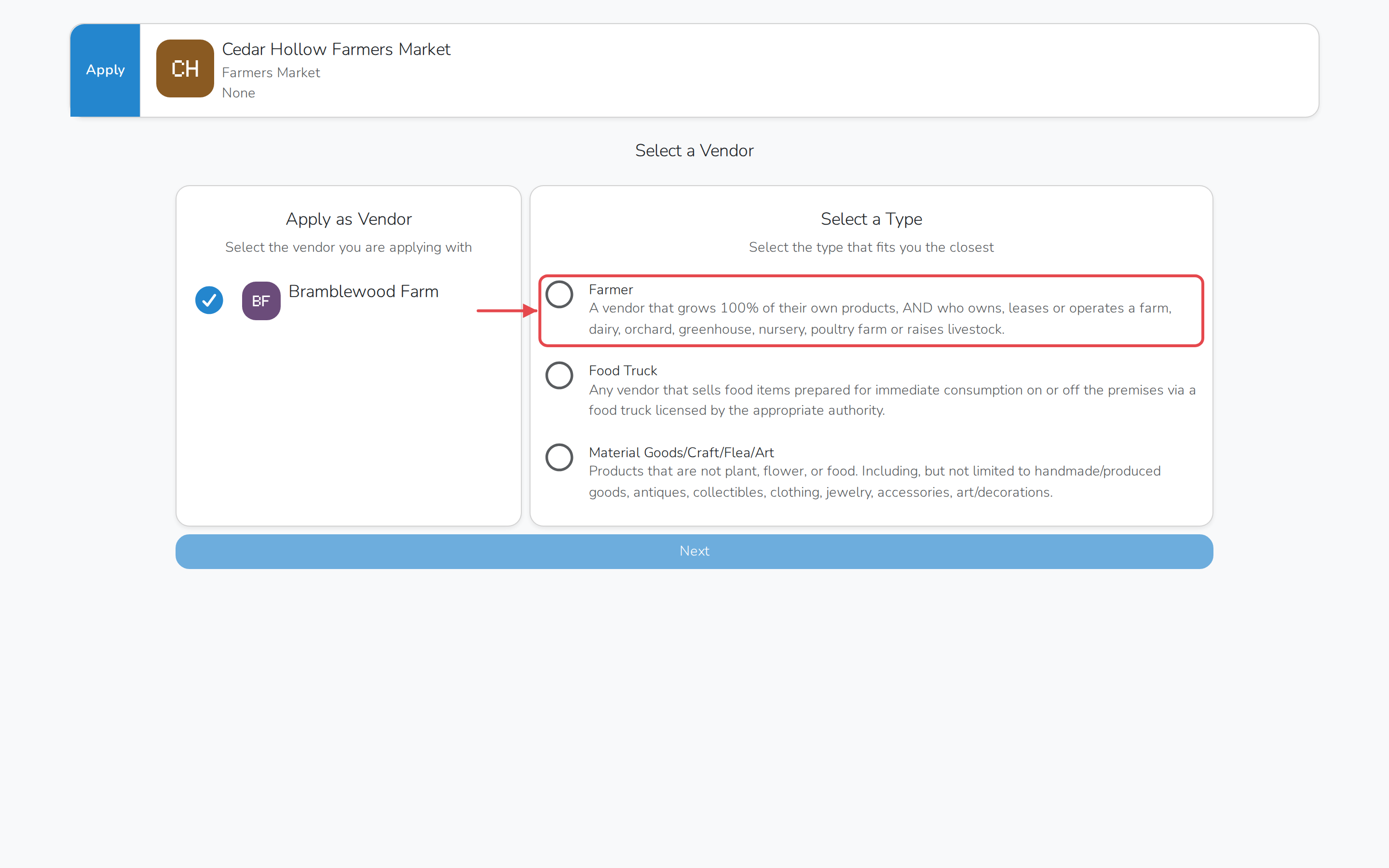
Under Select a Type, click the type that fits you the closest.
-
Continue through the rest of the application.
Locked after you submit
Once you submit the application, you can't change your vendor type yourself. Ask the market to reopen it for you — that puts it back into Resubmit, and you can then follow the steps above to pick a different type.