Change your password any time from your profile — you don't need to have forgotten it first. If you're locked out and can't sign in, see Forgot Your Password instead.
Change your password
-
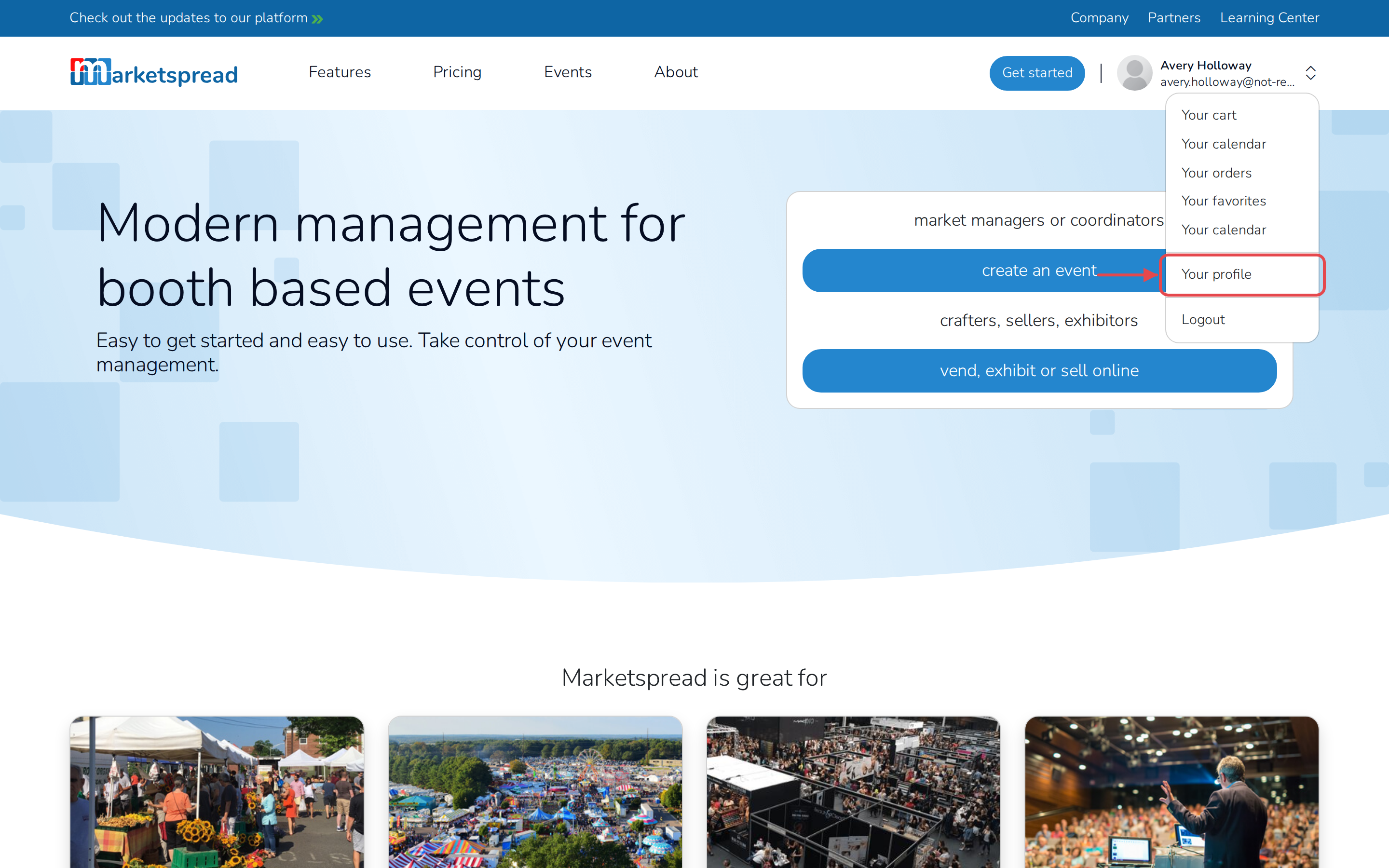
Click your profile photo in the top-right corner of the page.
-
Click Your profile.
-
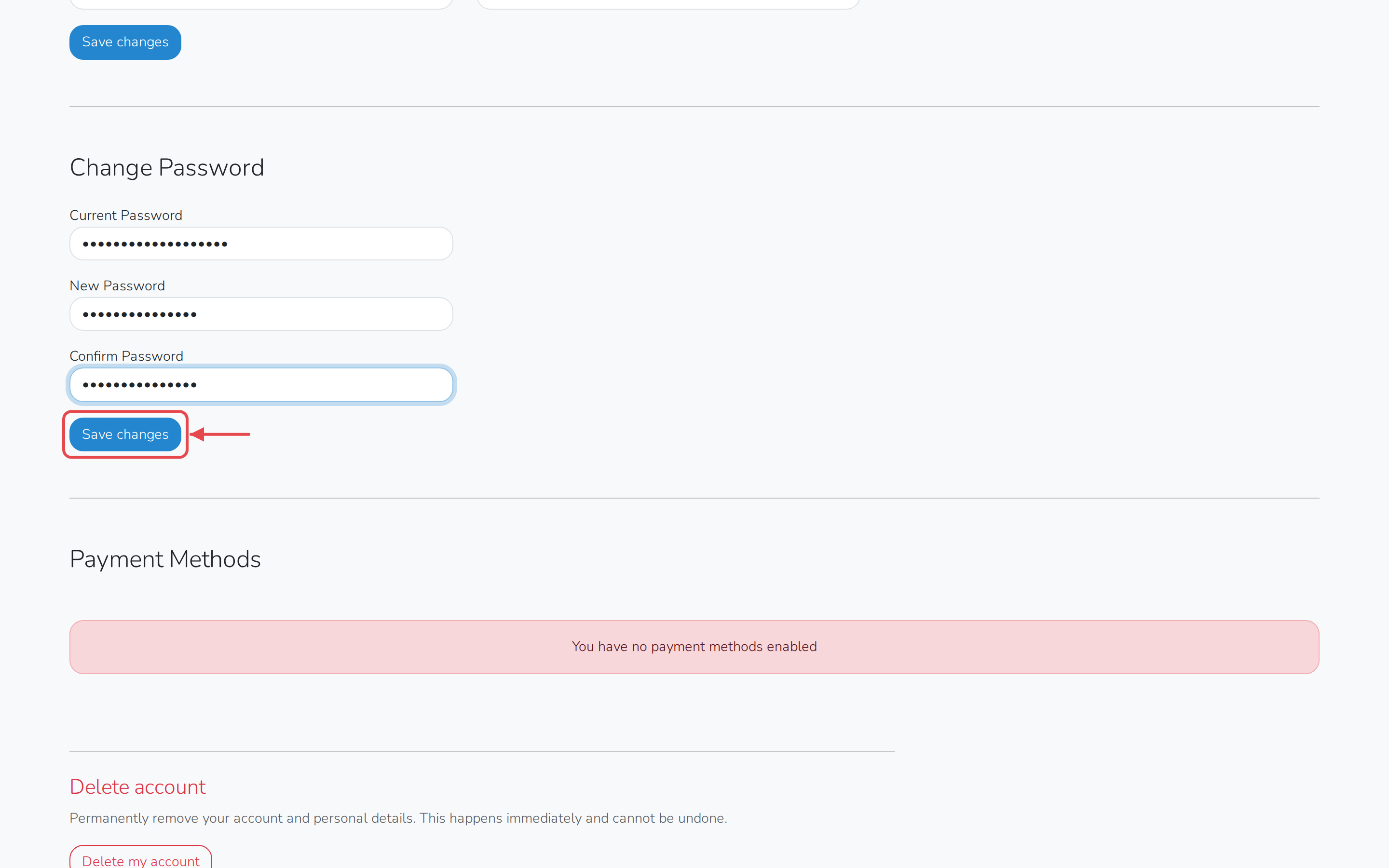
Scroll down to Change Password.
-
Fill in Current Password.
-
Fill in New Password.
-
Fill in Confirm Password.
-
Click Save changes.