


If your association manages markets, you can invoice them for dues, fees or anything else they owe you. You do this from your association's Invoices page.
Note
Only member markets can be invoiced this way. Vendor members are not billed from this page.
Turn on a payment method
Before you can send an invoice, your association needs at least one way for members to pay it.
- From your account page, click the Associations tab.
- Click Dashboard on the association you want to manage.
- Click Invoices in the left-hand menu.
- Click Payment methods.
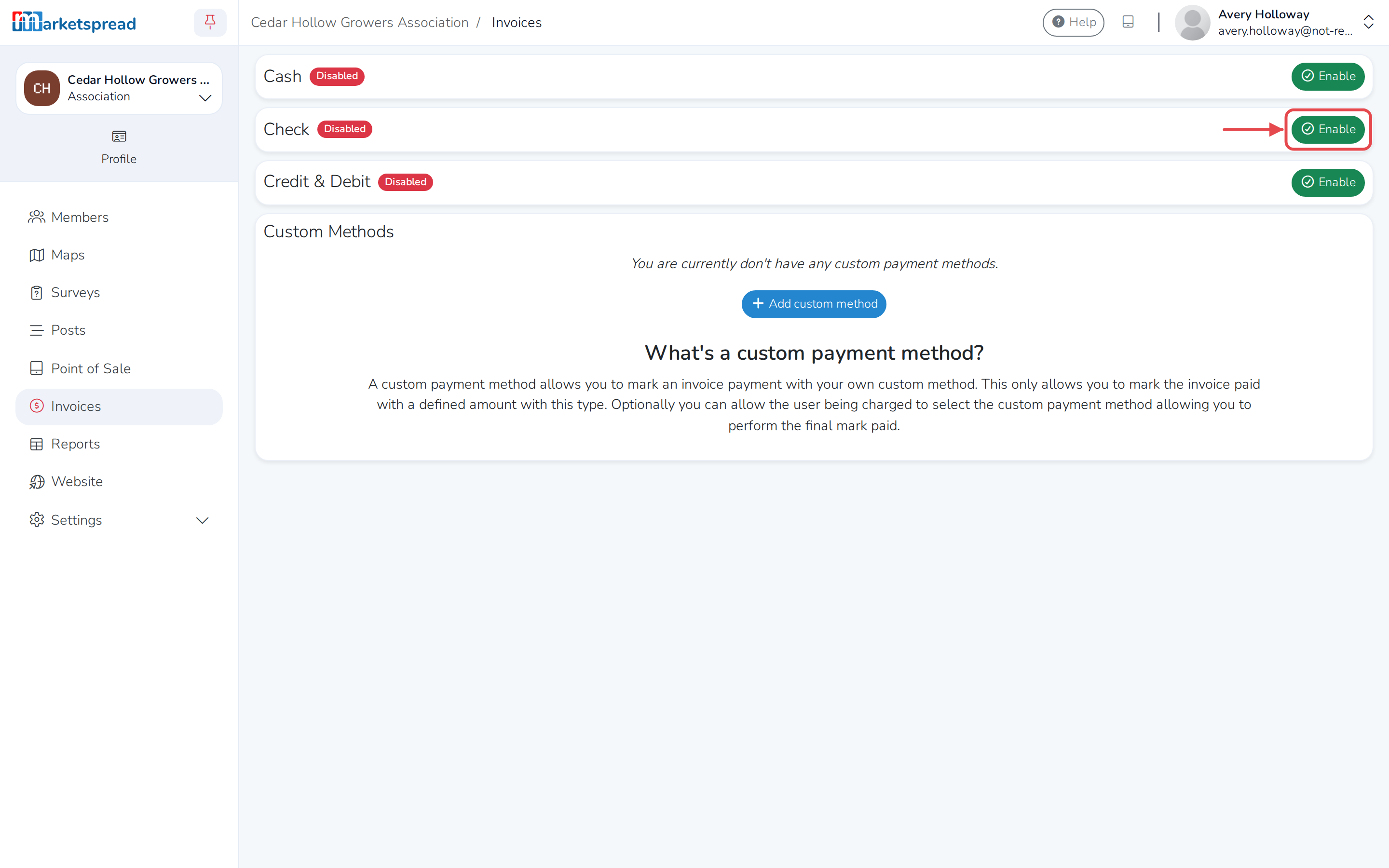
- Click Enable next to Cash, Check or Credit & Debit.
- Fill in the details members will need — for Check, that's who to make it payable to and where to mail it.
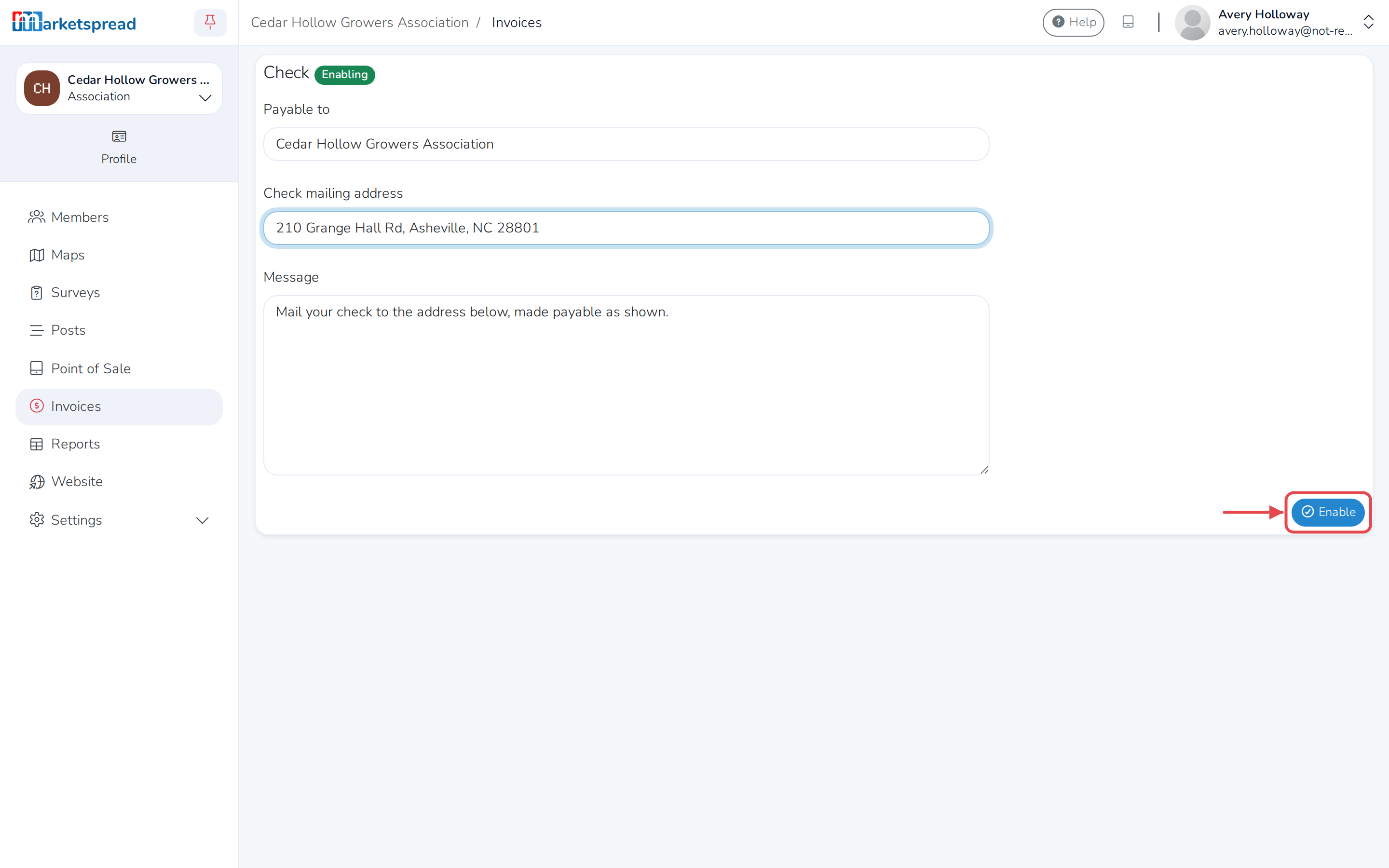
- Click Enable to save it.
Note
If your association shares a payout account with other markets or vendors in an organization, Payment methods is disabled here — set it up from the organization's dashboard instead.
Create an invoice
- On the Invoices page, click Add Invoice.
- Under Select Recipients, search for the market and click it to add it. You can select more than one to send the same invoice to each.
- Fill in a name and price for each thing you're charging for. Click Add Custom Item to add another line.
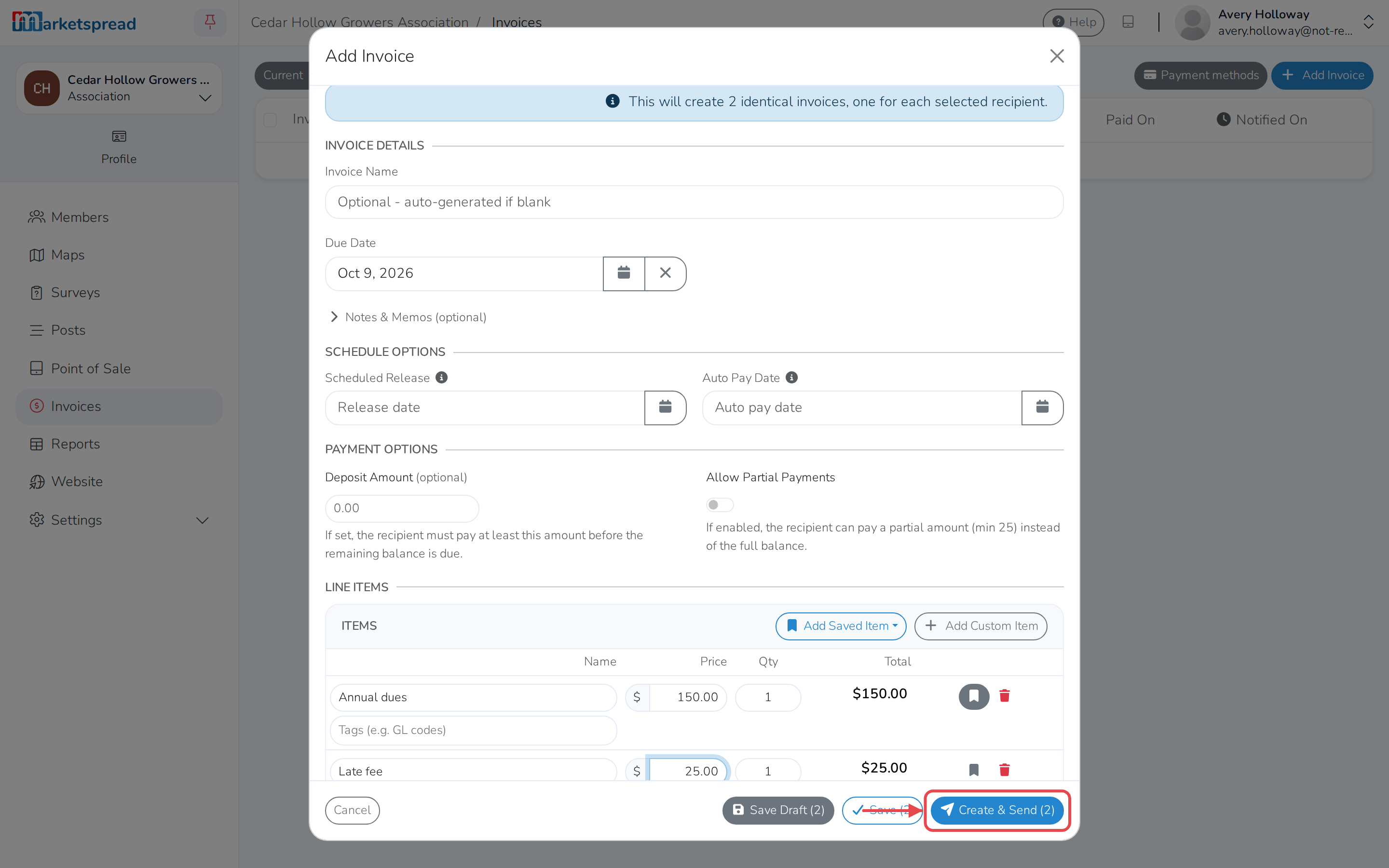
- Click Create & Send to create the invoice and email it to the recipients right away, or Save to create it without emailing it yet.
Note
Click Save Draft instead if you're not ready to finish the invoice — it's kept as a draft until you come back to it.