


Updating an event’s start and end times is simple.
Go to: Event Configuration → Events
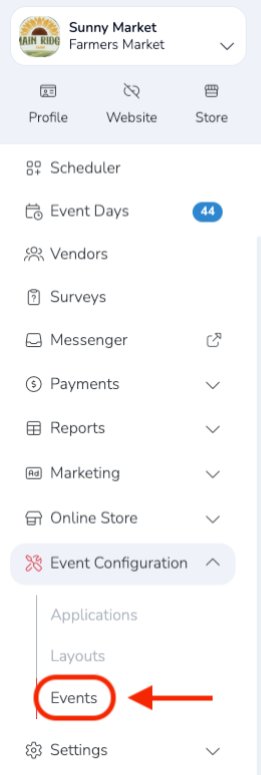
Then select the event you want to update by clicking the event name or the overview arrow on the far right.

Next, select the Days tab and click the pencil icon to make changes.
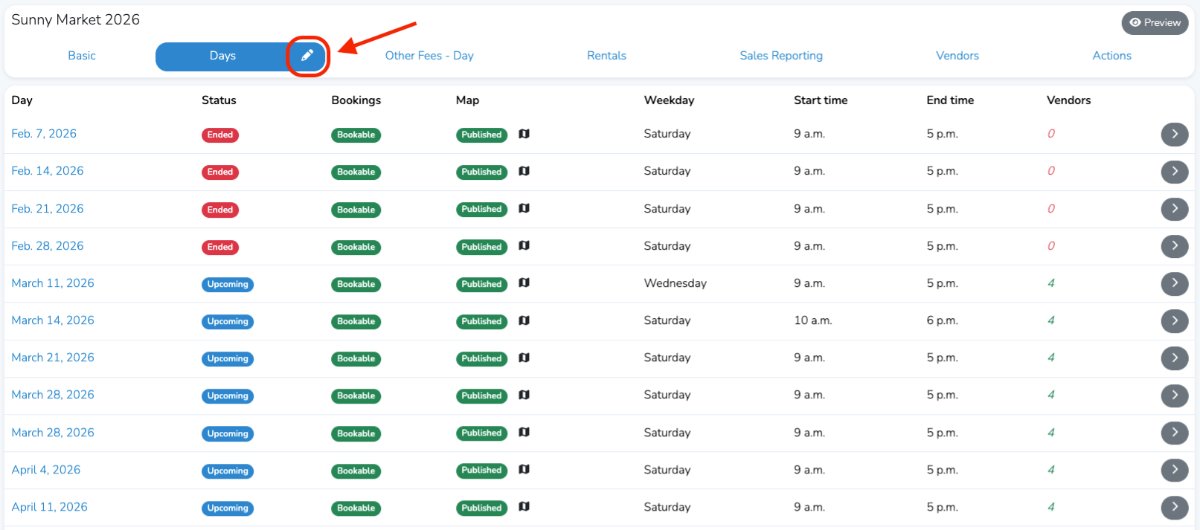
Scroll down to Event Days and update the start and end times for each event as needed.
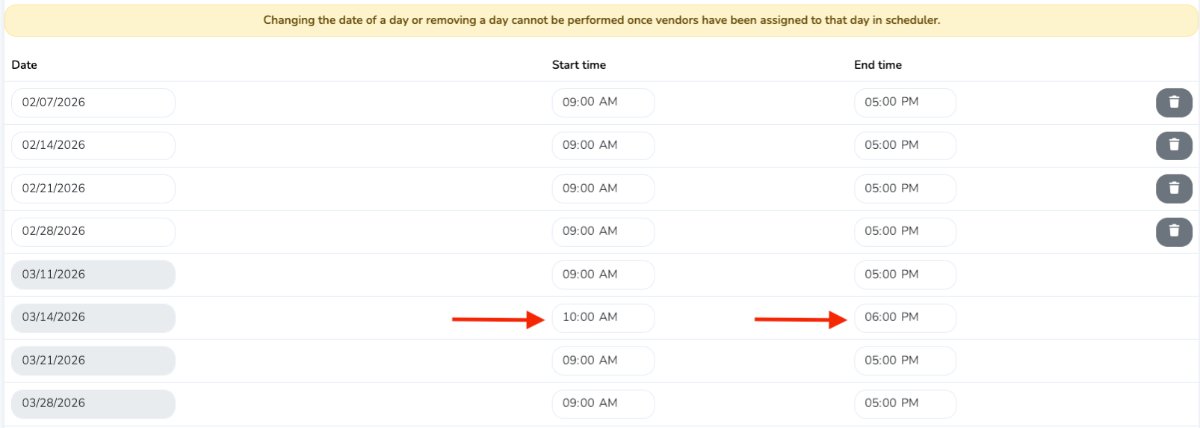
When you are finished, click Save at the bottom.
