


To enable your account to accept credit and debit card payments from vendors, follow the steps outlined below.
Note
Marketspread does not charge any fees or transaction percentage for the use of this feature. As with any Credit Card merchant account, processing fees apply and are charged by the upstream processor.
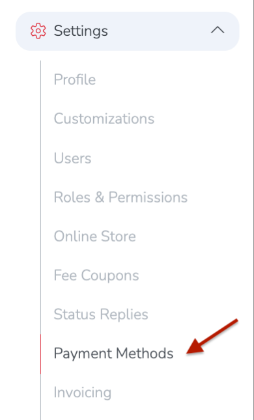
First, from your dashboard, click on Settings -> Payment Methods from the left hand navigation bar.
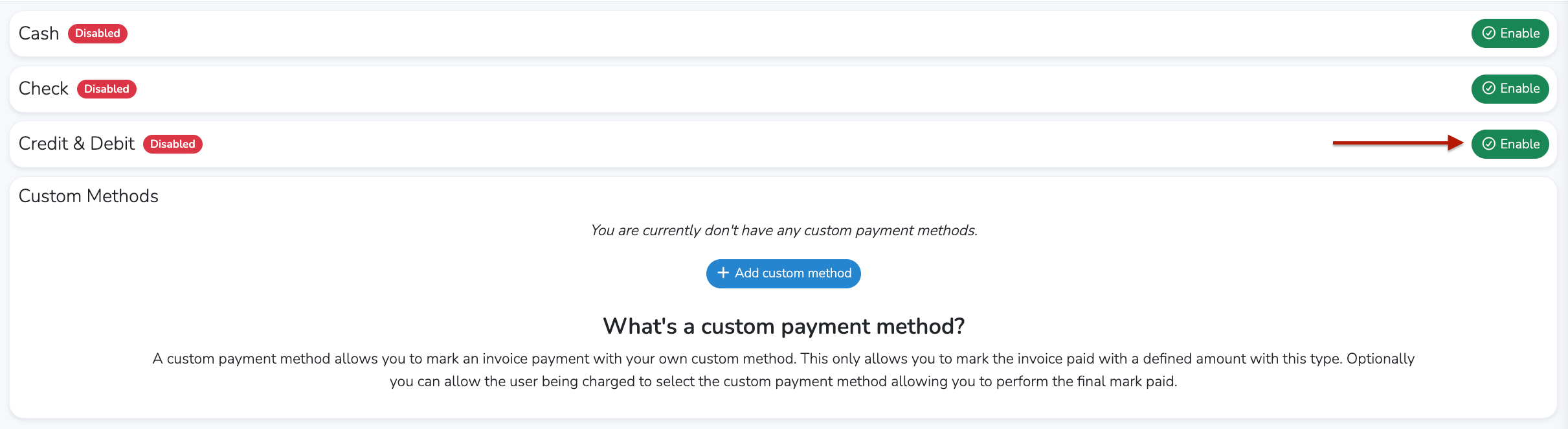
Then, click on the green Enable link to the far right of Credit and Debit.
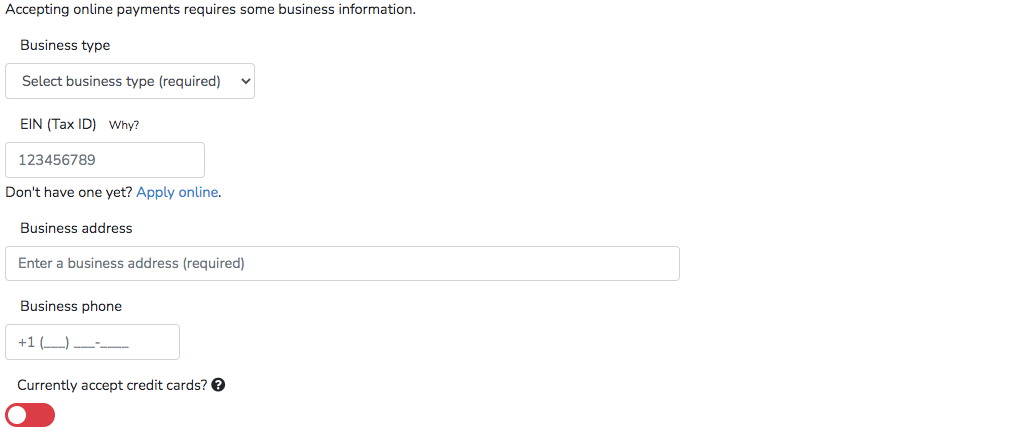
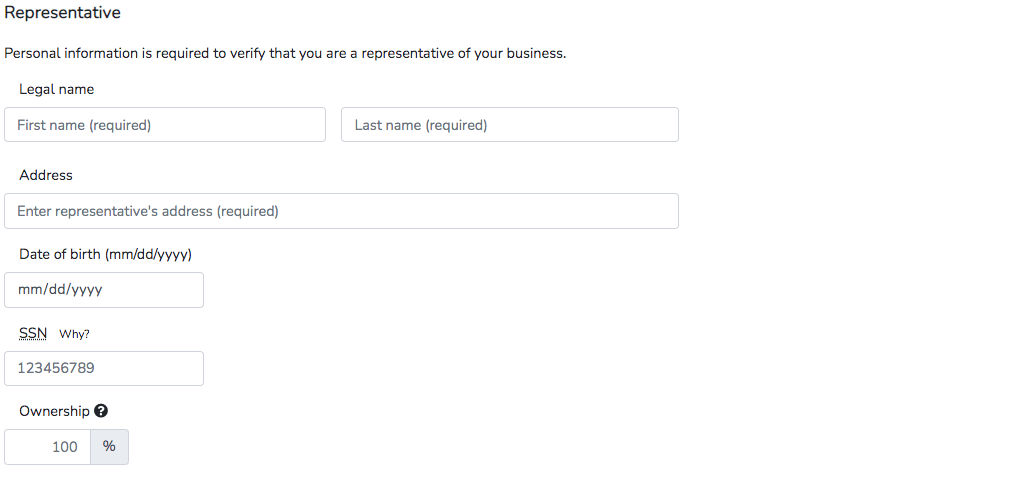
You will then be asked to fill out a form with three short sections. This information is used by our payment processor to validate and on-board your account.
Note
It is important to note that none of the information you fill in is ever stored or cached on a Marketspread server.
Section 1: Business identification
Section 2: Account representative
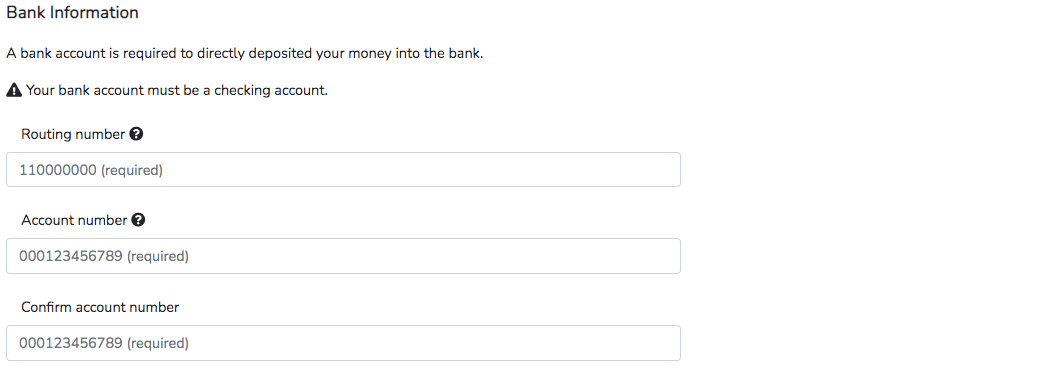
Section 3: Bank account information
Section 4: Terms of Service

Once all information is filled in correctly click the blue Enable button at the bottom of the form. Please note that if any information is missing or not filled in completely the form will reset and you will need to start again. This is due to Marketspread never storing or caching any of this information on any of our servers.

After submission it usually takes up to two business days to review. Once approved you will be notified via email and your dashboard will update to show a green boarded status.
Updating Banking Information
If you need to update your banking information on file, please email [email protected] and include one of the following:
- An image of a voided check
- A bank statement
- A bank letter
Once we receive your email with the required documentation, we'll initiate the update with our payment processor. After the bank change has been completed, we'll notify you.