Closing or Deleting your market with Marketspread
If you need to close your or delete your market with Marketspread, follow these instructions.
Closing Your Market on Marketspread
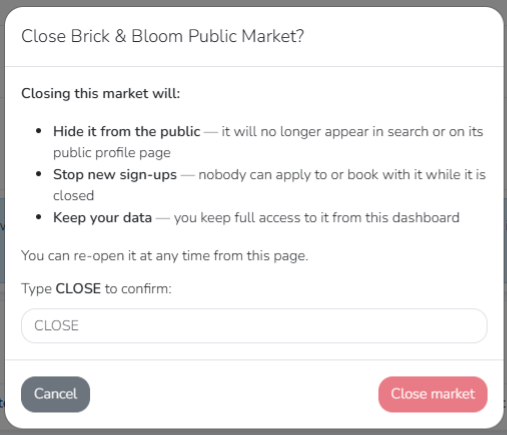
Closing your market hides the market from the public and stops new sign-ups, but keeps your data saved so you can still manage it. You can re-open it at any time.
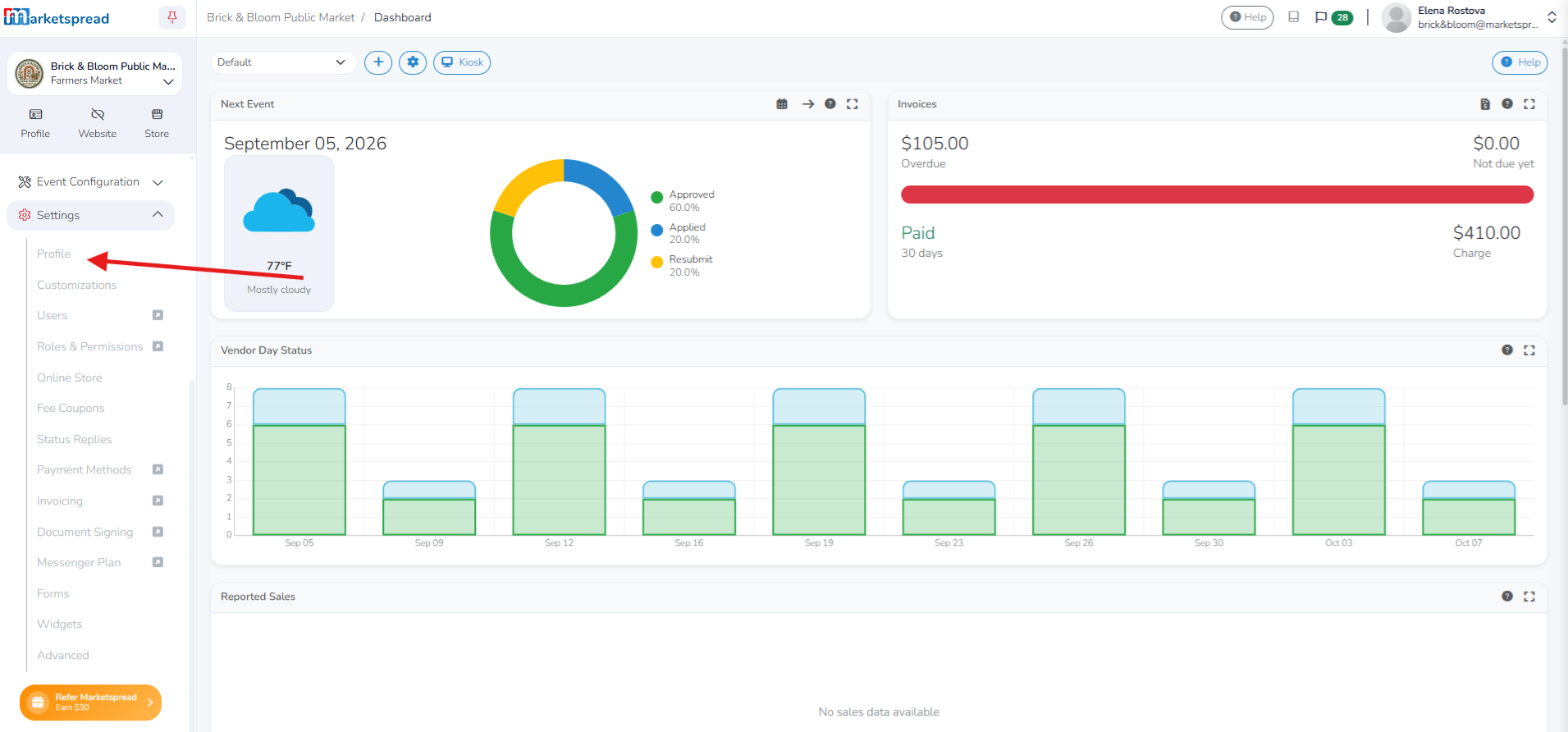
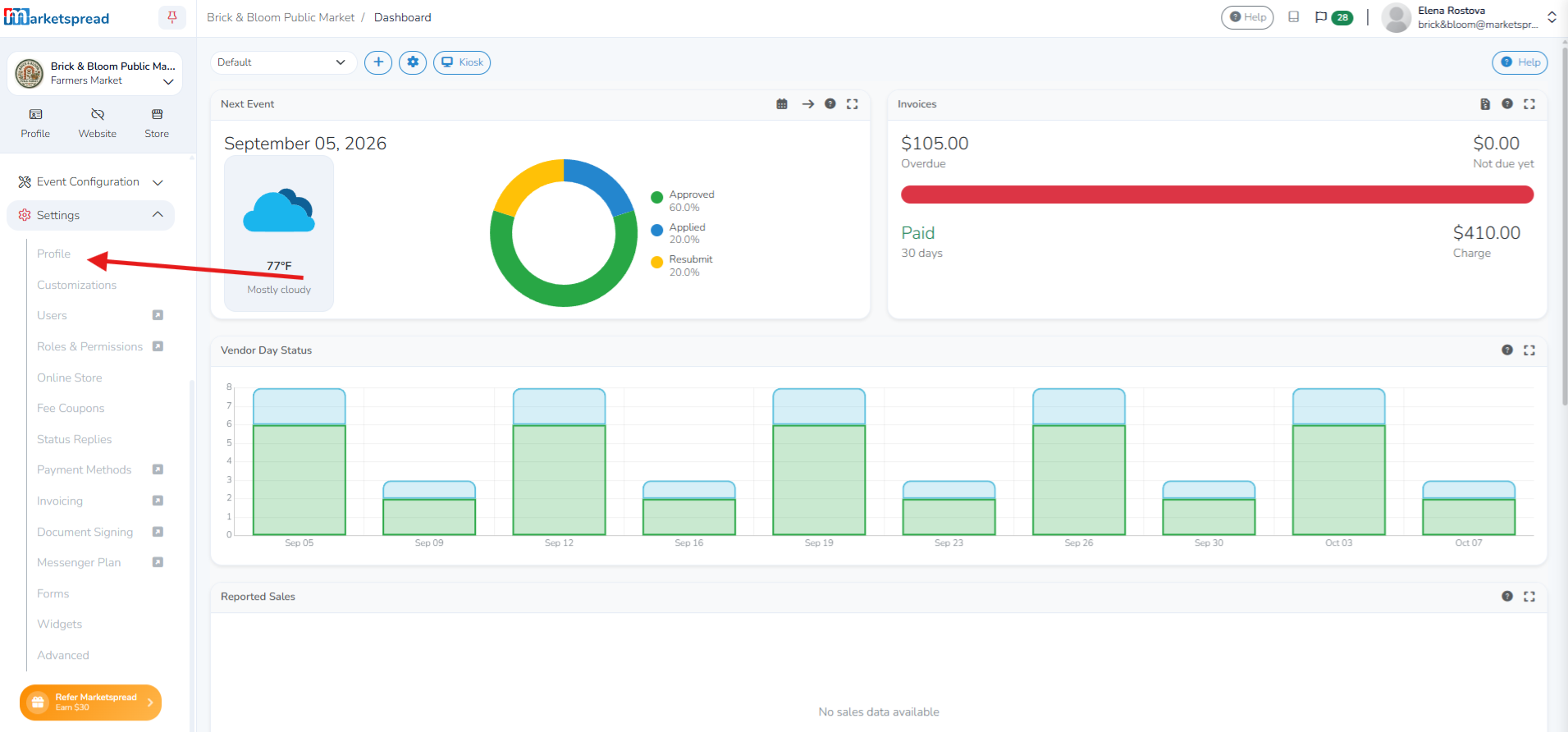
First, login to Marketspread. After logging in, navigate to your profile setting by clicking on on "Profile" under "Settings" on the left sidebar.
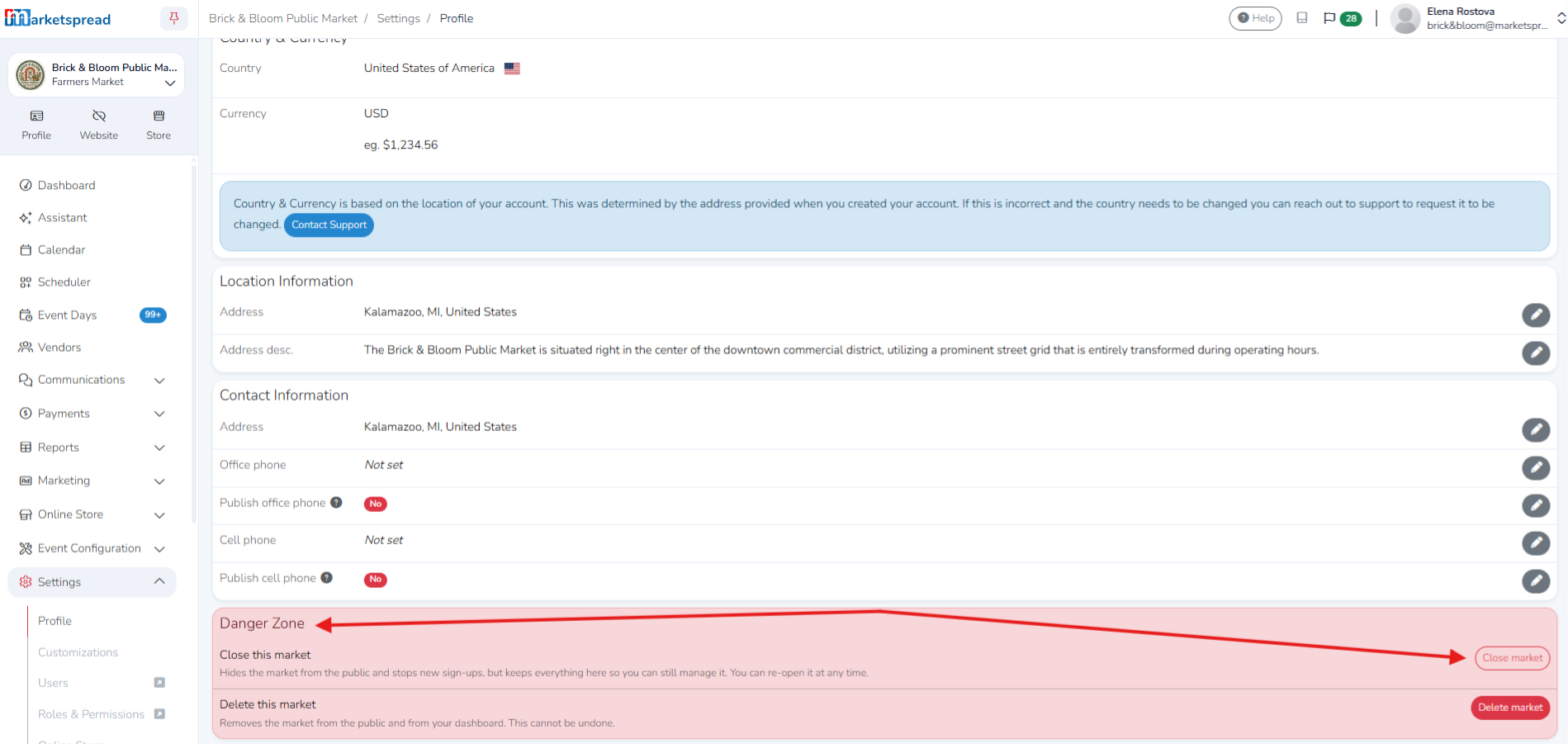
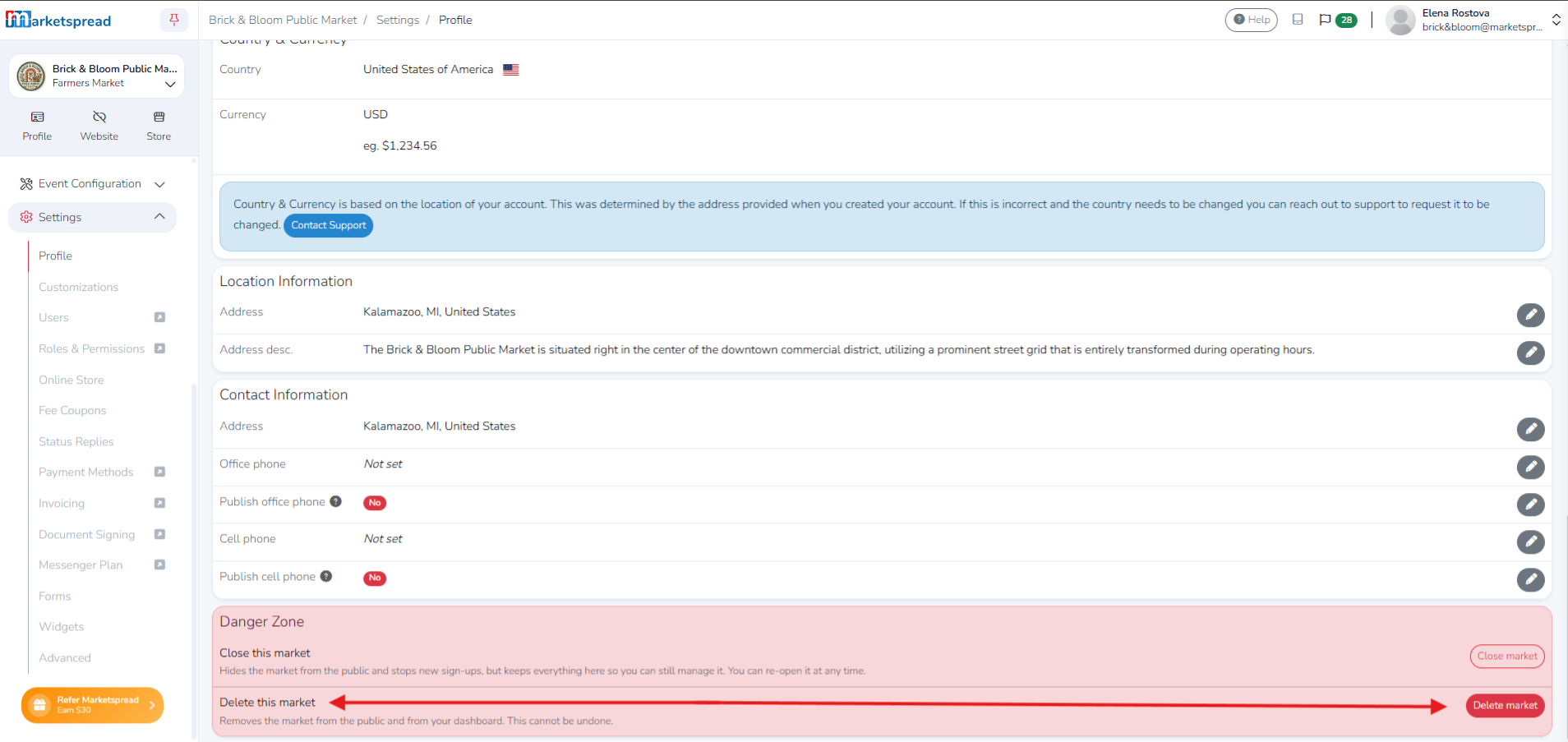
After selecting "Profile", scroll down to the bottom of this page, and you will see "Danger Zone". Below this, you will see the option to "Close this market". Select "Close this market".
After carefully reviewing the information, type "CLOSE" to confirm. After typing "CLOSE", click "Close market" to complete closing the market.
Deleting Your Market on Marketspread
Warning
Note
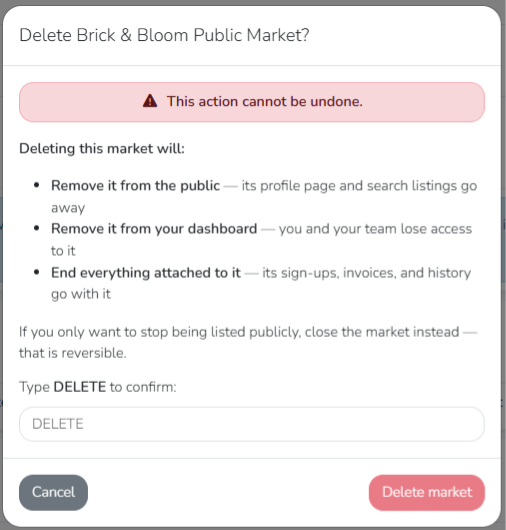
This action cannot be undone. Deleting your market permanently removes its public profile and search listings, revokes team dashboard access, and deletes all historical data, including sign-ups and invoices.
First, login to Marketspread. After logging in, navigate to your profile setting by clicking on on "Profile" under "Settings" on the left sidebar.
After selecting "Profile", scroll down to the bottom of this page, and you will see "Danger Zone". Below this, you will see the option to "Delete this market". Select "Delete market".
After carefully reviewing the information, type "DELETE" to confirm. After typing "DELETE", click "Delete market" to delete the market.